> For the complete documentation index, see [llms.txt](https://help.listly.io/llms.txt). Markdown versions of documentation pages are available by appending `.md` to page URLs; this page is available as [Markdown](https://help.listly.io/docs/es/getting-started/enterprise-solutions/auto-name-columns.md).
# Nombrar columnas automáticamente
## ¿Qué es la función de nombrar columnas?
En la ventana de resultados de extracción del plan Enterprise, puedes modificar directamente el nombre que se muestra en cada columna para que aparezca como contenido de la fila de encabezado en los datos finales.
***
## Cómo usar
{% stepper %}
{% step %}
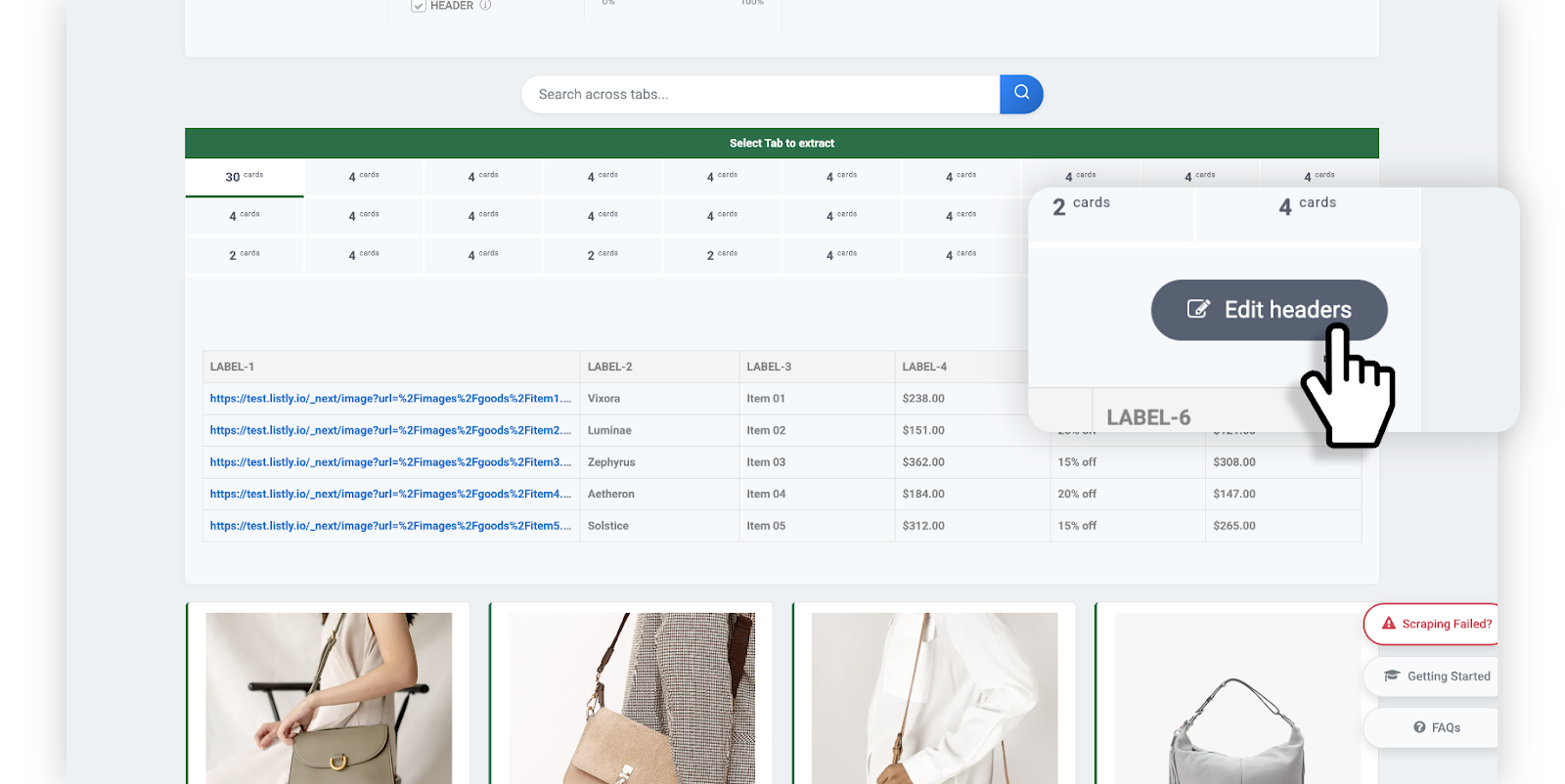
#### Haz clic en el botón \[Edit Headers] en la ventana de resultados.
En la ventana de resultados de extracción completada, selecciona la pestaña que deseas extraer y luego haz clic en el botón **\[Edit Headers]**.
{% endstep %}
{% step %}
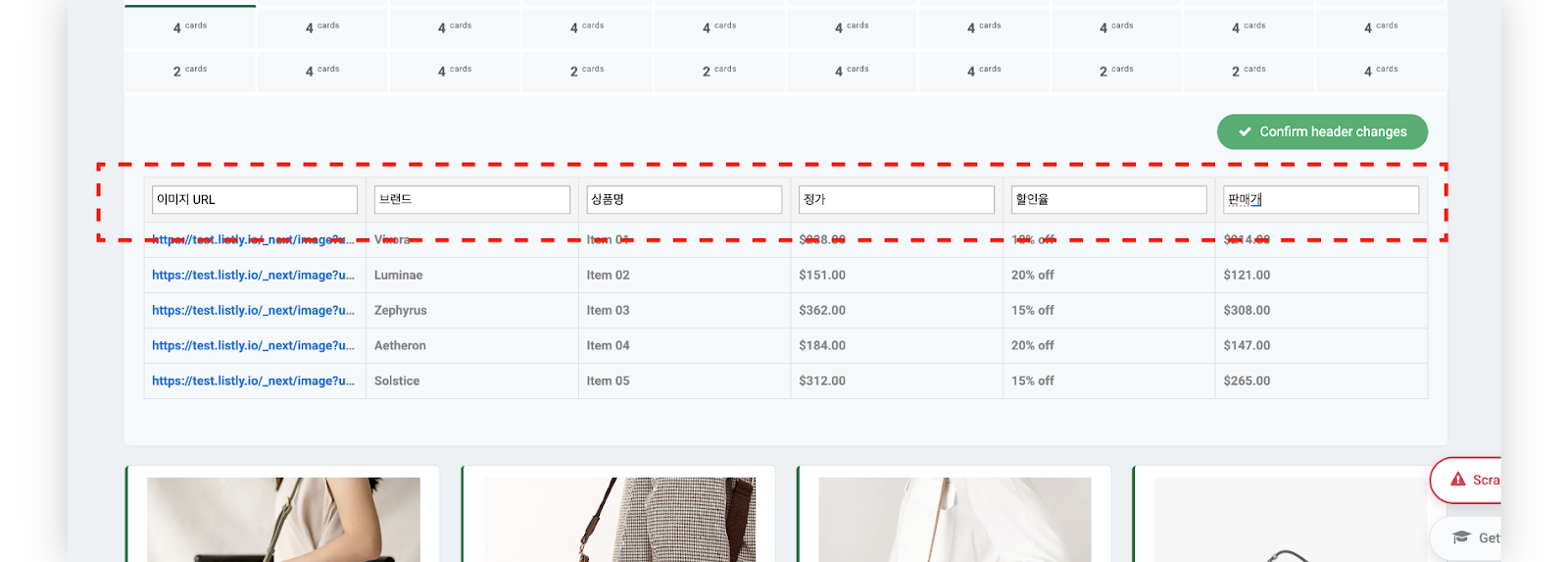
#### Modifica los nombres de las columnas (encabezados) según lo desees.
Cuando se active la edición de nombres de columnas, modifica cada columna de datos con el contenido apropiado.
{% endstep %}
{% step %}
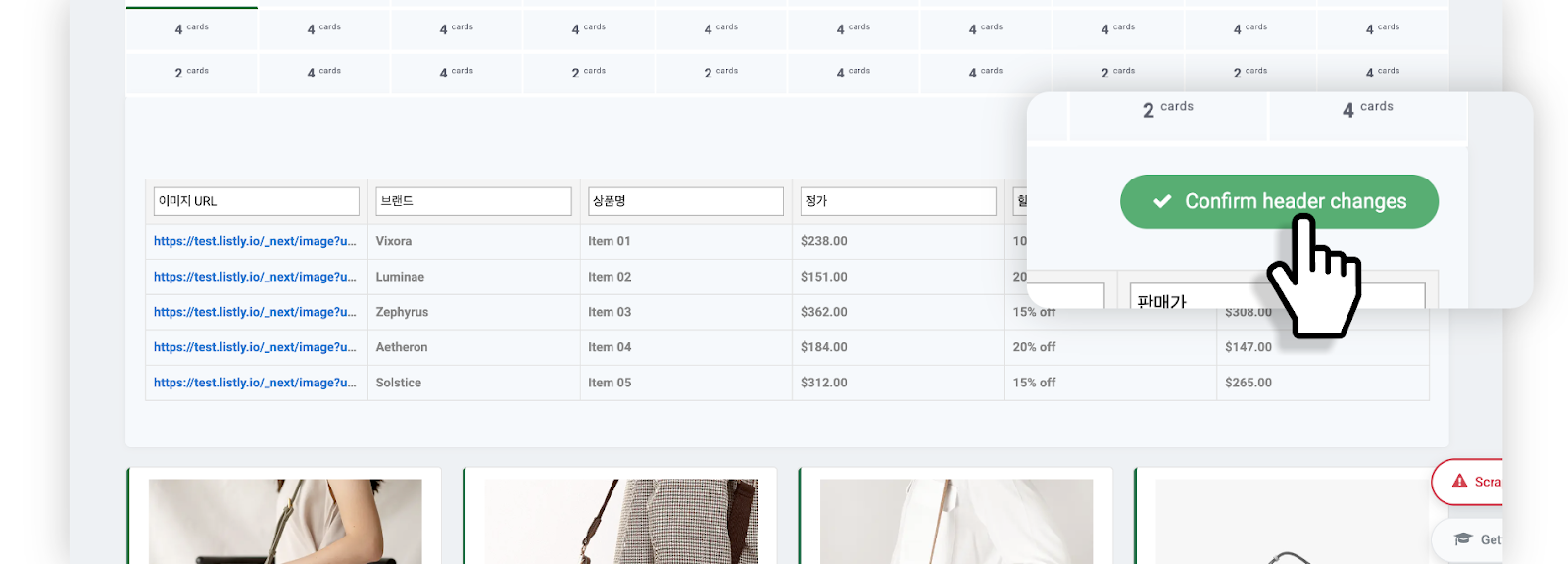
#### Guarda los cambios.
Cuando hayas terminado las modificaciones, haz clic en el botón **\[Confirm header changes]** para guardar.
{% endstep %}
{% step %}
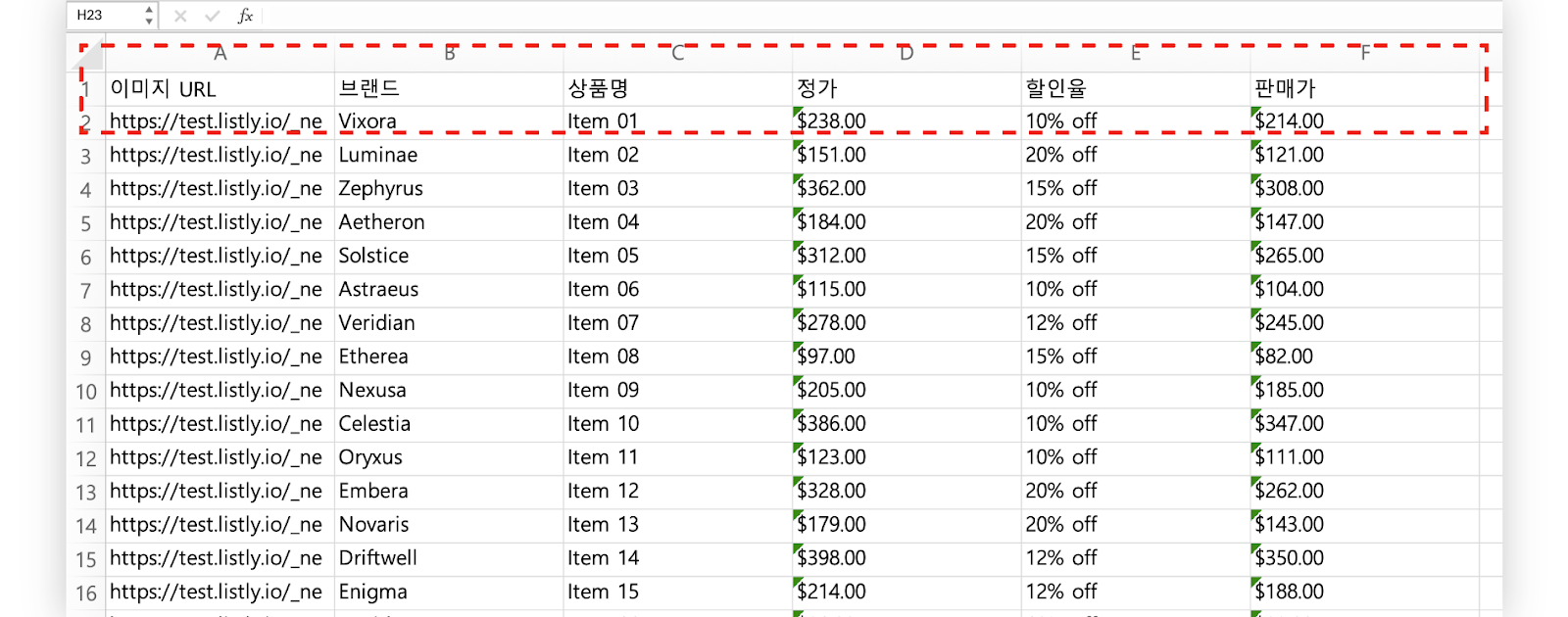
#### Descarga el archivo y verifica los nombres de columnas modificados.
Los nombres modificados también se reflejarán en la fila de encabezado del archivo de Excel o Google Sheets.
{% endstep %}
{% endstepper %}
---
# Agent Instructions
This documentation is published with GitBook. GitBook is the documentation platform designed so that both humans and AI agents can read, navigate, and reason over technical content effectively. Learn more at gitbook.com.
## Querying This Documentation
If you need additional information that is not directly available in this page, you can query the documentation dynamically by asking a question.
Perform an HTTP GET request on the current page URL with the `ask` query parameter, and the optional `goal` query parameter:
```
GET https://help.listly.io/docs/es/getting-started/enterprise-solutions/auto-name-columns.md?ask=&goal=
```
`ask` is the immediate question: it should be specific, self-contained, and written in natural language.
`goal` is optional and describes the broader end goal you are ultimately trying to accomplish on behalf of the user. GitBook uses it to tailor the answer towards what is most useful for that goal.
The response will contain a direct answer to the question and relevant excerpts and sources from the documentation.
Use this mechanism when the answer is not explicitly present in the current page, you need clarification or additional context, or you want to retrieve related documentation sections.