> For the complete documentation index, see [llms.txt](https://help.listly.io/llms.txt). Markdown versions of documentation pages are available by appending `.md` to page URLs; this page is available as [Markdown](https://help.listly.io/docs/ja/getting-started/databoard-features/settings-proxy.md).
# 設定 - プロキシ
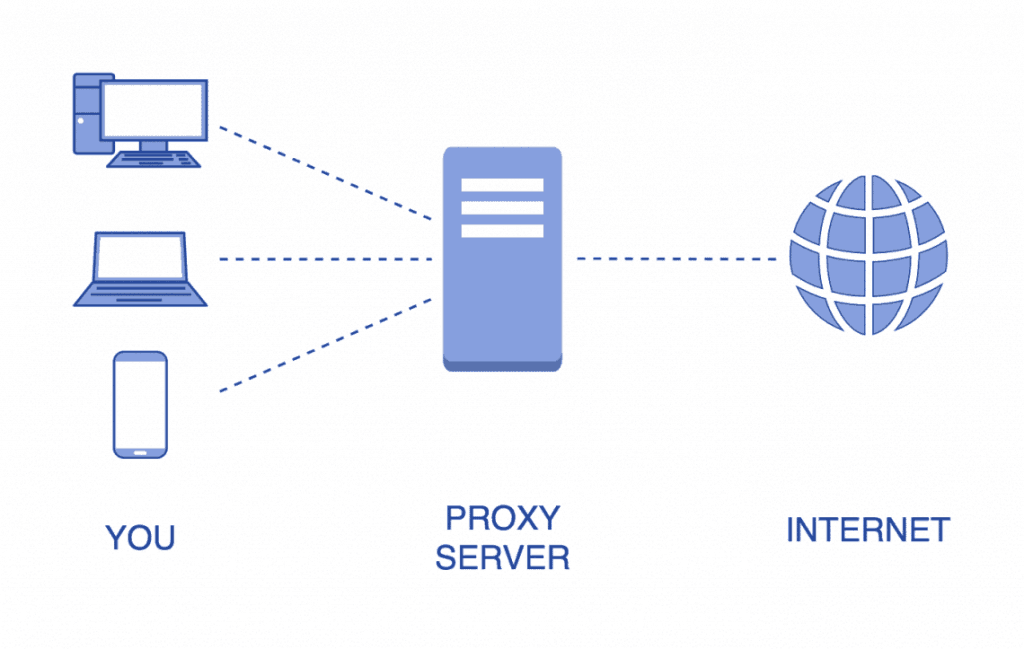
## プロキシサーバーとは?
ウェブサイトにアクセスする際にユーザーが経由するサーバーです。プロキシサーバーは通常、訪問者のIPアドレスを隠すように設定されています。
### なぜIPアドレスを隠すのですか?
アクセスしようとしているサイトがIPアドレスに基づいてさまざまな制限を課す可能性があるためです。一般的な状況は次のとおりです:
* **特定の国のみにアクセスを制限するサイト**
* **一定期間内のアクセス数を制限するサイト**
* **記録が悪い特定のIPアドレスをブロックするサイト**
### プロキシサーバーをいつ使用しますか?
**国内からアクセスが困難なウェブサイトからデータを抽出する場合**、プロキシ国を別の国に設定すると、以前にアクセスできなかったウェブページから目的の結果を簡単に取得できます。
{% hint style="success" %}
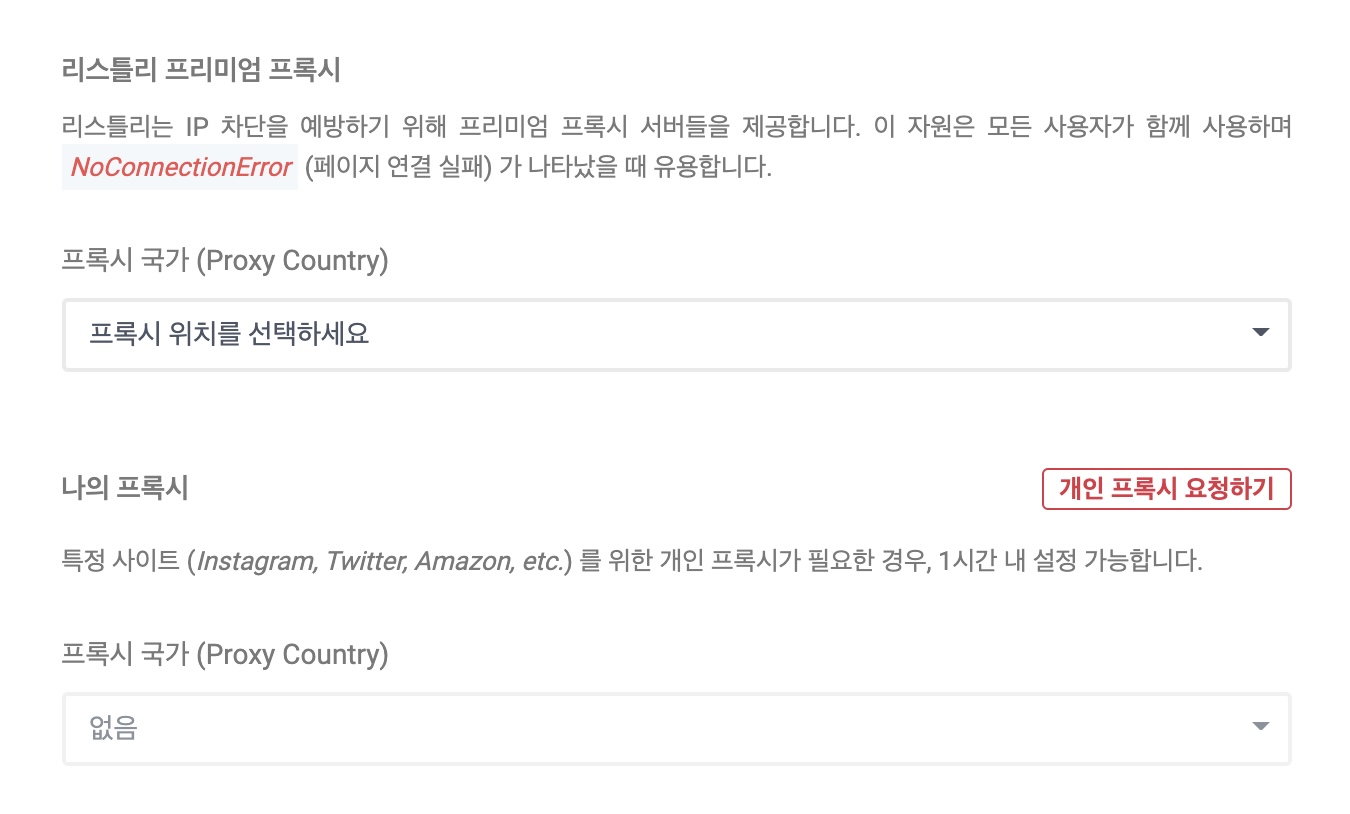
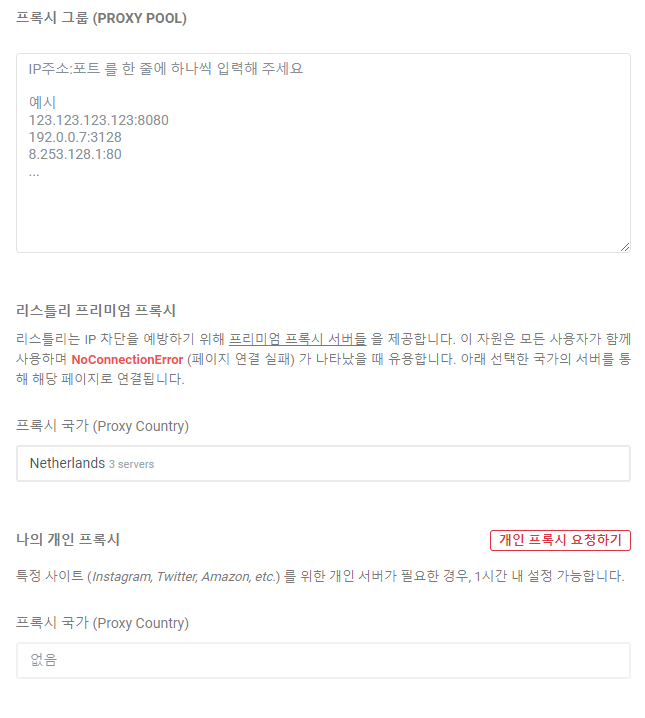
Listlyプレミアムプロキシは、倫理的に運営されている海外プロキシサービスを通じて購入されたプロキシサーバーです。すべてのユーザーが使用する共有サーバーで、現在米国/ドイツ/オランダを含む複数の国からサーバーを提供しており、国は変更される可能性があります。
{% endhint %}
***
## 使い方
### <例> 韓国からアクセスできない米国サイト
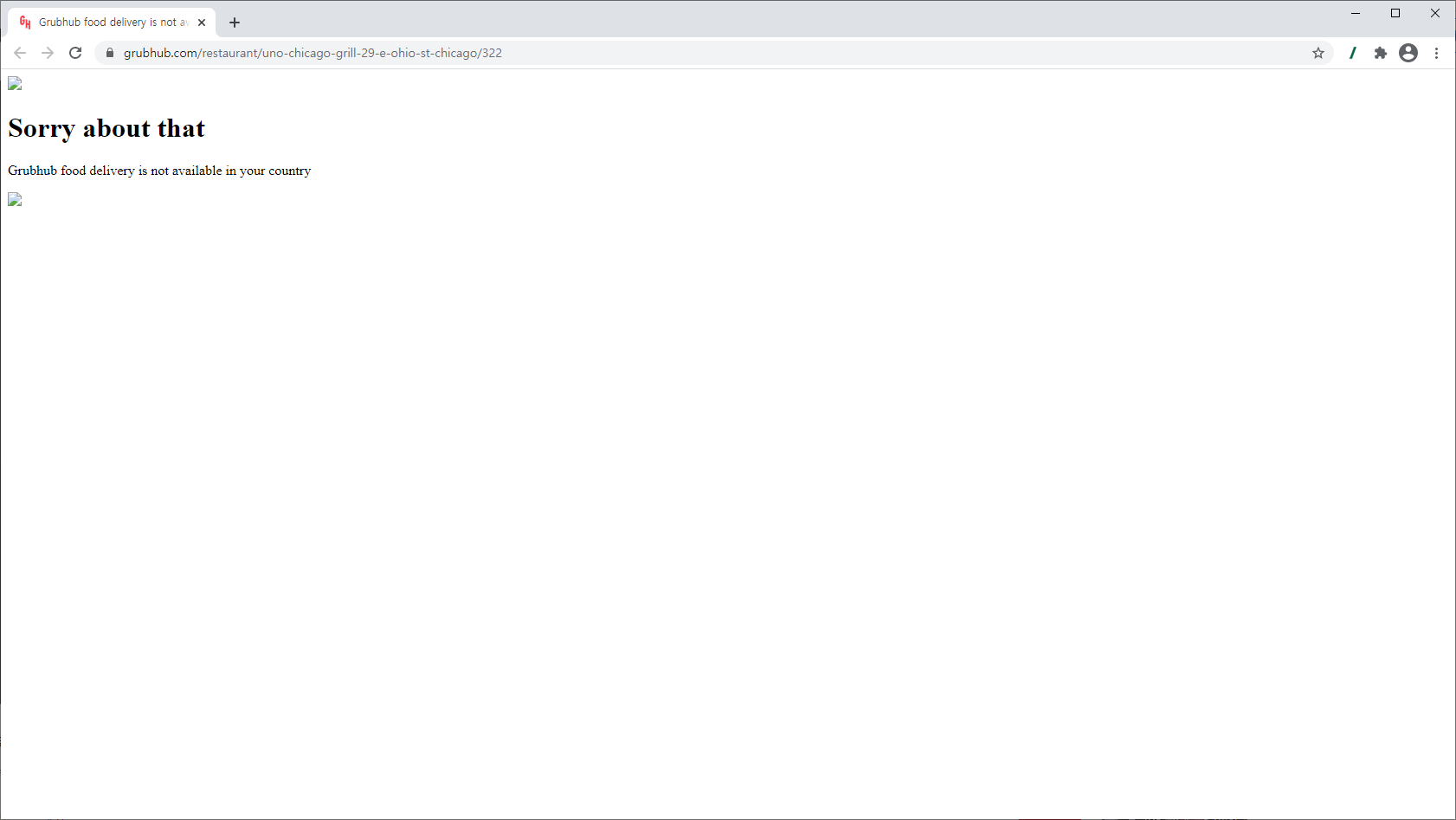
以下のURLは韓国からアクセスできない米国のオンライン食品配達サイトですが、プロキシサーバーを設定することでアクセスしてデータを抽出できます。
{% hint style="info" %}
**超簡単ガイド**
➡️ データを抽出 ➡️ DATABOARDに移動 ➡️ 設定アイコンをクリック ➡️ プロキシ国を変更 ➡️ 保存 ➡️ 再抽出
{% endhint %}
{% stepper %}
{% step %}
### 例のページにアクセスし、WHOLE抽出ボタンをクリック
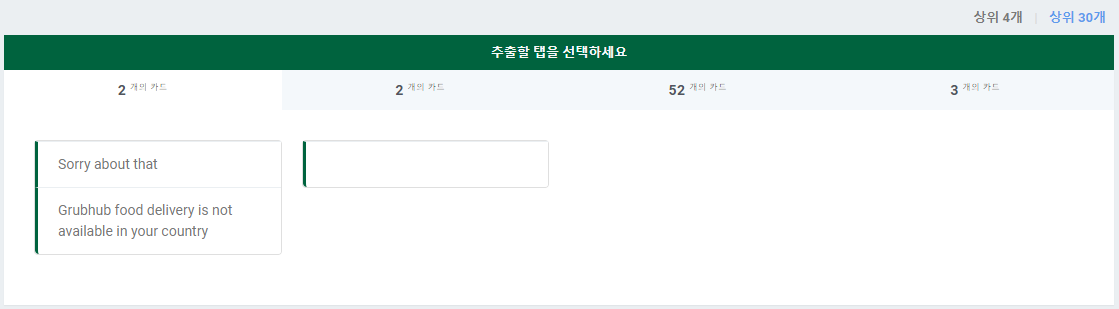
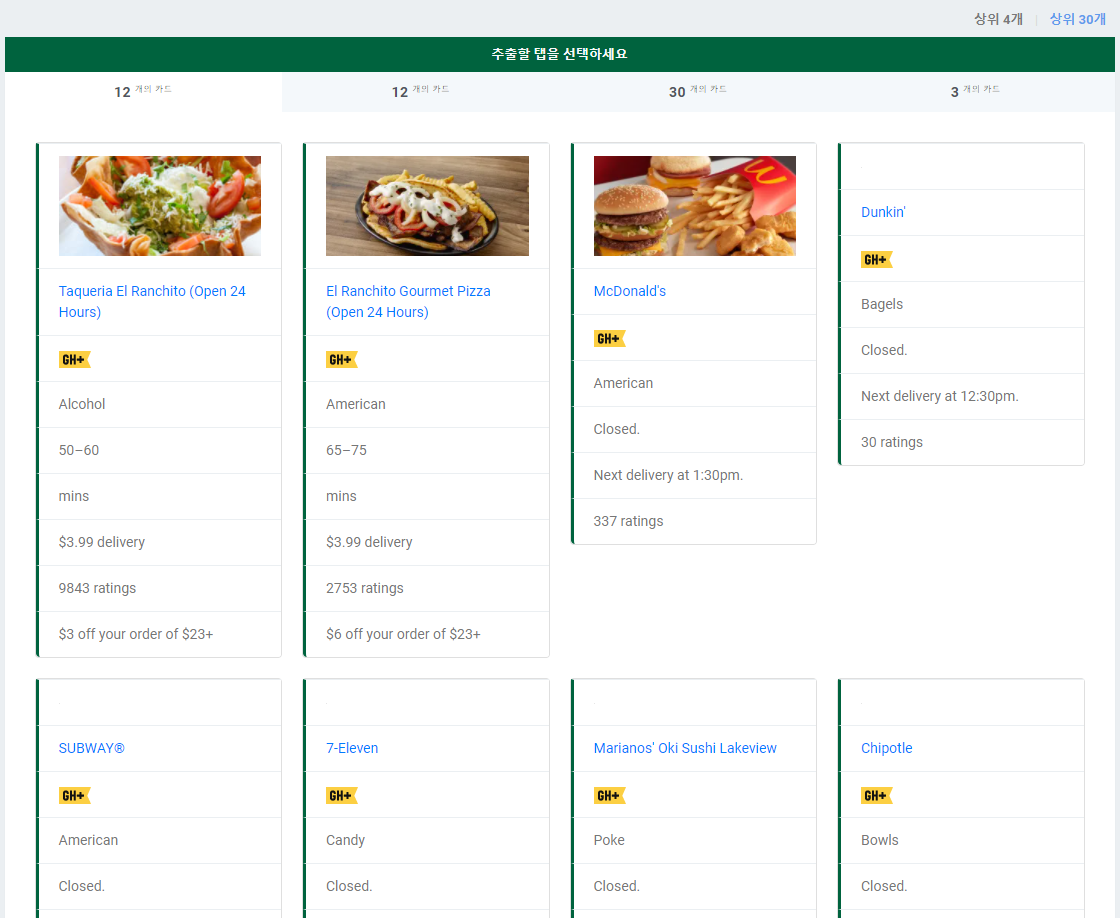
韓国からアクセスできない米国サイト(例):\
韓国からアクセスしたページを抽出すると、失敗したアクセスページのコンテンツのみが抽出されます。
{% endstep %}
{% step %}
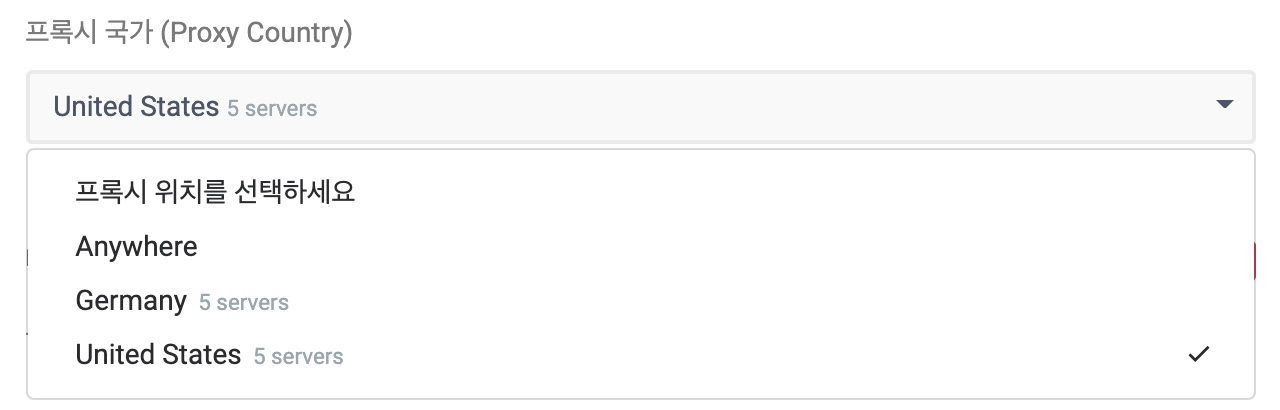
### DATABOARD → 設定アイコンをクリック → Listlyプレミアムプロキシ国を別の国に変更
{% endstep %}
{% step %}
### Databoardの再抽出アイコンをクリックしてデータを再抽出
元のページがどのように見えるか気になる方のために、こちらです。無料VPN(米国)を使用してアクセスすると、以下のようにレストランのメニューと近くの推奨メニューが表示されます。
{% endstep %}
{% endstepper %}
***
### その他のプロキシ設定方法
* **マイプロキシ**\
LISTLYチームへのリクエストに応じて、専用(共有されていない)のプライベートプロキシサーバーを購入し、Listlyプレミアムプロキシのように設定できます。プロキシサーバーの国、数量などは協議して決定でき、費用は別途請求されます。
---
# Agent Instructions
This documentation is published with GitBook. GitBook is the documentation platform designed so that both humans and AI agents can read, navigate, and reason over technical content effectively. Learn more at gitbook.com.
## Querying This Documentation
If you need additional information that is not directly available in this page, you can query the documentation dynamically by asking a question.
Perform an HTTP GET request on the current page URL with the `ask` query parameter, and the optional `goal` query parameter:
```
GET https://help.listly.io/docs/ja/getting-started/databoard-features/settings-proxy.md?ask=&goal=
```
`ask` is the immediate question: it should be specific, self-contained, and written in natural language.
`goal` is optional and describes the broader end goal you are ultimately trying to accomplish on behalf of the user. GitBook uses it to tailor the answer towards what is most useful for that goal.
The response will contain a direct answer to the question and relevant excerpts and sources from the documentation.
Use this mechanism when the answer is not explicitly present in the current page, you need clarification or additional context, or you want to retrieve related documentation sections.