> For the complete documentation index, see [llms.txt](https://help.listly.io/llms.txt). Markdown versions of documentation pages are available by appending `.md` to page URLs; this page is available as [Markdown](https://help.listly.io/docs/ja/getting-started/enterprise-solutions/generate-bulk-group-and-download.md).
# 一括グループ生成 & ダウンロード
## 大量グループ生成およびダウンロードとは?
グループ抽出機能では、**1グループあたり最大500個のURLまで**しか登録できません。\
これは、システムの安定性と処理速度を最適化するための制限で、あまりに多くのURLを1つのグループに含めると、処理時間が過度に長くなったり、一部のリクエストがボトルネック現象により失敗する可能性があるためです。
しかし、数千〜数万個のURLを一度に登録する必要がある場合、500個ずつに分けて複数のグループを直接生成する過程がやや煩わしい場合があります。
これを簡素化するため、エンタープライズプランでは**大量グループ生成機能**を提供しています。\
入力したURLの個数に関係なく、システムが自動的に500個単位で分割して複数のグループを一度に生成し、抽出が完了した後も複数のグループタスクを一度にダウンロードできます。
***
## 使い方
{% stepper %}
{% step %}
#### 大量グループを登録する
{% stepper %}
{% step %}
**グループ抽出タスク生成と同じ手順で進行**
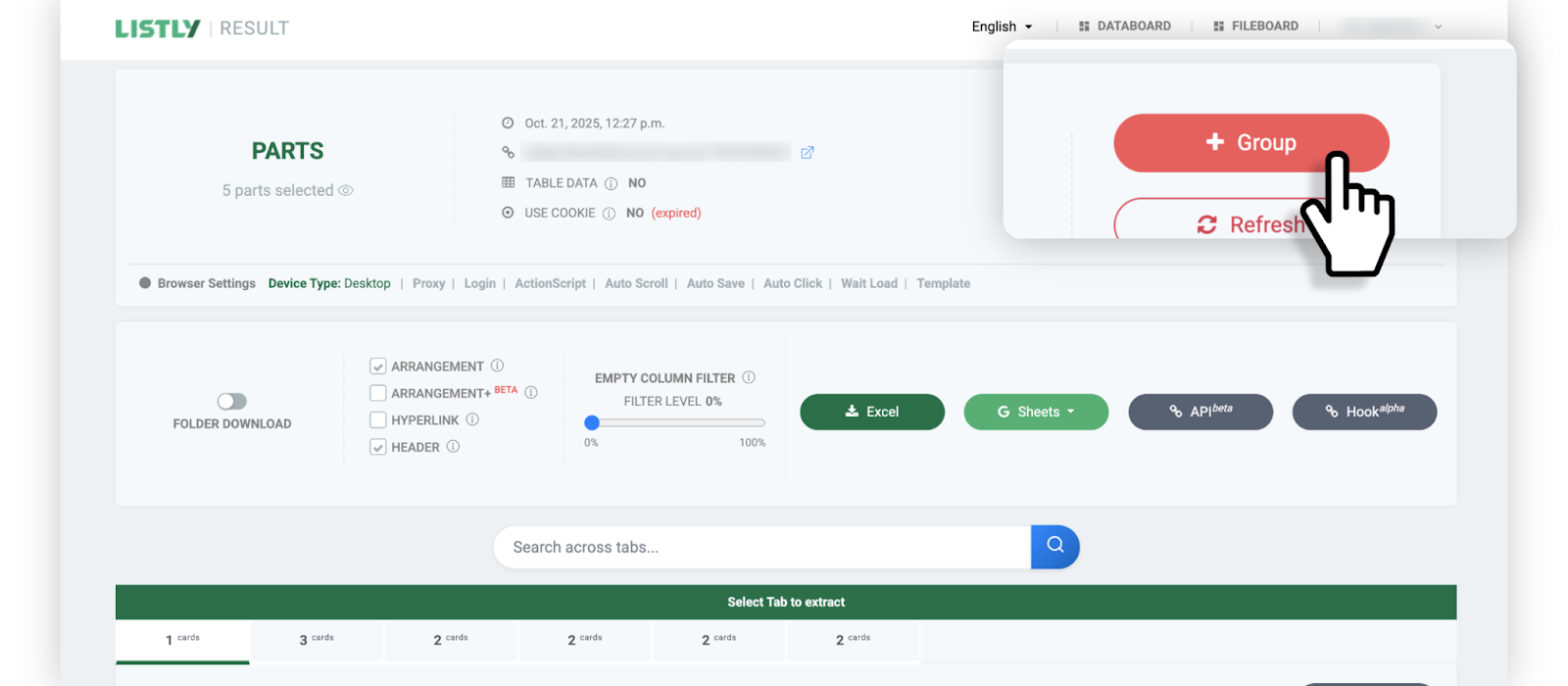
[**グループ抽出**](https://help.listly.io/docs/ja/~/revisions/fkR8WD5MDLd26ee4Wa7e/getting-started/result-page-features/group-extraction) タスクを生成する過程と同じように進行します。まずグループソースとなるページを抽出した後、結果ページ上部の **\[+グループ]** ボタンをクリックします。
{% endstep %}
{% step %}
**URLリスト貼り付けとTask per Groupの選択**
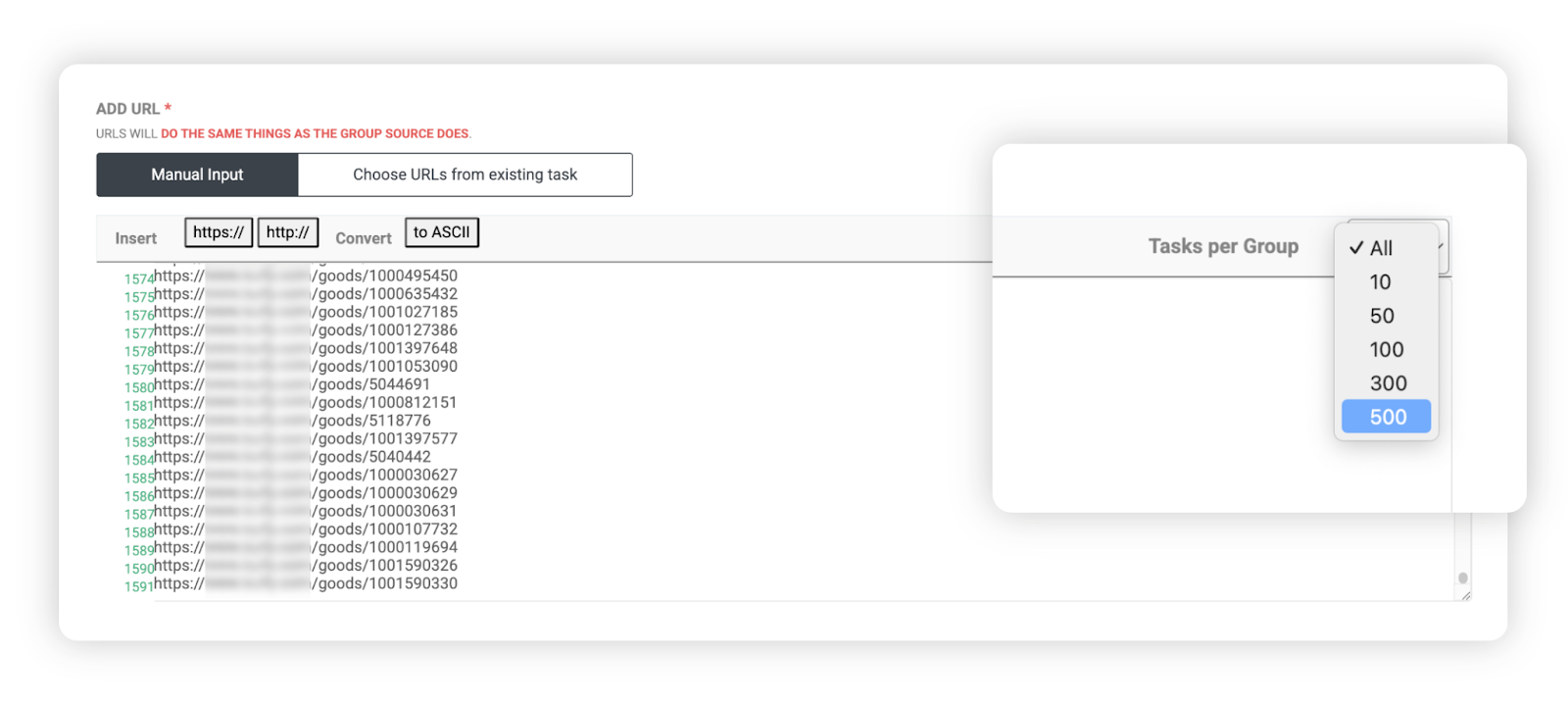
グループURL入力欄に抽出するURLリストを貼り付け、入力欄右上のTask per Groupオプションで1グループに含めるURL数を選択します。
例)
* 合計**1,592個のURL** 入力
* **500個単位**に設定時 -> 4個のグループタスク自動生成
* **100個単位**に設定時 -> 16個のグループタスク自動生成
{% endstep %}
{% step %}
**設定完了後に完了ボタンをクリック**
設定完了後、下部の **\[完了]** ボタンをクリックします。
{% endstep %}
{% step %}
**自動分割されて複数グループタスクとして登録されるのを確認**
入力したURLが選択した基準に従って自動分割され、複数のグループタスクとして登録されたことを確認できます。
{% endstep %}
{% endstepper %}
{% endstep %}
{% step %}
#### 大量グループをダウンロードする
{% stepper %}
{% step %}
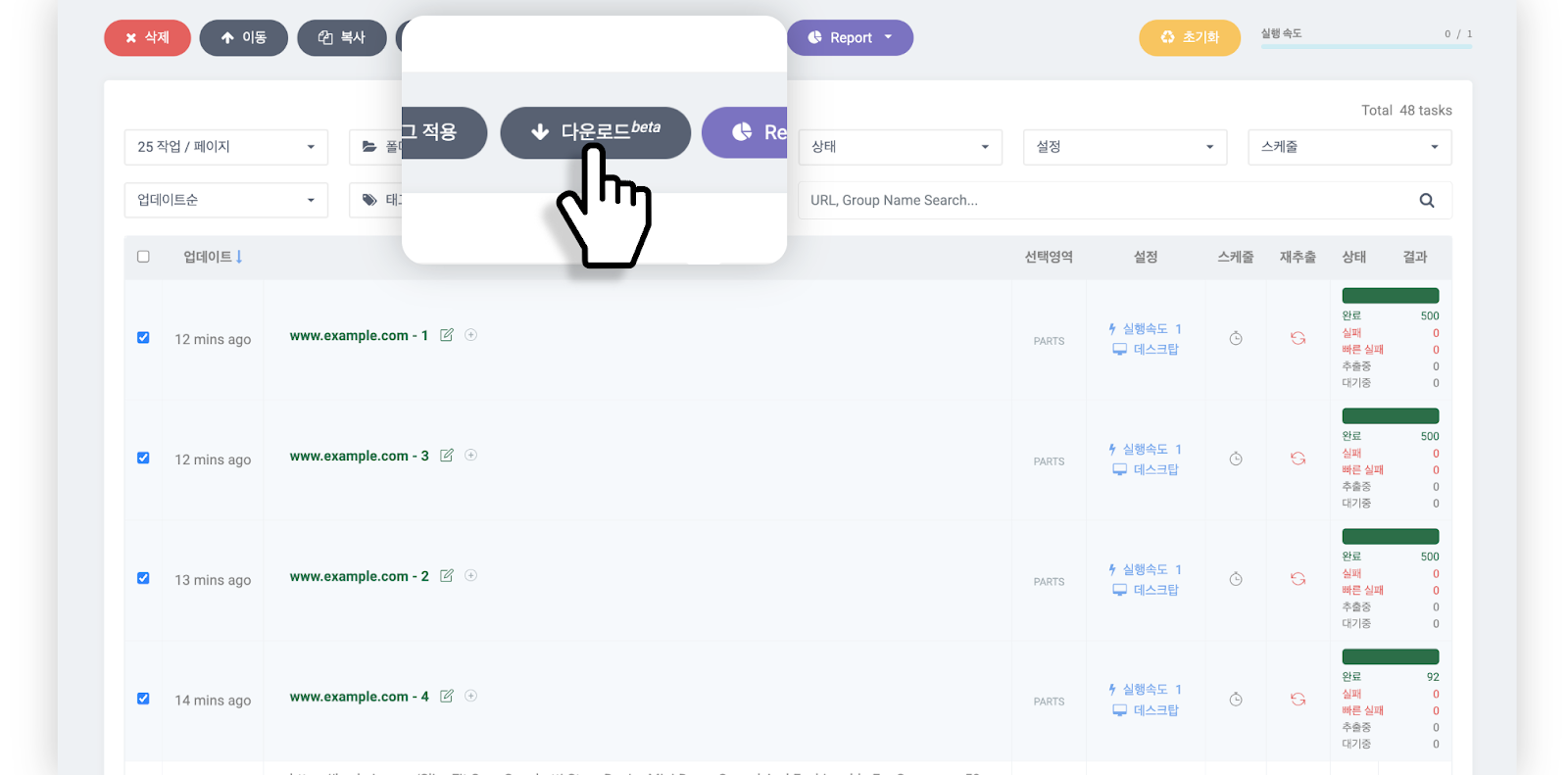
**抽出完了のグループタスクを選択してダウンロードbetaをクリック**
抽出が完了したグループタスクを選択後、データボード上部の **\[ダウンロードbeta]** ボタンをクリックします。
{% endstep %}
{% step %}
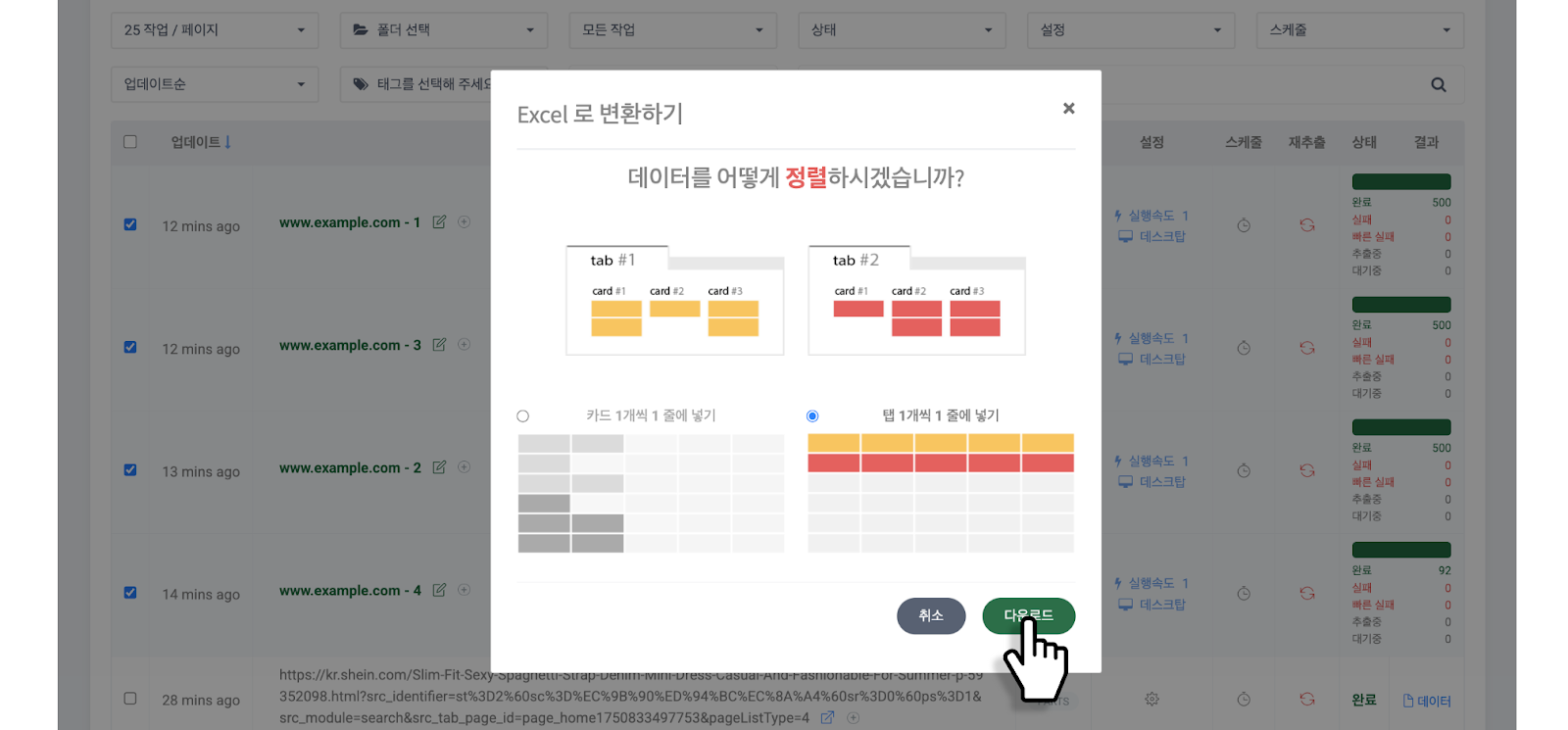
**データ整列方式を選択してダウンロード**
[**データ整列方式**](https://help.listly.io/docs/ja/~/revisions/VMI2BzpXMX94HzuCSvYl/getting-started/result-page-features/data-arrangement)を選択後、**\[ダウンロード]** ボタンをクリックします。
{% endstep %}
{% step %}
**圧縮ファイルとしてダウンロード**
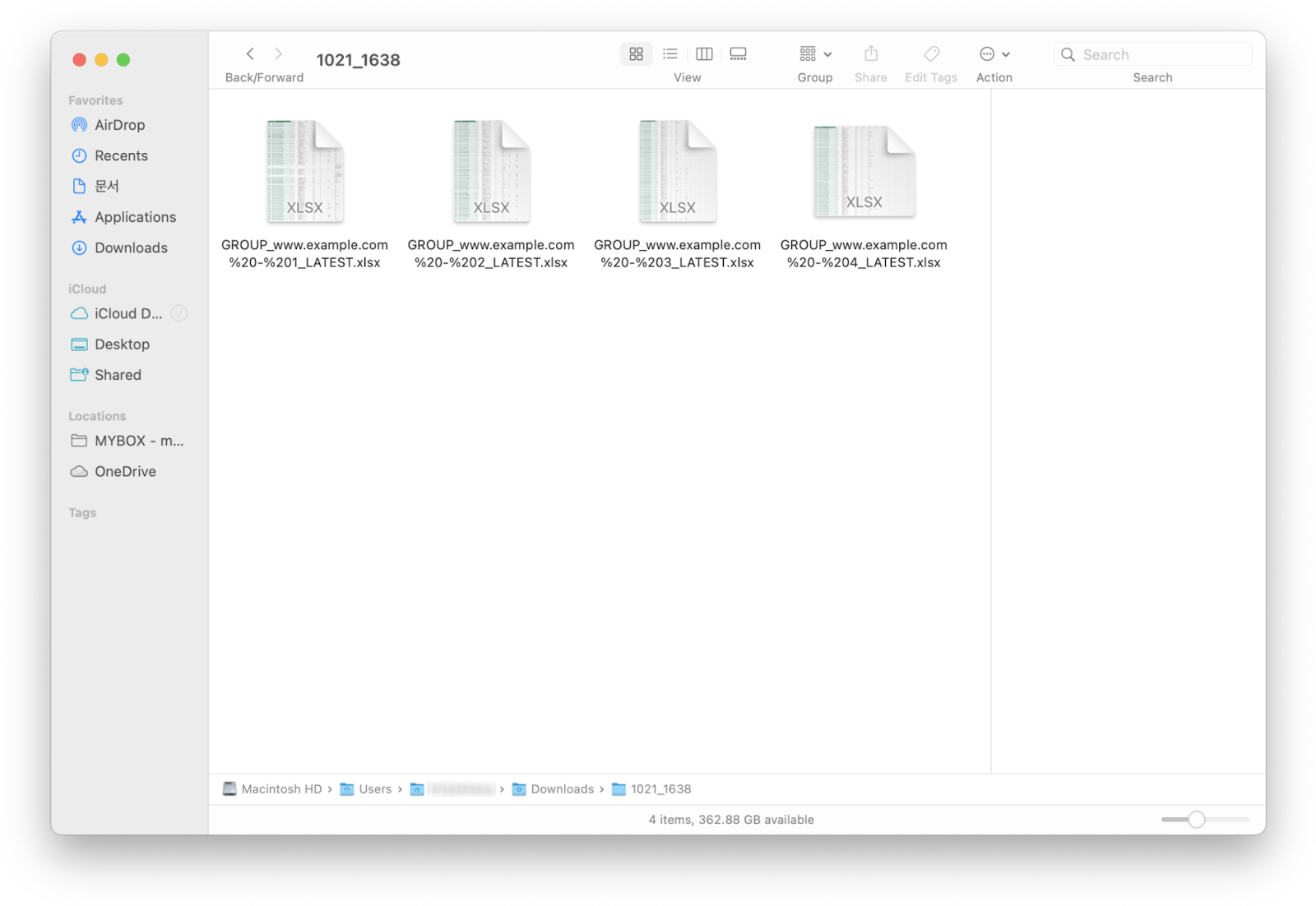
選択したグループタスクが1つの圧縮ファイルとしてダウンロードされます。
{% endstep %}
{% endstepper %}
{% endstep %}
{% endstepper %}
---
# Agent Instructions
This documentation is published with GitBook. GitBook is the documentation platform designed so that both humans and AI agents can read, navigate, and reason over technical content effectively. Learn more at gitbook.com.
## Querying This Documentation
If you need additional information that is not directly available in this page, you can query the documentation dynamically by asking a question.
Perform an HTTP GET request on the current page URL with the `ask` query parameter, and the optional `goal` query parameter:
```
GET https://help.listly.io/docs/ja/getting-started/enterprise-solutions/generate-bulk-group-and-download.md?ask=&goal=
```
`ask` is the immediate question: it should be specific, self-contained, and written in natural language.
`goal` is optional and describes the broader end goal you are ultimately trying to accomplish on behalf of the user. GitBook uses it to tailor the answer towards what is most useful for that goal.
The response will contain a direct answer to the question and relevant excerpts and sources from the documentation.
Use this mechanism when the answer is not explicitly present in the current page, you need clarification or additional context, or you want to retrieve related documentation sections.