> For the complete documentation index, see [llms.txt](https://help.listly.io/llms.txt). Markdown versions of documentation pages are available by appending `.md` to page URLs; this page is available as [Markdown](https://help.listly.io/docs/ja/getting-started/result-page-features/data-arrangement.md).
# データ配置
## データ整列オプションとは?
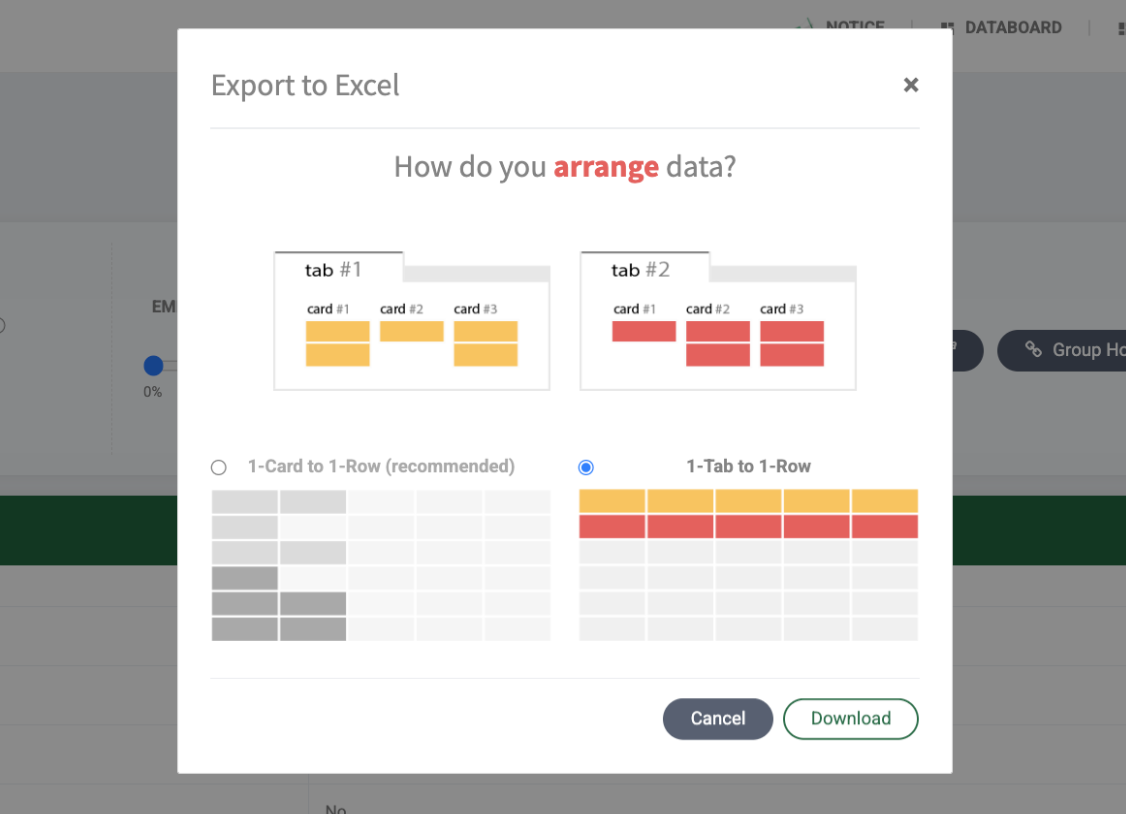
データ整列オプションは**グループ抽出、タブス抽出など複数ページを一度に抽出して1つのファイルにエクスポートする際に設定できる機能**です。データをどのように活用するかによって、個別ページの結果をカード単位で配列するか、タブ単位で配列するかを選択できます。
{% hint style="info" %}
データ整列は\[ダウンロードオプション]の1つであり、**使用量とは無関係**です。2つの方式を直接選択して試しながら、希望する結果が出る方を自由に選択してください。
{% endhint %}
***
## カード vs タブの概念を理解する
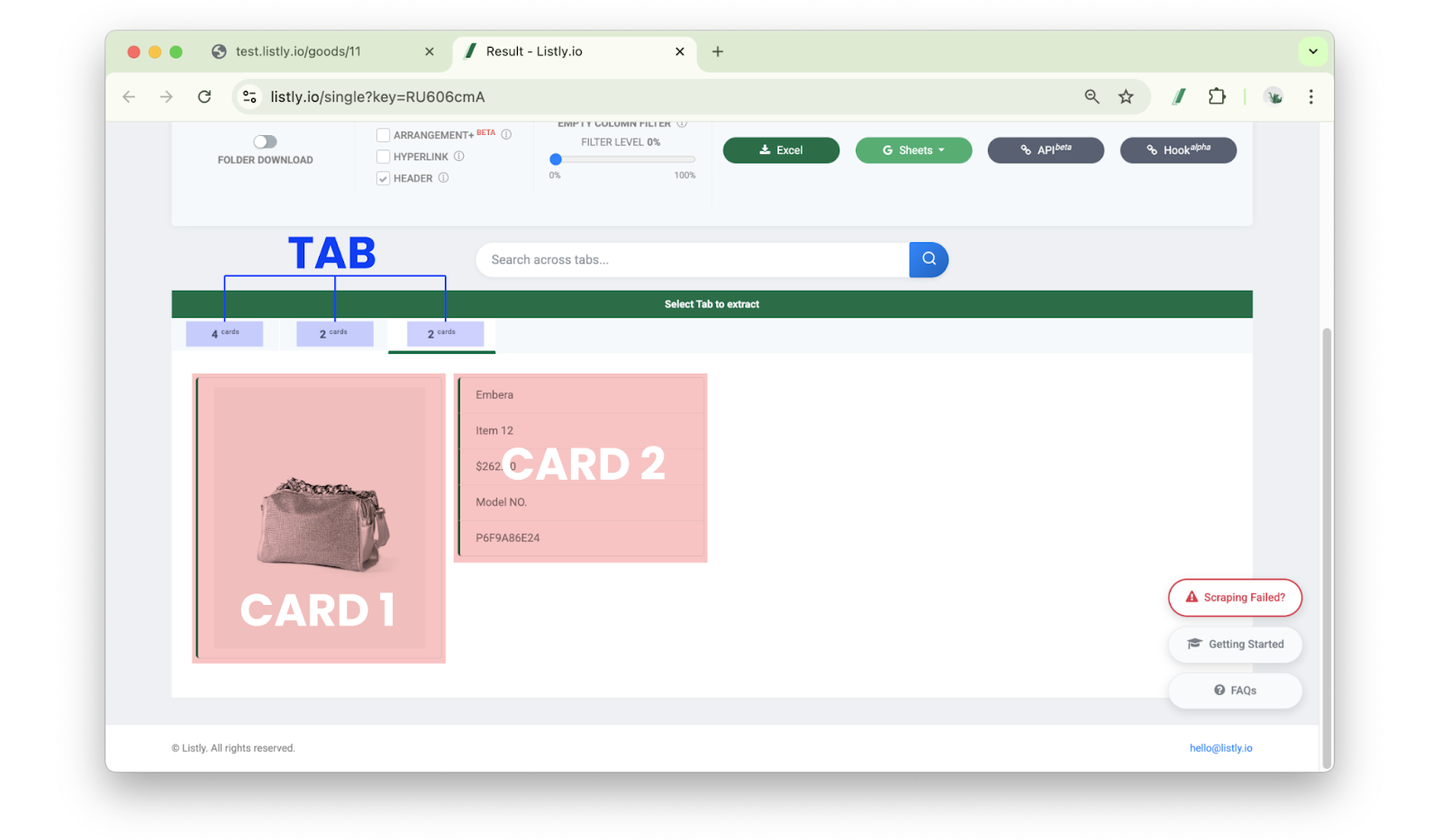
* **カード(Card)**:Listlyが発見したデータ単位領域です。カード1つは**Excelの1行**として保存されます。シングルタスクで上記の結果をそのままダウンロードする場合、カードが30個なら Excelに30行が生成されます。
* **タブ(Tab)**:複数のカードが集まっている上位区間です。
この概念は各タスクに適用され、グループ抽出やタブス抽出のように複数のURLの結果が統合される際、データ整列の基準として使用されます。
***
## オプション別の例を知る
{% stepper %}
{% step %}
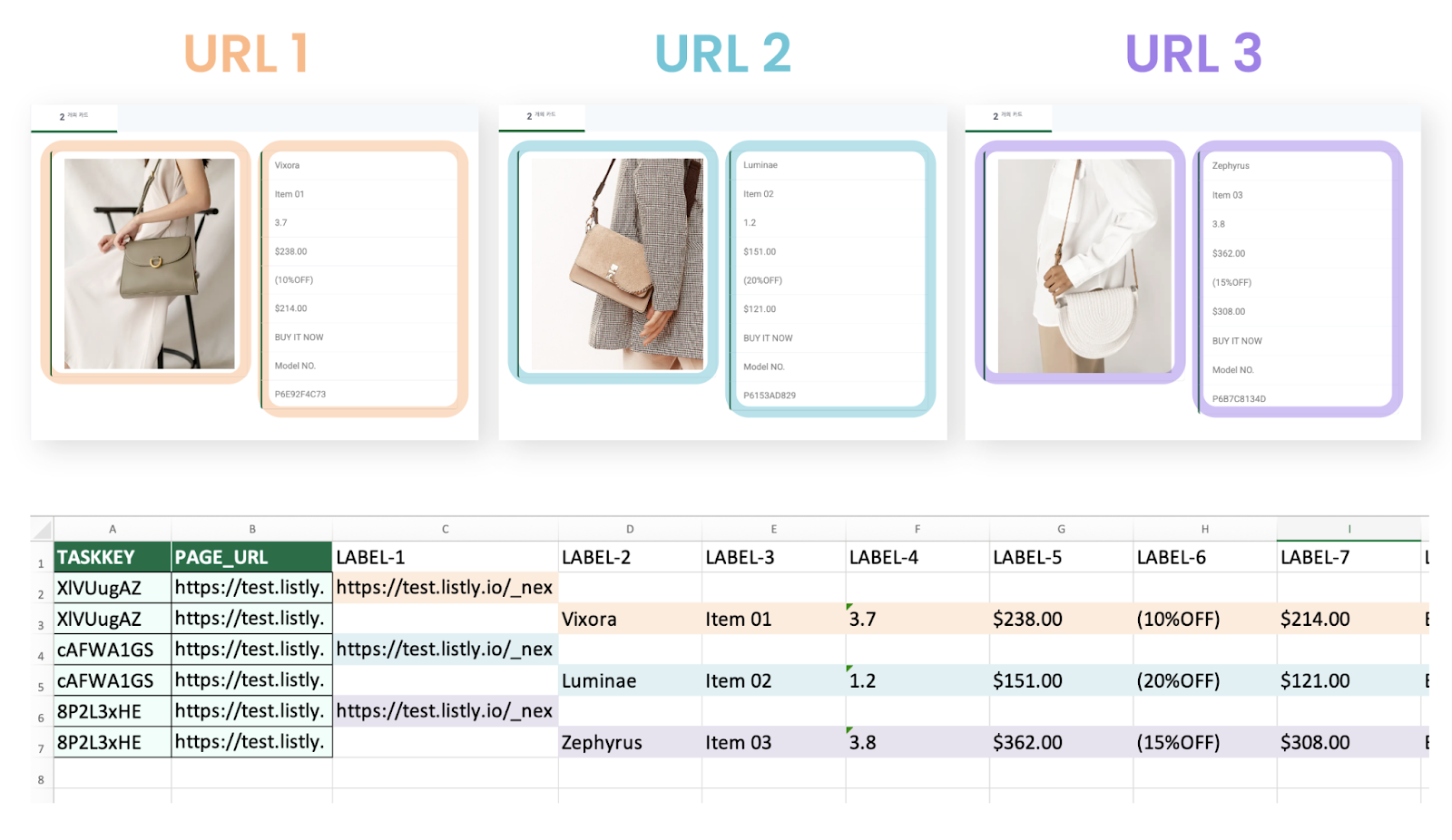
### カード1個ずつ1行に入れる
各URLで選択したデータタブ内に**2つのカード**があった場合、URL 3個を抽出すると合計**6行(2×3)のデータ**が生成されます。\
つまり、**各カードが独立した行として記録**されるため、ショッピングモールの「リストページ」のように1つのタブ内に**複数のアイテム情報が含まれている**場合に適しています。
{% endstep %}
{% step %}
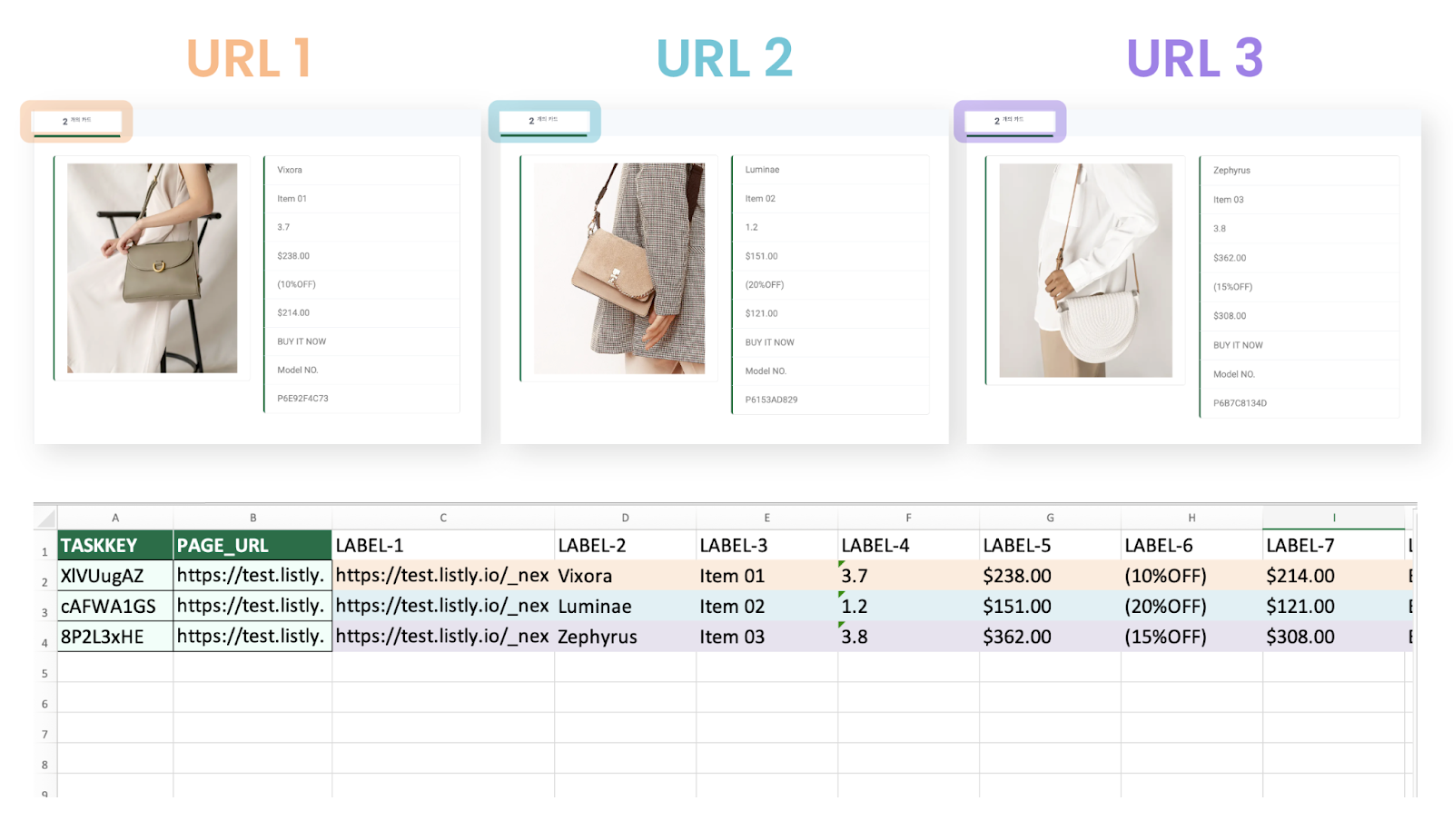
### タブ1個ずつ1行に入れる
各URLのデータタブ内のカードをすべて1行に配置します。したがって、URL 3個を抽出してこのオプションを選択すると、最終Excelファイルには URL数と同じく合計**3行**のみが生成されます。
つまり、**各ページがExcelの1行として記録**されるため、ショッピングモールの「詳細ページ」のように1つのタブ内に1つのアイテム情報のみがある場合に適しています。
{% endstep %}
{% endstepper %}
---
# Agent Instructions
This documentation is published with GitBook. GitBook is the documentation platform designed so that both humans and AI agents can read, navigate, and reason over technical content effectively. Learn more at gitbook.com.
## Querying This Documentation
If you need additional information that is not directly available in this page, you can query the documentation dynamically by asking a question.
Perform an HTTP GET request on the current page URL with the `ask` query parameter, and the optional `goal` query parameter:
```
GET https://help.listly.io/docs/ja/getting-started/result-page-features/data-arrangement.md?ask=&goal=
```
`ask` is the immediate question: it should be specific, self-contained, and written in natural language.
`goal` is optional and describes the broader end goal you are ultimately trying to accomplish on behalf of the user. GitBook uses it to tailor the answer towards what is most useful for that goal.
The response will contain a direct answer to the question and relevant excerpts and sources from the documentation.
Use this mechanism when the answer is not explicitly present in the current page, you need clarification or additional context, or you want to retrieve related documentation sections.