> For the complete documentation index, see [llms.txt](https://help.listly.io/llms.txt). Markdown versions of documentation pages are available by appending `.md` to page URLs; this page is available as [Markdown](https://help.listly.io/docs/ja/getting-started/result-page-features/data-download-options.md).
# データダウンロードオプション
{% stepper %}
{% step %}
### カラム自動整理
データを類似パターンごとに自動整列します。解除すると空欄なしに左に密着整列された状態で抽出されます。
{% hint style="info" %}
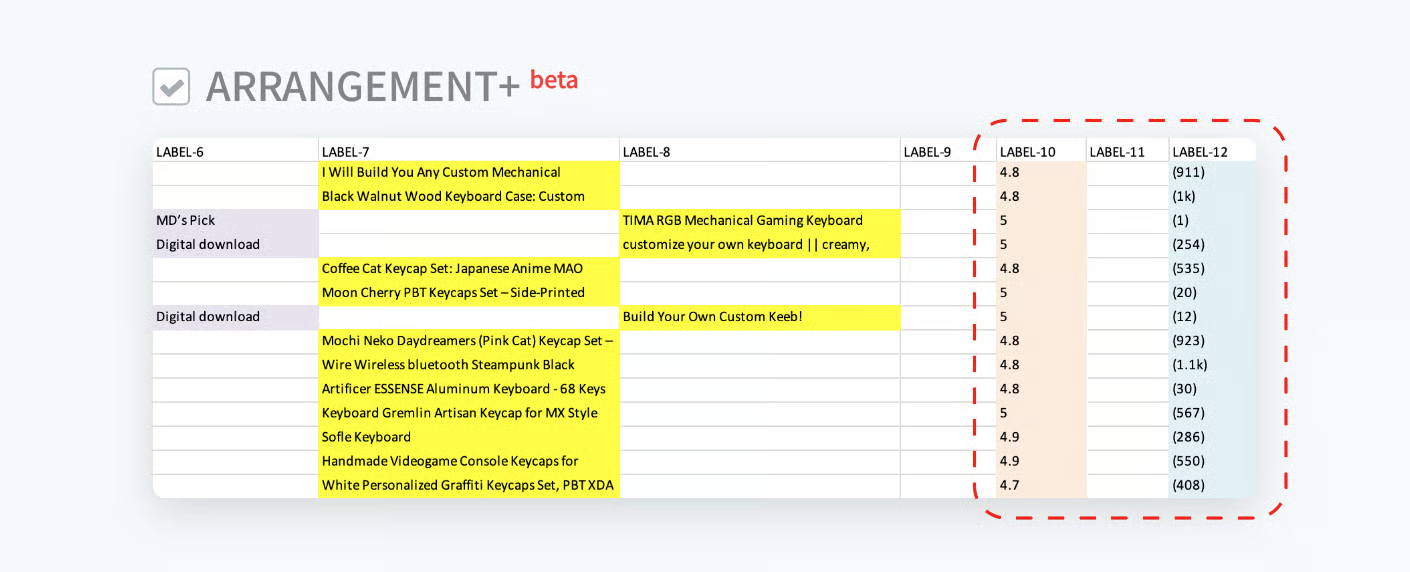
理解を助けるため、類似パターンのデータを同じ色で表現しました。
{% endhint %}
{% endstep %}
{% step %}
### カラム自動整理+
既存の自動整理より整列ロジックが強化されたオプションです。列の乱れが多い場合、より安定的にデータを整理できます。
{% endstep %}
{% step %}
### ハイパーリンク
各要素に接続されているハイパーリンク値を一緒に抽出します。
{% endstep %}
{% step %}
### カラム名
Excelの各列の最初の行に列名が生成されます。解除すると列名なしにデータのみが抽出されます。
{% endstep %}
{% step %}
### 空の列を削除
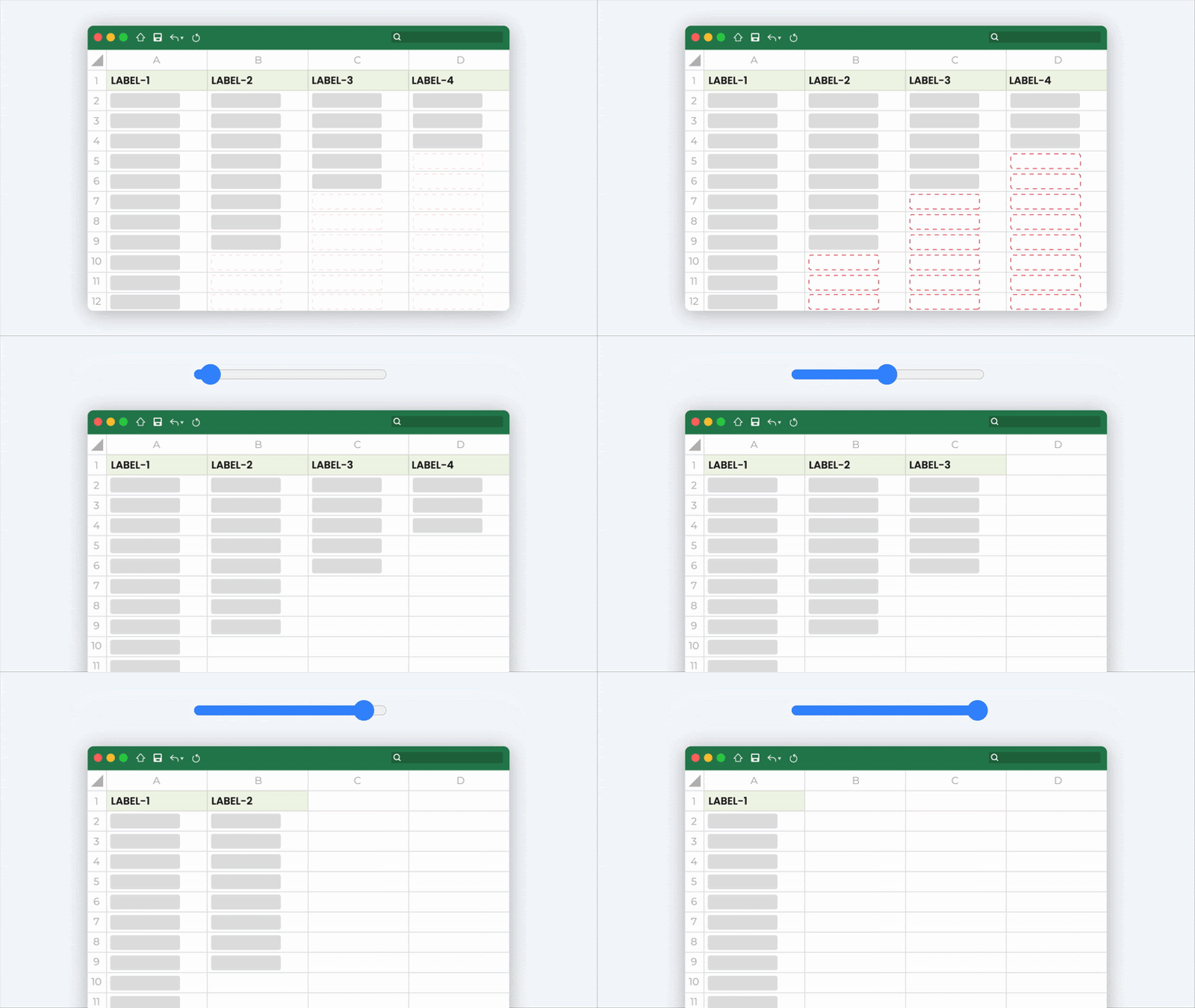
空欄率が高い列を自動で削除します。スライダーで基準を調整(0\~100%)して削除率を調整できます。重要度とは無関係に空欄率のみを基準に削除されるため、注意が必要です。
{% endstep %}
{% endstepper %}
---
# Agent Instructions
This documentation is published with GitBook. GitBook is the documentation platform designed so that both humans and AI agents can read, navigate, and reason over technical content effectively. Learn more at gitbook.com.
## Querying This Documentation
If you need additional information that is not directly available in this page, you can query the documentation dynamically by asking a question.
Perform an HTTP GET request on the current page URL with the `ask` query parameter, and the optional `goal` query parameter:
```
GET https://help.listly.io/docs/ja/getting-started/result-page-features/data-download-options.md?ask=&goal=
```
`ask` is the immediate question: it should be specific, self-contained, and written in natural language.
`goal` is optional and describes the broader end goal you are ultimately trying to accomplish on behalf of the user. GitBook uses it to tailor the answer towards what is most useful for that goal.
The response will contain a direct answer to the question and relevant excerpts and sources from the documentation.
Use this mechanism when the answer is not explicitly present in the current page, you need clarification or additional context, or you want to retrieve related documentation sections.