> For the complete documentation index, see [llms.txt](https://help.listly.io/llms.txt). Markdown versions of documentation pages are available by appending `.md` to page URLs; this page is available as [Markdown](https://help.listly.io/docs/ja/getting-started/result-page-features/group-extraction.md).
# グループ抽出
## グループ抽出とは?
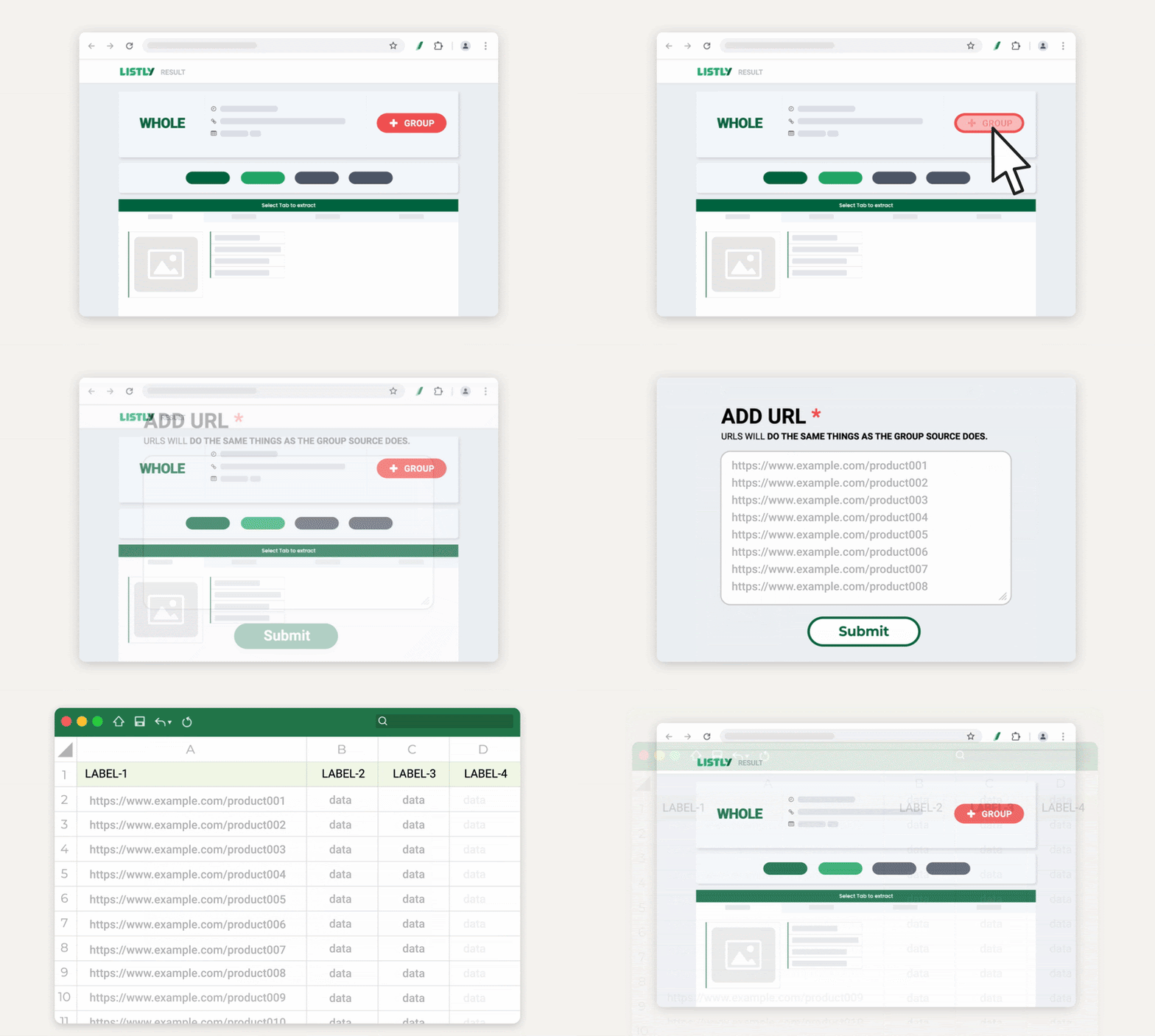
グループ抽出は**複数のページを一度に収集できる機能**です。
{% columns %}
{% column width="75%" %}
{% endcolumn %}
{% column width="25%" %}
{% endcolumn %}
{% endcolumns %}
代表ページを1つ先に抽出した後、結果ウィンドウで **\[+グループ]** ボタンを押して関連ページのURLを追加すれば、残りのページはListlyが自動的に抽出します。
***
## グループ抽出開始前にURLを準備する
グループ抽出を実行するには、複数ページのURLを一度に入力する過程が必要なので、事前に抽出するページのURLを準備しておくのが良いでしょう。
状況に応じて以下のガイドを参考に、必要なURLを先に準備してください。
* [1,2,3…連続ページを抽出する場合](https://app.gitbook.com/o/Uu6AM3fgpZza0EpsJM4N/s/I8js41AfLS5QdXKB7e8A/~/edit/~/changes/9/getting-started/result-page-features/group-extraction-sequential-urls)
* [リストページに含まれる詳細ページを抽出する場合](https://app.gitbook.com/o/Uu6AM3fgpZza0EpsJM4N/s/I8js41AfLS5QdXKB7e8A/~/edit/~/changes/9/getting-started/result-page-features/group-extraction-detail-page-urls)
***
## 注意事項
{% columns %}
{% column %}
{% endcolumn %}
{% column %}
{% endcolumn %}
{% endcolumns %}
グループ抽出で\*\*最初に抽出するページは「テンプレート」\*\*の役割をします。\
グループ抽出は、この最初のページで選択した位置と同じ位置のデータを他のページでも取得する方式で動作します。
したがって、**最初に抽出したページとその後入力したURLのページ構造が異なると、抽出に失敗する可能性があります。**\
グループ抽出を行う前に、必ずページ構造が同じであることを確認してください。
***
## 使い方
{% stepper %}
{% step %}
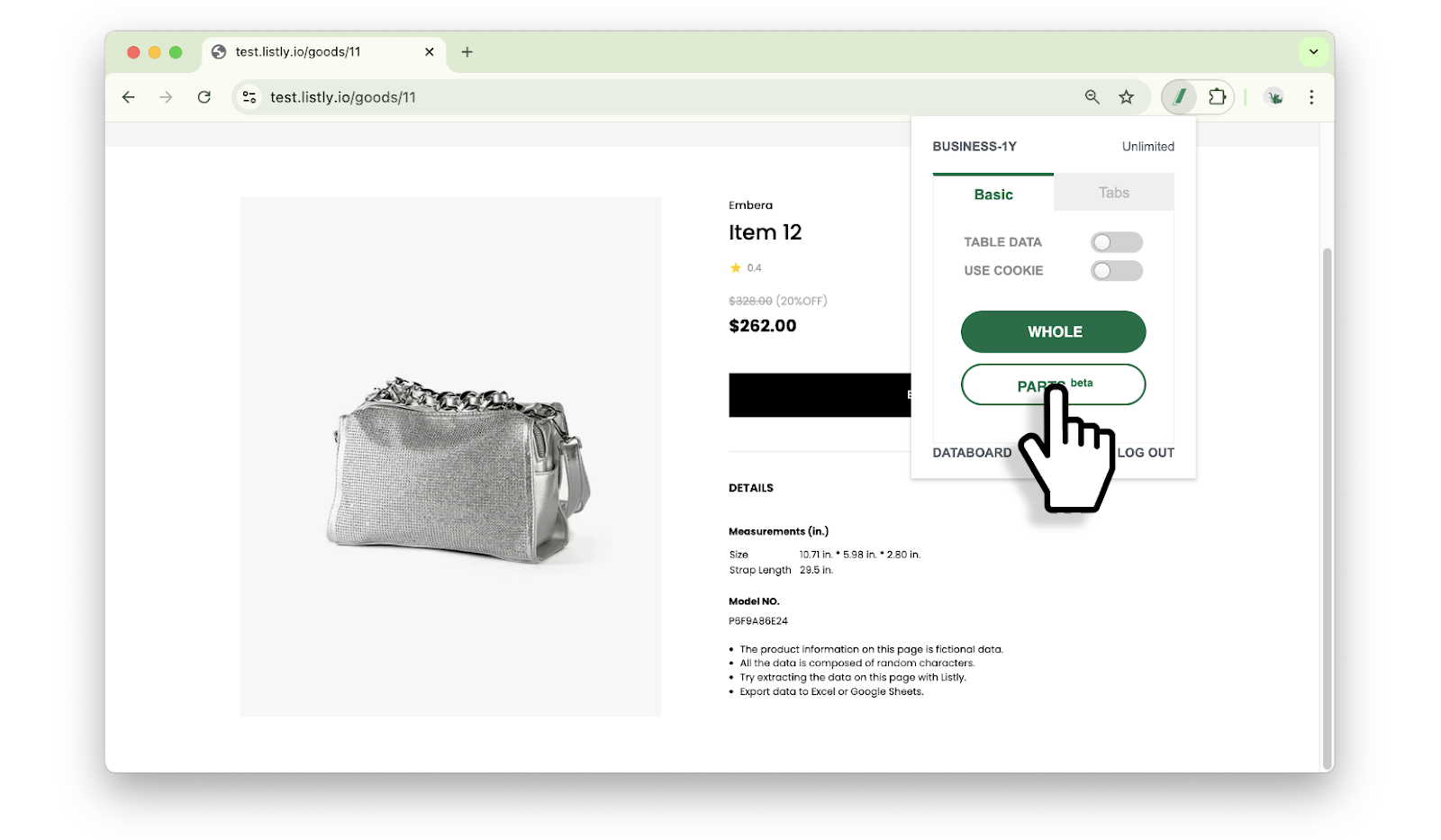
#### グループ抽出ソースページを抽出する
グループ抽出の基準となるソースページを先に抽出します。必ずしも準備したURLの最初である必要はなく、**グループ抽出するページの中で代表的な構造を持つページ**を選択すれば結構です。抽出方式はWhole / Partsのどちらでも可能ですが、**データ位置をより正確に指定できる** [**部分抽出(Parts)**](https://app.gitbook.com/o/Uu6AM3fgpZza0EpsJM4N/s/I8js41AfLS5QdXKB7e8A/~/edit/~/changes/9/getting-started/extension-features/tabs-parts)を推奨します。
{% endstep %}
{% step %}
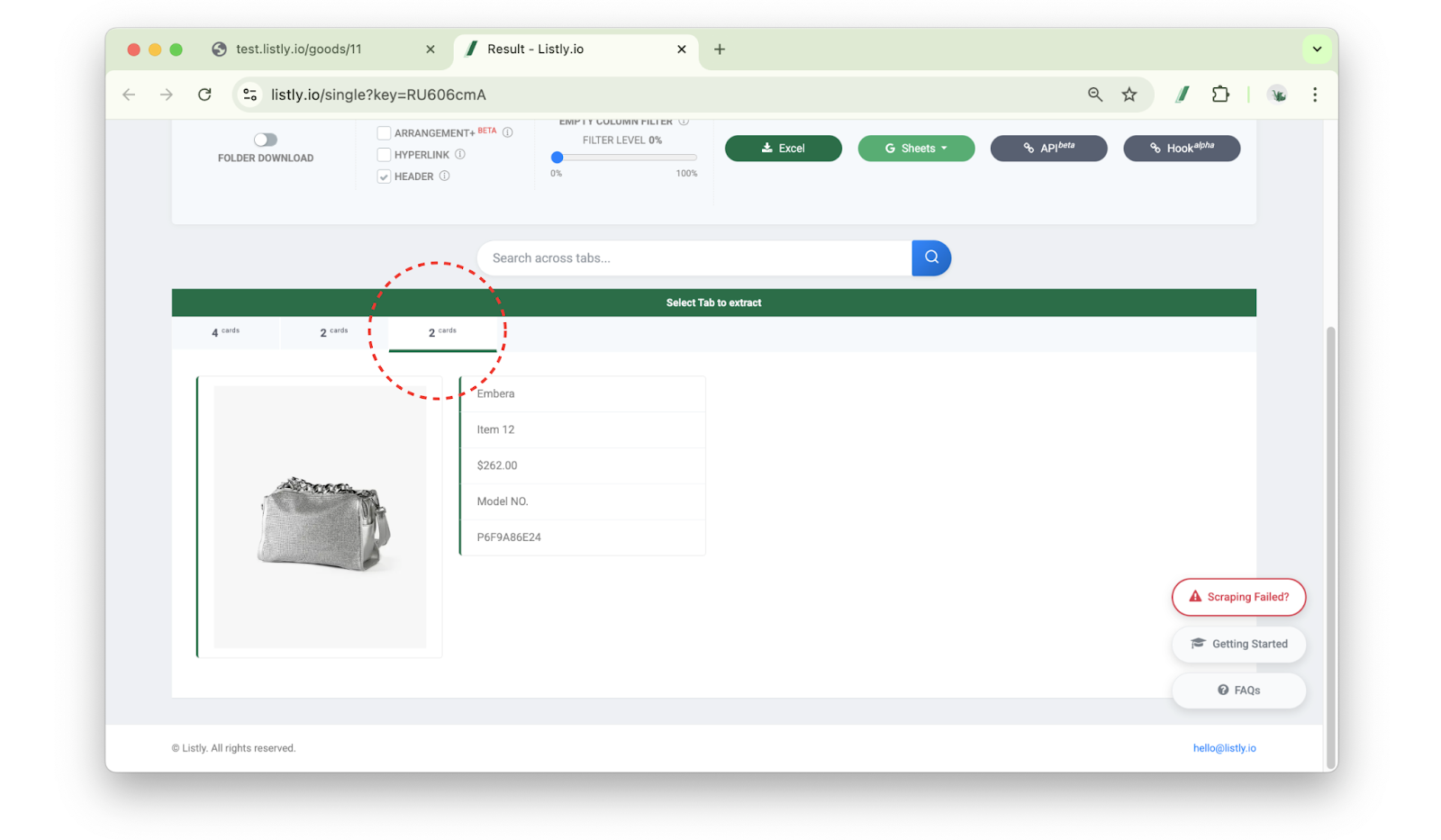
#### 抽出タブを選択する
結果ウィンドウで**目的の情報が含まれるタブを選択**します。選択した領域内のすべての情報が含まれるタブを選択してください。
{% endstep %}
{% step %}
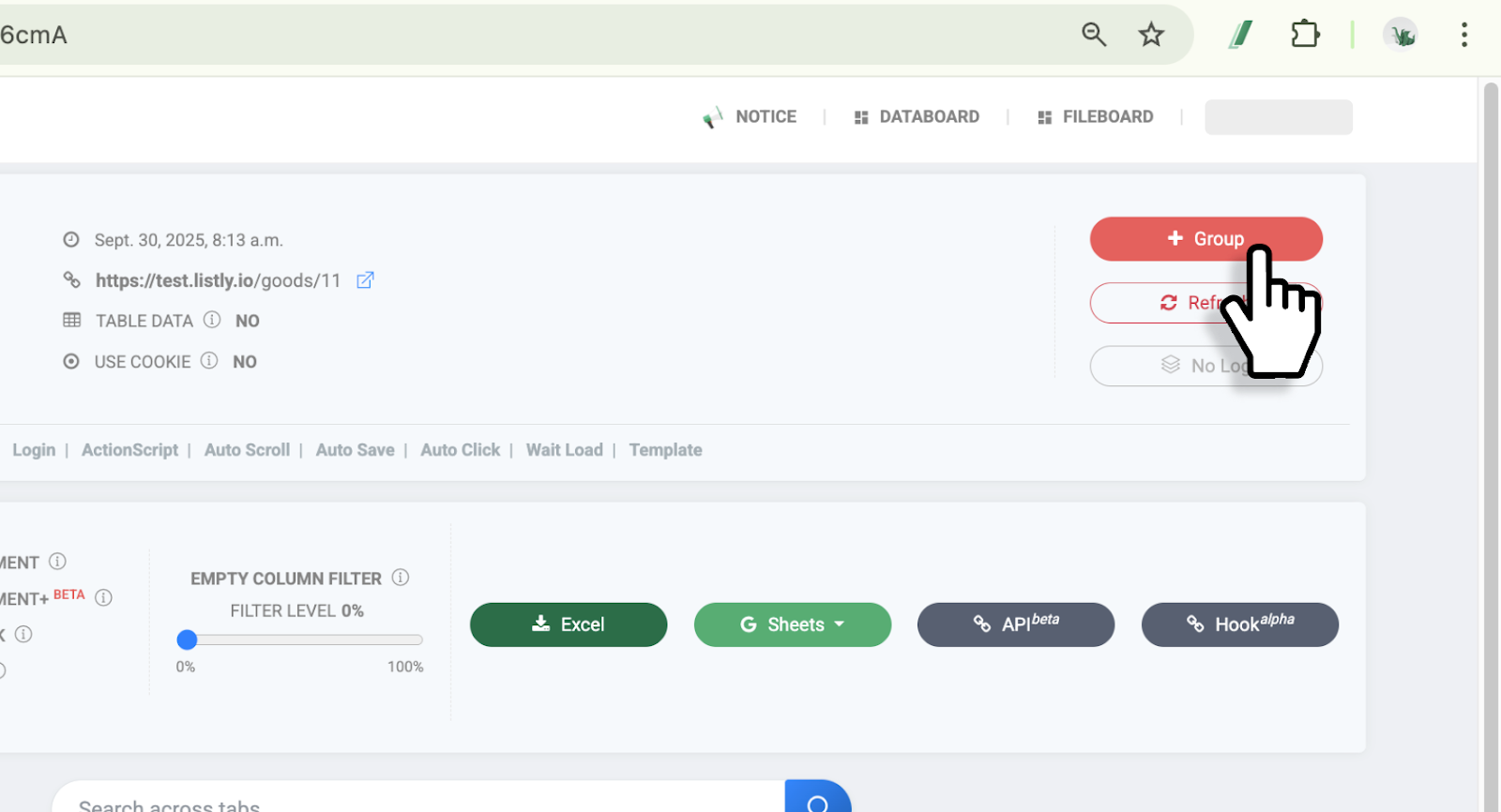
#### \[+グループ]ボタンをクリックする
**\[+グループ]** ボタンをクリックします。
{% endstep %}
{% step %}
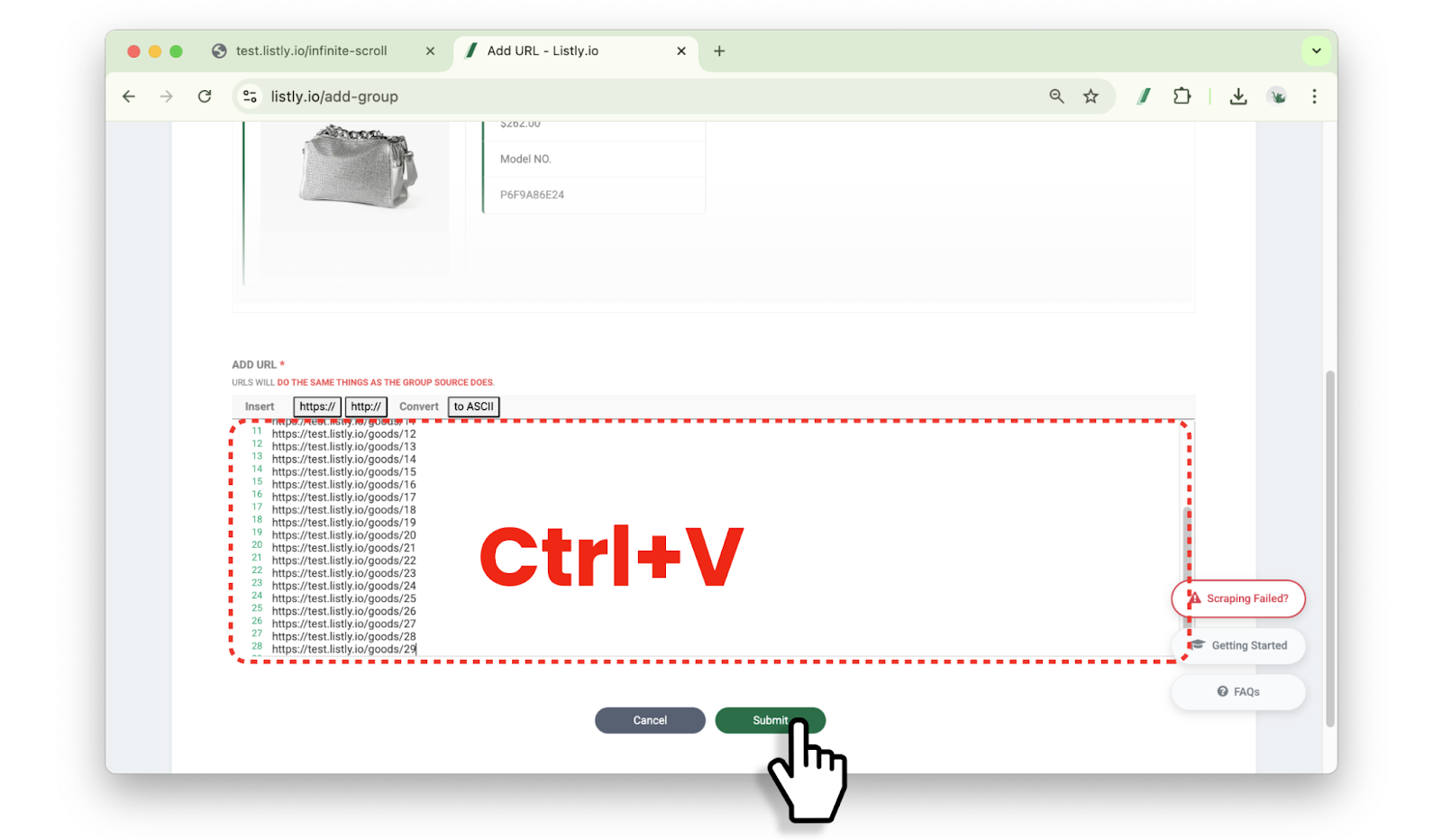
#### グループ抽出に必要なURLアドレスを貼り付ける
グループ設定ウィンドウ下部に**準備したURLアドレス**を貼り付け、**\[完了]** ボタンをクリックしてください。
{% hint style="warning" %}
必ず**最初に抽出を行ったソースページのURLも一緒に入力**してください。
{% endhint %}
{% endstep %}
{% step %}
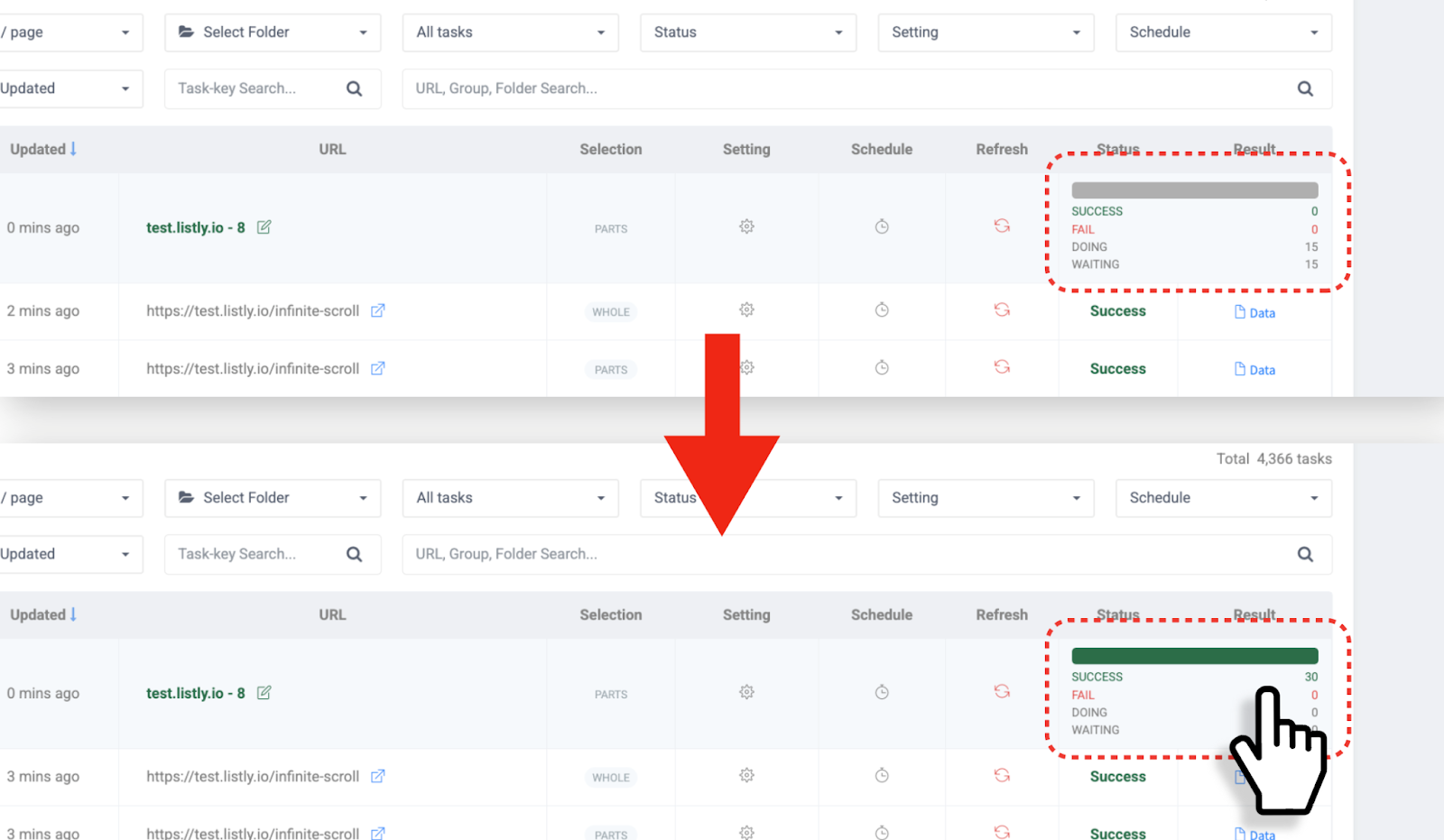
#### グループ抽出の進行状況を確認する
グループ抽出時にデータボードを更新して進行状況を確認できます。抽出が完了したら、結果欄をクリックしてグループ結果ウィンドウに移動します。
{% endstep %}
{% step %}
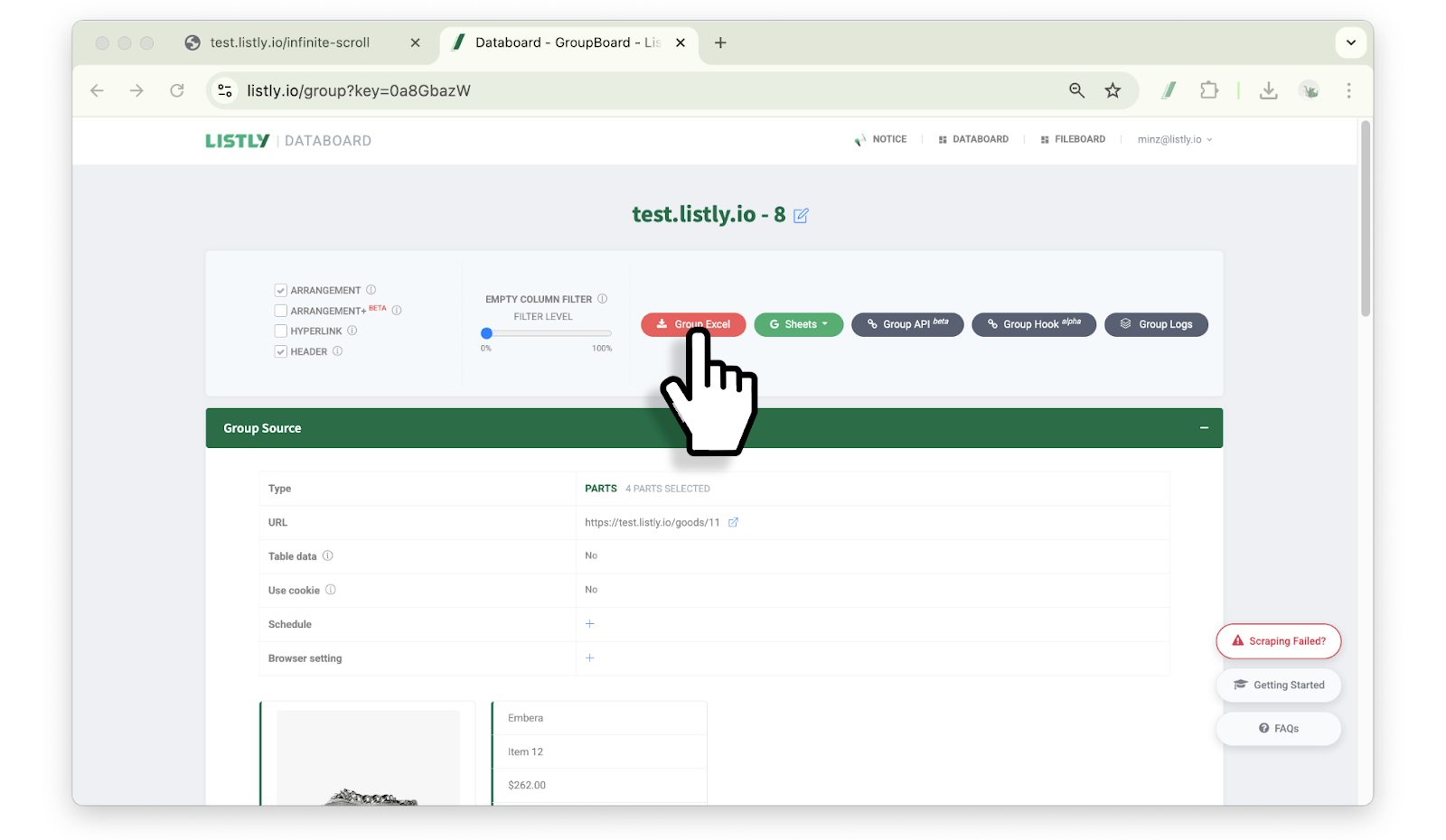
#### データ整列方式を選択する
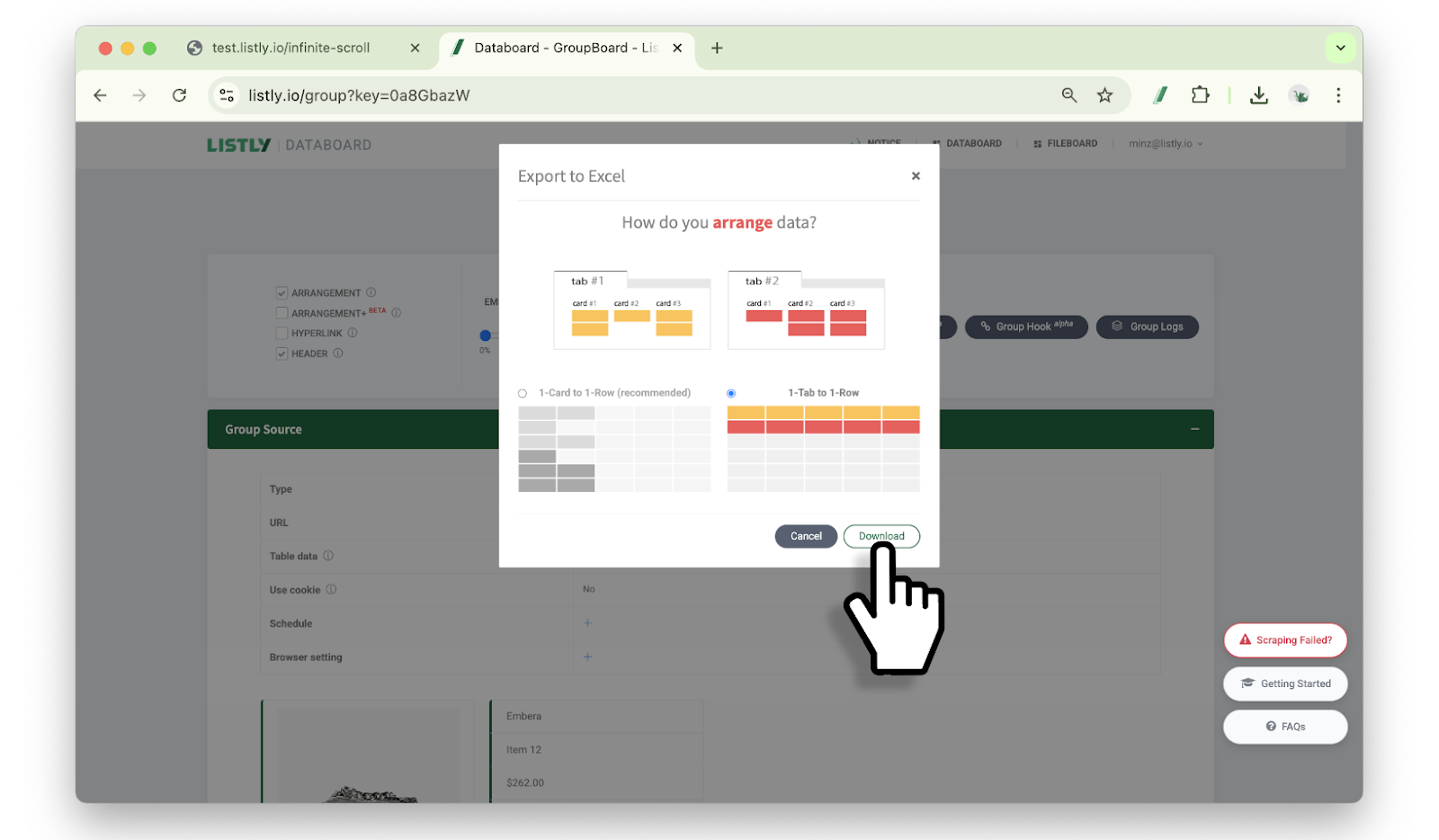
ExcelまたはGoogleシートボタンをクリックし、データ整列方式を選択してからダウンロードボタンをクリックします。
{% hint style="info" %}
参考:[カード1個ずつ1行に入れる / タブ1個ずつ1行に入れる](https://app.gitbook.com/o/Uu6AM3fgpZza0EpsJM4N/s/I8js41AfLS5QdXKB7e8A/~/edit/~/changes/9/getting-started/result-page-features/data-arrangement)
{% endhint %}
{% endstep %}
{% step %}
#### グループ抽出完了
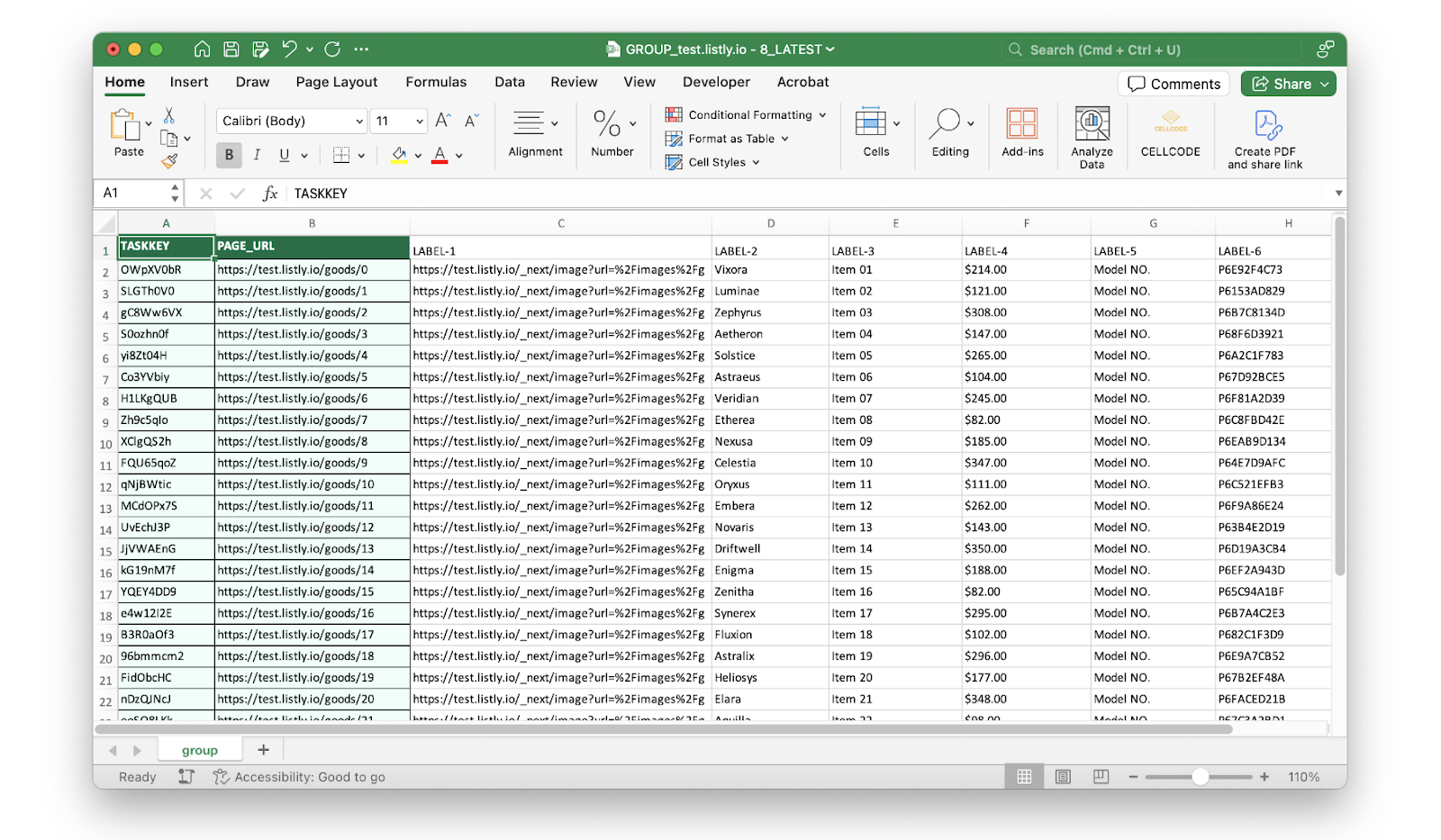
ダウンロードしたファイルを開いて抽出したデータを確認してみてください。グループ抽出が完了しました。
{% endstep %}
{% endstepper %}
---
# Agent Instructions
This documentation is published with GitBook. GitBook is the documentation platform designed so that both humans and AI agents can read, navigate, and reason over technical content effectively. Learn more at gitbook.com.
## Querying This Documentation
If you need additional information that is not directly available in this page, you can query the documentation dynamically by asking a question.
Perform an HTTP GET request on the current page URL with the `ask` query parameter, and the optional `goal` query parameter:
```
GET https://help.listly.io/docs/ja/getting-started/result-page-features/group-extraction.md?ask=&goal=
```
`ask` is the immediate question: it should be specific, self-contained, and written in natural language.
`goal` is optional and describes the broader end goal you are ultimately trying to accomplish on behalf of the user. GitBook uses it to tailor the answer towards what is most useful for that goal.
The response will contain a direct answer to the question and relevant excerpts and sources from the documentation.
Use this mechanism when the answer is not explicitly present in the current page, you need clarification or additional context, or you want to retrieve related documentation sections.