> For the complete documentation index, see [llms.txt](https://help.listly.io/llms.txt). Markdown versions of documentation pages are available by appending `.md` to page URLs; this page is available as [Markdown](https://help.listly.io/docs/ja/getting-started/result-page-features/group-extraction-sequential-urls.md).
# グループ抽出 - 連続ページURL
{% hint style="success" %} **ちょっと待って!** \*\* より簡単に連続ページURLを生成する方法を知る\*\*
数字で区切られたページをグループ抽出しようとする場合、[ページネーションテンプレート機能](https://app.gitbook.com/o/Uu6AM3fgpZza0EpsJM4N/s/I8js41AfLS5QdXKB7e8A/~/edit/~/changes/9/getting-started/databoard-features/settings-pagination-templates)を使用すれば、1,2,3…ページアドレス取得の段階なしに、より簡単に進行できます。ページネーションテンプレートは「次のページ」ボタンを自動的にクリックしながら連続ページを抽出する方式です。
{% endhint %}
***
## 使い方
{% stepper %}
{% step %}
#### アドレス規則を確認する
抽出しようとするウェブページでページ番号を押しながら、アドレス(URL)がどのように変わるか確認してみてください。ほとんどの場合、page= の後の数字だけが変わる構造を持っています。(1ページ目はパラメータが省略されている場合もあります。)
[https://www.example.com/categories/420186/?sort=latest](https://www.example.com/categories/420186/?sort=latest)
[https://www.example.com/categories/420186?page=2\\\\\&sort=latest](https://www.example.com/categories/420186?page=2\\\\\&sort=latest)
[https://www.example.com/categories/420186?page=3\\\\\&sort=latest](https://www.example.com/categories/420186?page=3\\\\\&sort=latest)
この原理を利用して、1つのURLで全ページのページネーションアドレスを簡単に作成できます。
{% endstep %}
{% step %}
#### URL自動生成ツールを活用する
**A. 対話型AIサービスを利用する ****おすすめ**
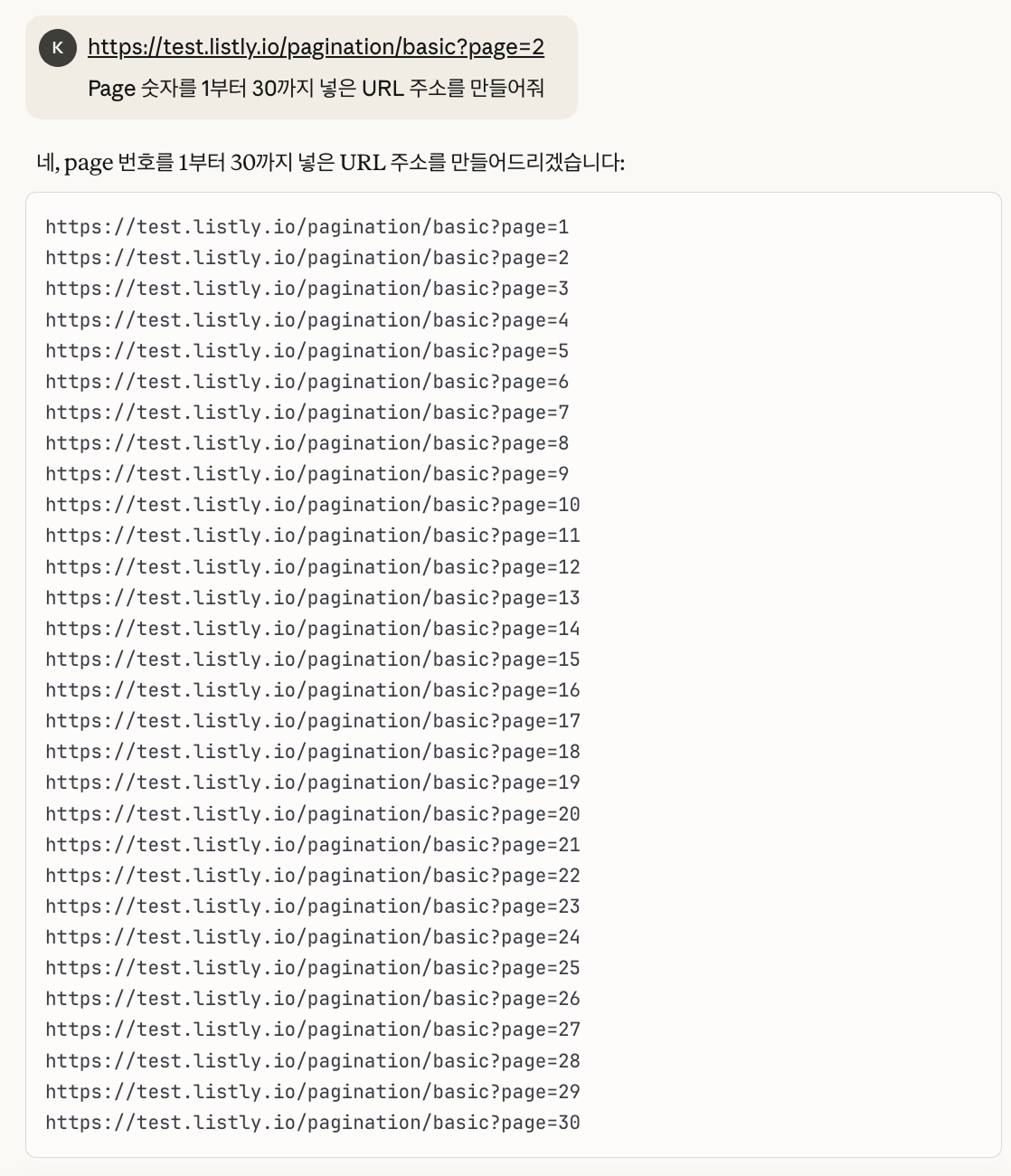
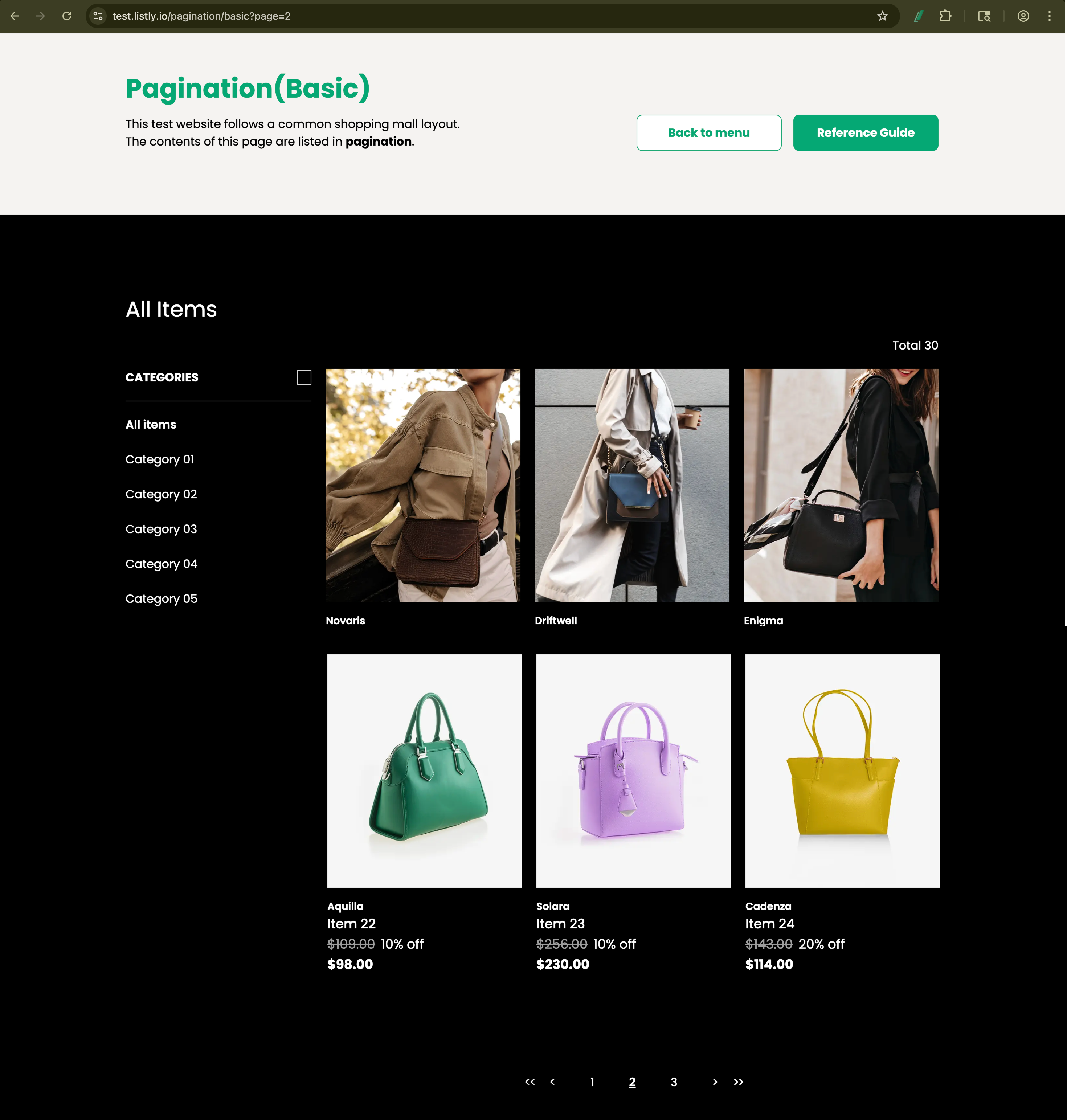
ChatGPTのようなLLMベースの対話型AIサービスを利用すれば、簡単に連続ページアドレスを生成できます。下記の例のように、抽出しようとするページアドレスのパターンを確認して「*Page番号を1から30まで入れたURLアドレスを作って*」と話してみてください。
{% hint style="info" %}
**Listlyテストページリンク:** [**https://test.listly.io/pagination/basic?page=2**](https://test.listly.io/pagination/basic?page=1)
{% endhint %}
**B. URLビルダーを使用する**
Googleなどのポータルで「*sequential url generator*」または「url builder」を検索すれば、様々な無料ウェブツールを見つけることができます。このヘルプでは例として**Online Sequential Number, URL & Text Generator**サービスを活用してみます。\
(URL構造さえ理解すれば、Excel関数でも簡単に作成できます。)
{% hint style="info" %}
利用サービスリンク:[Online Sequential Number, URL & Text Generator](https://reznortech.rf.gd/online-sequential-number-text-url-link-generator.php?utm_source=chatgpt.com\&i=1)
{% endhint %}
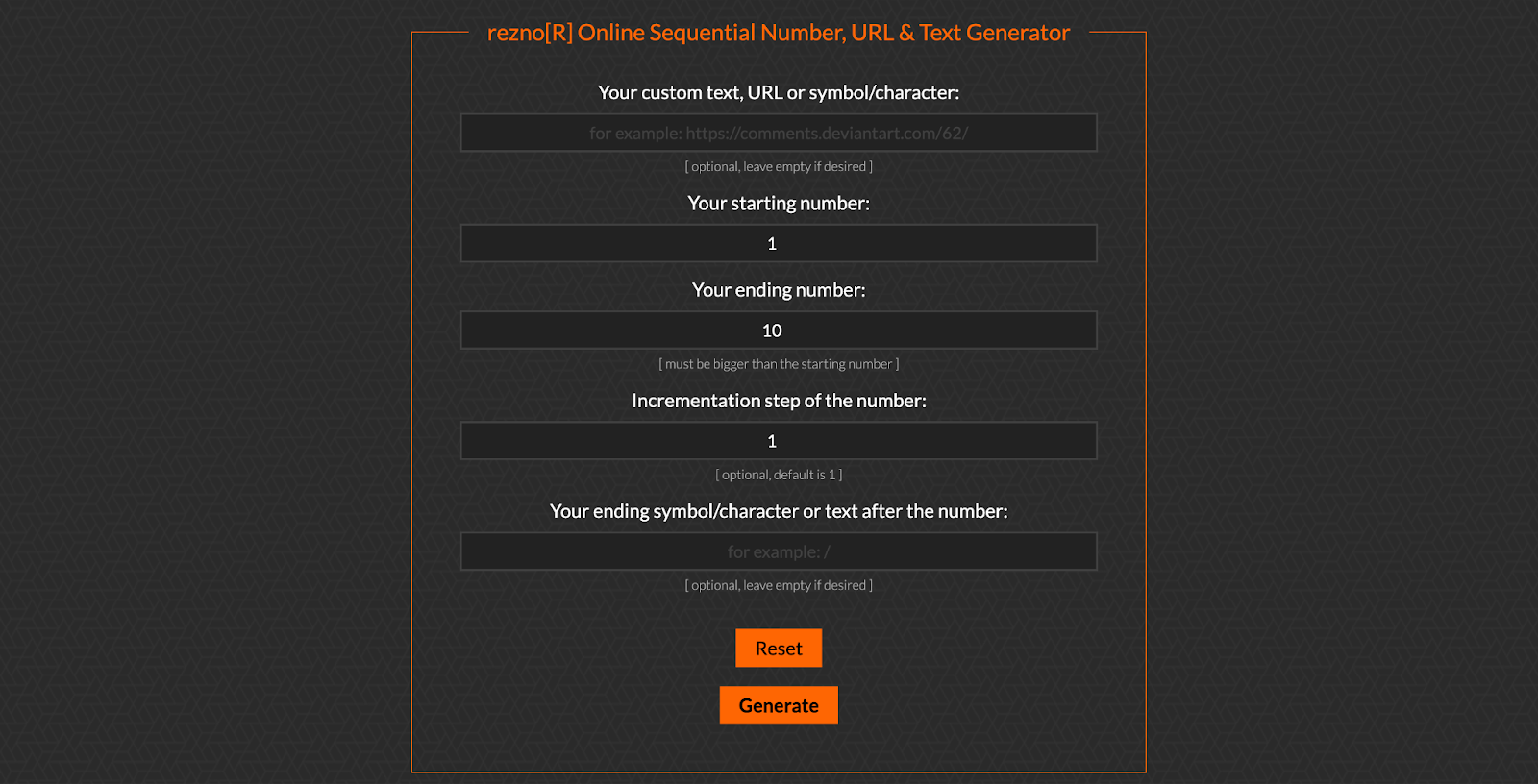
利用サービスリンクに移動すると、以下のような画面が表示されます。
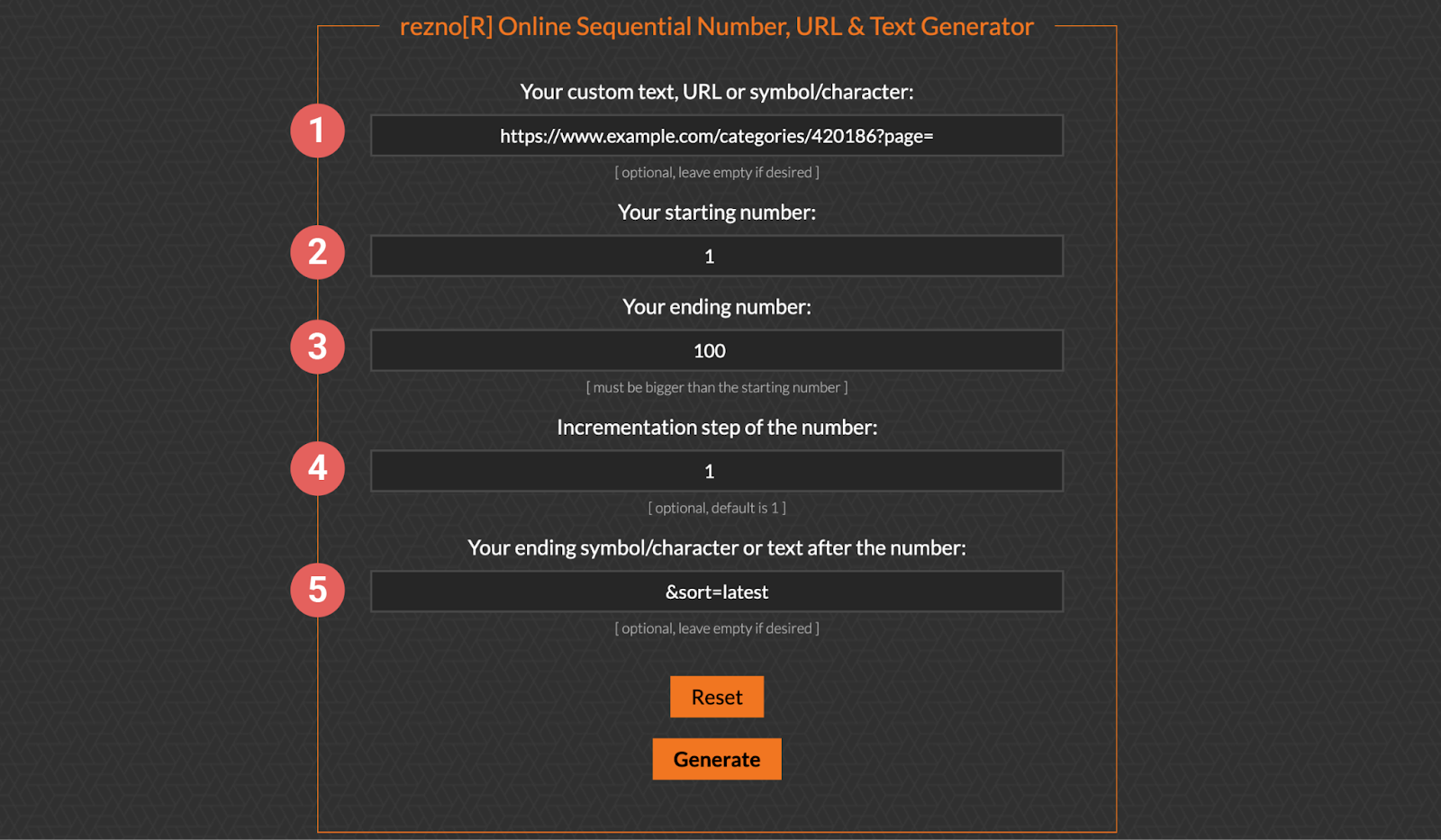
以下の例のようにオプションを設定して連続ページURLを生成してみてください。
例URL:[https://www.example.com/categories/420186?page=2\\\\\&sort=latest](https://www.example.com/categories/420186?page=2\\\\\&sort=latest)
\ ➊ ページ番号の前、変わらない部分を入力します。
➋ ページ開始番号を入力します。\
(1ページ目はパラメータが省略される場合も多いですが、page=1と入力しても問題ありません。)
➌ ページ最終番号を入力します。
➍ 数字の増加段階を入力します。通常は1,2,3…順次的に増加するため、1を入力してください。
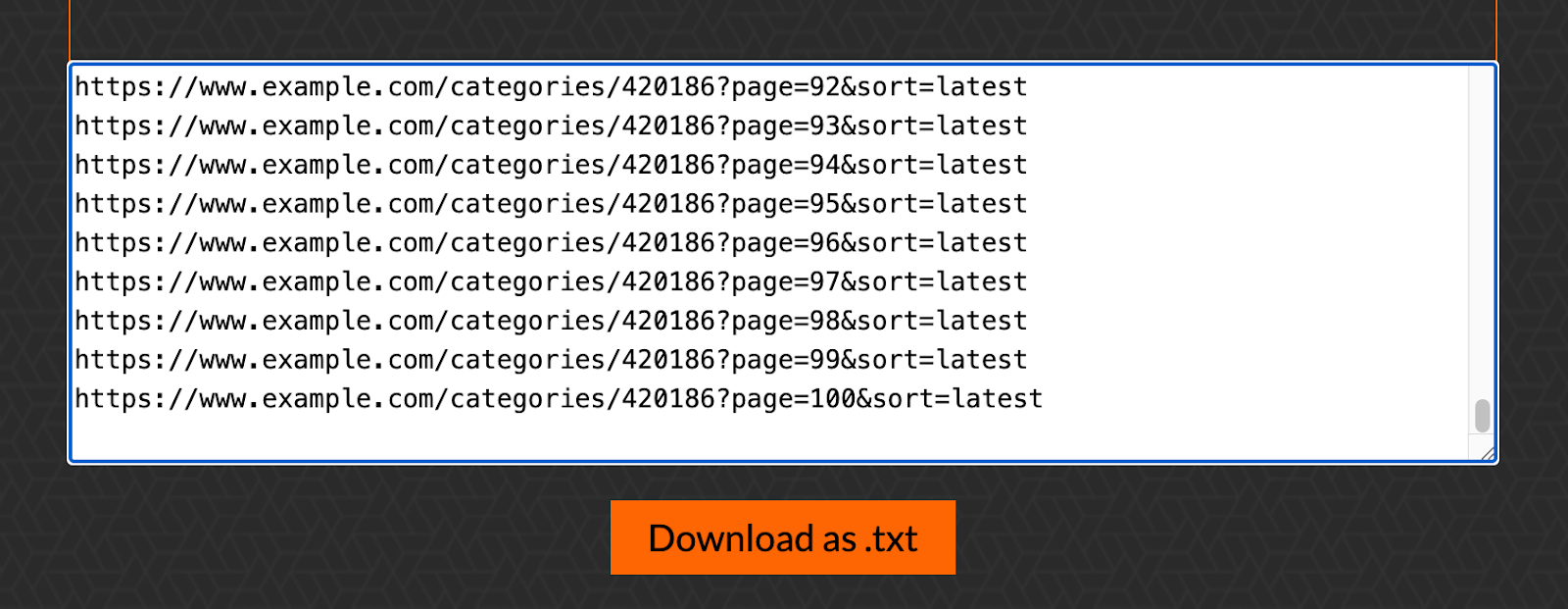
➎ ページ番号の後、変わらない部分を入力します。なければ空欄のままにしても結構です。入力完了後、下部の **\[Generate]** ボタンをクリックすると、連続URLが自動生成されます。
{% endstep %}
{% step %}
#### 結果を活用する
入力した範囲に応じてURLが順次生成されたら、生成されたアドレスをコピーして**グループ抽出**に貼り付けてください。複数のページを一度に抽出できます。
{% endstep %}
{% endstepper %}
---
# Agent Instructions
This documentation is published with GitBook. GitBook is the documentation platform designed so that both humans and AI agents can read, navigate, and reason over technical content effectively. Learn more at gitbook.com.
## Querying This Documentation
If you need additional information that is not directly available in this page, you can query the documentation dynamically by asking a question.
Perform an HTTP GET request on the current page URL with the `ask` query parameter, and the optional `goal` query parameter:
```
GET https://help.listly.io/docs/ja/getting-started/result-page-features/group-extraction-sequential-urls.md?ask=&goal=
```
`ask` is the immediate question: it should be specific, self-contained, and written in natural language.
`goal` is optional and describes the broader end goal you are ultimately trying to accomplish on behalf of the user. GitBook uses it to tailor the answer towards what is most useful for that goal.
The response will contain a direct answer to the question and relevant excerpts and sources from the documentation.
Use this mechanism when the answer is not explicitly present in the current page, you need clarification or additional context, or you want to retrieve related documentation sections.

 {% endhint %}
**B. URLビルダーを使用する**
Googleなどのポータルで「*sequential url generator*」または「url builder」を検索すれば、様々な無料ウェブツールを見つけることができます。このヘルプでは例として**Online Sequential Number, URL & Text Generator**サービスを活用してみます。\
(URL構造さえ理解すれば、Excel関数でも簡単に作成できます。)
{% hint style="info" %}
利用サービスリンク:[Online Sequential Number, URL & Text Generator](https://reznortech.rf.gd/online-sequential-number-text-url-link-generator.php?utm_source=chatgpt.com\&i=1)
{% endhint %}
利用サービスリンクに移動すると、以下のような画面が表示されます。
{% endhint %}
**B. URLビルダーを使用する**
Googleなどのポータルで「*sequential url generator*」または「url builder」を検索すれば、様々な無料ウェブツールを見つけることができます。このヘルプでは例として**Online Sequential Number, URL & Text Generator**サービスを活用してみます。\
(URL構造さえ理解すれば、Excel関数でも簡単に作成できます。)
{% hint style="info" %}
利用サービスリンク:[Online Sequential Number, URL & Text Generator](https://reznortech.rf.gd/online-sequential-number-text-url-link-generator.php?utm_source=chatgpt.com\&i=1)
{% endhint %}
利用サービスリンクに移動すると、以下のような画面が表示されます。