> For the complete documentation index, see [llms.txt](https://help.listly.io/llms.txt). Markdown versions of documentation pages are available by appending `.md` to page URLs; this page is available as [Markdown](https://help.listly.io/docs/ja/support/faq/listly-image-downloader/daunrdniappurdosuruexcelfairunoha.md).
# 画像ダウンローダーにアップロードするExcelファイルの準備方法は?
{% stepper %}
{% step %}
### ダウンロードしたい画像が含まれているウェブページをリストリー (Listly) で抽出します
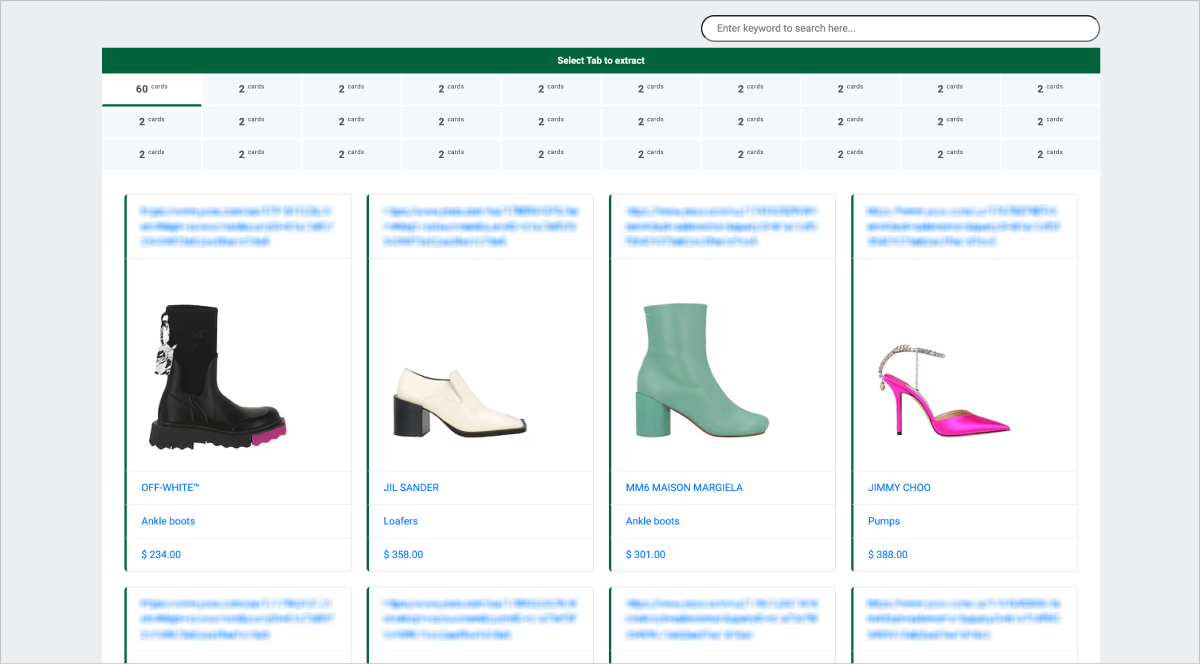
リストリー (Listly) を介して画像を含むウェブページを抽出し、Excelファイルをダウンロードして、ダウンロード用のURLを簡単に準備できます。\
リストリー (Listly) を使用すると、わずか数回の簡単なクリックで画像URLを収集できます。
{% endstep %}
{% step %}
### Excelファイル内で画像URLが配置されている列の位置を確認します
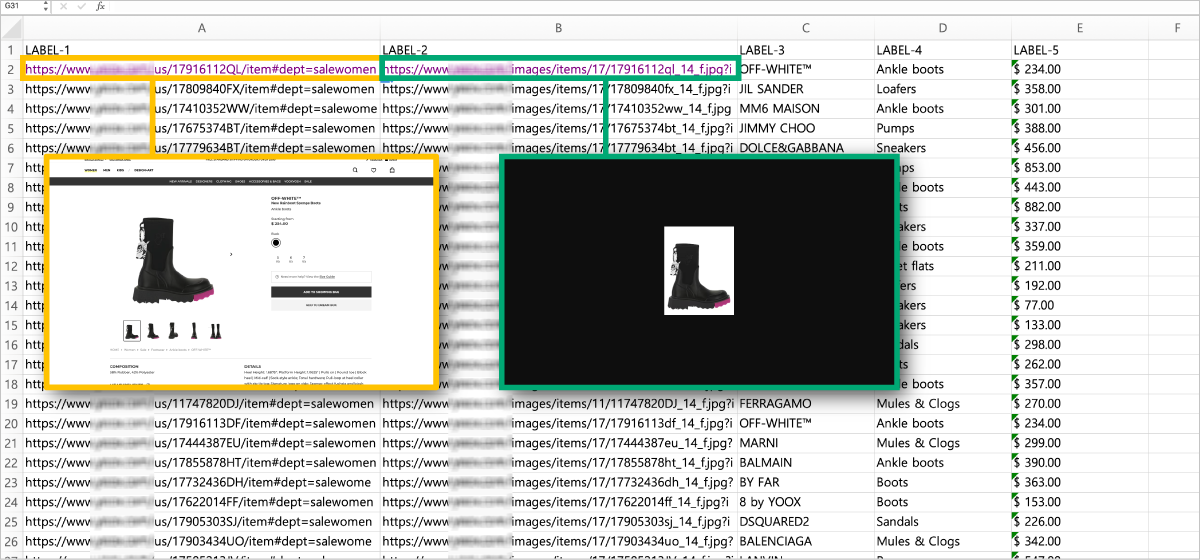
URLを確認:Excelファイル内でリンクとして表示されるデータを確認します。例のファイルでは、列Aはウェブページアドレス自体であり、列Bには画像URLが含まれています。\
ファイルによって列の配置が異なる可能性があるため、画像URLを含む列の位置にラベルを付けるか記録してください。
{% endstep %}
{% step %}
### Excelファイル内でファイル名として使用する列を確認または作成します
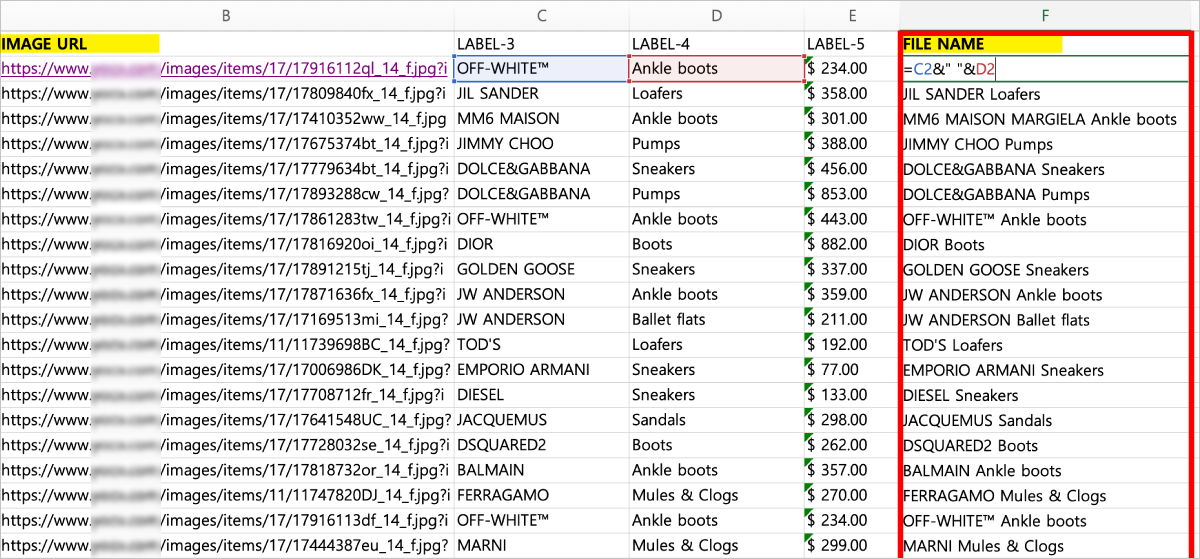
ファイル名として使用するデータ列をマークするか、必要なデータを編集して整理します。\
例では、ブランド名 + 商品名を組み合わせて、列Fに新しいファイル名 (FILE NAME) 列を作成しました。\
リストリー イメージダウンローダー (Listly Image Downloader) を使用すると、自由に編集した名前の順序で画像ファイルをダウンロードできます。
{% endstep %}
{% endstepper %}
{% hint style="success" %}
**注**
リストリー イメージダウンローダー (Listly Image Downloader) は、Excelファイルの最初の行をタイトルとして扱います。画像URLとファイル名の列に個別の見出しを付けると、簡単に識別できて便利です。
{% endhint %}
---
# Agent Instructions
This documentation is published with GitBook. GitBook is the documentation platform designed so that both humans and AI agents can read, navigate, and reason over technical content effectively. Learn more at gitbook.com.
## Querying This Documentation
If you need additional information that is not directly available in this page, you can query the documentation by asking a question.
Perform an HTTP GET request on the following URL with the `ask` and `goal` query parameters:
```
GET https://help.listly.io/docs/ja/support/faq/listly-image-downloader/daunrdniappurdosuruexcelfairunoha.md?ask=&goal=
```
`ask` is the immediate question: it should be specific, self-contained, and written in natural language.
`goal` is what the user is ultimately trying to achieve, the reason they need the answer. Sharing it helps GitBook give you a better, more relevant answer. A goal is most helpful when it describes the outcome the user wants rather than restating the question. For example, with `ask=how do I create an API token`, a goal like `automate deployments from our CI pipeline` lets GitBook tailor the answer to that use case.
The response will contain a direct answer to the question and relevant excerpts and sources from the documentation.
Use this mechanism when the answer is not explicitly present in the current page, you need clarification or additional context, or you want to retrieve related documentation sections.