> For the complete documentation index, see [llms.txt](https://help.listly.io/llms.txt). Markdown versions of documentation pages are available by appending `.md` to page URLs; this page is available as [Markdown](https://help.listly.io/docs/ja/support/faq/listly-image-downloader/listlydaunrdnoha.md).
# Listly画像ダウンローダーの特徴は?
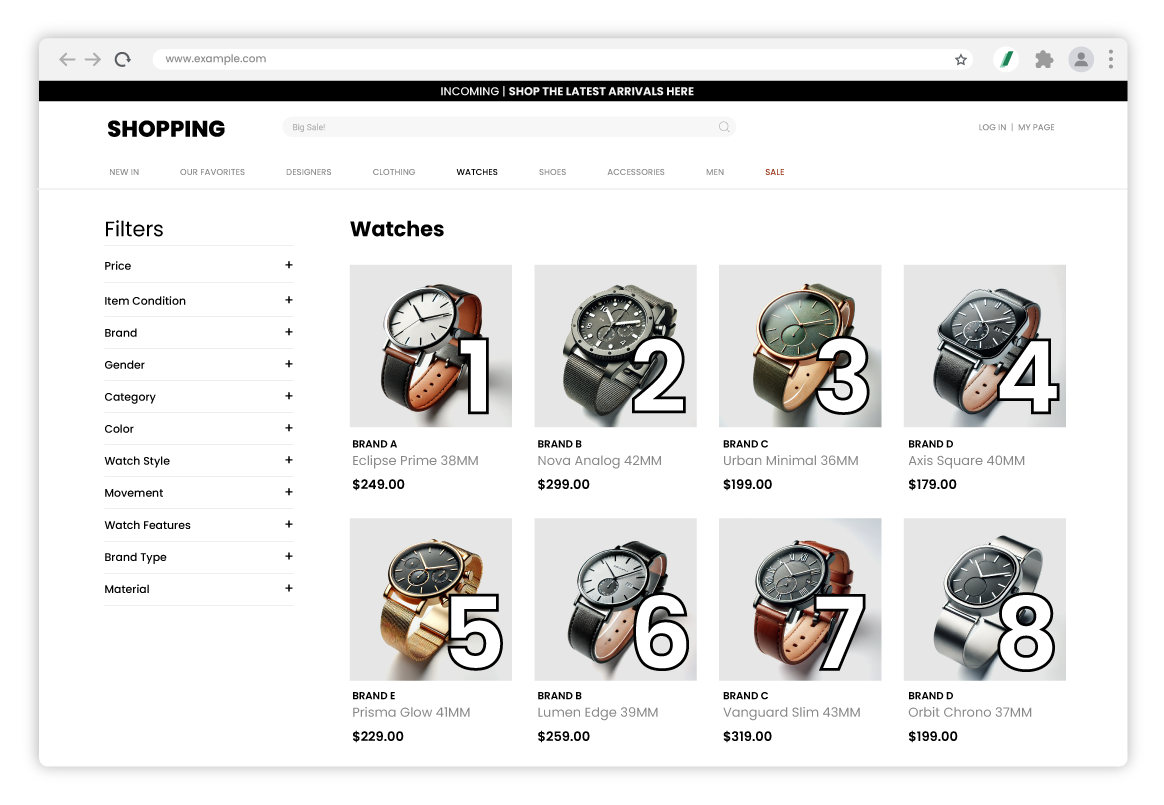
リストリー イメージダウンローダー (Listly Image Downloader) は、リストリー (Listly) で簡単に抽出した画像URLを使用して、ウェブサイトに表示される順序と同じ順序で画像をダウンロードしたり、希望のファイル名で画像を一括ダウンロードしたりできます。たとえば、上記のように商品画像がウェブサイトに順番に表示されていると仮定します。理解を助けるため、各画像に連番を追加しました。
{% columns %}
{% column %}
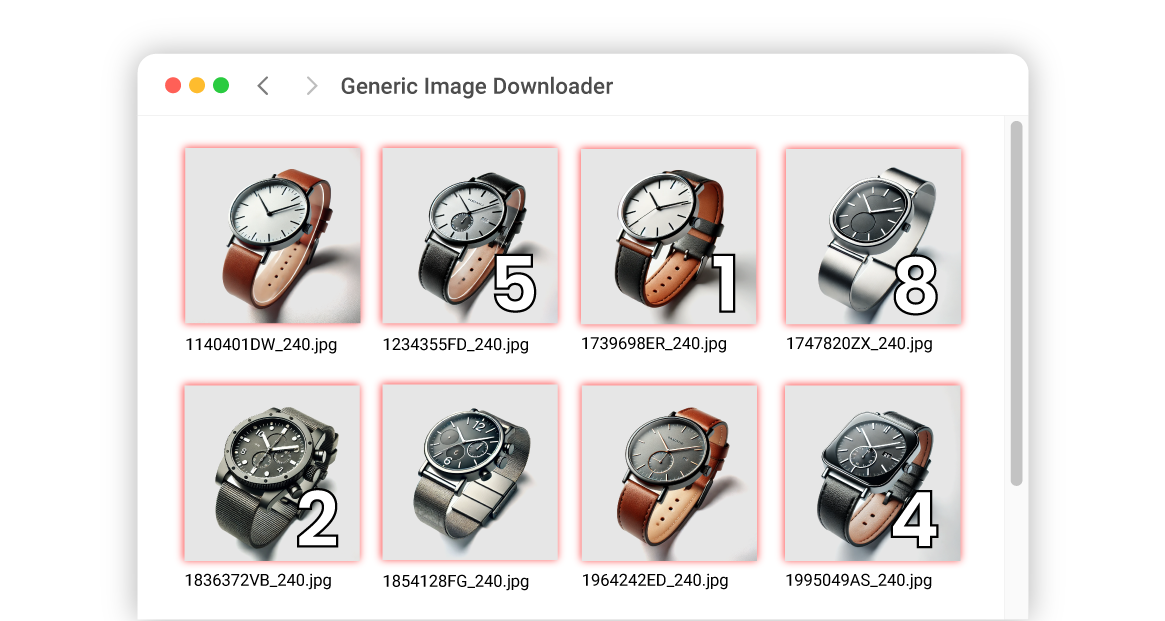
**他のイメージダウンローダー**
ほとんどの画像ダウンローダーは、ウェブサイトで指定されたファイル名をそのまま使用します。これらのファイル名は、理解しにくい数字や文字の組み合わせで構成されていることが多く、名前でソートすると画像の順序が混在します。
{% endcolumn %}
{% column %}
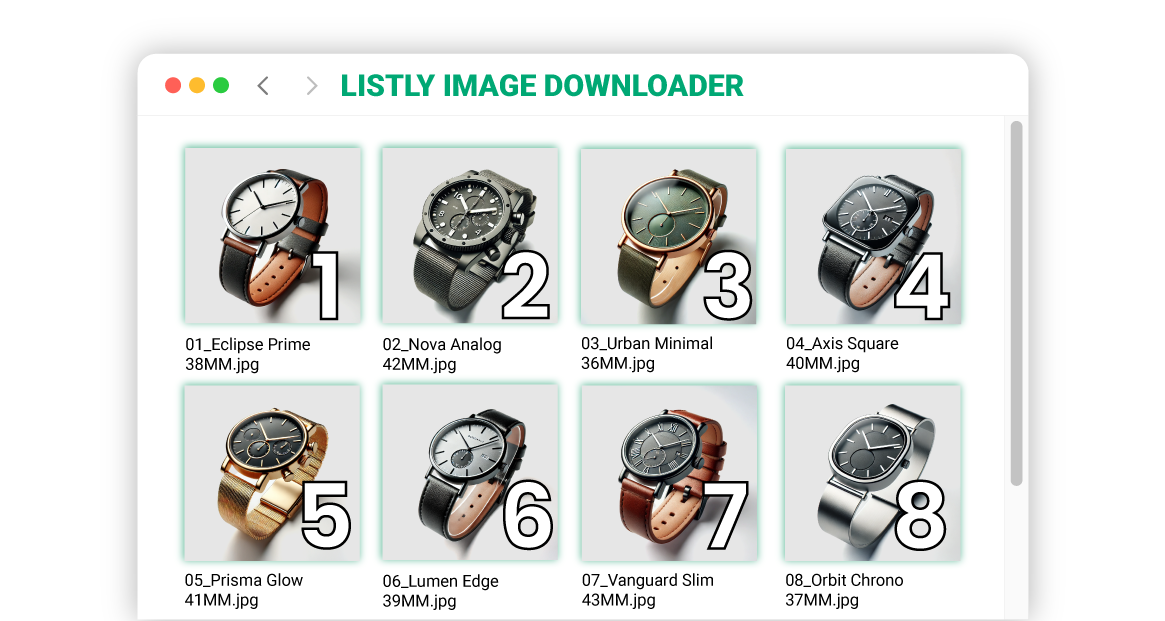
**リストリー イメージダウンローダー (Listly Image Downloader)**
リストリー イメージダウンローダー (Listly Image Downloader) は、Excelファイルに基づいてファイル名を設定したり、入力URL順に番号を割り当てたりできます。これにより、データとの照合が簡単で、整理されたファイル名できれいにダウンロードできます。ユーザーの利便性のため、サイトの元のファイル名を使用したり、番号のみを割り当てたりするなど、画像ダウンローダーによく見られるオプションも提供しています。
{% endcolumn %}
{% endcolumns %}
---
# Agent Instructions
This documentation is published with GitBook. GitBook is the documentation platform designed so that both humans and AI agents can read, navigate, and reason over technical content effectively. Learn more at gitbook.com.
## Querying This Documentation
If you need additional information that is not directly available in this page, you can query the documentation by asking a question.
Perform an HTTP GET request on the following URL with the `ask` and `goal` query parameters:
```
GET https://help.listly.io/docs/ja/support/faq/listly-image-downloader/listlydaunrdnoha.md?ask=&goal=
```
`ask` is the immediate question: it should be specific, self-contained, and written in natural language.
`goal` is what the user is ultimately trying to achieve, the reason they need the answer. Sharing it helps GitBook give you a better, more relevant answer. A goal is most helpful when it describes the outcome the user wants rather than restating the question. For example, with `ask=how do I create an API token`, a goal like `automate deployments from our CI pipeline` lets GitBook tailor the answer to that use case.
The response will contain a direct answer to the question and relevant excerpts and sources from the documentation.
Use this mechanism when the answer is not explicitly present in the current page, you need clarification or additional context, or you want to retrieve related documentation sections.