> For the complete documentation index, see [llms.txt](https://help.listly.io/llms.txt). Markdown versions of documentation pages are available by appending `.md` to page URLs; this page is available as [Markdown](https://help.listly.io/docs/ja/support/solutions-by-error-message/login-screen.md).
# ログイン画面が表示される
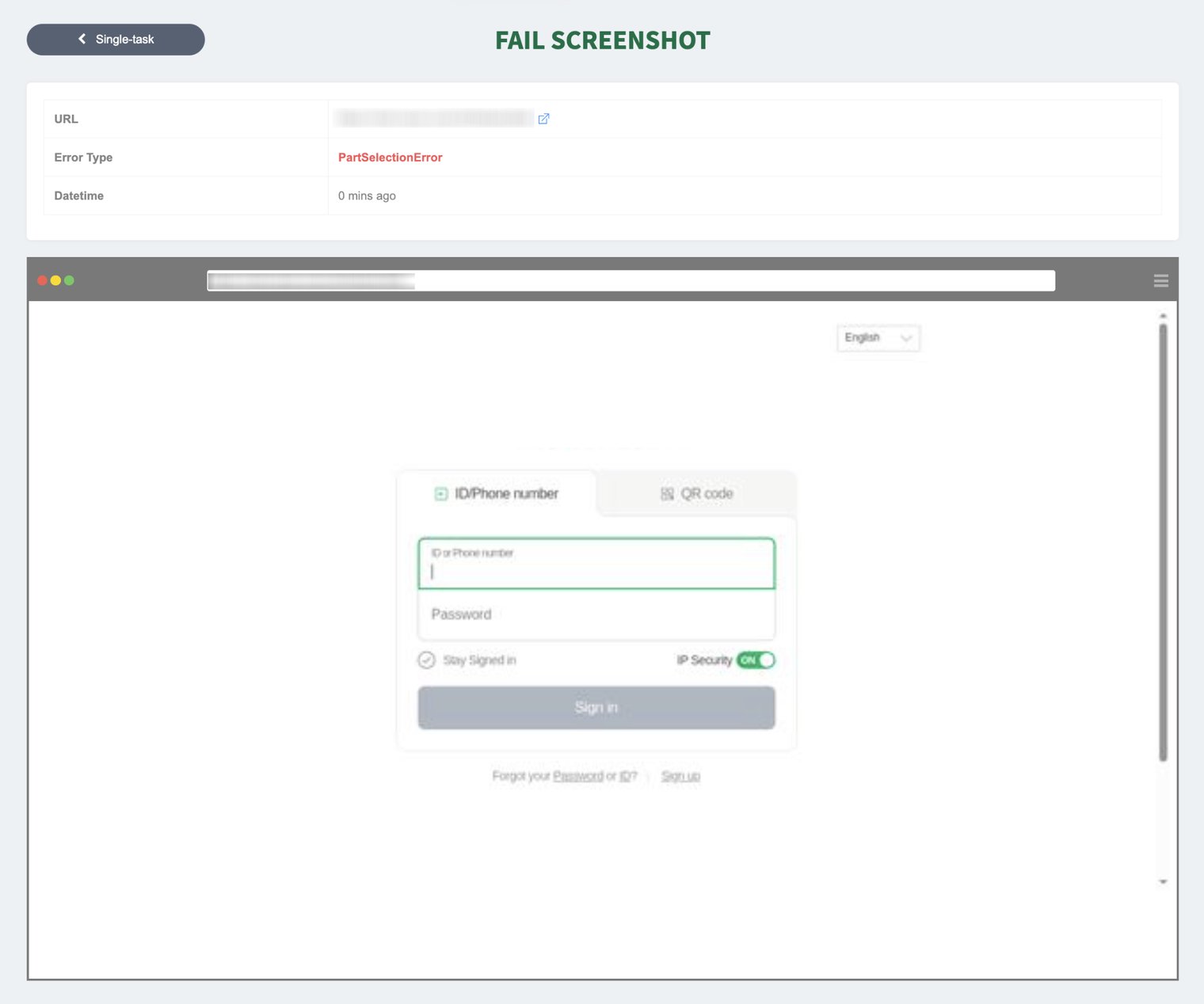
エラースクリーンショットにログイン画面が表示される場合、システムが対象ページにアクセスしてデータを収集する前にログイン認証が適切に完了していない可能性があり、データの読み込みができなかったことを意味します。この場合、指定されたデータエリアやタブを認識する前にログインリクエスト画面に留まるため、PartSelectionErrorやNoMatchingTabなどのさまざまなエラーが発生する可能性があります。
#### ✅ 解決方法
* [**【関連ヘルプ】ログイン (Login) 機能(ベータ版)の設定方法**](https://help.listly.io/docs/ja/getting-started/databoard-features/settings-auto-login) を参照して、自動ログインの設定を試してみてください。
* ※ ただし、最近は二要素認証やソーシャルログインなどで手順とセキュリティが強化されているため、自動ログイン機能が制限されることがよくあります。プライベートページを抽出したい場合は、ブラウザで直接ページにログインした状態で抽出できる「[タブ (Tabs)](https://help.listly.io/docs/ja/getting-started/extension-features/tabs-parts)」機能の使用をおすすめします。
追加オプション
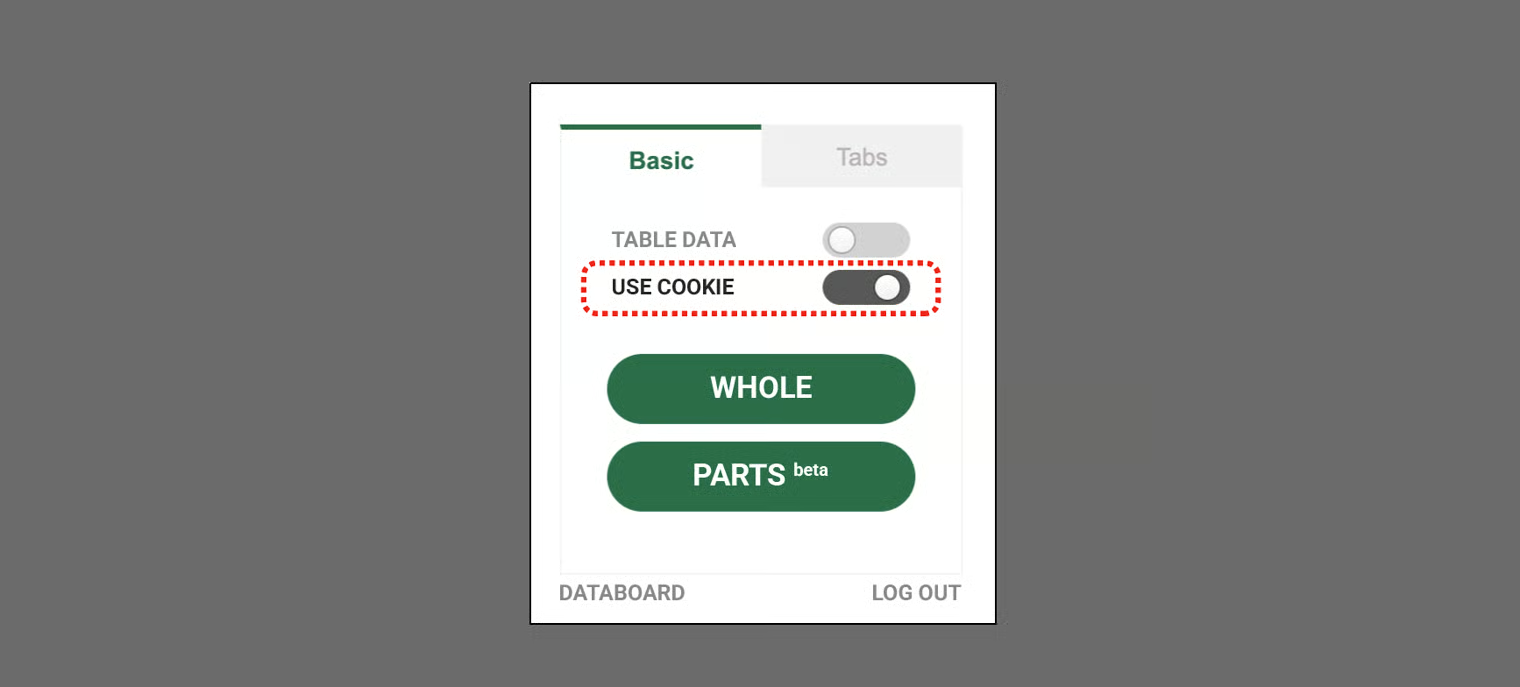
* 一部のサイトでは、ログイン済みセッションのCookieを一時的に保存して認証を維持することも効果的です。拡張機能のポップアップ内で【Cookieを使用 (Use cookies)】トグルボタンを有効にしてデータを抽出すると、認証Cookieが自動的に保存され、約1時間ログイン状態が維持されます。
* Cookie経由でログインが維持される時間内に抽出作業を完了できる量であれば、この方法を比較的簡単に試すことができます。ただし、ユーザーの接続環境やサイトの認証ポリシーによって安定性が異なる場合があり、Cookie有効期限後に再度抽出が失敗する可能性があるため、この点にご注意ください。
{% hint style="success" %}
提案された方法を試しても解決が難しい場合は、 までお問い合わせください。正確な原因を診断した後、問題解決をサポートいたします。
{% endhint %}
---
# Agent Instructions
This documentation is published with GitBook. GitBook is the documentation platform designed so that both humans and AI agents can read, navigate, and reason over technical content effectively. Learn more at gitbook.com.
## Querying This Documentation
If you need additional information that is not directly available in this page, you can query the documentation dynamically by asking a question.
Perform an HTTP GET request on the current page URL with the `ask` query parameter, and the optional `goal` query parameter:
```
GET https://help.listly.io/docs/ja/support/solutions-by-error-message/login-screen.md?ask=&goal=
```
`ask` is the immediate question: it should be specific, self-contained, and written in natural language.
`goal` is optional and describes the broader end goal you are ultimately trying to accomplish on behalf of the user. GitBook uses it to tailor the answer towards what is most useful for that goal.
The response will contain a direct answer to the question and relevant excerpts and sources from the documentation.
Use this mechanism when the answer is not explicitly present in the current page, you need clarification or additional context, or you want to retrieve related documentation sections.