> For the complete documentation index, see [llms.txt](https://help.listly.io/llms.txt). Markdown versions of documentation pages are available by appending `.md` to page URLs; this page is available as [Markdown](https://help.listly.io/docs/zh-hans/getting-started/databoard-features/she-zhi-jie-tu.md).
# 设置 - 截图
## 什么是截图?
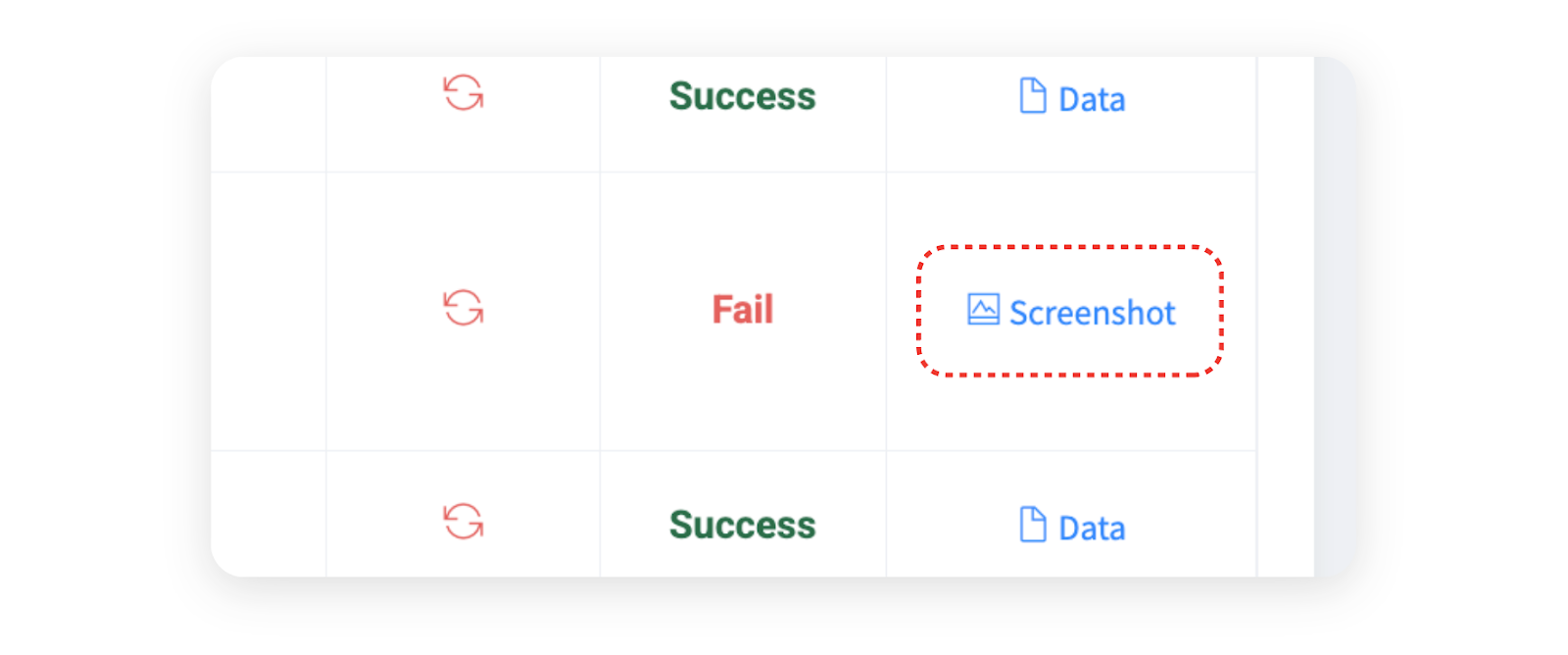
当数据提取失败时,**会自动生成截图**以便您识别原因。失败时的页面状态和错误代码会一起提供,这对诊断问题有很大帮助。
***
## 截图页面布局
{% columns %}
{% column %}
{% endcolumn %}
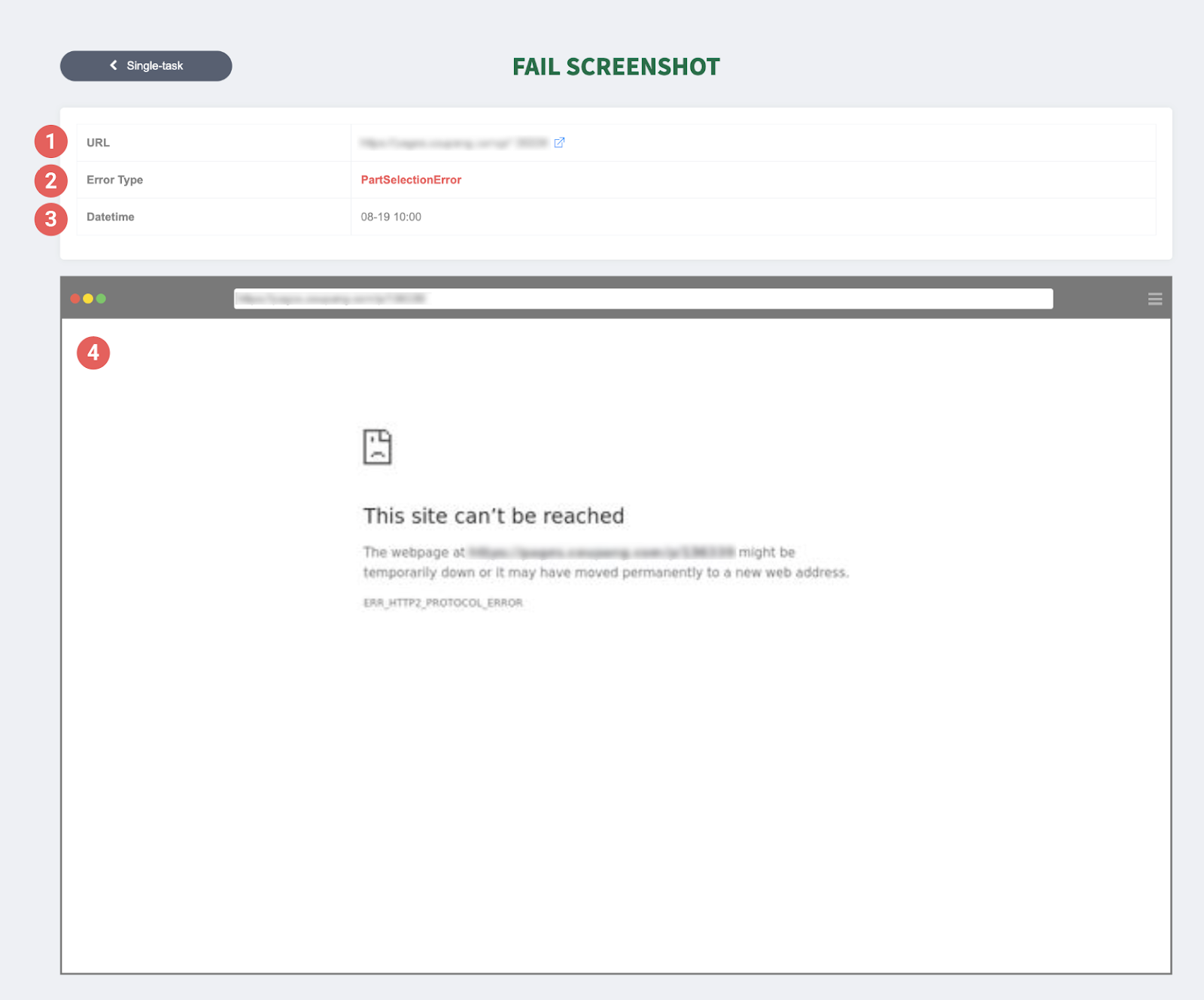
{% column %} ➊ URL:尝试提取的网站地址。
➋ Error details:显示发生的错误代码。
➌ Date Time:指示错误发生的时间。
➍ Screenshot:失败时的屏幕截图——这是识别原因的最重要线索。在上面的示例屏幕中,您可以看到提取失败是因为网站访问被阻止,没有连接到正常页面。
{% endcolumn %}
{% endcolumns %}
***
## 使用截图
{% hint style="success" %}
**如何使用截图**
截图帮助您快速诊断提取失败的原因。当数据提取失败时,查看截图并立即采取适当的措施。常见的失败原因和解决方案可以在下面的帮助文档中找到。
**参考文档**:[按提取失败消息的解决方案](https://help.listly.io/docs/zh-hans/~/revisions/kXguiYLELsdptOakt4OC/support/solutions-by-extraction-failure-message)
{% endhint %}
---
# Agent Instructions
This documentation is published with GitBook. GitBook is the documentation platform designed so that both humans and AI agents can read, navigate, and reason over technical content effectively. Learn more at gitbook.com.
## Querying This Documentation
If you need additional information that is not directly available in this page, you can query the documentation dynamically by asking a question.
Perform an HTTP GET request on the current page URL with the `ask` query parameter, and the optional `goal` query parameter:
```
GET https://help.listly.io/docs/zh-hans/getting-started/databoard-features/she-zhi-jie-tu.md?ask=&goal=
```
`ask` is the immediate question: it should be specific, self-contained, and written in natural language.
`goal` is optional and describes the broader end goal you are ultimately trying to accomplish on behalf of the user. GitBook uses it to tailor the answer towards what is most useful for that goal.
The response will contain a direct answer to the question and relevant excerpts and sources from the documentation.
Use this mechanism when the answer is not explicitly present in the current page, you need clarification or additional context, or you want to retrieve related documentation sections.