> For the complete documentation index, see [llms.txt](https://help.listly.io/llms.txt). Markdown versions of documentation pages are available by appending `.md` to page URLs; this page is available as [Markdown](https://help.listly.io/docs/zh-hans/getting-started/enterprise-solutions/qi-ye-ban-sheng-cheng-pi-liang-fen-zu-bing-xia-zai.md).
# 企业版 - 生成批量分组并下载
## 什么是批量组生成和下载?
在批量提取中,**每个组最多可以注册 500 个 URL**。\
这是为了优化系统稳定性和处理速度而设计的限制——在一个组中包含太多 URL 可能会导致处理时间过长,或由于瓶颈导致某些请求失败。
但是,当您需要一次性注册数千或数万个 URL 时,手动创建多个 500 个 URL 的组可能相当繁琐。
为了简化这一过程,Enterprise 套餐提供**批量组生成**功能。\
无论您输入多少个 URL,系统都会自动将它们分割成 500 个 URL 的块,并一次性创建多个组。提取完成后,您还可以一次性下载多个组任务。
***
## 使用方法
### 注册批量组
{% stepper %}
{% step %}
### 步骤
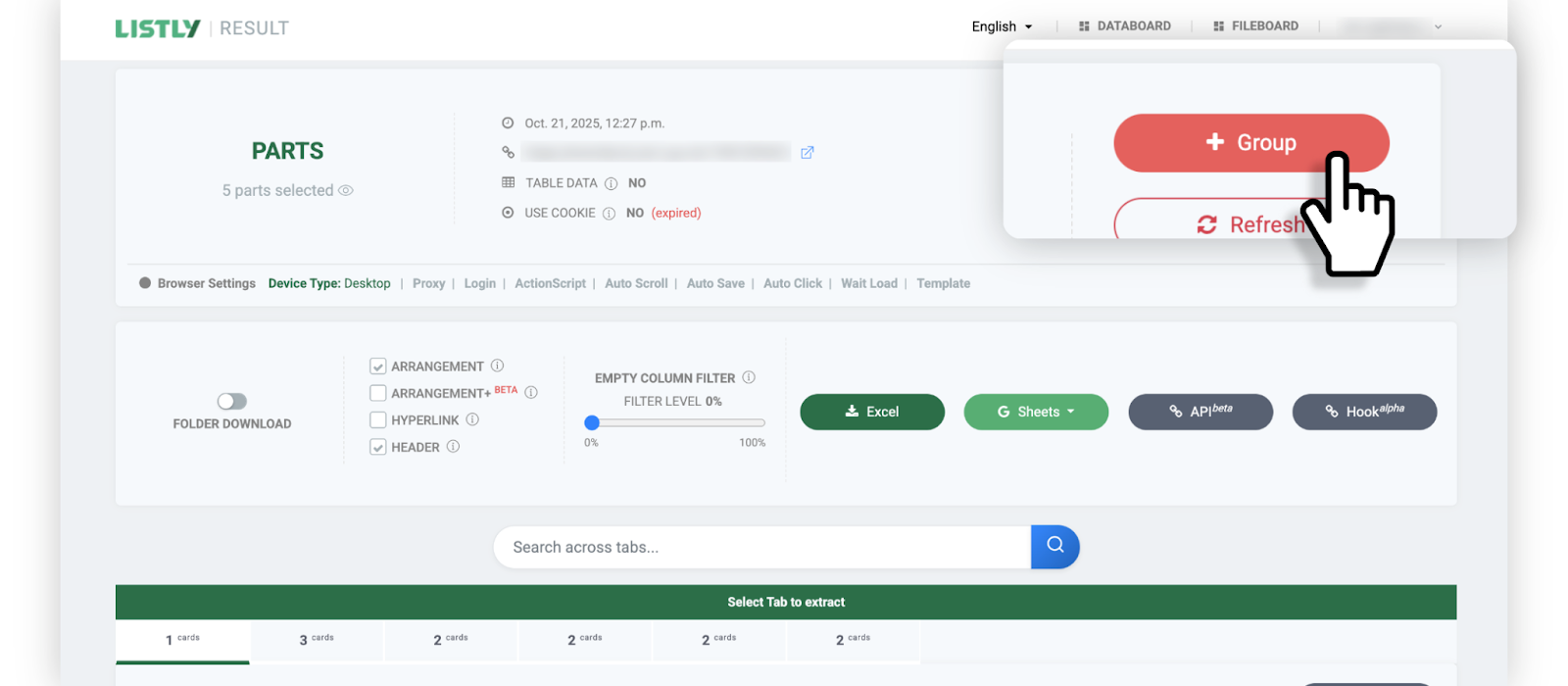
按照创建[批量提取](https://help.listly.io/docs/zh-hans/~/revisions/ss7aWyhMlNgVJU7b4kz5/getting-started/result-page-features/group-extraction)任务的相同流程进行。首先提取将作为组源的页面,然后点击结果页面顶部的 **\[+Group]** 按钮。
{% endstep %}
{% step %}
### 步骤
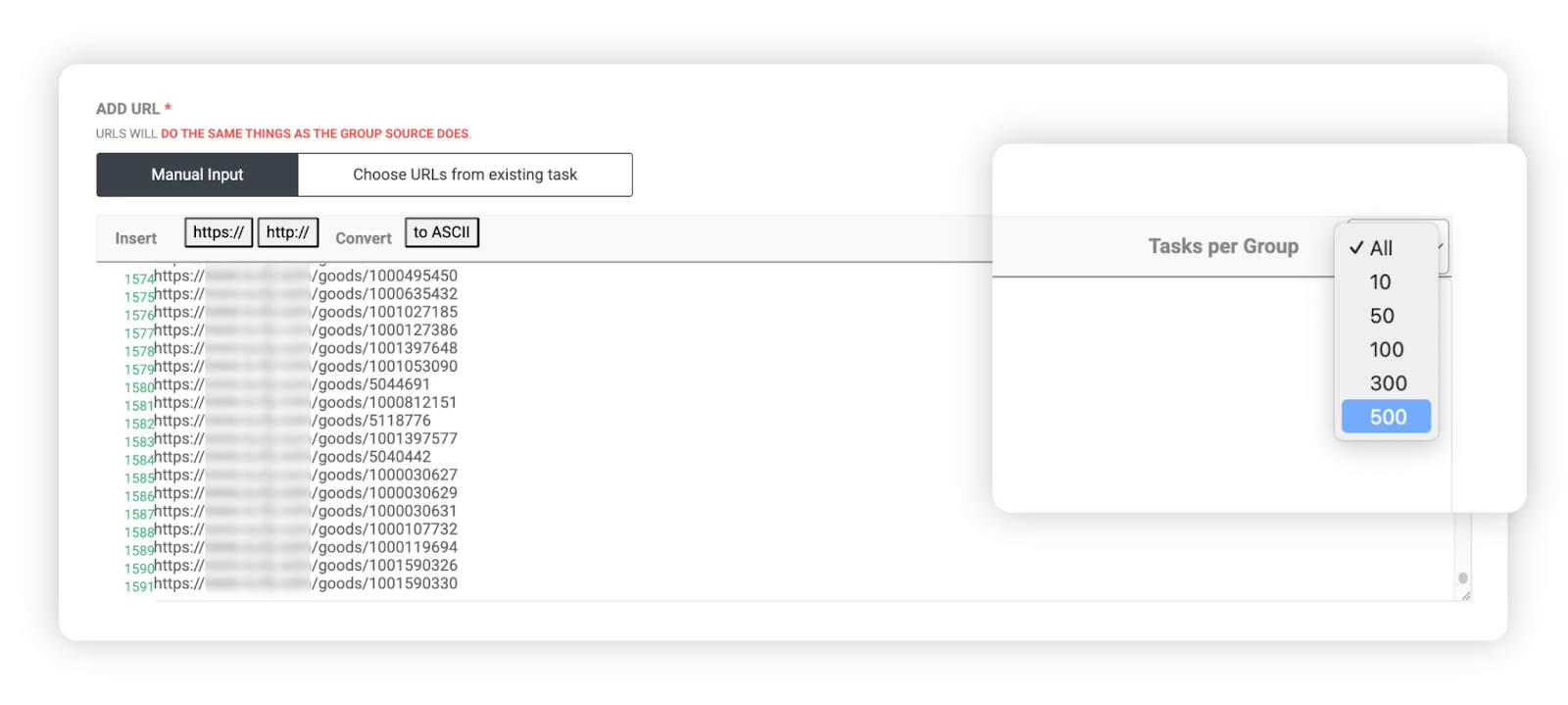
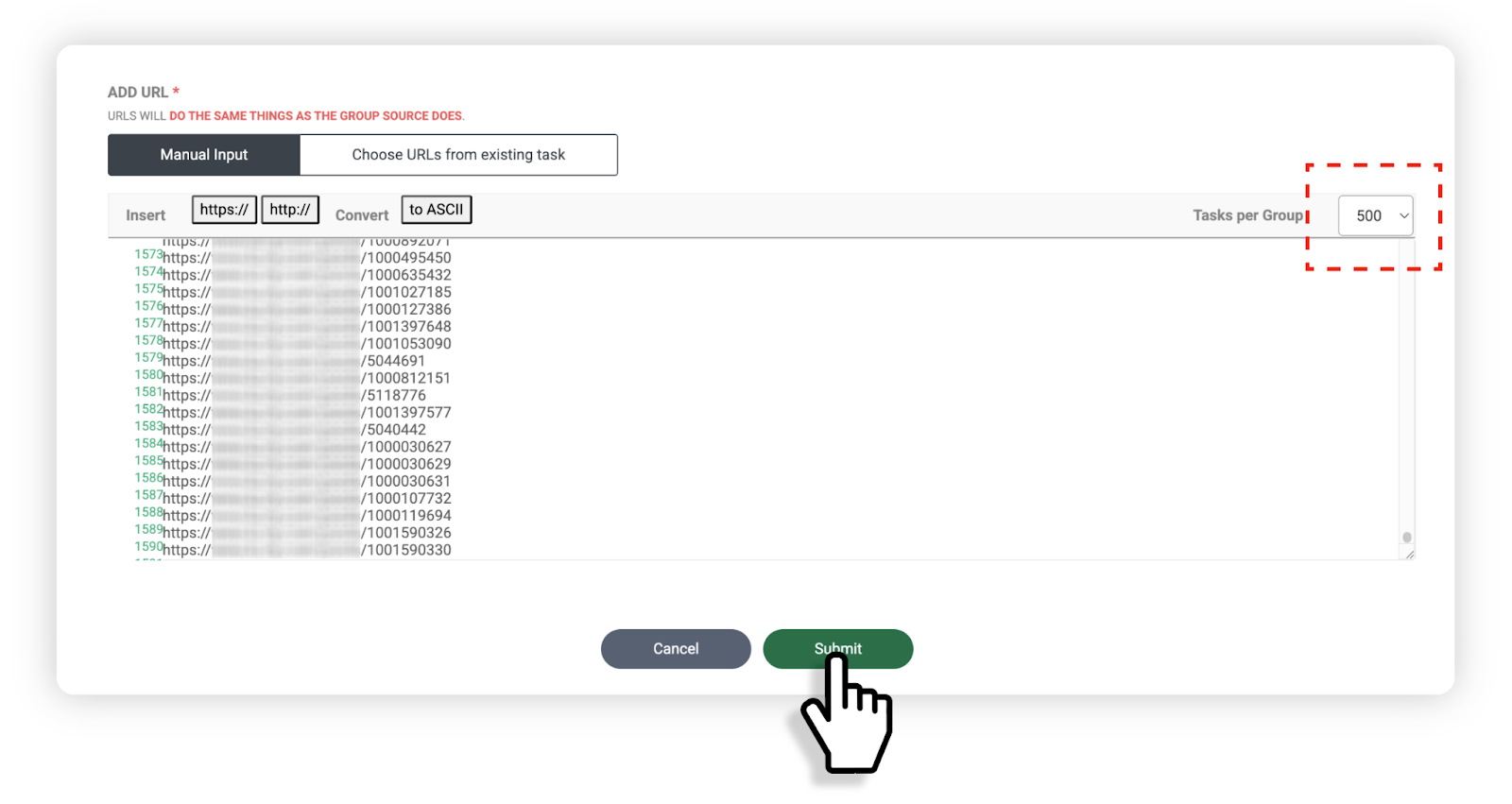
在组 URL 输入字段中粘贴要提取的 URL 列表,然后在输入区域右上角的 Task per Group 选项中选择每个组包含多少个 URL。
示例:
* 共输入 **1,592 个 URL**
* 设置为**每组 500 个** → 自动创建 4 个组任务
* 设置为**每组 100 个** → 自动创建 16 个组任务
{% endstep %}
{% step %}
### 步骤
完成设置后,点击底部的 **\[Done]** 按钮。
{% endstep %}
{% step %}
### 步骤
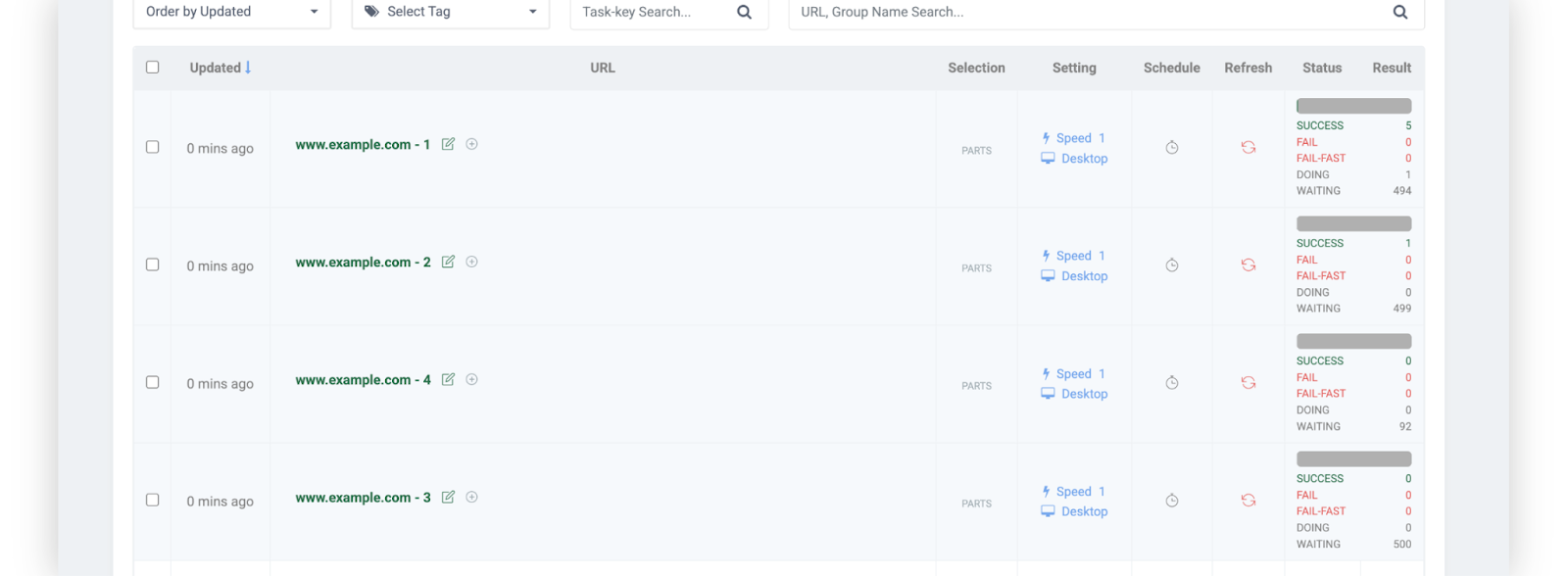
您可以看到您输入的 URL 已根据您选择的标准自动分割,并注册为多个组任务。
{% endstep %}
{% endstepper %}
### 下载批量组
{% stepper %}
{% step %}
### 步骤
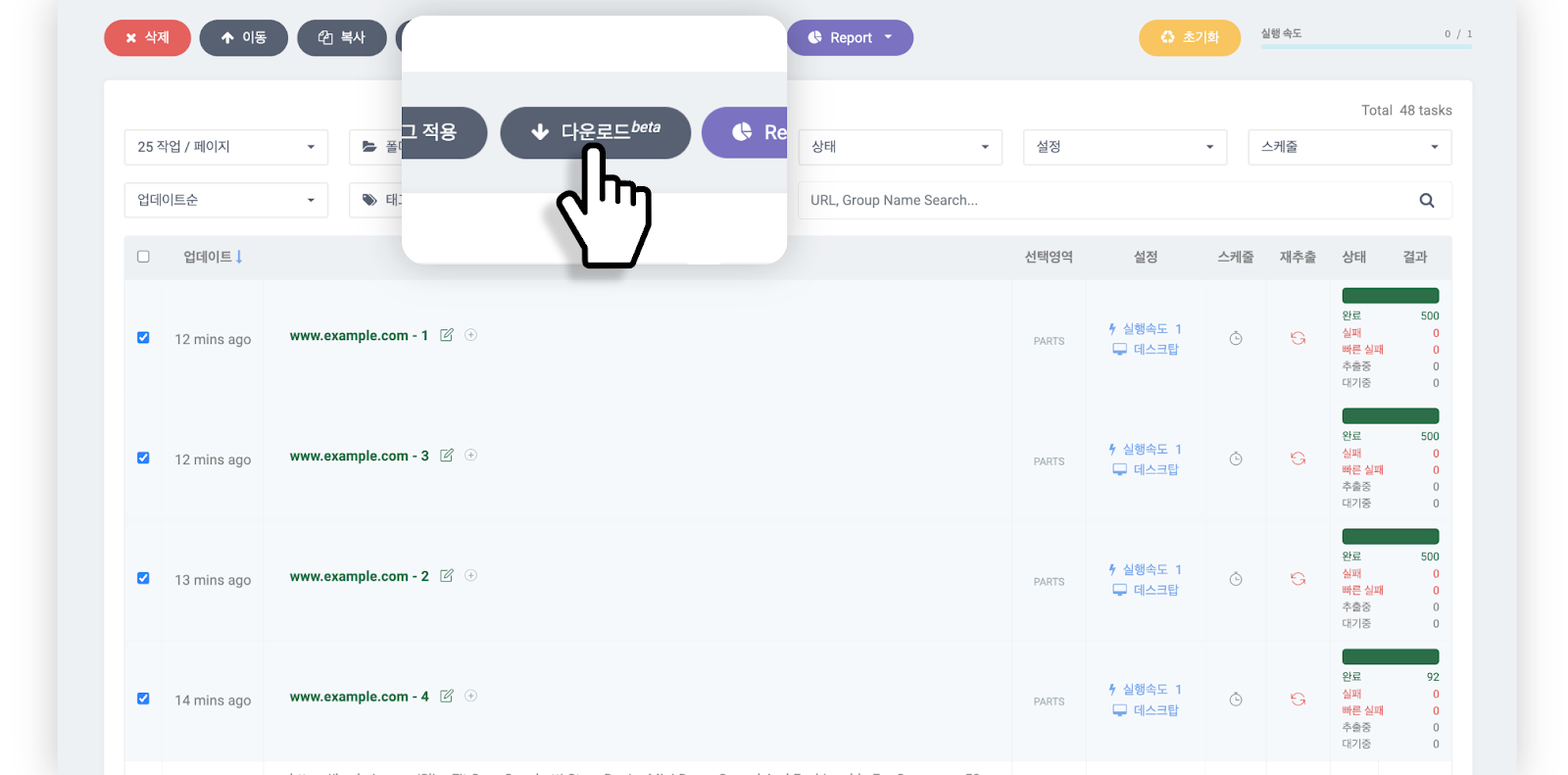
选择已完成的组任务,然后点击 Databoard 顶部的 **\[Download beta]** 按钮。
{% endstep %}
{% step %}
### 步骤
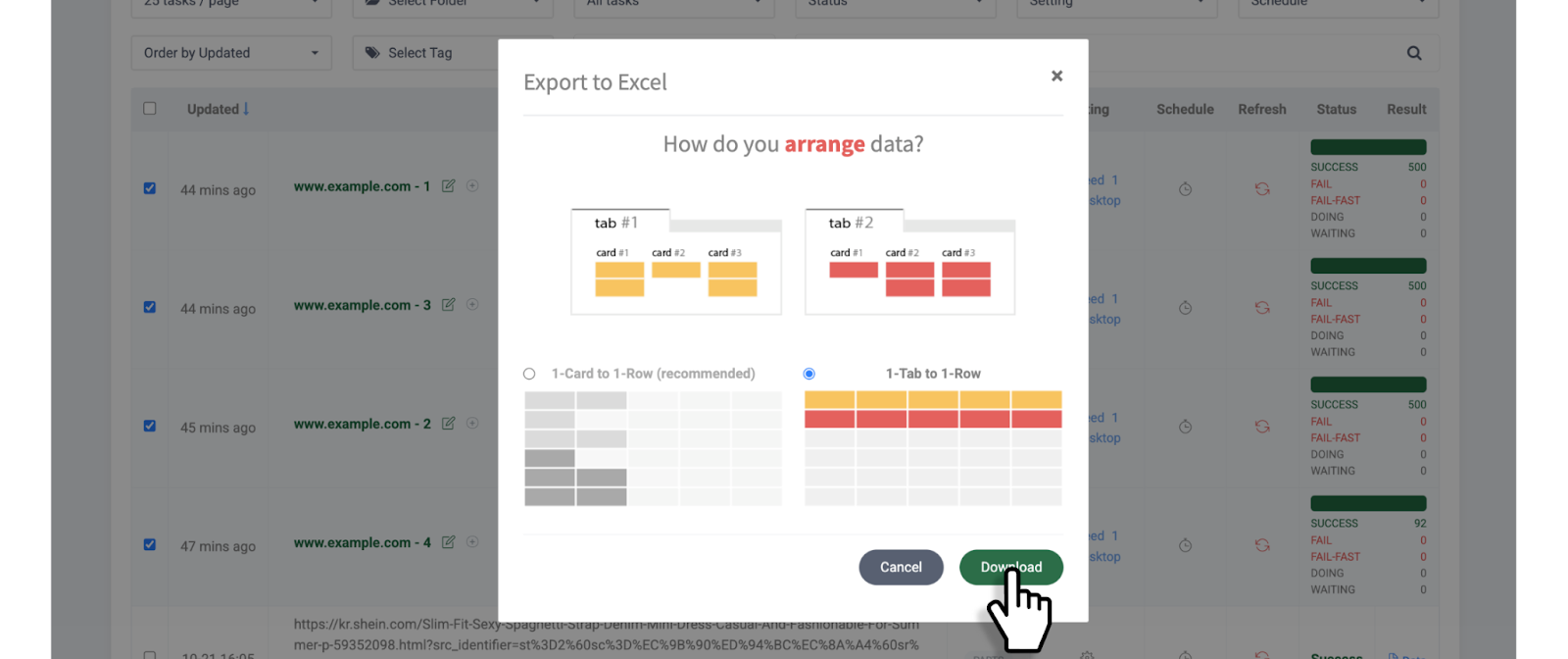
选择您的[**数据排列方式**](https://help.listly.io/docs/zh-hans/~/revisions/aHRywXMF6bnMTo8ON9AI/getting-started/result-page-features/data-arrangement),然后点击 **\[Download]** 按钮。
{% endstep %}
{% step %}
### 步骤
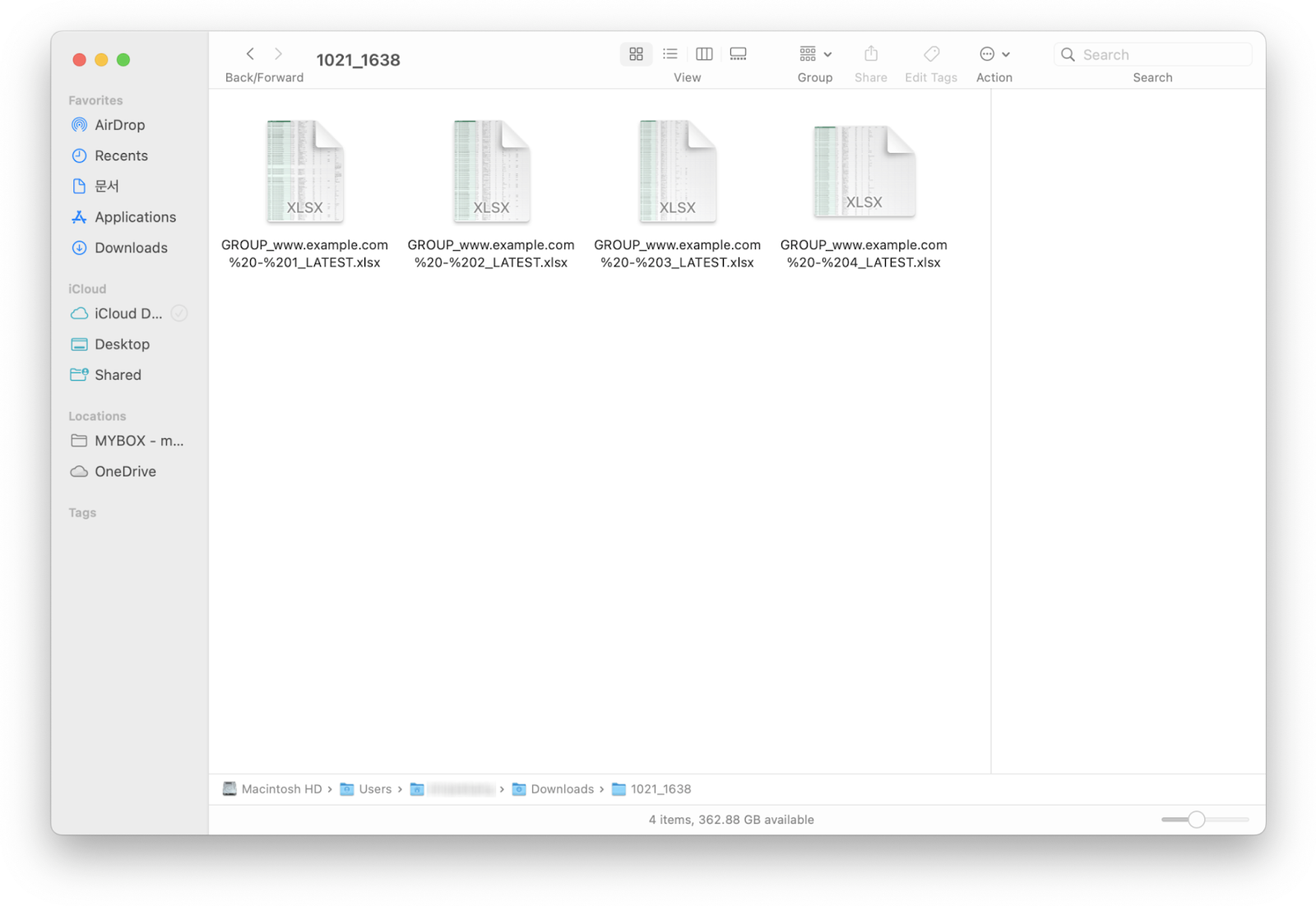
您选择的组任务将作为单个压缩文件下载。
{% endstep %}
{% endstepper %}
---
# Agent Instructions
This documentation is published with GitBook. GitBook is the documentation platform designed so that both humans and AI agents can read, navigate, and reason over technical content effectively. Learn more at gitbook.com.
## Querying This Documentation
If you need additional information that is not directly available in this page, you can query the documentation dynamically by asking a question.
Perform an HTTP GET request on the current page URL with the `ask` query parameter, and the optional `goal` query parameter:
```
GET https://help.listly.io/docs/zh-hans/getting-started/enterprise-solutions/qi-ye-ban-sheng-cheng-pi-liang-fen-zu-bing-xia-zai.md?ask=&goal=
```
`ask` is the immediate question: it should be specific, self-contained, and written in natural language.
`goal` is optional and describes the broader end goal you are ultimately trying to accomplish on behalf of the user. GitBook uses it to tailor the answer towards what is most useful for that goal.
The response will contain a direct answer to the question and relevant excerpts and sources from the documentation.
Use this mechanism when the answer is not explicitly present in the current page, you need clarification or additional context, or you want to retrieve related documentation sections.