> For the complete documentation index, see [llms.txt](https://help.listly.io/llms.txt). Markdown versions of documentation pages are available by appending `.md` to page URLs; this page is available as [Markdown](https://help.listly.io/docs/zh-hans/getting-started/extension-features/shi-yong-cookie.md).
# 使用 Cookie
## 什么是 Cookie?
Cookie 是包含网站与用户交互信息的小文件。它们可以包括网站域名、登录信息、Cookie 过期日期、互联网使用模式等。
{% columns %}
{% column width="58.333333333333336%" %}
{% endcolumn %}
{% column width="41.666666666666664%" %}
{% endcolumn %}
{% endcolumns %}
***
## 使用 Cookie 选项
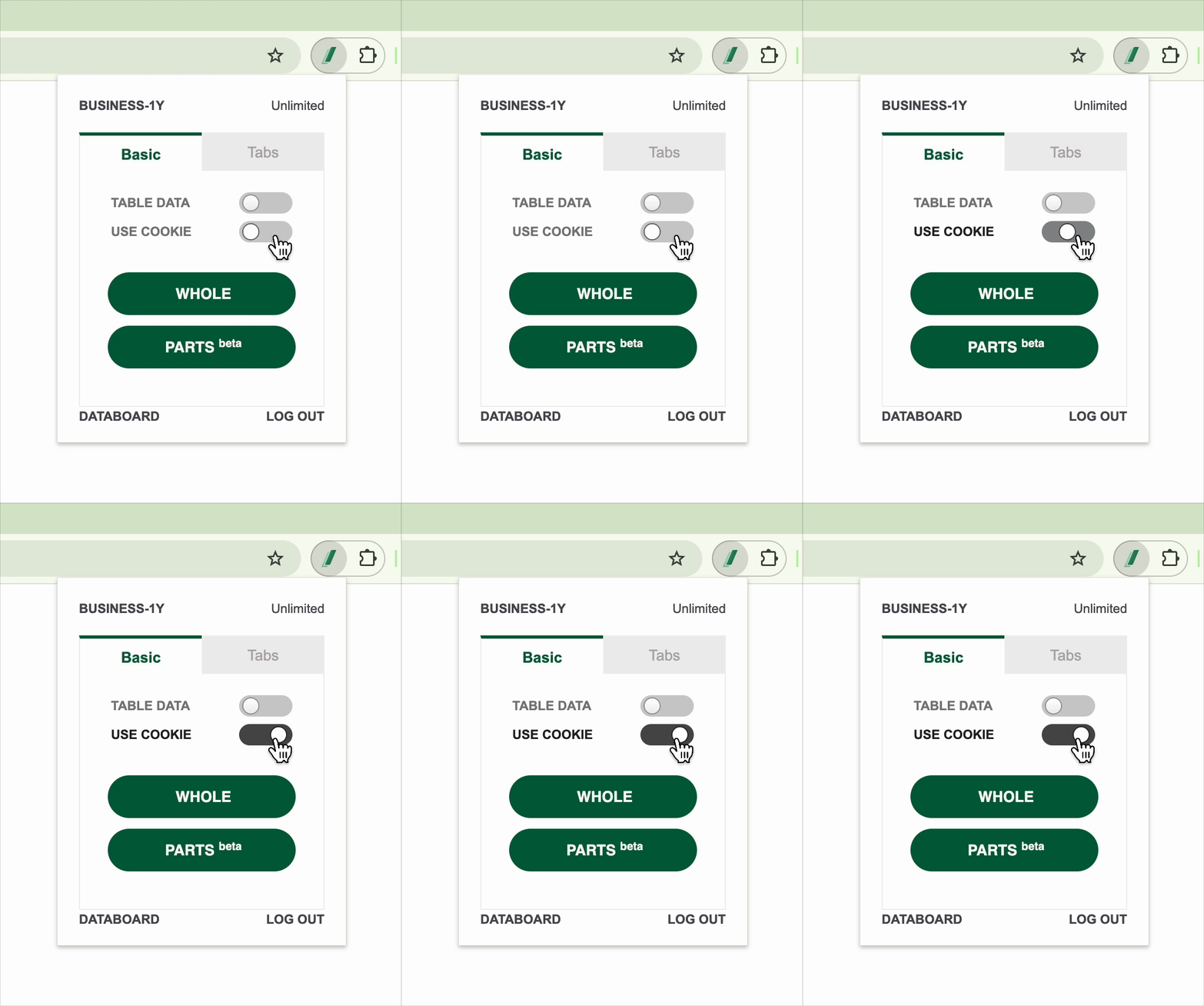
**Use Cookie** 选项让您可以通过利用重新提取期间存储在浏览器中的登录状态或会话信息,从需要特定访问权限(如登录)的私有网页中提取数据,这样您就可以在无需额外登录步骤的情况下提取数据。
在 Listly 扩展程序弹出窗口中启用 **\[Use Cookie]** 切换开关会保存用户的临时信息,允许在有效期内通过 Listly 重新提取数据,无需额外的登录步骤。
* **有效期**:保存的 Cookie **有效期约为 1 小时**,之后过期。
* **使用时机**:当需要在短时间内对需要用户权限的页面进行重新提取时很有用,如个人页面、订单历史、私人论坛等。
* **禁用时**:私有页面的初始提取是可能的,但没有保存的 Cookie,重新提取可能有更高的失败概率。
{% hint style="warning" %}
**使用 Cookie 选项时的重要提示**
* 基于 Cookie 的登录保持状态可能会根据用户的浏览器环境或网站特定的身份验证策略而受到限制。
* 某些安全性严格的网站(如银行、内部系统)可能不支持 Cookie 身份验证,或者可能立即过期。
{% endhint %}
---
# Agent Instructions
This documentation is published with GitBook. GitBook is the documentation platform designed so that both humans and AI agents can read, navigate, and reason over technical content effectively. Learn more at gitbook.com.
## Querying This Documentation
If you need additional information that is not directly available in this page, you can query the documentation dynamically by asking a question.
Perform an HTTP GET request on the current page URL with the `ask` query parameter, and the optional `goal` query parameter:
```
GET https://help.listly.io/docs/zh-hans/getting-started/extension-features/shi-yong-cookie.md?ask=&goal=
```
`ask` is the immediate question: it should be specific, self-contained, and written in natural language.
`goal` is optional and describes the broader end goal you are ultimately trying to accomplish on behalf of the user. GitBook uses it to tailor the answer towards what is most useful for that goal.
The response will contain a direct answer to the question and relevant excerpts and sources from the documentation.
Use this mechanism when the answer is not explicitly present in the current page, you need clarification or additional context, or you want to retrieve related documentation sections.