> For the complete documentation index, see [llms.txt](https://help.listly.io/llms.txt). Markdown versions of documentation pages are available by appending `.md` to page URLs; this page is available as [Markdown](https://help.listly.io/docs/zh-hans/getting-started/result-page-features/actionscript.md).
# 动作脚本
## 什么是 Action Script?
Action Script 是一项高级功能,它不仅仅是提取屏幕上可见的内容——**它让您可以直接编写 JavaScript 代码来控制提取过程**。
示例:
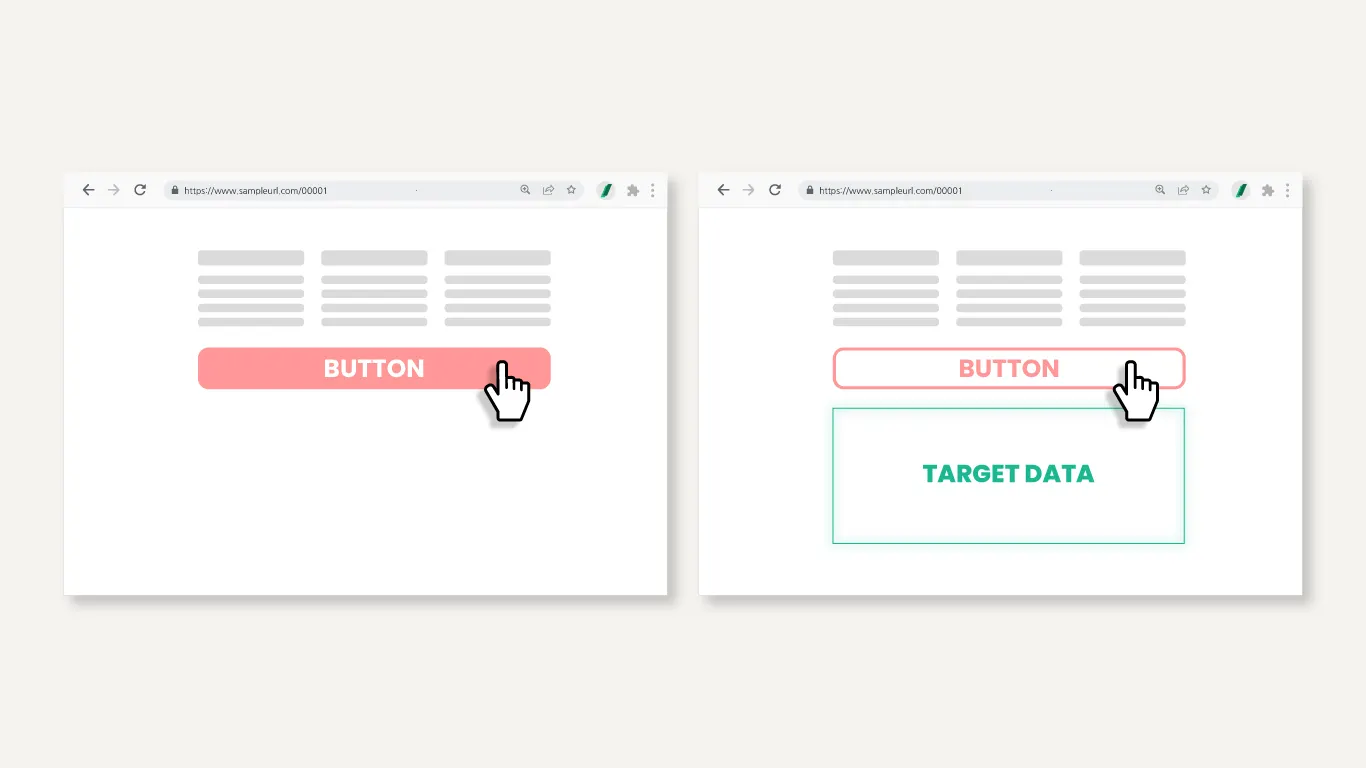
* 从点击特定按钮后出现的部分提取数据
* 从鼠标悬停时出现的区域提取数据
* 在采集数据之前控制网站内其他动态变化的元素
您可以**为常规 Listly 自动化设置难以解决的特殊情况定制数据提取**。
{% hint style="warning" %}
Action Script 创建服务是 **Enterprise 套餐专属选项**。如果您使用的是较低级别的套餐,可以自己编写脚本来使用此功能。
{% endhint %}
{% stepper %}
{% step %}
#### 整体提取后打开浏览器设置
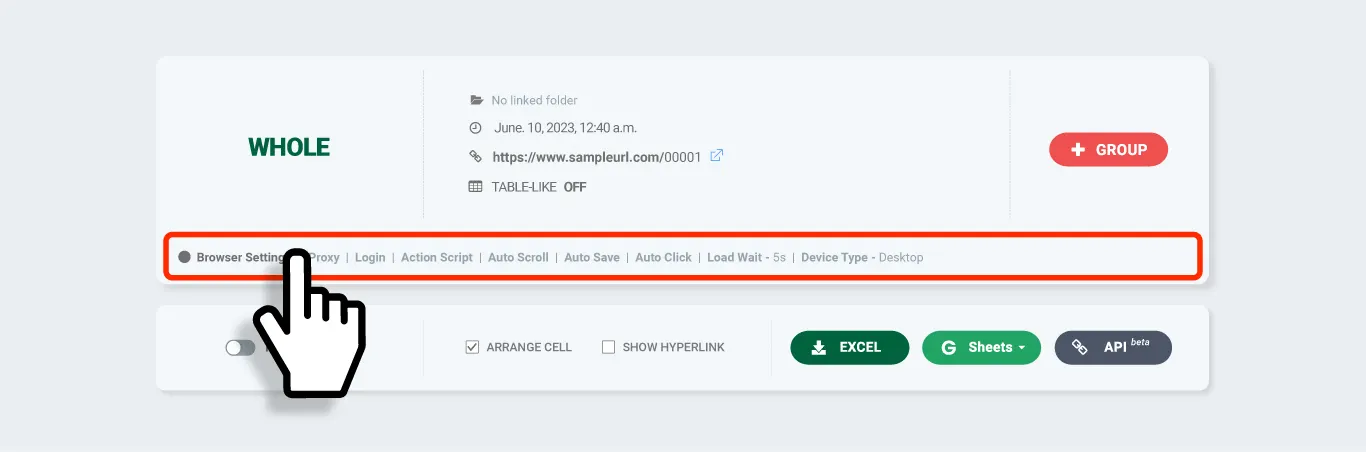
对网页进行整体提取,然后在结果页面点击 \[Browser Setting] 部分,进入该任务的设置界面。
{% endstep %}
{% step %}
#### 将您的 JS 粘贴到 Action Script 并保存
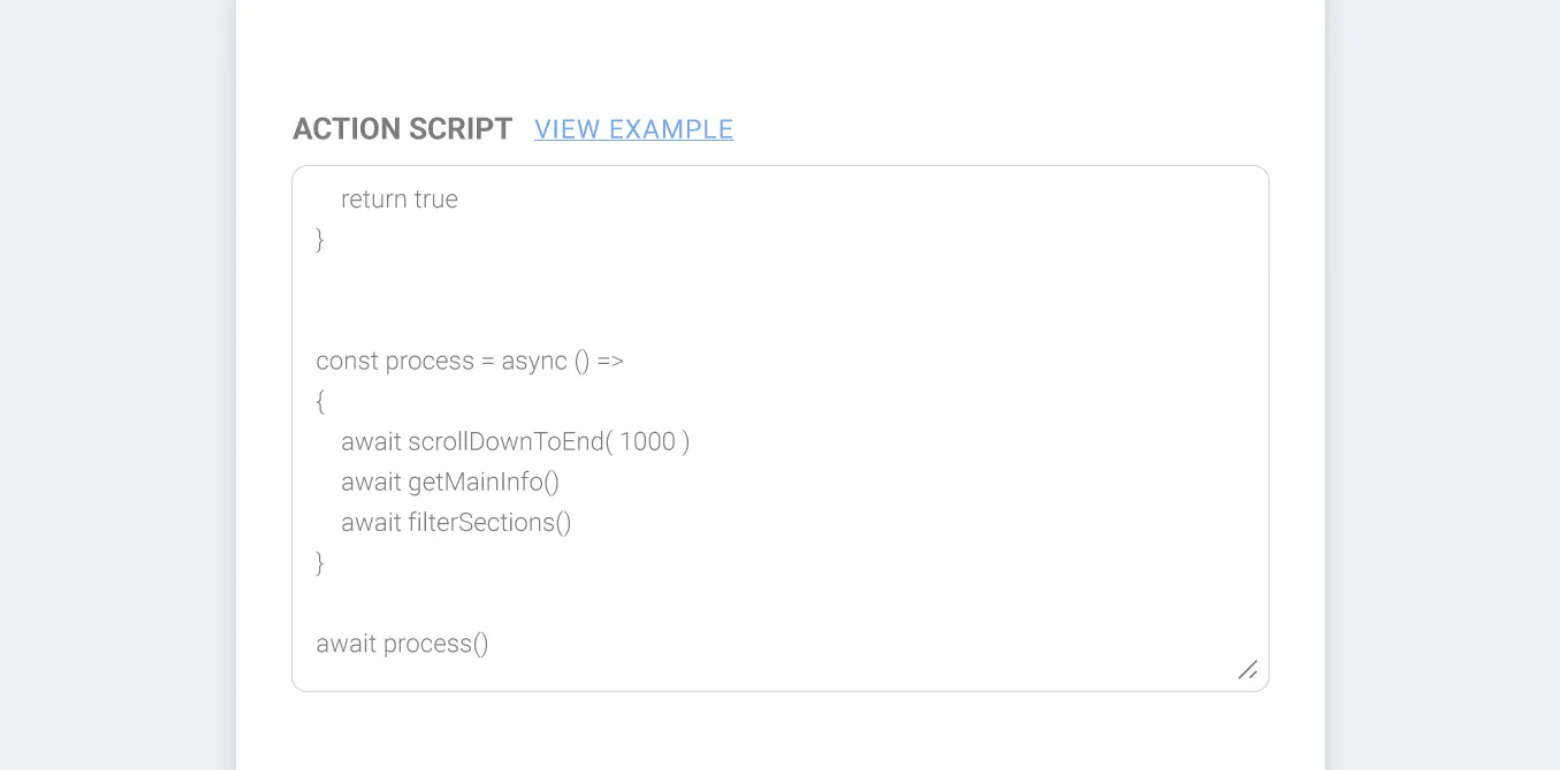
将您编写的 JS 代码粘贴到设置界面的 Action Script 字段中,然后点击 **\[Save]**
{% hint style="success" %}
**提示** 如今您甚至可以使用 ChatGPT 等 AI 服务来编写简单的脚本。
{% endhint %}
{% endstep %}
{% step %}
#### 使用 Action Script 重新提取
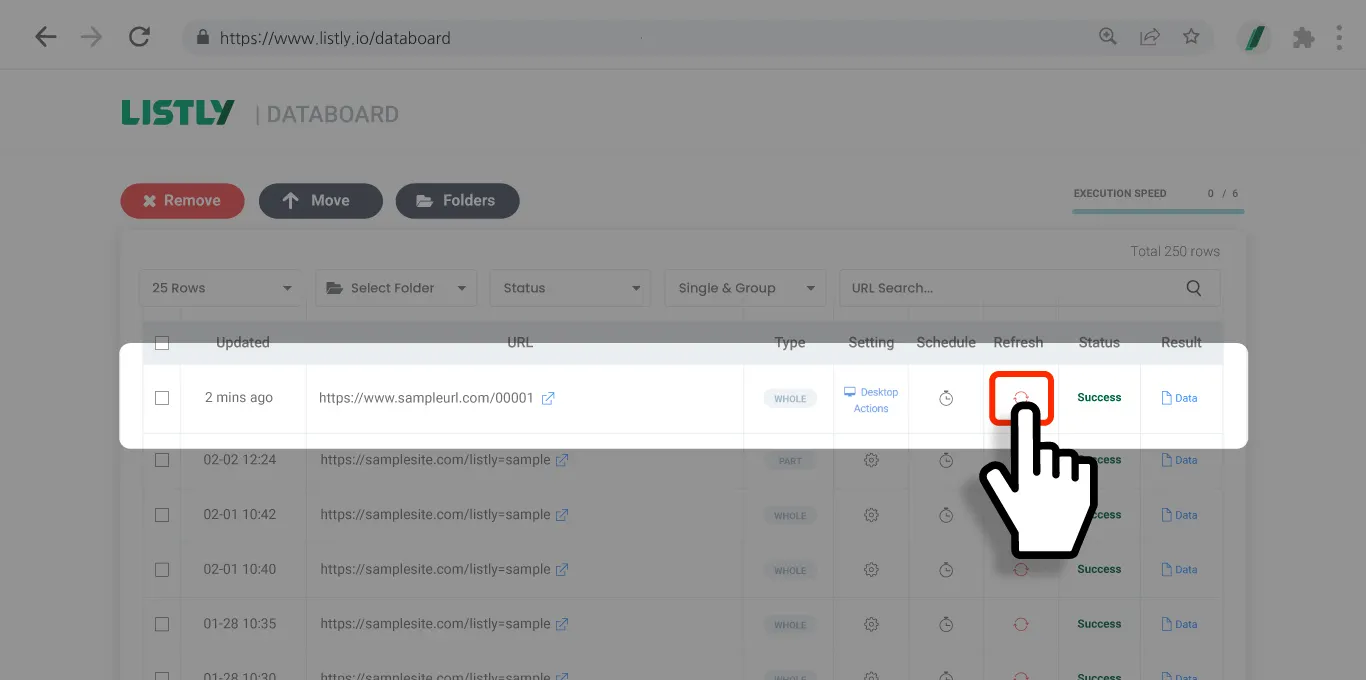
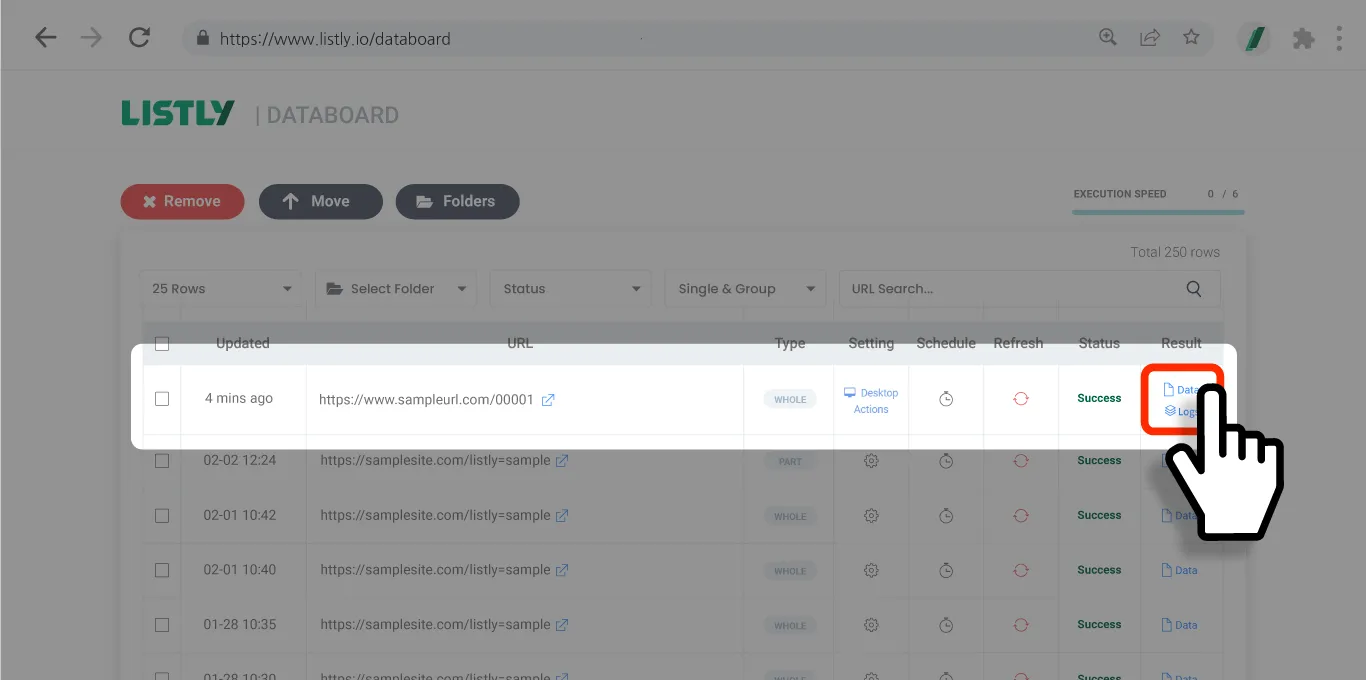
点击结果窗口或 Databoard 中的 **\[Re-extract]** 按钮,使用 Action Script 重新提取数据区域。
{% endstep %}
{% step %}
#### 验证结果
重新提取完成后检查结果。确保验证您配置的 Action Script 是否按预期工作。
{% endstep %}
{% endstepper %}
## 重要提示
{% hint style="warning" %}
**将 Action Script 应用于批量提取任务时的重要提示**
在批量提取之前必须将 Action Script 应用于源页面。批量提取假设其他 URL 与代表页面(源页面)具有相同的结构,并据此采集数据。如果不将 Action Script 应用于源页面,则没有在后续添加的 URL 上执行相同操作的参考,这可能导致**标签页匹配错误**或**数据丢失**。
* 始终在打开**代表页面**的情况下编写和应用 Action Script。
* 应用 Action Script 后,必须先**重新提取**以验证设置是否正常工作。
* 然后使用 **\[+Group]** 按钮添加 URL,相同的 Action Script 行为将反映在所有批量页面上。
* 如果源页面和其他页面之间存在显著的结构差异,脚本可能无法正常工作,因此在批量提取中仅包含**具有相同结构的页面**非常重要。
{% endhint %}
---
# Agent Instructions
This documentation is published with GitBook. GitBook is the documentation platform designed so that both humans and AI agents can read, navigate, and reason over technical content effectively. Learn more at gitbook.com.
## Querying This Documentation
If you need additional information that is not directly available in this page, you can query the documentation dynamically by asking a question.
Perform an HTTP GET request on the current page URL with the `ask` query parameter, and the optional `goal` query parameter:
```
GET https://help.listly.io/docs/zh-hans/getting-started/result-page-features/actionscript.md?ask=&goal=
```
`ask` is the immediate question: it should be specific, self-contained, and written in natural language.
`goal` is optional and describes the broader end goal you are ultimately trying to accomplish on behalf of the user. GitBook uses it to tailor the answer towards what is most useful for that goal.
The response will contain a direct answer to the question and relevant excerpts and sources from the documentation.
Use this mechanism when the answer is not explicitly present in the current page, you need clarification or additional context, or you want to retrieve related documentation sections.