> For the complete documentation index, see [llms.txt](https://help.listly.io/llms.txt). Markdown versions of documentation pages are available by appending `.md` to page URLs; this page is available as [Markdown](https://help.listly.io/docs/zh-hans/getting-started/result-page-features/group-extraction.md).
# 批量提取
## 什么是批量提取?
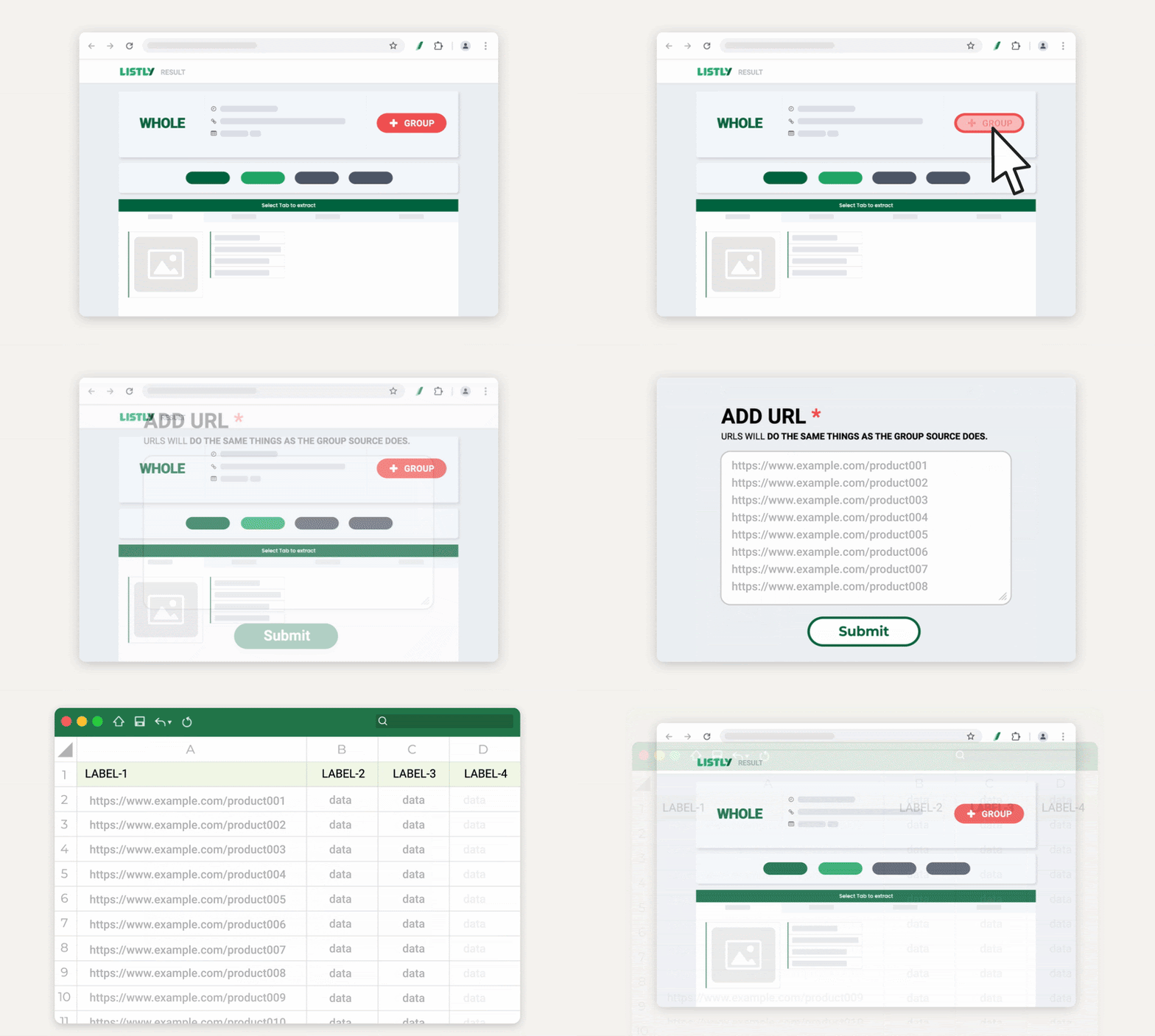
批量提取是一项**让您一次性采集多个页面的功能**。
{% columns %}
{% column width="83.33333333333334%" %}
{% endcolumn %}
{% column width="16.666666666666657%" %}
{% endcolumn %}
{% endcolumns %}
首先提取一个代表性页面,然后在结果窗口中点击 **\[+Group]** 按钮并添加相关页面的 URL——Listly 将自动提取其余内容。
***
## 批量提取前准备 URL
批量提取需要一次性输入多个页面 URL,因此建议提前准备好要提取的页面 URL。
根据您的情况,请参考以下指南先准备所需的 URL:
* [批量提取 - 生成 1,2,3…顺序页面 URL](https://help.listly.io/docs/zh-hans/~/revisions/G15qV9AE0laDRNHQEUKI/getting-started/result-page-features/group-extraction-sequential-urls)
* [批量提取 - 提取详情页 URL](https://help.listly.io/docs/zh-hans/~/revisions/G15qV9AE0laDRNHQEUKI/getting-started/result-page-features/group-extraction-detail-page-urls)
***
## 重要提示
{% columns %}
{% column width="83.33333333333334%" %}
{% endcolumn %}
{% column width="16.666666666666657%" %}
{% endcolumn %}
{% endcolumns %}
**批量提取中首先提取的页面将作为"模板"。**\
批量提取的工作原理是从其他页面上与第一个页面所选位置相同的位置获取数据。
因此,**如果首次提取的页面与后续输入的 URL 页面结构不同,提取可能会失败。**\
在进行批量提取之前,请确保页面结构相同。
***
## 使用方法
{% stepper %}
{% step %}
**提取批量提取的源页面**
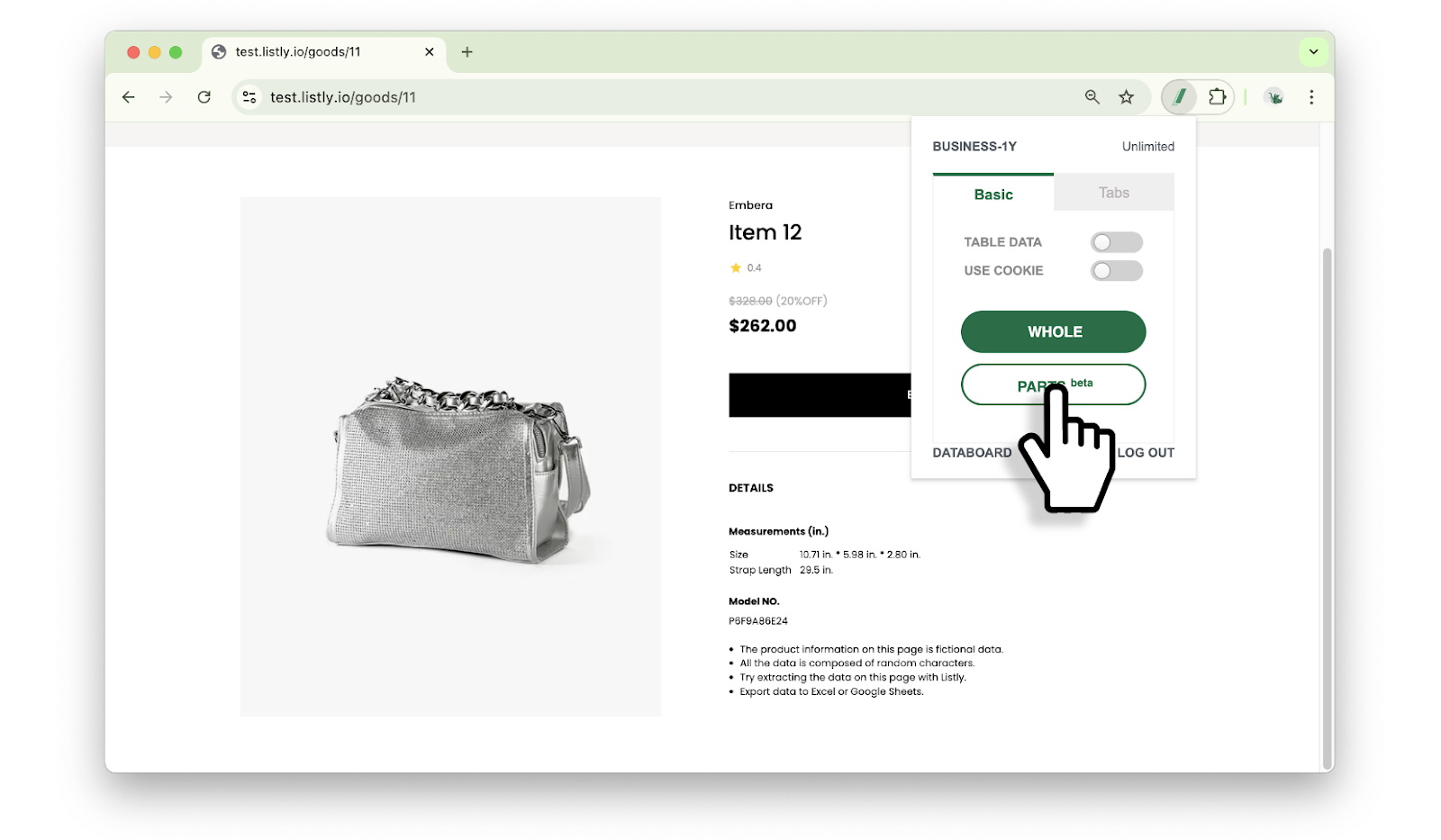
首先提取将作为批量提取参考的源页面。它不必是列表中的第一个 URL——只需在要批量提取的页面中**选择一个具有代表性结构的页面**。整体提取和部分提取方法都可以使用,但推荐使用 [**部分提取**](https://help.listly.io/docs/zh-hans/~/revisions/KfBzmnxwRzdBfZ5u8gat/getting-started/extension-features/parts),因为**它可以更精确地指定数据位置**。
{% endstep %}
{% step %}
**选择提取标签页**
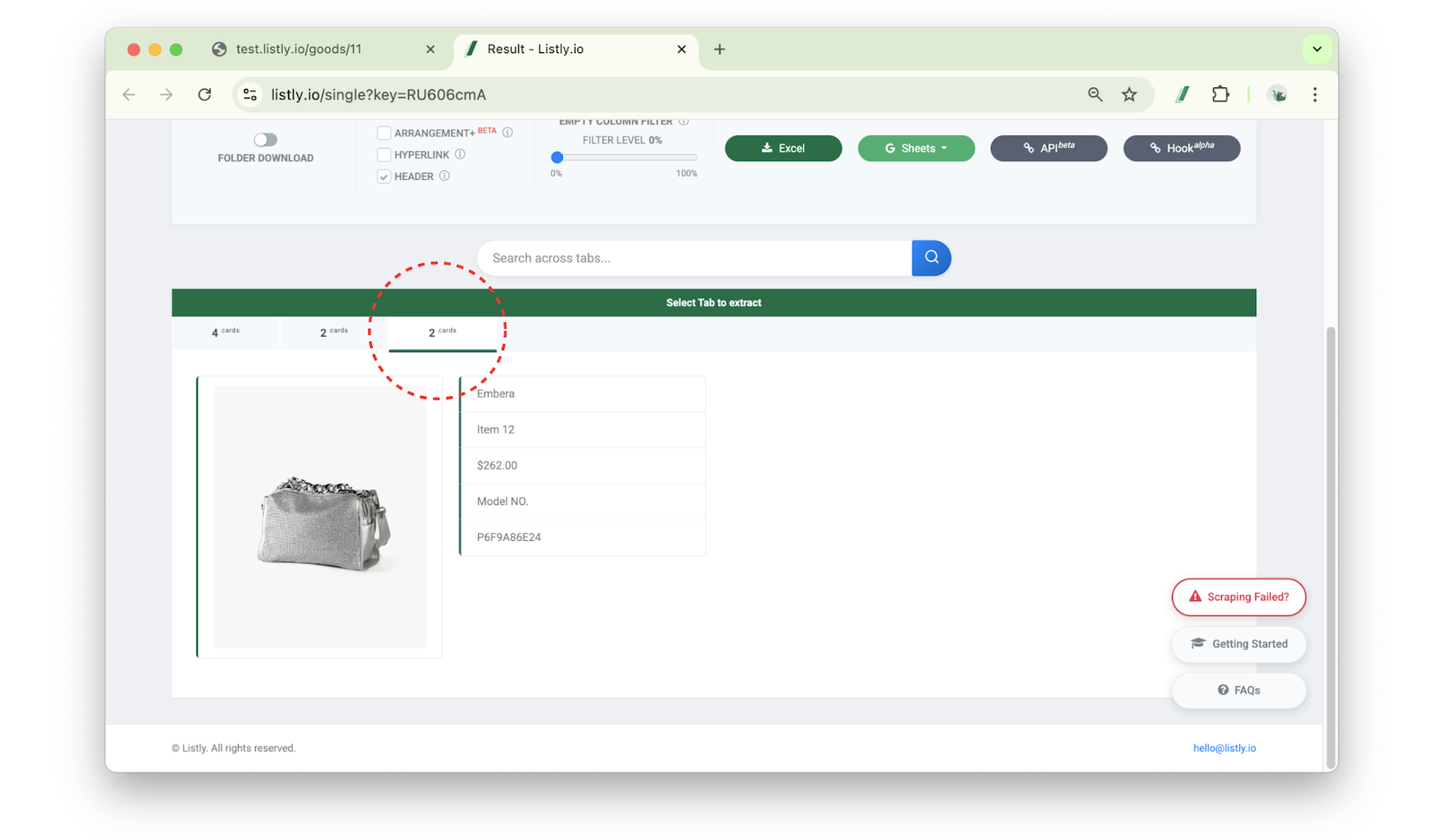
在结果窗口中**选择包含所需信息的标签页**。请选择包含所选区域中所有信息的标签页。
{% endstep %}
{% step %}
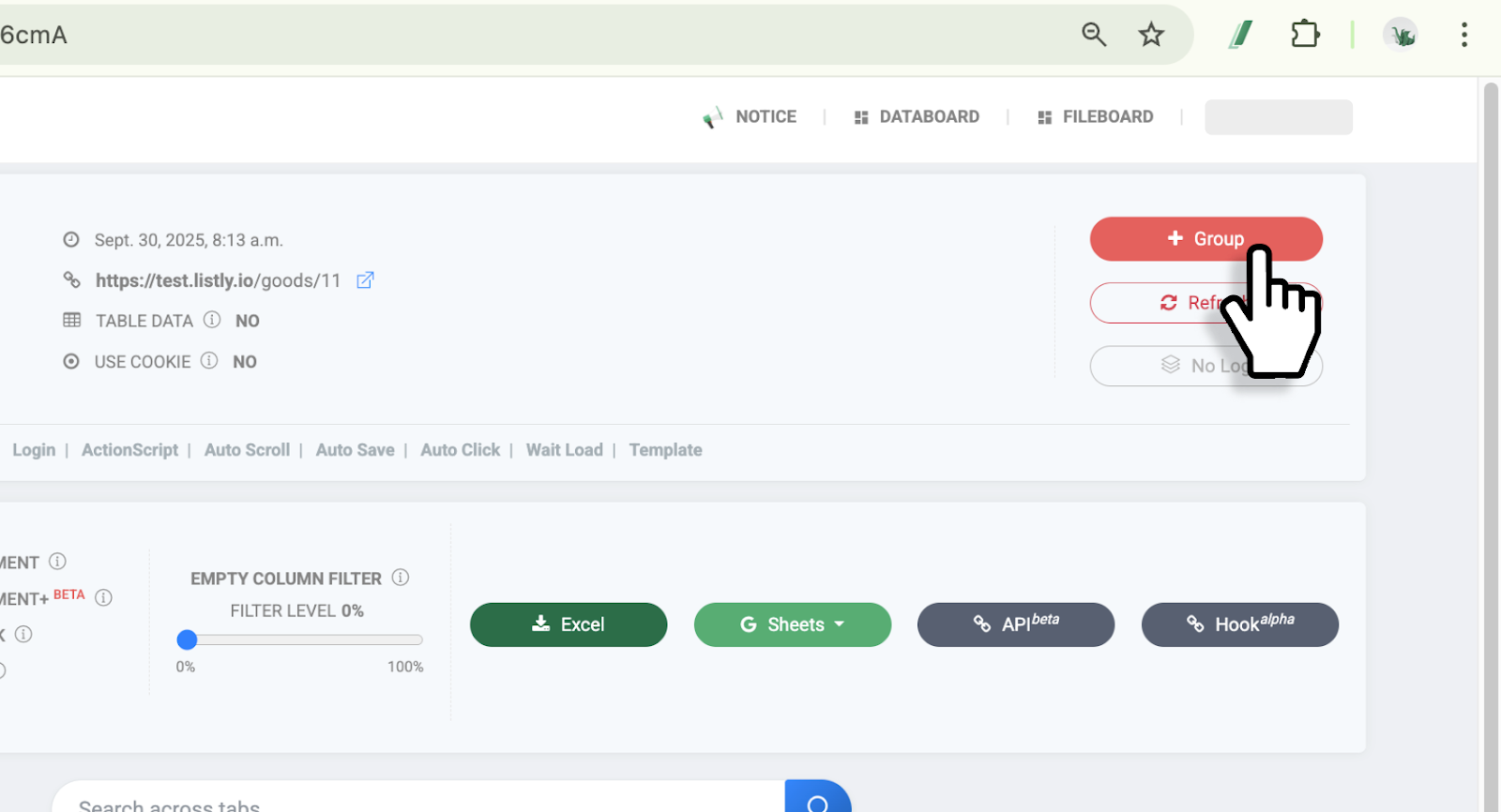
**点击 \[ +Group ] 按钮**
点击 **\[+Group]** 按钮。
{% endstep %}
{% step %}
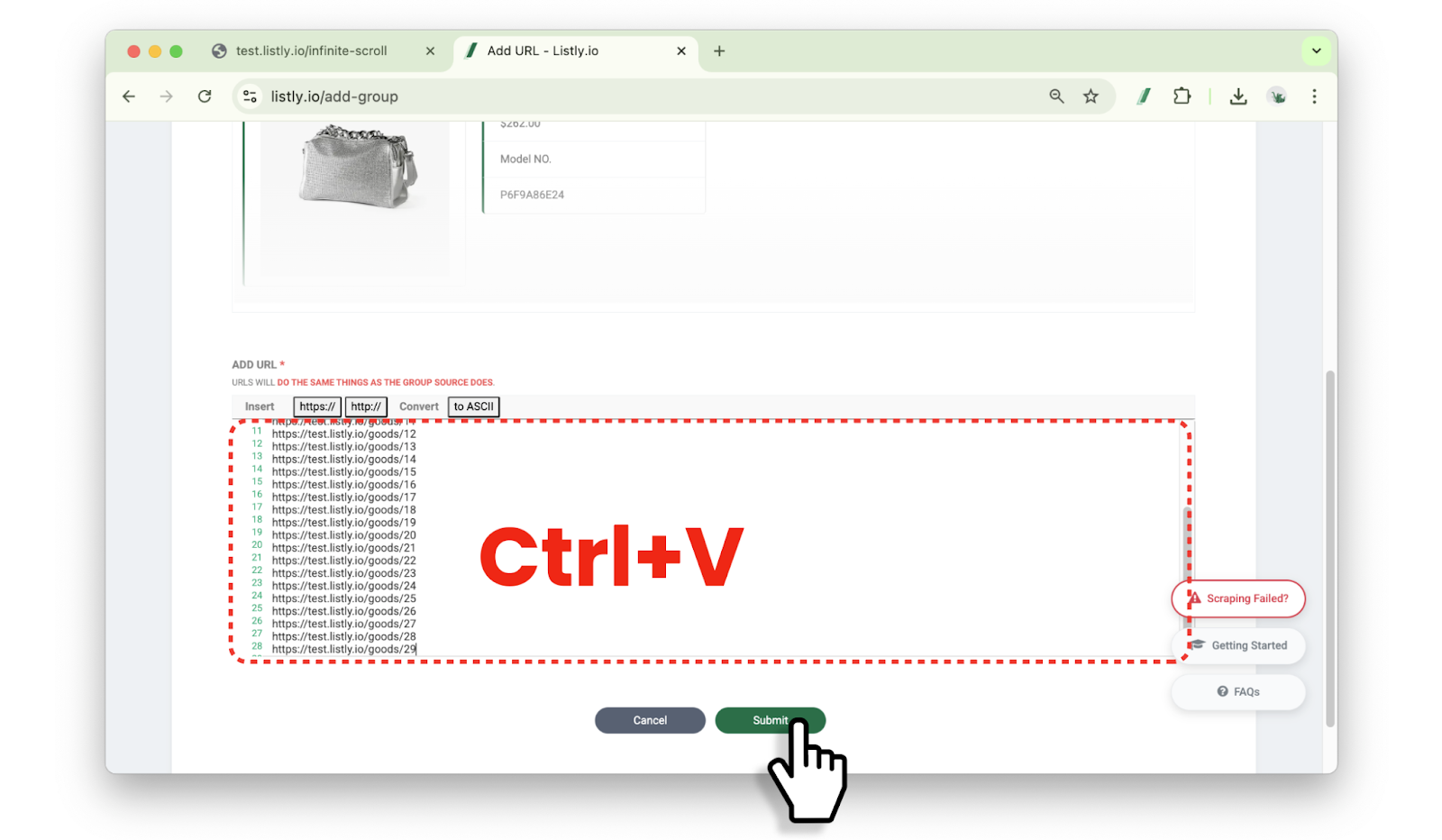
**粘贴批量提取所需的 URL**
在批量设置窗口底部粘贴**准备好的 URL**,然后点击 **\[Done]** 按钮。
{% hint style="warning" %}
您**还必须包含进行初始提取的源页面 URL**。
{% endhint %}
{% endstep %}
{% step %}
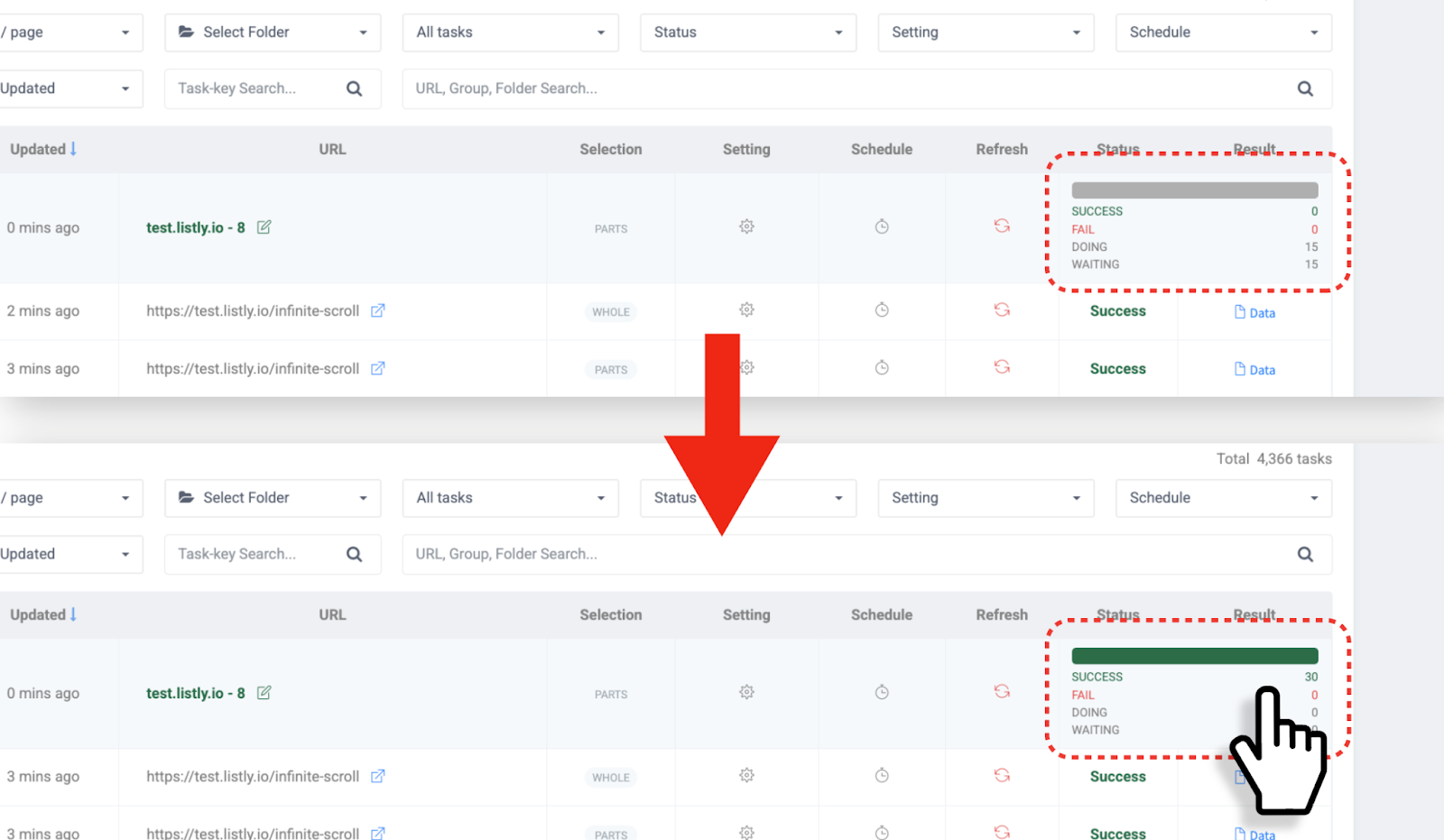
**查看批量提取进度**
在批量提取过程中,刷新 Databoard 查看进度。提取完成后,点击结果字段进入批量结果窗口。
{% endstep %}
{% step %}
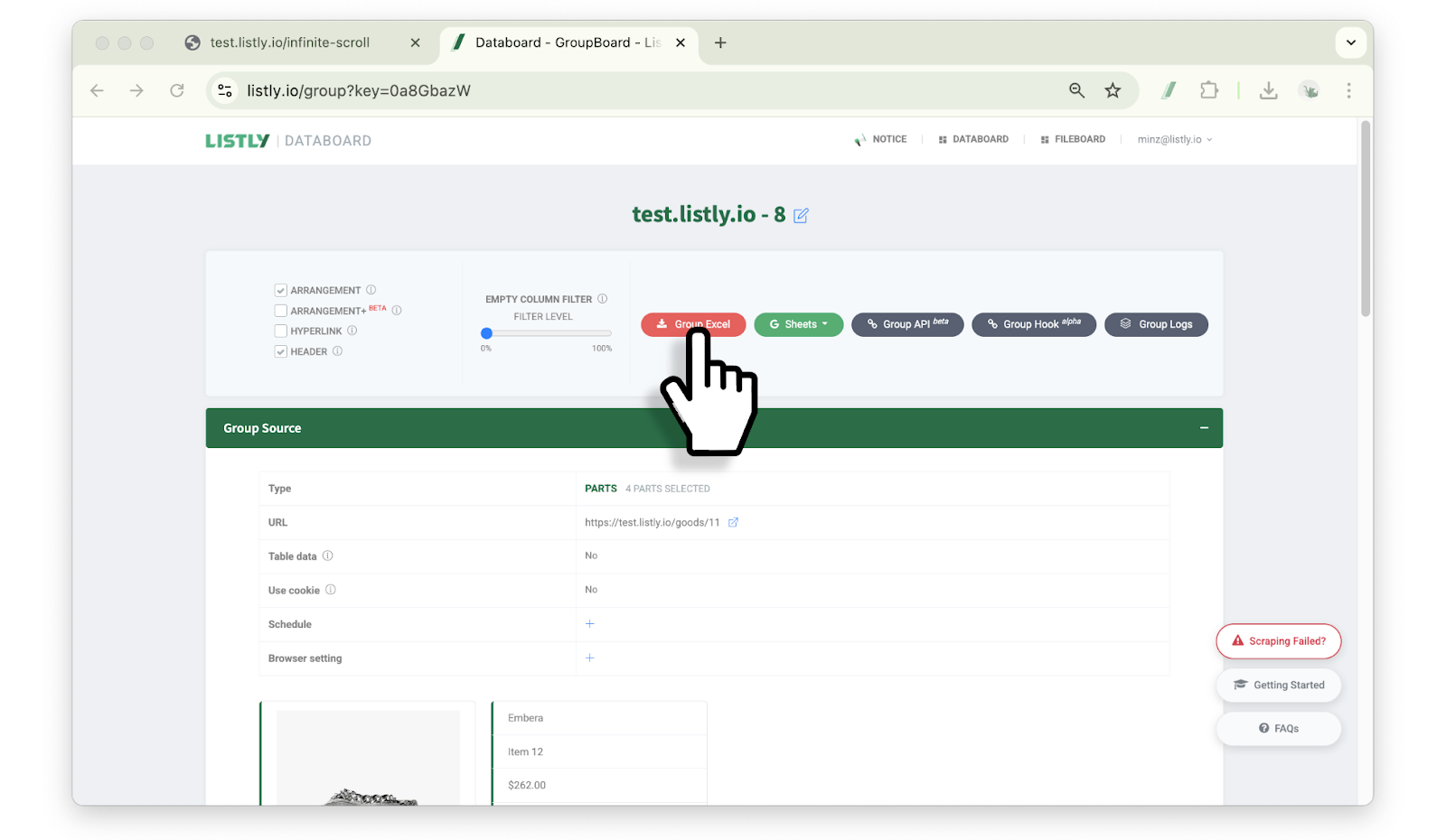
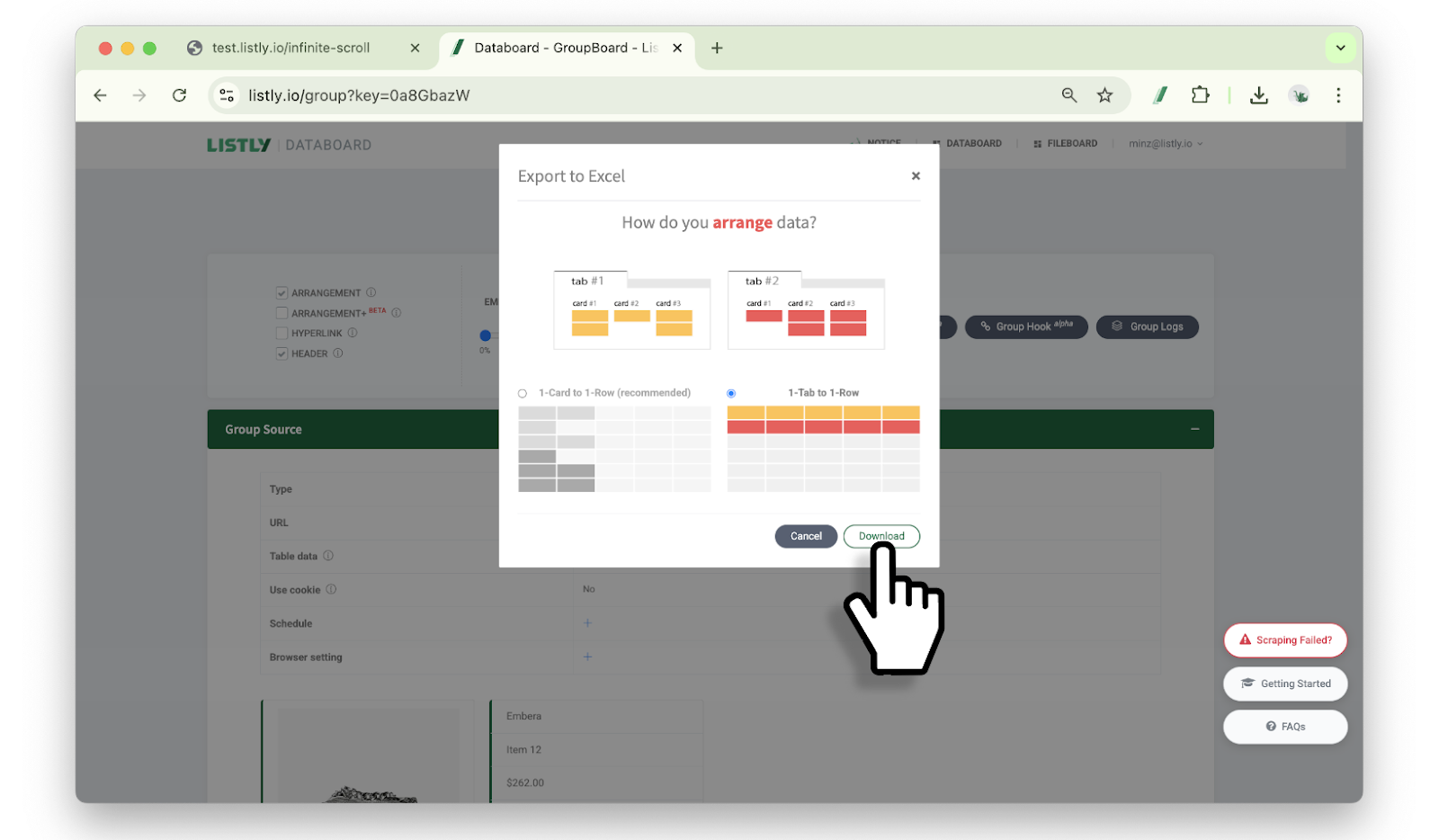
**选择数据排列方式**
点击 Excel 或 Google Sheets 按钮,选择数据排列方式,然后点击下载按钮。
{% hint style="info" %}
参考:[每行 1 张卡片 / 每行 1 个标签页](https://help.listly.io/docs/zh-hans/~/revisions/2nNH7Ur5Mv3eeRVwJXD1/getting-started/result-page-features/data-arrangement)
{% endhint %}
{% endstep %}
{% step %}
**批量提取完成**
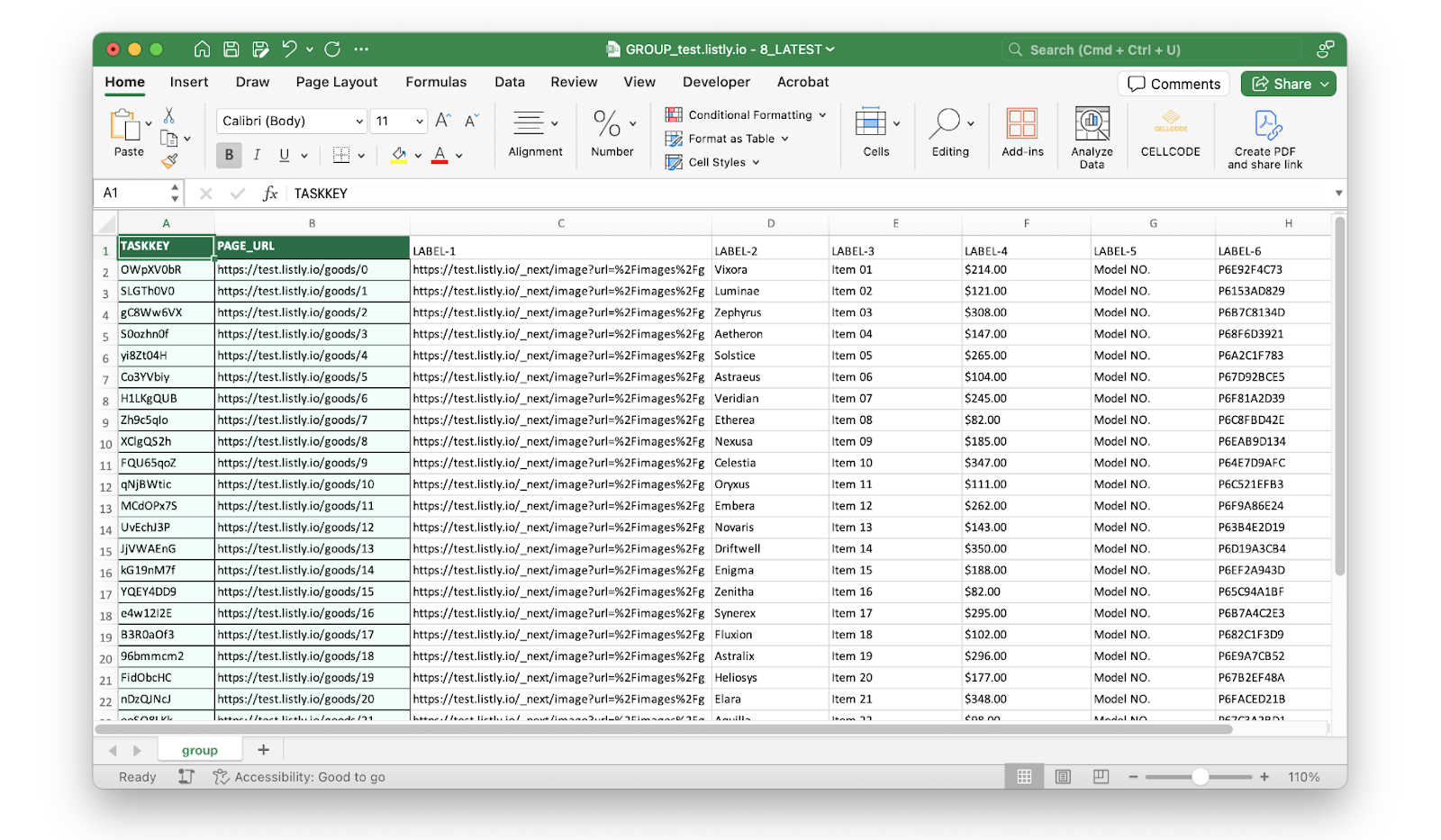
打开下载的文件查看提取的数据。批量提取完成!
{% endstep %}
{% endstepper %}
---
# Agent Instructions
This documentation is published with GitBook. GitBook is the documentation platform designed so that both humans and AI agents can read, navigate, and reason over technical content effectively. Learn more at gitbook.com.
## Querying This Documentation
If you need additional information that is not directly available in this page, you can query the documentation dynamically by asking a question.
Perform an HTTP GET request on the current page URL with the `ask` query parameter, and the optional `goal` query parameter:
```
GET https://help.listly.io/docs/zh-hans/getting-started/result-page-features/group-extraction.md?ask=&goal=
```
`ask` is the immediate question: it should be specific, self-contained, and written in natural language.
`goal` is optional and describes the broader end goal you are ultimately trying to accomplish on behalf of the user. GitBook uses it to tailor the answer towards what is most useful for that goal.
The response will contain a direct answer to the question and relevant excerpts and sources from the documentation.
Use this mechanism when the answer is not explicitly present in the current page, you need clarification or additional context, or you want to retrieve related documentation sections.