> For the complete documentation index, see [llms.txt](https://help.listly.io/llms.txt). Markdown versions of documentation pages are available by appending `.md` to page URLs; this page is available as [Markdown](https://help.listly.io/docs/zh-hans/support/solutions-by-extraction-failure-message/xian-shi-deng-lu-ping-mu.md).
# 显示登录屏幕。
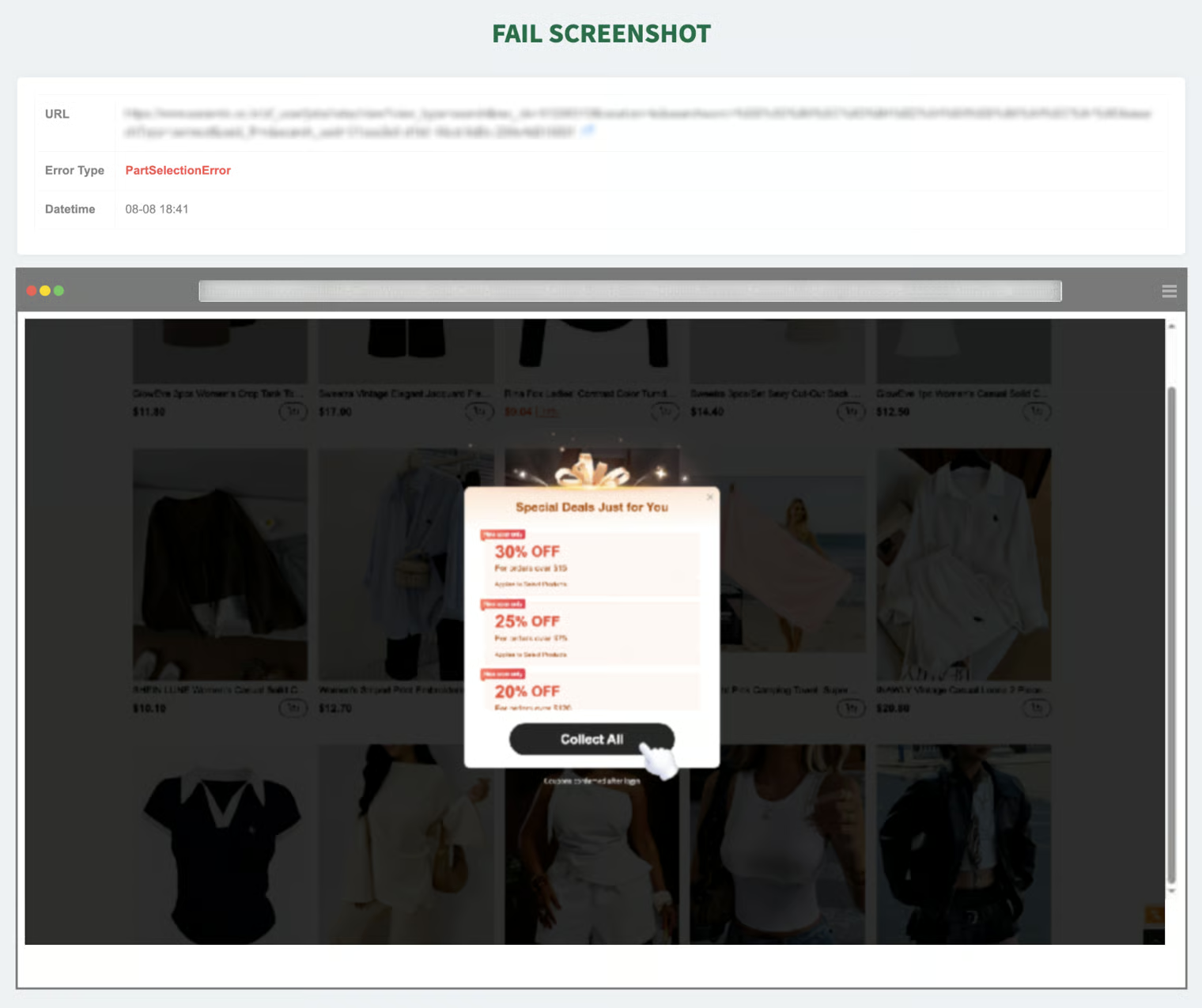
在错误截图中,如果目标页面的数据区域上方出现**弹出窗口、广告、通知窗口**或其他覆盖屏幕的元素,这可能导致系统无法识别指定的**数据区域**,很可能发生了错误。
#### ✅ 如何修复
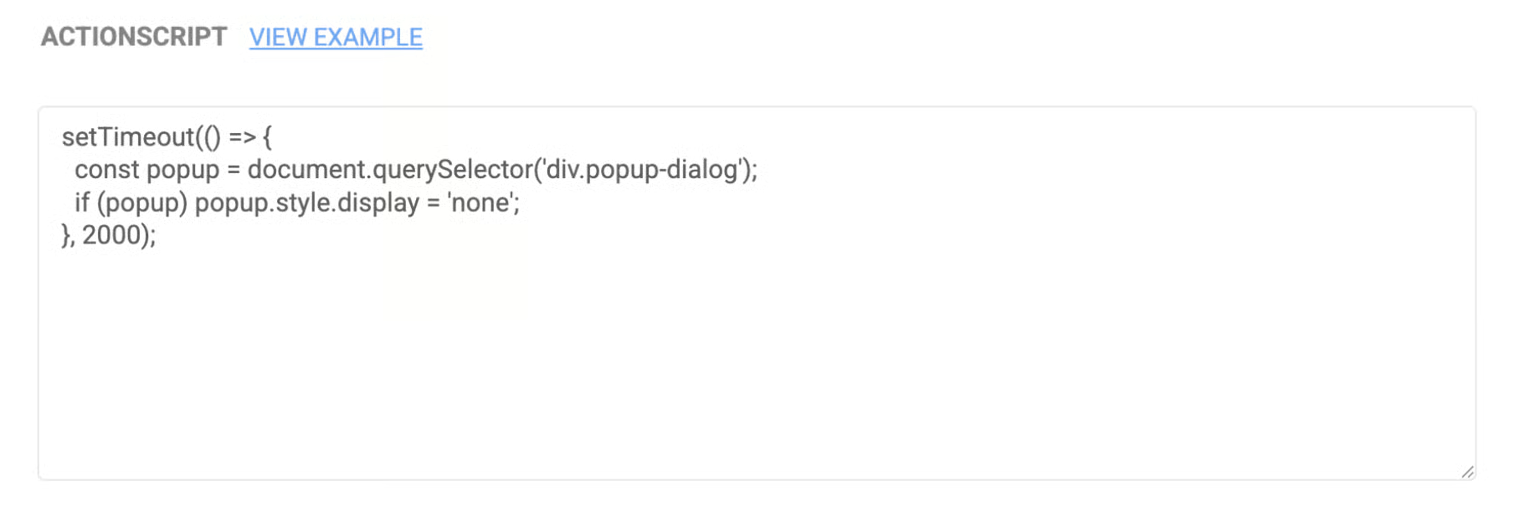
* **设置 → 操作脚本** 在功能中添加关闭弹出窗口的点击命令。(例如,根据"关闭"、"×"、"确定"等文本或类名输入点击命令)
→ 上面的代码是一个示例,根据网站结构实际应用时可能需要修改。但是,对于相对简单的操作,如"**点击特定元素一次**",您可以[查看该按钮的 CSS 选择器值](https://app.gitbook.com/o/Uu6AM3fgpZza0EpsJM4N/s/YGc5sjVBgcKnZgEEEkus/~/edit/~/changes/2/getting-started/overview-of-key-features/css-selector),然后,"**告诉我点击此元素的 JavaScript 代码**"——通过将这样的问题输入到 AI 工具(例如 GPT、Claude、Perplexity 等)中,您可以轻松生成所需的脚本。
{% hint style="success" %}
**如果您尝试了建议的方法但仍无法解决问题,请通过** [**hello@listly.io**](mailto:hello@listly.io) **联系我们。我们将帮助诊断确切原因并协助解决方案。**
{% endhint %}
---
# Agent Instructions
This documentation is published with GitBook. GitBook is the documentation platform designed so that both humans and AI agents can read, navigate, and reason over technical content effectively. Learn more at gitbook.com.
## Querying This Documentation
If you need additional information that is not directly available in this page, you can query the documentation dynamically by asking a question.
Perform an HTTP GET request on the current page URL with the `ask` query parameter, and the optional `goal` query parameter:
```
GET https://help.listly.io/docs/zh-hans/support/solutions-by-extraction-failure-message/xian-shi-deng-lu-ping-mu.md?ask=&goal=
```
`ask` is the immediate question: it should be specific, self-contained, and written in natural language.
`goal` is optional and describes the broader end goal you are ultimately trying to accomplish on behalf of the user. GitBook uses it to tailor the answer towards what is most useful for that goal.
The response will contain a direct answer to the question and relevant excerpts and sources from the documentation.
Use this mechanism when the answer is not explicitly present in the current page, you need clarification or additional context, or you want to retrieve related documentation sections.