> For the complete documentation index, see [llms.txt](https://help.listly.io/llms.txt). Markdown versions of documentation pages are available by appending `.md` to page URLs; this page is available as [Markdown](https://help.listly.io/docs/zh-hans/support/solutions-by-extraction-failure-message/xian-shi-fang-wen-bei-zu-zhi-xiao-xi-captcha-ji-qi-ren-jian-ce-quan-xian-jian-cha-wu-fa-fang-wen-den.md).
# 显示访问被阻止消息。(CAPTCHA、机器人检测、权限检查、无法访问等)
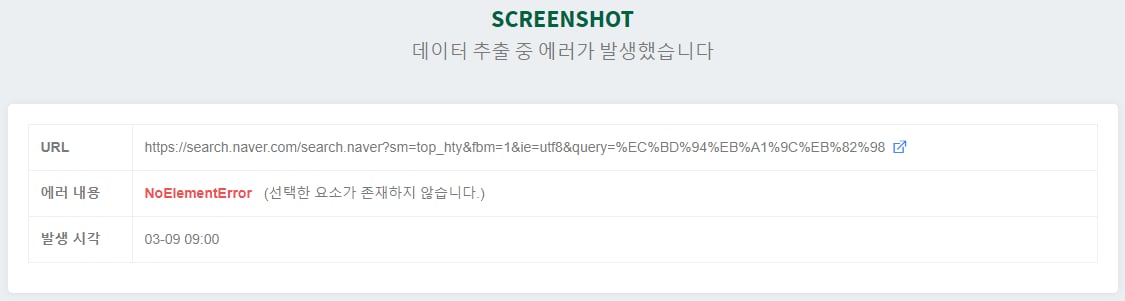
如果数据提取失败,将自动生成截图以分析失败原因。为了了解总体上会发生哪些类型的错误,我们整理了失败消息。
**ConnectionError**
当页面加载失败时出现。如果您访问的服务器宕机或速度太慢,可能会发生这种情况。也可能是 LISTLY 服务器的 IP 地址被阻止,目标网站返回错误。
**解决方案**
如果服务器宕机,您必须等待其恢复。如果看起来 LISTLY 服务器 IP 地址被阻止,您可以使用代理设置隐藏和绕过 IP 地址。
**PartSelectionError**
仅在使用 LISTLY 部件选择提取时发生。主要有两个原因。
{% stepper %}
{% step %}
### 网页设计发生了变化
首次提取时最初选择的部件选择区域消失了。
{% endstep %}
{% step %}
### 访问网页的 LISTLY 服务器 IP 地址被阻止
这会导致出现不同的页面。
{% endstep %}
{% endstepper %}
**解决方案**
对于情况 “网页设计发生了变化”,在新设计的网页上使用 LISTLY 整体提取或部件选择重新提取。对于情况 “IP 地址被阻止”,使用代理设置隐藏和绕过 IP 地址。
**NoListlyContent**
当提取的数据不包含列表形式的内容时出现。通常意味着提取了一个项目或没有提取任何内容。当整个网页仅由 iFrame 组成时,如果使用 LISTLY 整体提取,您可能会遇到此消息。
**解决方案**
从具有足够数据的页面提取。对于由 iFrame 组成的页面,按 iFrame 按钮并从 iFrame 源页面提取以解决此问题。
**JavascriptException**
当操作脚本中存在错误时出现,因为操作脚本是用 JavaScript 代码编写的。
**解决方案**
LISTLY 团队可以帮助修改操作脚本。[联系我们](https://www.listly.io/contact) 关于 ActionScripts。
**SoftTimeLimitExceeded**、**TimeoutException**
LISTLY 提取作业最多只能运行 10 分钟。如果超过 10 分钟限制,将出现这些消息。作业可能耗时过长的原因包括以下几种。
{% stepper %}
{% step %}
### 单个页面上的数据过多
例如,超过 10,000 个项目会导致超时。
{% endstep %}
{% step %}
### 自动滚动次数设置得过高
例如,设置为 300 次自动滚动可能导致作业超时。
{% endstep %}
{% step %}
### 自动点击次数设置得过高
例如,设置为 300 次自动点击可能导致作业超时。
{% endstep %}
{% endstepper %}
**解决方案**
设置自动滚动或自动点击时,如果出现如下警告消息,失败的可能性很高,因此请将其设置为不会触发警告消息的值。
{% hint style="warning" %}
其他错误消息不是一般/常见错误。请[联系 LISTLY](https://www.listly.io/contact) 留言。我们将仔细审查并回复您。
{% endhint %}
---
# Agent Instructions
This documentation is published with GitBook. GitBook is the documentation platform designed so that both humans and AI agents can read, navigate, and reason over technical content effectively. Learn more at gitbook.com.
## Querying This Documentation
If you need additional information that is not directly available in this page, you can query the documentation dynamically by asking a question.
Perform an HTTP GET request on the current page URL with the `ask` query parameter, and the optional `goal` query parameter:
```
GET https://help.listly.io/docs/zh-hans/support/solutions-by-extraction-failure-message/xian-shi-fang-wen-bei-zu-zhi-xiao-xi-captcha-ji-qi-ren-jian-ce-quan-xian-jian-cha-wu-fa-fang-wen-den.md?ask=&goal=
```
`ask` is the immediate question: it should be specific, self-contained, and written in natural language.
`goal` is optional and describes the broader end goal you are ultimately trying to accomplish on behalf of the user. GitBook uses it to tailor the answer towards what is most useful for that goal.
The response will contain a direct answer to the question and relevant excerpts and sources from the documentation.
Use this mechanism when the answer is not explicitly present in the current page, you need clarification or additional context, or you want to retrieve related documentation sections.