> For the complete documentation index, see [llms.txt](https://help.listly.io/llms.txt). Markdown versions of documentation pages are available by appending `.md` to page URLs; this page is available as [Markdown](https://help.listly.io/docs/zh-hant/getting-started/enterprise-solutions/fail-fast-zh-hant.md).
# 企業版 - 快速失敗
## 快速失敗策略是什麼?
在大規模資料收集中,可能會因網路延遲或封鎖、異常回應等原因導致收集作業長時間停滯或低效等待。
Listly 企業版在資料收集功能中應用了「**快速失敗策略(Fast-Fail Strategy)**」以最小化這些問題。
「快速失敗」功能可以在群組提取時,如果檢測到一定比例或一定數量以上的失敗,就中斷群組中所有剩餘作業並移至下一個任務的設定功能。
***
## 使用方法
{% stepper %}
{% step %}
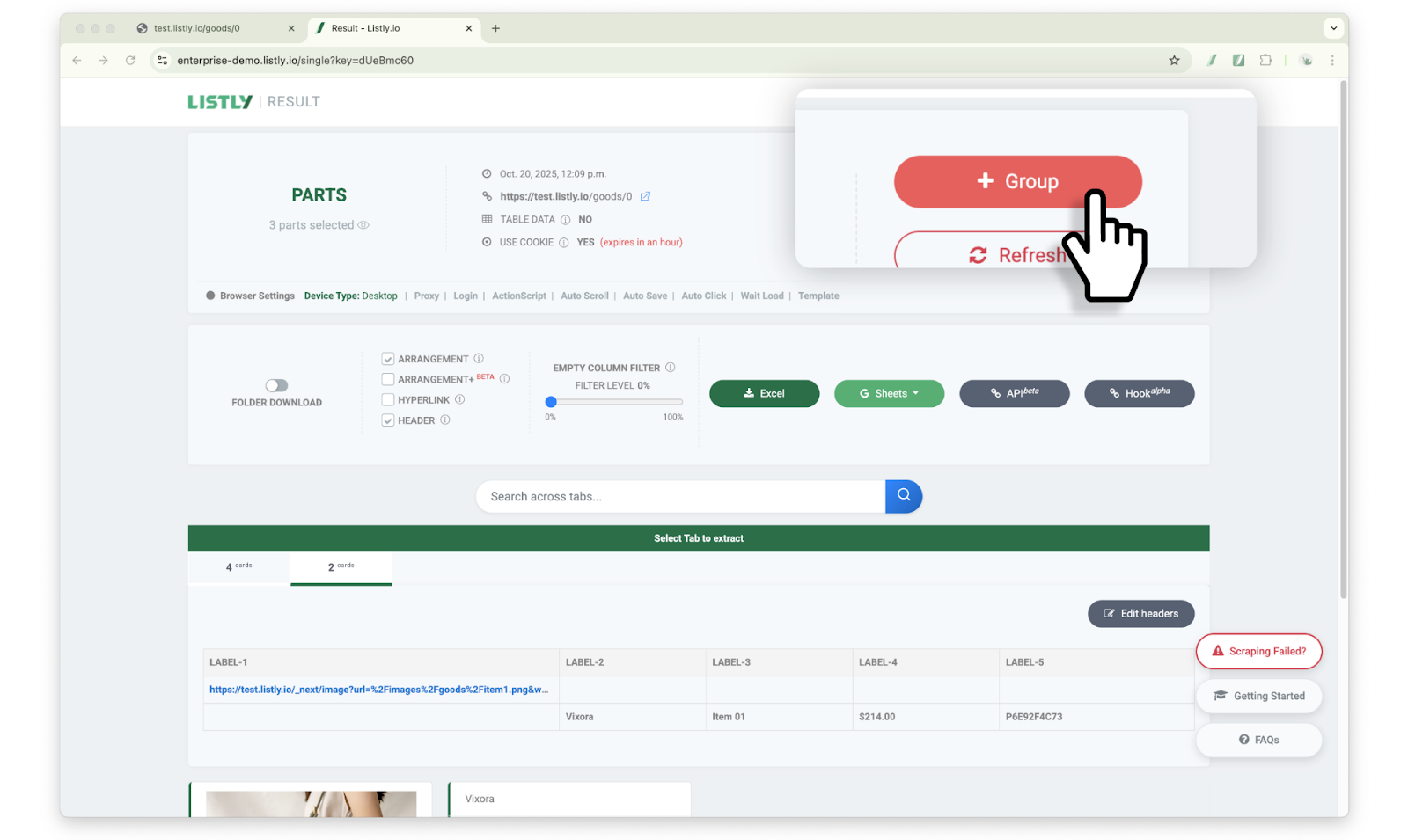
#### 提取來源頁面後點擊 \[+群組] 按鈕
**此功能可以在建立**[**群組提取**](https://help.listly.io/docs/ko/getting-started/result-page-features/group-extraction)**任務的過程中設定**。提取來源頁面後,在結果頁面點擊頂部的 **\[+群組]** 按鈕。
{% endstep %}
{% step %}
#### 在新群組中輸入 URL 後,設定快速失敗(Fail-Fast)選項
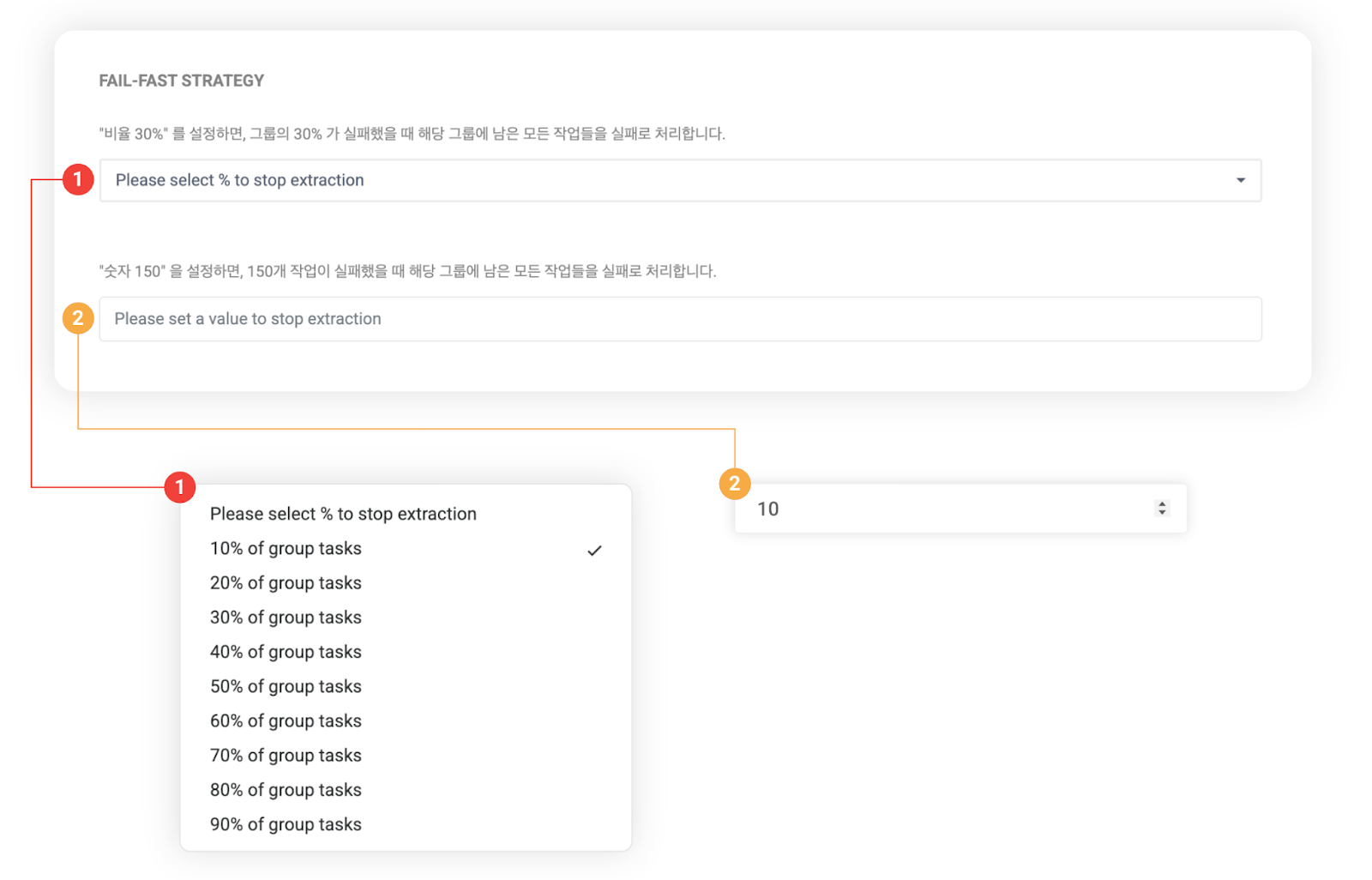
**在新群組中輸入 URL 後,設定選項中的快速失敗(Fail-Fast)項目**。
➊ 比例設定:當選擇的比例的作業失敗時,將其餘作業視為失敗處理。
➋ 數量設定:當輸入的數量的作業失敗時,將其餘作業視為失敗處理。
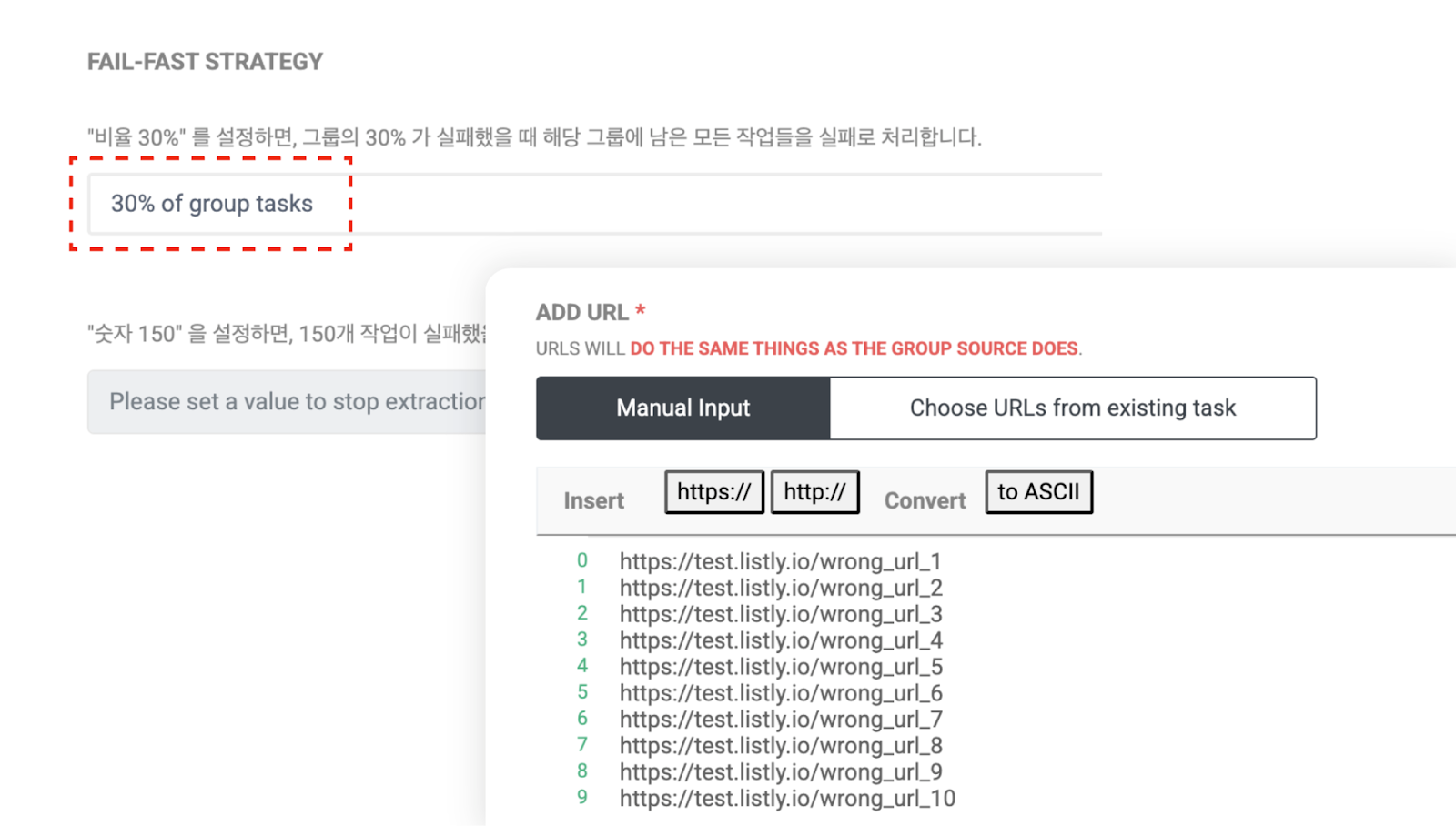
為了測試,將比例設定為 30%,並輸入 10 個 URL 來建立群組。此時,為了製造失敗情況,故意輸入了錯誤的 URL。
{% endstep %}
{% step %}
#### 確認任務進度
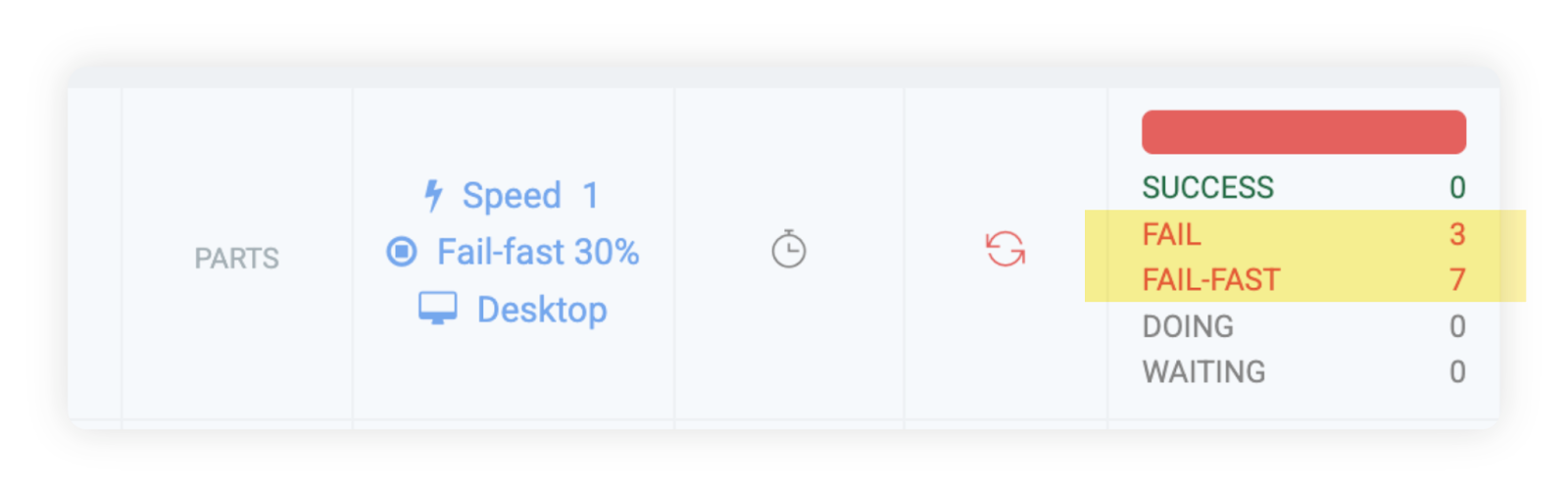
以下是設定範例的結果畫面。可以確認 10 個 URL 中 30%(3 個)的提取失敗後,其餘 7 個任務自動被 Fail-Fast 處理。
如此,使用 Fail-Fast 功能可以減少特定情況下不必要的等待時間,**大幅縮短整體流程時間**。
{% endstep %}
{% endstepper %}
---
# Agent Instructions
This documentation is published with GitBook. GitBook is the documentation platform designed so that both humans and AI agents can read, navigate, and reason over technical content effectively. Learn more at gitbook.com.
## Querying This Documentation
If you need additional information that is not directly available in this page, you can query the documentation dynamically by asking a question.
Perform an HTTP GET request on the current page URL with the `ask` query parameter, and the optional `goal` query parameter:
```
GET https://help.listly.io/docs/zh-hant/getting-started/enterprise-solutions/fail-fast-zh-hant.md?ask=&goal=
```
`ask` is the immediate question: it should be specific, self-contained, and written in natural language.
`goal` is optional and describes the broader end goal you are ultimately trying to accomplish on behalf of the user. GitBook uses it to tailor the answer towards what is most useful for that goal.
The response will contain a direct answer to the question and relevant excerpts and sources from the documentation.
Use this mechanism when the answer is not explicitly present in the current page, you need clarification or additional context, or you want to retrieve related documentation sections.