> For the complete documentation index, see [llms.txt](https://help.listly.io/llms.txt). Markdown versions of documentation pages are available by appending `.md` to page URLs; this page is available as [Markdown](https://help.listly.io/docs/zh-hant/getting-started/extension-features-zh-hant/use-cookie-zh-hant.md).
# 使用 Cookie
## Cookie 是什麼?
Cookie 是包含網站與使用者互動資訊的小型檔案。可能包含網站網域名稱、登入資訊、Cookie 到期日、網路使用模式等。
{% columns %}
{% column width="58.333333333333336%" %}
{% endcolumn %}
{% column width="41.666666666666664%" %}
{% endcolumn %}
{% endcolumns %}
***
## 使用 Cookie 選項
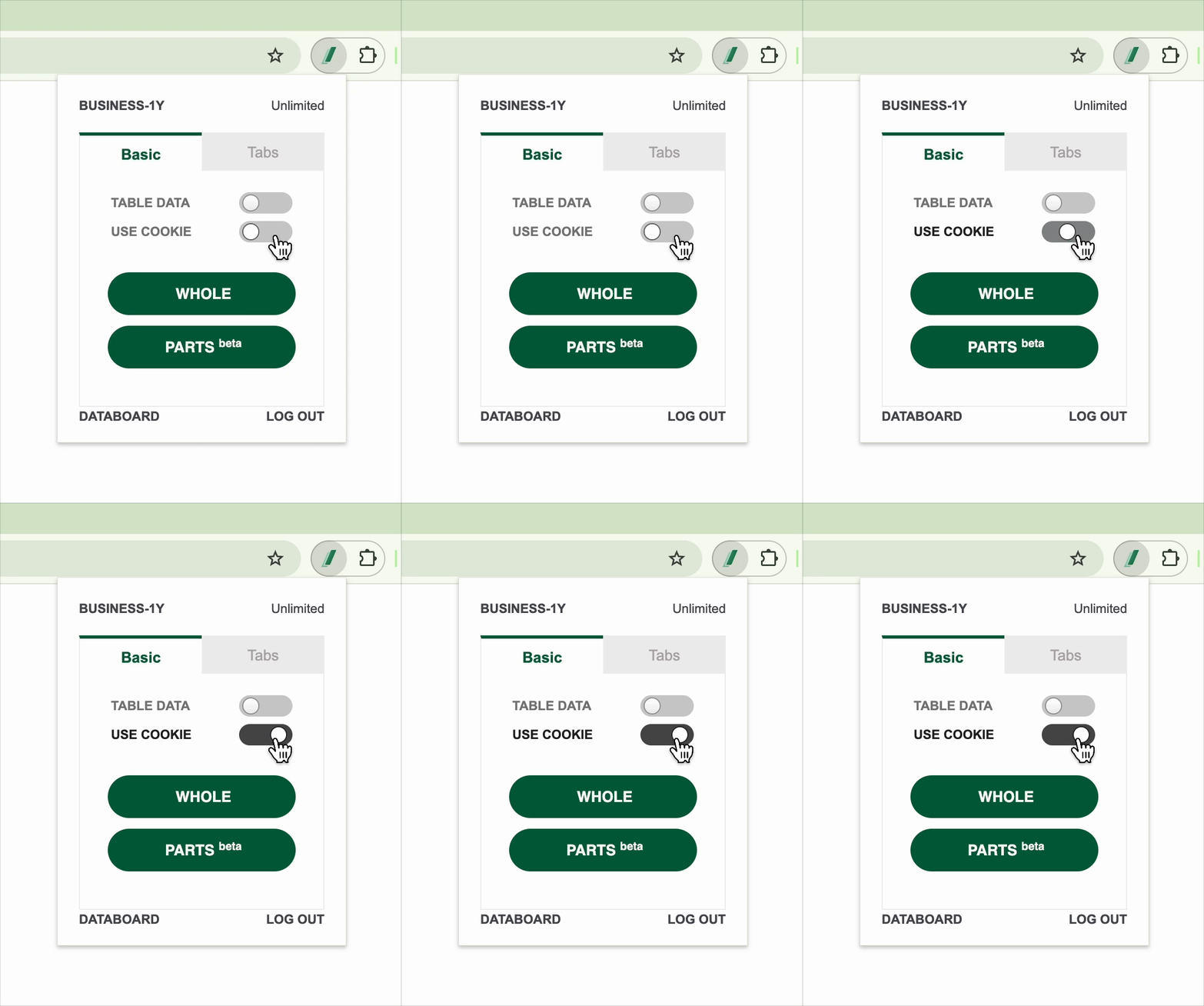
**使用 Cookie (USE COOKIE)** 選項是在需要登入等特定存取權限的非公開網頁提取資料時,重新提取時利用瀏覽器儲存的登入狀態或工作階段資訊,無需額外登入程序即可提取資料的功能。
在 Listly 擴充功能彈出視窗啟動\*\*【使用 Cookie】\*\*切換按鈕後,會儲存使用者的臨時資訊,在有效時間內無需額外登入步驟即可透過 Listly 重新提取資料。
* **有效時間**:儲存的 Cookie **約 1 小時有效**,時間過後會到期。
* **活用時點**:在短時間內需要重新提取我的頁面、訂單記錄、非公開留言板等需要使用者額外權限才能存取的頁面時很有用。
* **停用時**:可以首次提取非公開頁面,但重新提取時因為未儲存 Cookie,失敗機率可能提高。
{% hint style="warning" %}
**使用 Cookie 選項時的注意事項**
* 根據使用者的瀏覽器環境或網站別認證政策,基於 Cookie 的登入維持狀態可能受限。
* 安全性嚴格的部分網站(例:銀行、公司內部系統)可能不支援 Cookie 認證或立即到期。
{% endhint %}
---
# Agent Instructions
This documentation is published with GitBook. GitBook is the documentation platform designed so that both humans and AI agents can read, navigate, and reason over technical content effectively. Learn more at gitbook.com.
## Querying This Documentation
If you need additional information that is not directly available in this page, you can query the documentation dynamically by asking a question.
Perform an HTTP GET request on the current page URL with the `ask` query parameter, and the optional `goal` query parameter:
```
GET https://help.listly.io/docs/zh-hant/getting-started/extension-features-zh-hant/use-cookie-zh-hant.md?ask=&goal=
```
`ask` is the immediate question: it should be specific, self-contained, and written in natural language.
`goal` is optional and describes the broader end goal you are ultimately trying to accomplish on behalf of the user. GitBook uses it to tailor the answer towards what is most useful for that goal.
The response will contain a direct answer to the question and relevant excerpts and sources from the documentation.
Use this mechanism when the answer is not explicitly present in the current page, you need clarification or additional context, or you want to retrieve related documentation sections.