> For the complete documentation index, see [llms.txt](https://help.listly.io/llms.txt). Markdown versions of documentation pages are available by appending `.md` to page URLs; this page is available as [Markdown](https://help.listly.io/docs/zh-hant/getting-started/result-page-features-zh-hant/data-arrangement-zh-hant.md).
# 資料排列
## 資料排序選項是什麼?
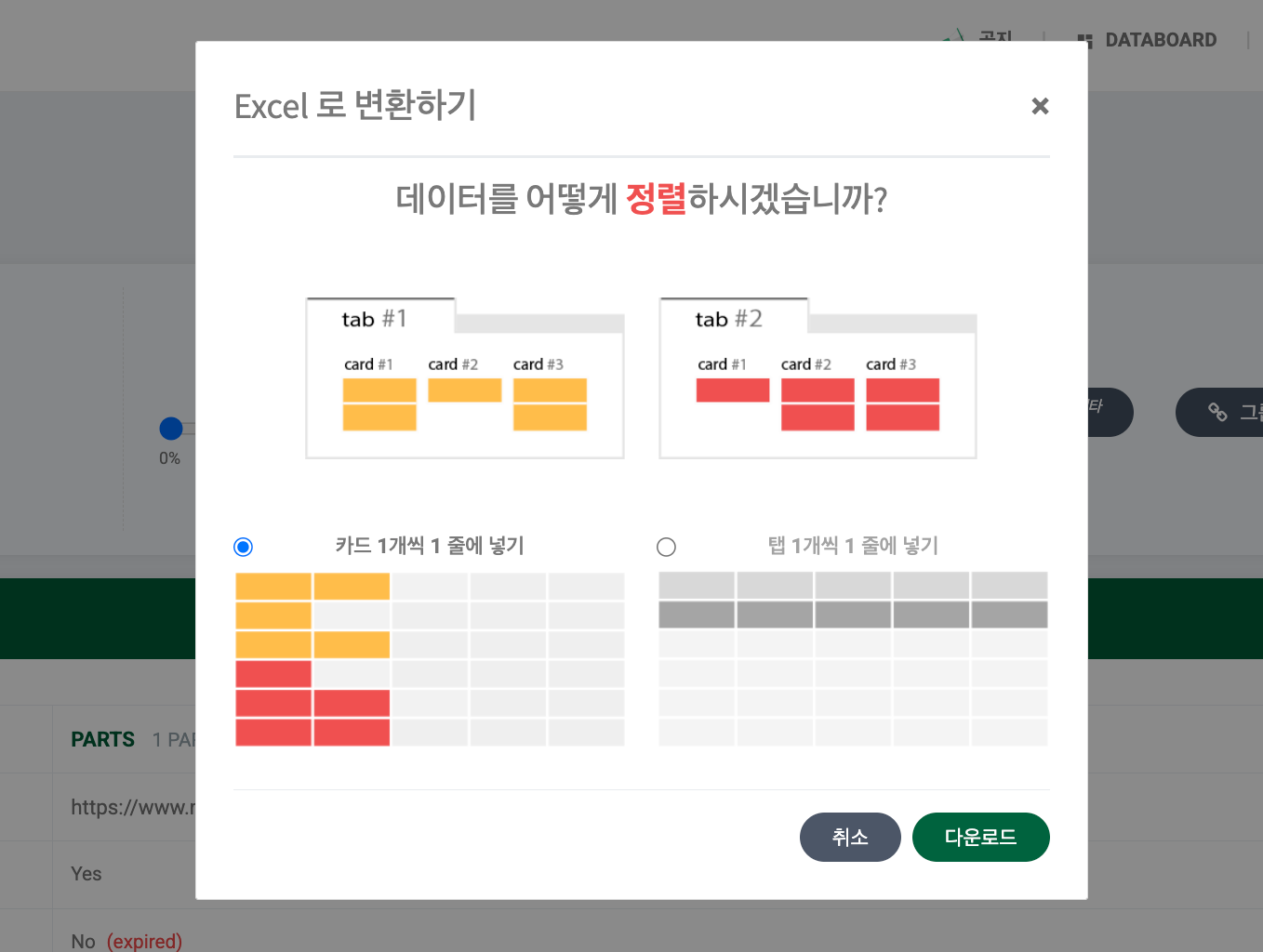
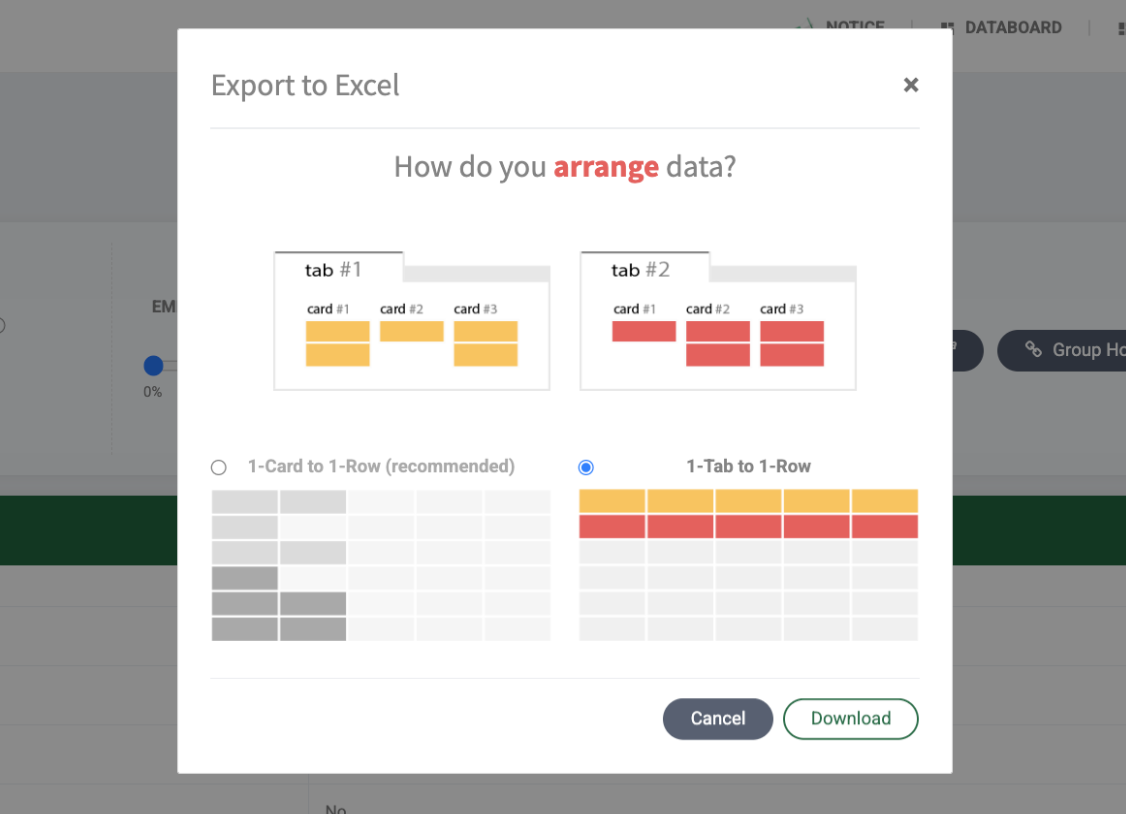
資料排序選項是**群組提取、Tabs 提取等一次提取多個頁面並匯出為一個檔案時可以設定的功能**。根據如何活用資料,可以選擇以卡片單位排列或以分頁單位排列個別頁面的結果。
{% hint style="info" %}
資料排序是【下載選項】之一,**與使用量無關**。直接嘗試選擇兩種方式,自由選擇產生想要結果的那一邊。
{% endhint %}
***
## 卡片 vs 分頁概念理解
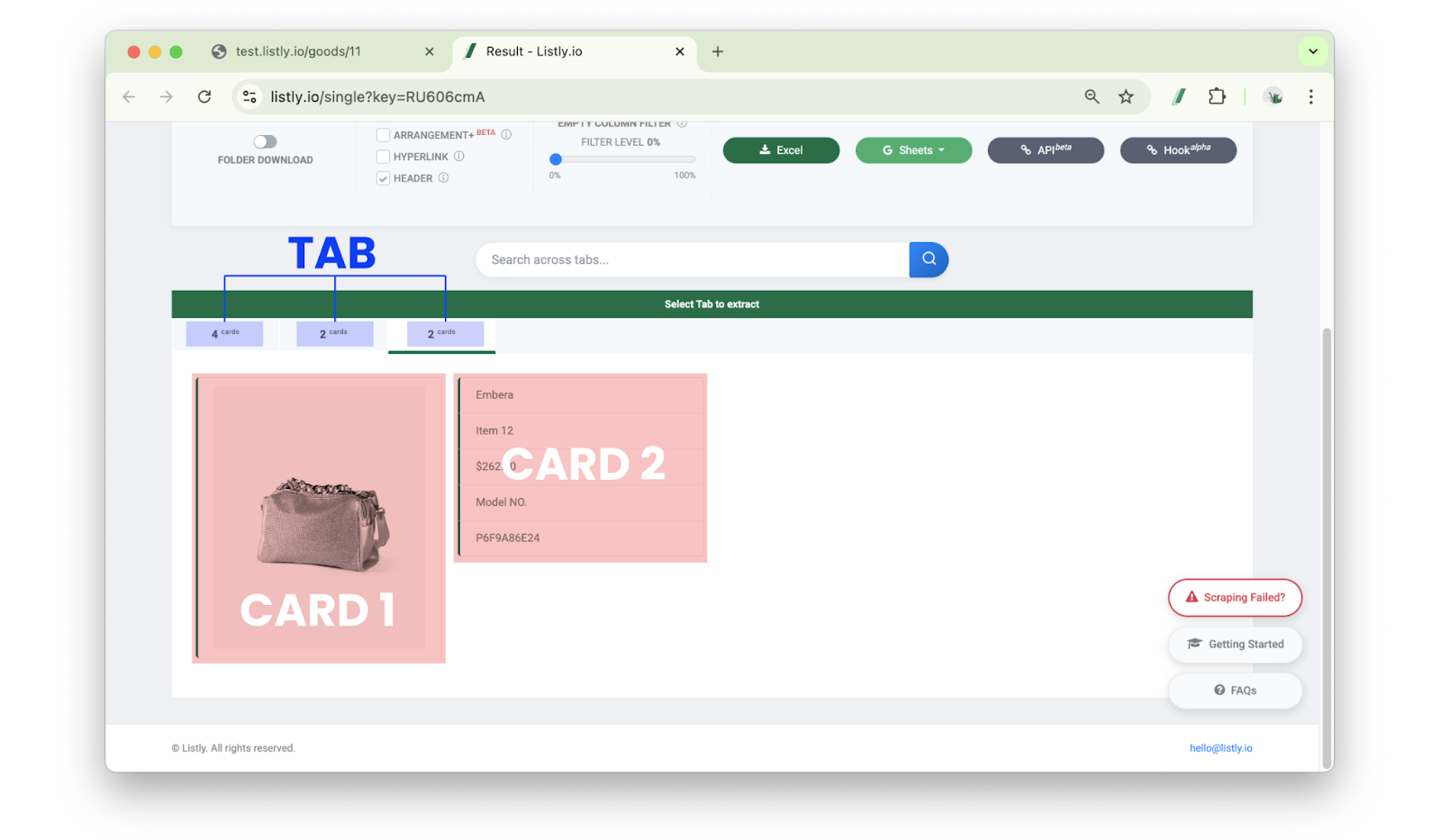
* **卡片(Card)**:Listly 發現的資料單位區域。一個卡片會**儲存為 Excel 一列**。在單一任務原樣下載上述結果時,如果有 30 個卡片,Excel 會生成 30 列。
* **分頁(Tab)**:多個卡片聚集的上層區間。
此概念套用在各任務,在群組提取或 Tabs 提取等合併多個 URL 結果時,作為資料排序基準使用。
***
## 了解各選項範例
{% stepper %}
{% step %}
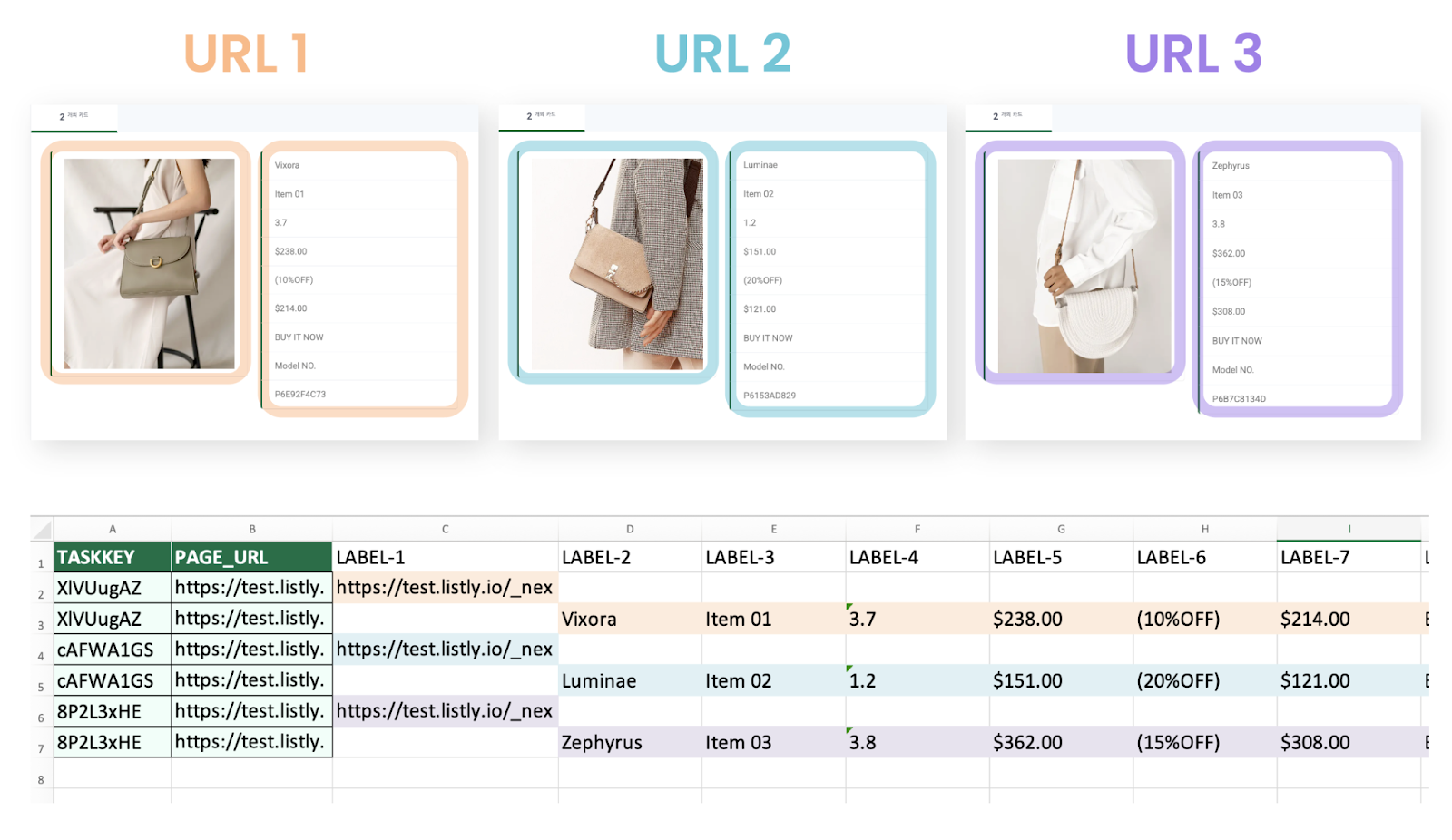
### 卡片 1 個 1 列
各 URL 選擇的資料分頁內有**2 個卡片**時,提取 3 個 URL 會生成總共 **6 列(2×3)的資料**。\
也就是**各卡片記錄為獨立的列**,因此適用於購物網站的「清單頁面」等一個分頁內**包含多個項目資訊**的情況。
{% endstep %}
{% step %}
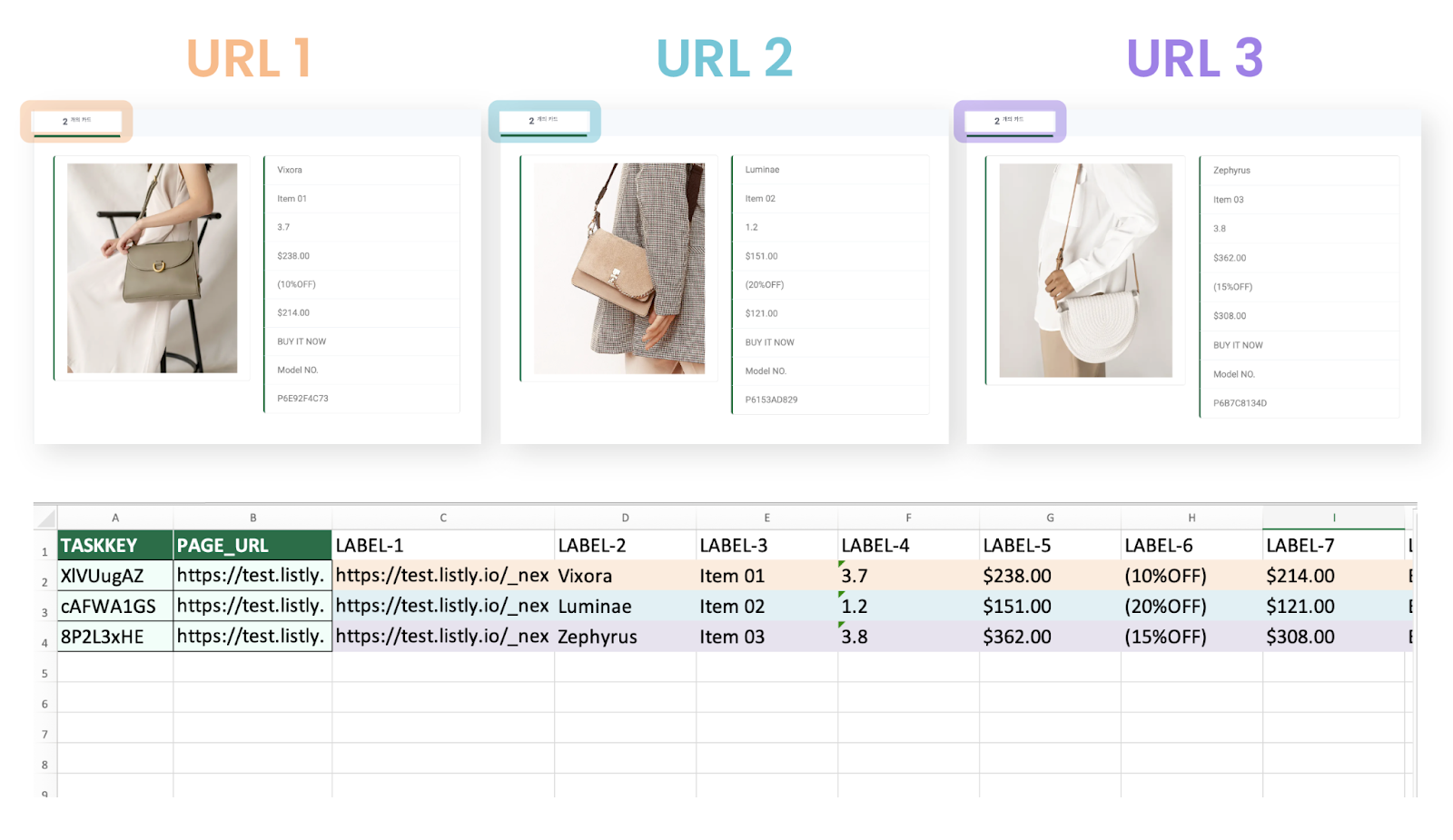
### 分頁 1 個 1 列
將各 URL 的資料分頁內的卡片全部配置在一列。因此提取 3 個 URL 選擇此選項時,最終 Excel 檔案會與 URL 數量相同,只生成 **3 列**。
也就是**各頁面記錄為 Excel 的一列**,因此適用於購物網站的「詳細頁面」等一個分頁內只有一個項目資訊的情況。
{% endstep %}
{% endstepper %}
---
# Agent Instructions
This documentation is published with GitBook. GitBook is the documentation platform designed so that both humans and AI agents can read, navigate, and reason over technical content effectively. Learn more at gitbook.com.
## Querying This Documentation
If you need additional information that is not directly available in this page, you can query the documentation dynamically by asking a question.
Perform an HTTP GET request on the current page URL with the `ask` query parameter, and the optional `goal` query parameter:
```
GET https://help.listly.io/docs/zh-hant/getting-started/result-page-features-zh-hant/data-arrangement-zh-hant.md?ask=&goal=
```
`ask` is the immediate question: it should be specific, self-contained, and written in natural language.
`goal` is optional and describes the broader end goal you are ultimately trying to accomplish on behalf of the user. GitBook uses it to tailor the answer towards what is most useful for that goal.
The response will contain a direct answer to the question and relevant excerpts and sources from the documentation.
Use this mechanism when the answer is not explicitly present in the current page, you need clarification or additional context, or you want to retrieve related documentation sections.