> For the complete documentation index, see [llms.txt](https://help.listly.io/llms.txt). Markdown versions of documentation pages are available by appending `.md` to page URLs; this page is available as [Markdown](https://help.listly.io/docs/zh-hant/support/faq-zh-hant/7.-yi-wang-ye-xie-qu-shi-bai-xun-xi-de-jie-jue-fang-an/dan-chu-shi-chuang-zhe-gai-le-xie-qu-qu-yu.md).
# 彈出視窗遮蓋了擷取區域
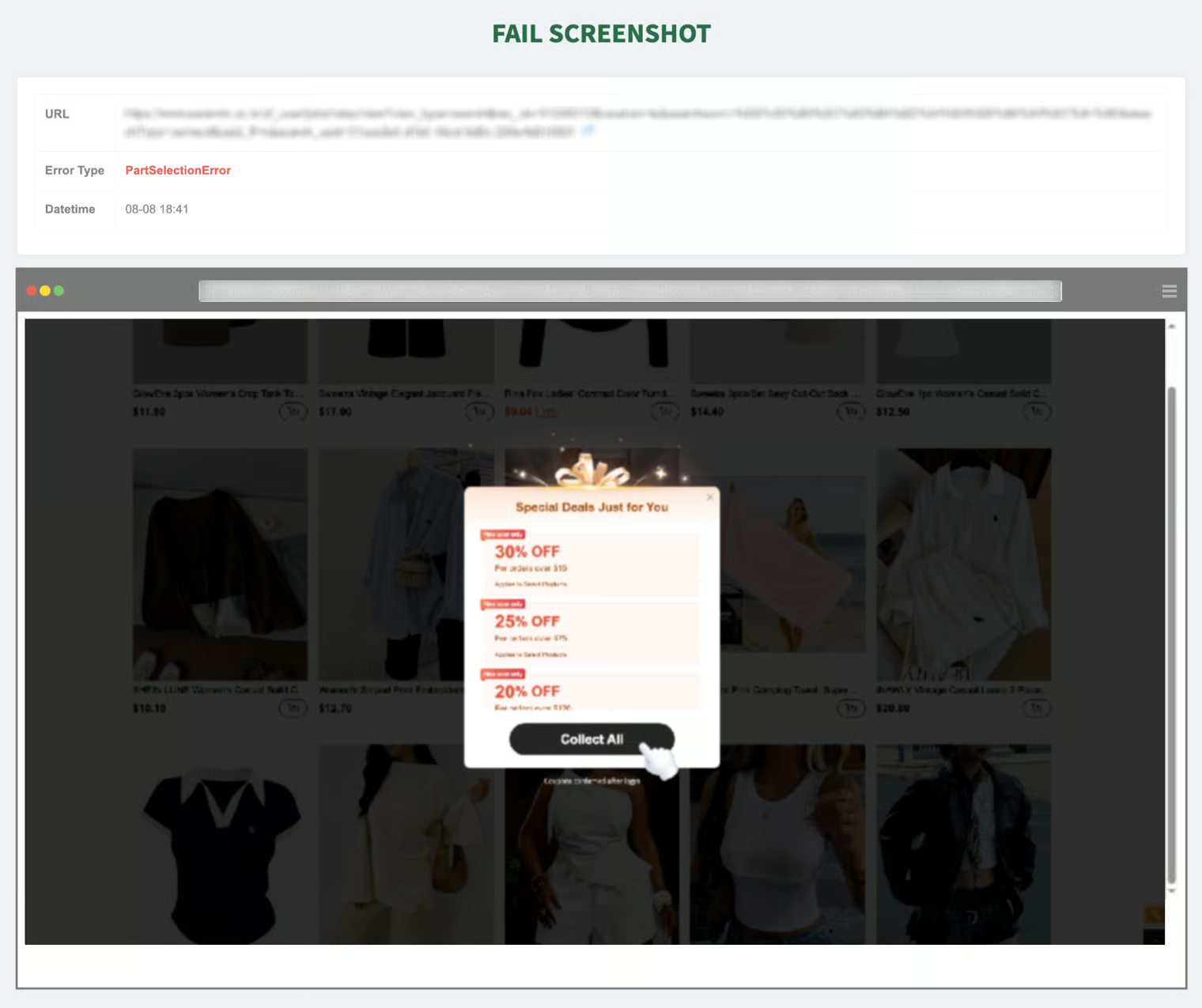
在錯誤截圖上,若有覆蓋在目標頁面的資料區域上的彈出視窗、廣告、通知視窗或其他遮蔽螢幕的元素可見時,可能導致系統無法識別指定的資料區域而發生錯誤。
#### ✅ 如何修復
{% stepper %}
{% step %}
### 在動作腳本加入關閉彈出視窗的點擊命令
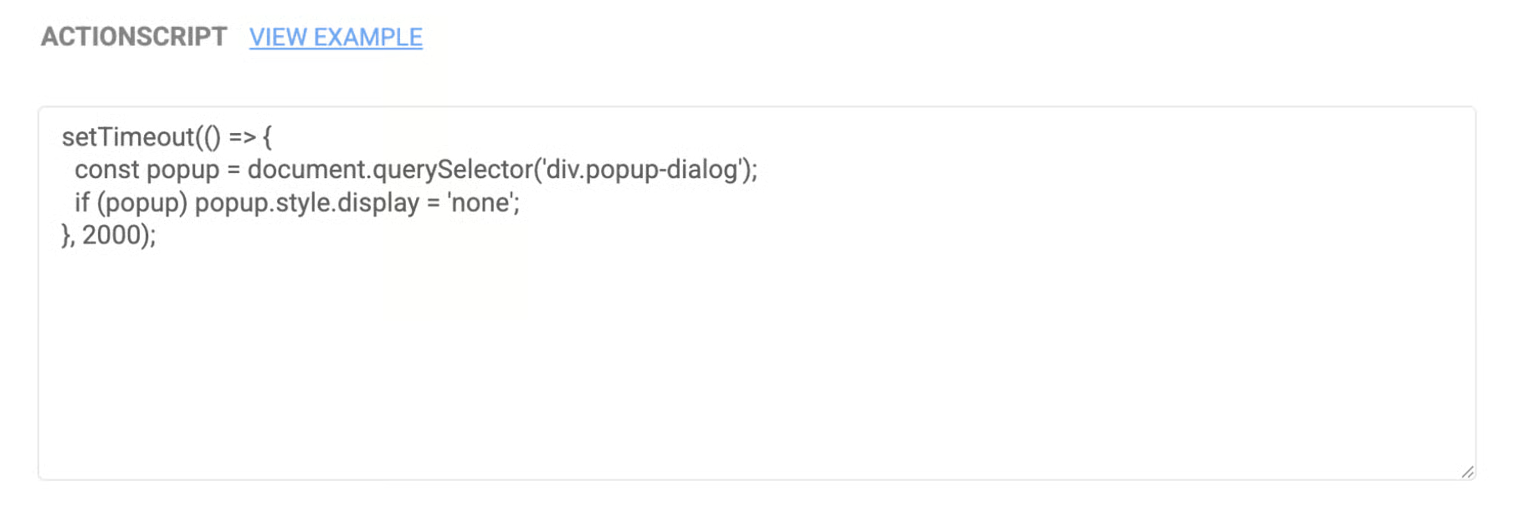
* 前往 \[設定 → 動作腳本],在流程中加入點擊關閉彈出視窗(或其他遮蔽元素)的命令。
* 針對按鈕文字或類別(例如「關閉」、「×」、「確定」等)撰寫點擊行為。
* 上述程式碼為範例,實際應用時可能需要根據網站結構調整 CSS 選擇器 或 點擊邏輯。
{% endstep %}
{% step %}
### 取得或產生關閉按鈕的 JavaScript 程式碼(可用 AI 協助)
* 檢查該按鈕的 CSS 選擇器值(例如使用瀏覽器開發者工具查看 class、id、或其他屬性)。
* 將「請幫我產生點擊此元素的 JavaScript 程式碼(包含 CSS 選擇器)」等描述輸入 AI 工具(例如 GPT、Claude、Perplexity 等),即可產生可貼入動作腳本的程式碼範例。
{% endstep %}
{% endstepper %}
{% hint style="success" %}
如果您嘗試了建議的方法仍無法解決問題,請聯絡 。我們將協助診斷確切原因並提供解決方案。
{% endhint %}
---
# Agent Instructions
This documentation is published with GitBook. GitBook is the documentation platform designed so that both humans and AI agents can read, navigate, and reason over technical content effectively. Learn more at gitbook.com.
## Querying This Documentation
If you need additional information that is not directly available in this page, you can query the documentation dynamically by asking a question.
Perform an HTTP GET request on the current page URL with the `ask` query parameter, and the optional `goal` query parameter:
```
GET https://help.listly.io/docs/zh-hant/support/faq-zh-hant/7.-yi-wang-ye-xie-qu-shi-bai-xun-xi-de-jie-jue-fang-an/dan-chu-shi-chuang-zhe-gai-le-xie-qu-qu-yu.md?ask=&goal=
```
`ask` is the immediate question: it should be specific, self-contained, and written in natural language.
`goal` is optional and describes the broader end goal you are ultimately trying to accomplish on behalf of the user. GitBook uses it to tailor the answer towards what is most useful for that goal.
The response will contain a direct answer to the question and relevant excerpts and sources from the documentation.
Use this mechanism when the answer is not explicitly present in the current page, you need clarification or additional context, or you want to retrieve related documentation sections.