> For the complete documentation index, see [llms.txt](https://help.listly.io/llms.txt). Markdown versions of documentation pages are available by appending `.md` to page URLs; this page is available as [Markdown](https://help.listly.io/docs/zh-hant/support/faq-zh-hant/7.-yi-wang-ye-xie-qu-shi-bai-xun-xi-de-jie-jue-fang-an/fan-ye-xie-qu-zai-zhong-tu-ting-zhi-le.md). Agents can also search and read this documentation through its [MCP server](https://help.listly.io/~gitbook/mcp).
# 翻頁擷取在中途停止了。
如果擴充功能的翻頁擷取在中途停止,請依照以下步驟進行。
{% stepper %}
{% step %}
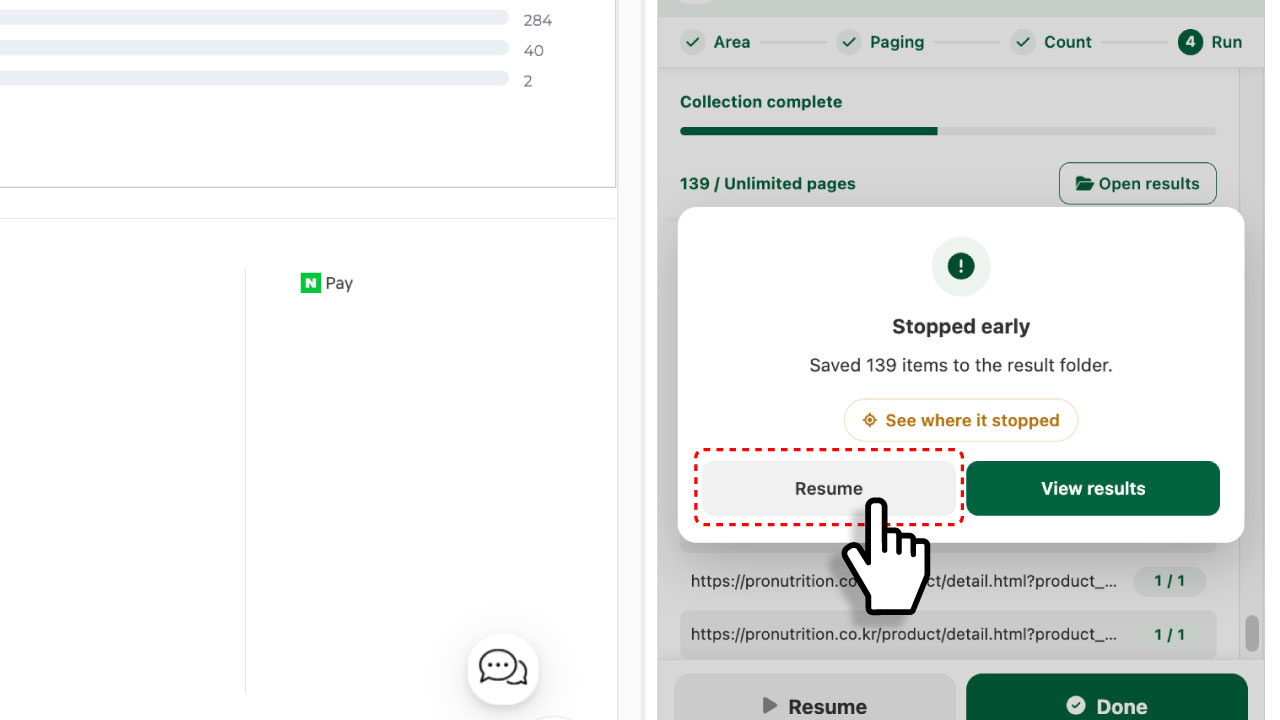
## 點擊「繼續(Resume)」按鈕以繼續收集。
翻頁擷取在中途停止時,請先點擊 **「繼續(Resume)」** 以繼續進行原有的作業。\
若能正常繼續,無需任何額外操作,即可在原有的任務中繼續擷取。
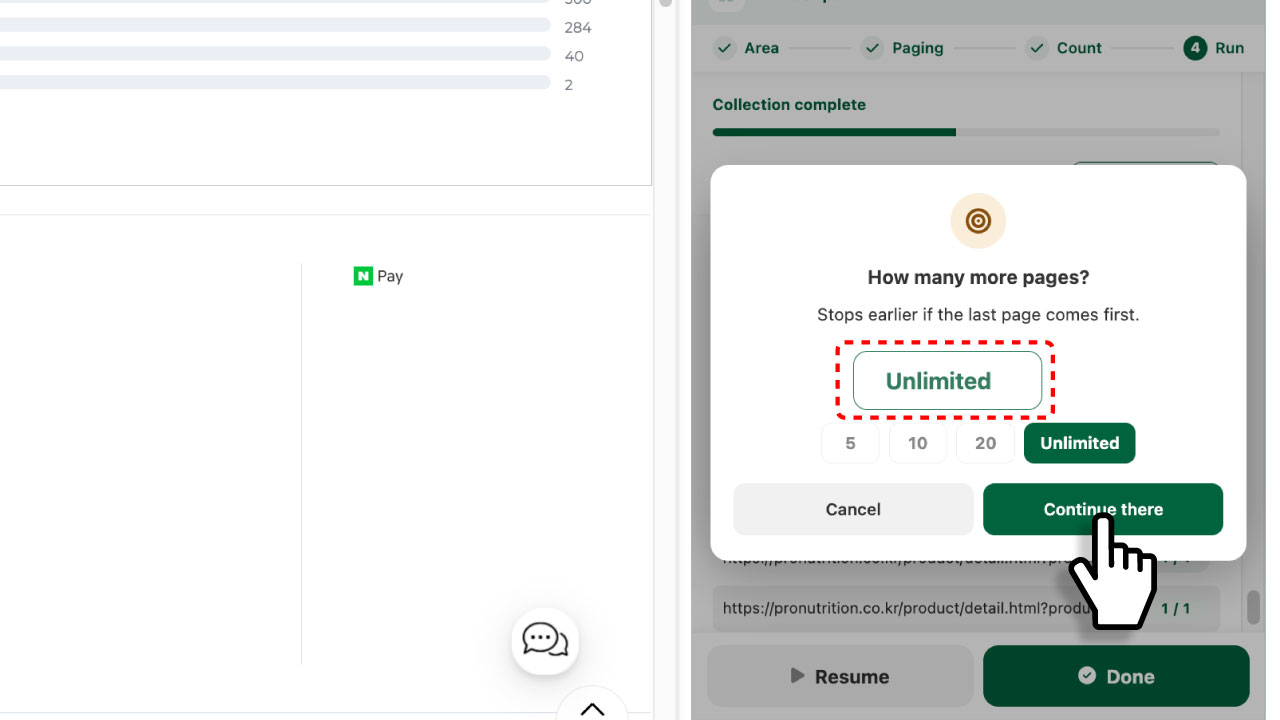
點擊按鈕後,會出現詢問要再額外擷取幾頁的視窗。輸入想要的頁數後,\
請點擊 **「從此處繼續(Continue there)」** 按鈕。
{% endstep %}
{% step %}
## 確認繼續收集後是否再次停止。
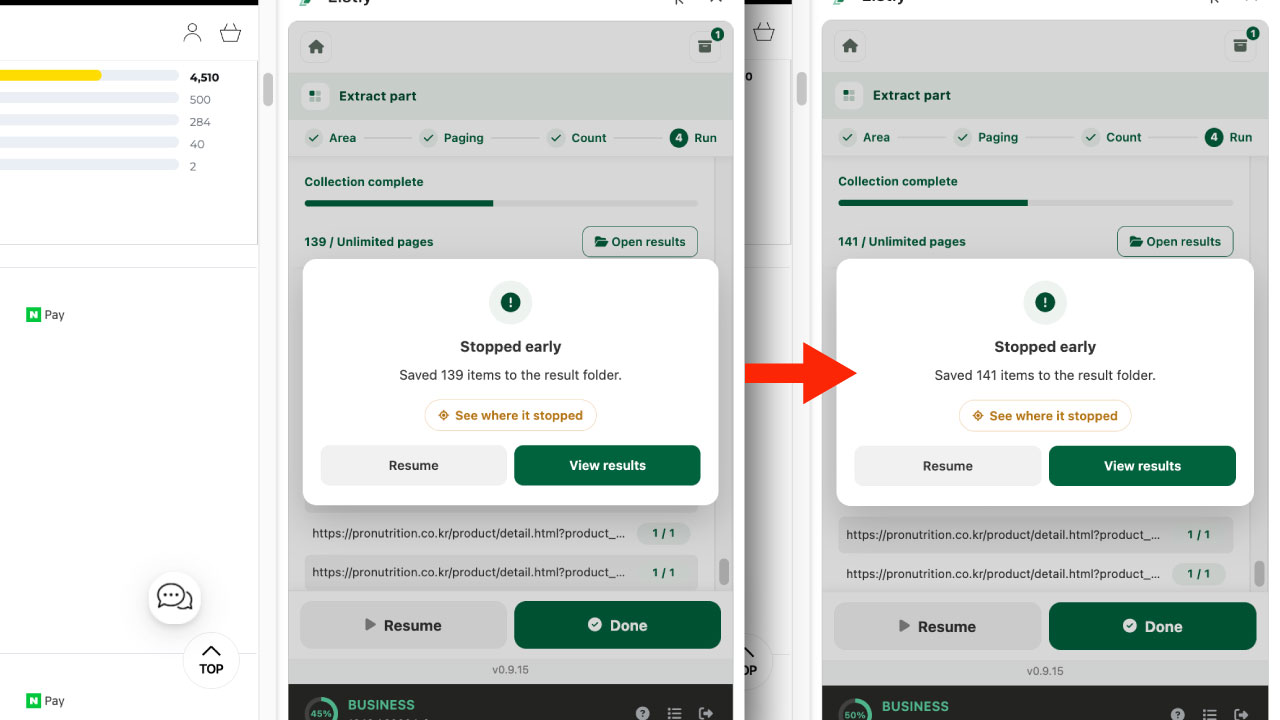
如果已執行「繼續(Resume)」,**卻仍反覆出現只比設定頁數多收集幾頁後就再次停止的情況**,建議不要繼續原有的任務,而是以新作業重新擷取。
此時,請依照下列步驟,從停止的位置開始新的擷取。
{% endstep %}
{% step %}
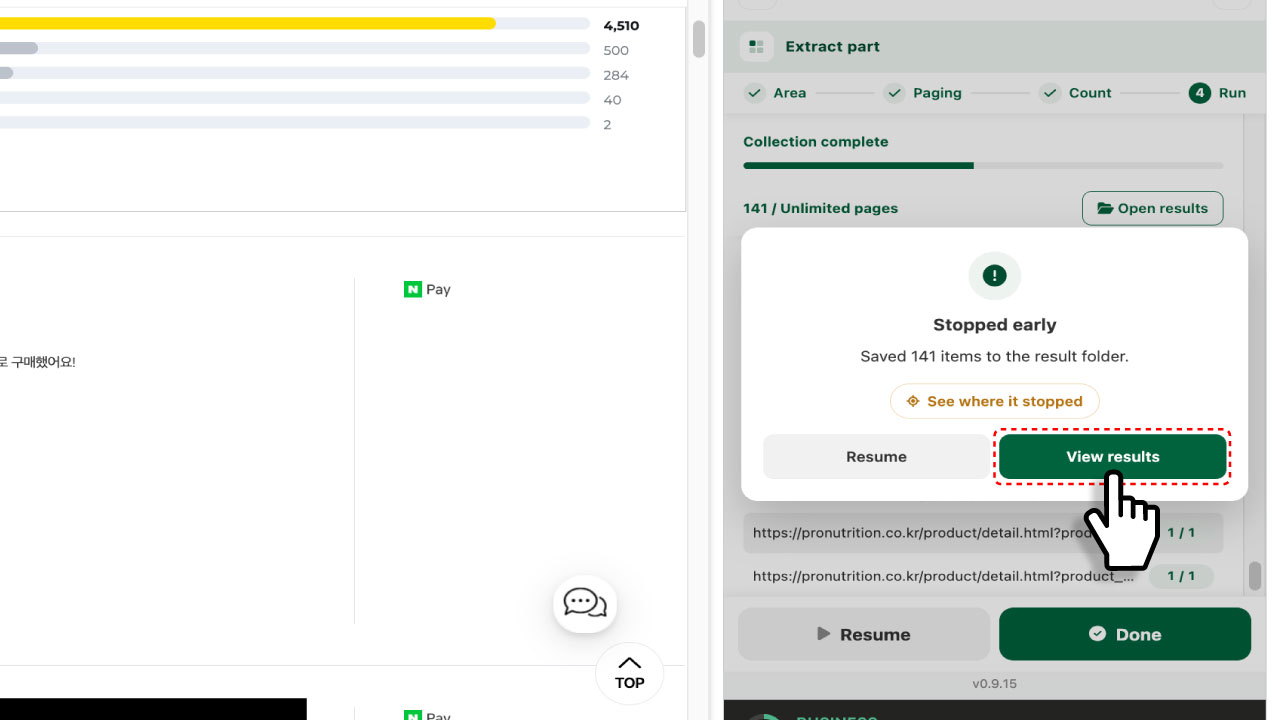
## 點擊「查看結果(View results)」以儲存目前為止的擷取結果。
在擷取停止的狀態下,點擊 **「查看結果(View results)」** 按鈕,儲存目前為止已收集的結果。
點擊按鈕後,會在新視窗中開啟資料板(Databoard)的結果畫面。\
此時請不要停留在資料板(Databoard)畫面,**請回到原本進行擷取的視窗。**
接著,以目前的頁面為起點,開始新的翻頁擷取。
{% endstep %}
{% step %}
## 確認最後收集的頁面。
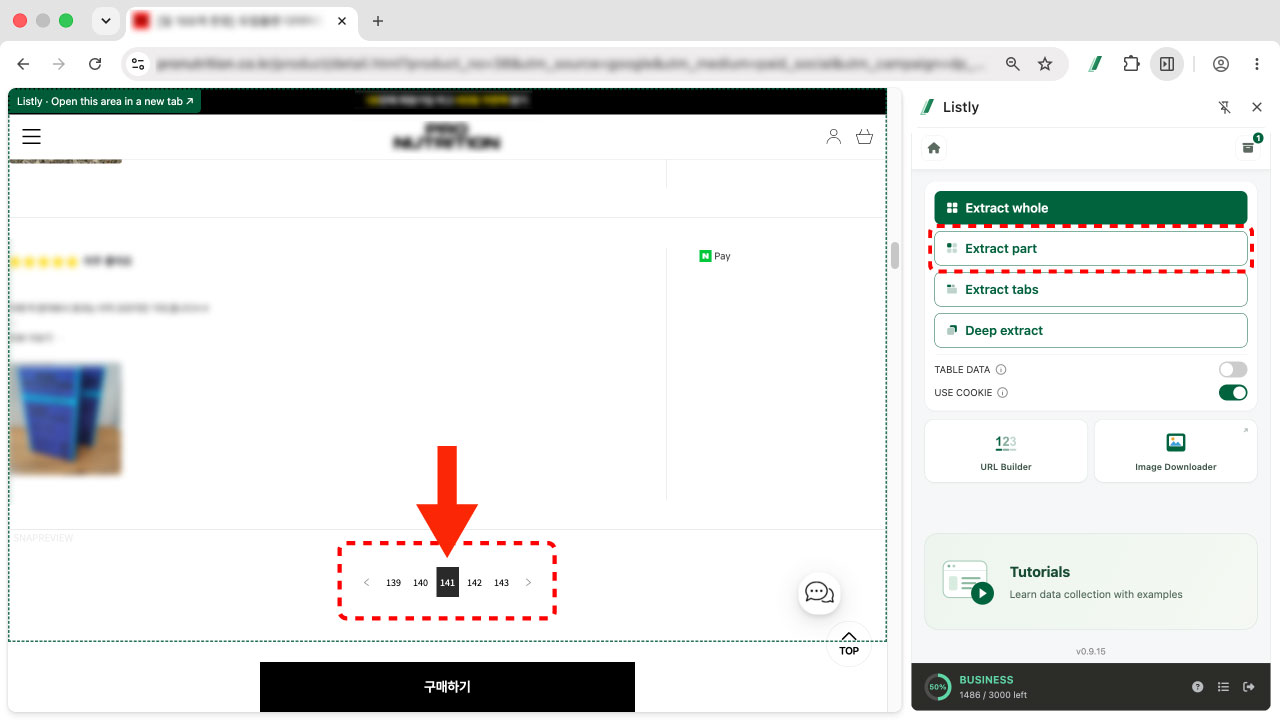
在擴充功能中進行翻頁擷取時,實際頁面也會隨著擷取進度一起移動。因此擷取中斷時,**可以在側邊面板左側的畫面中確認最後收集的頁面。**
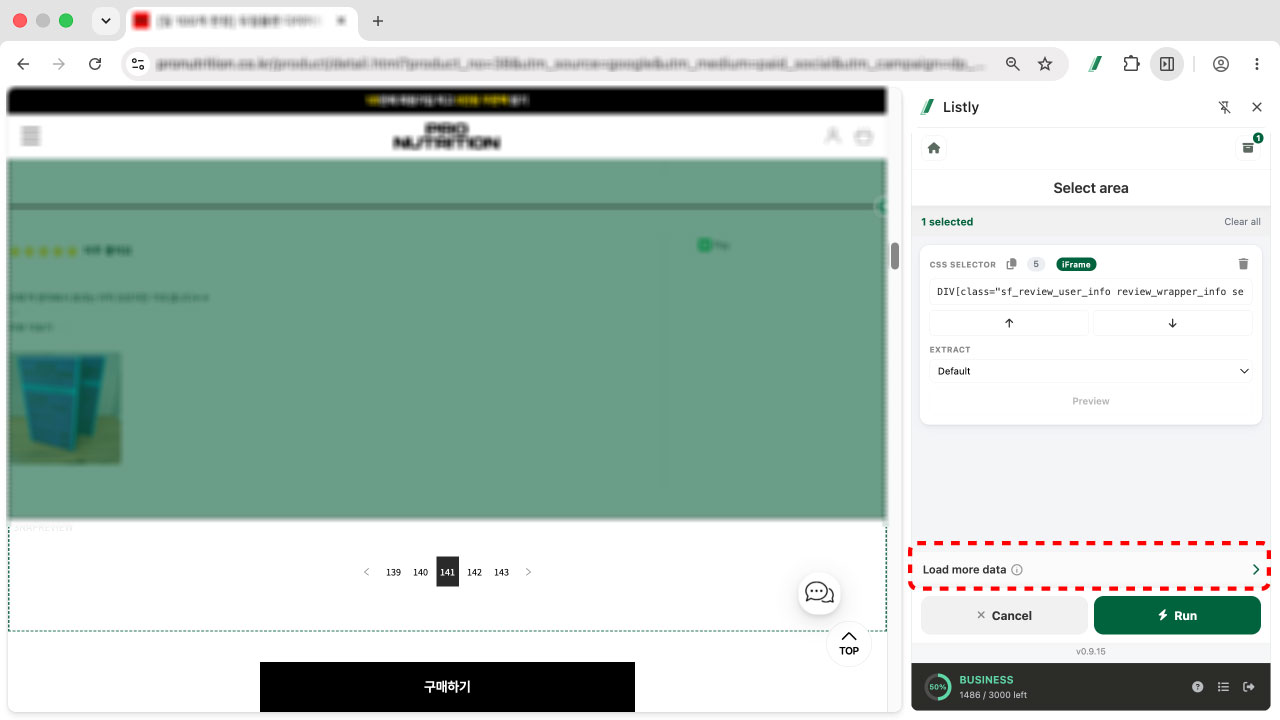
請在目前頁面上再次點擊擴充功能的 **「擷取部分(Extract Part)」**,並**選取與先前任務相同的區域,開始新的擷取。**
**「載入更多資料(Load More Data)」選項的翻頁功能,會以目前畫面上顯示的頁面作為起點運作。**\
因此即使不另外指定起始頁面,也能從中斷的位置繼續擷取。
{% endstep %}
{% step %}
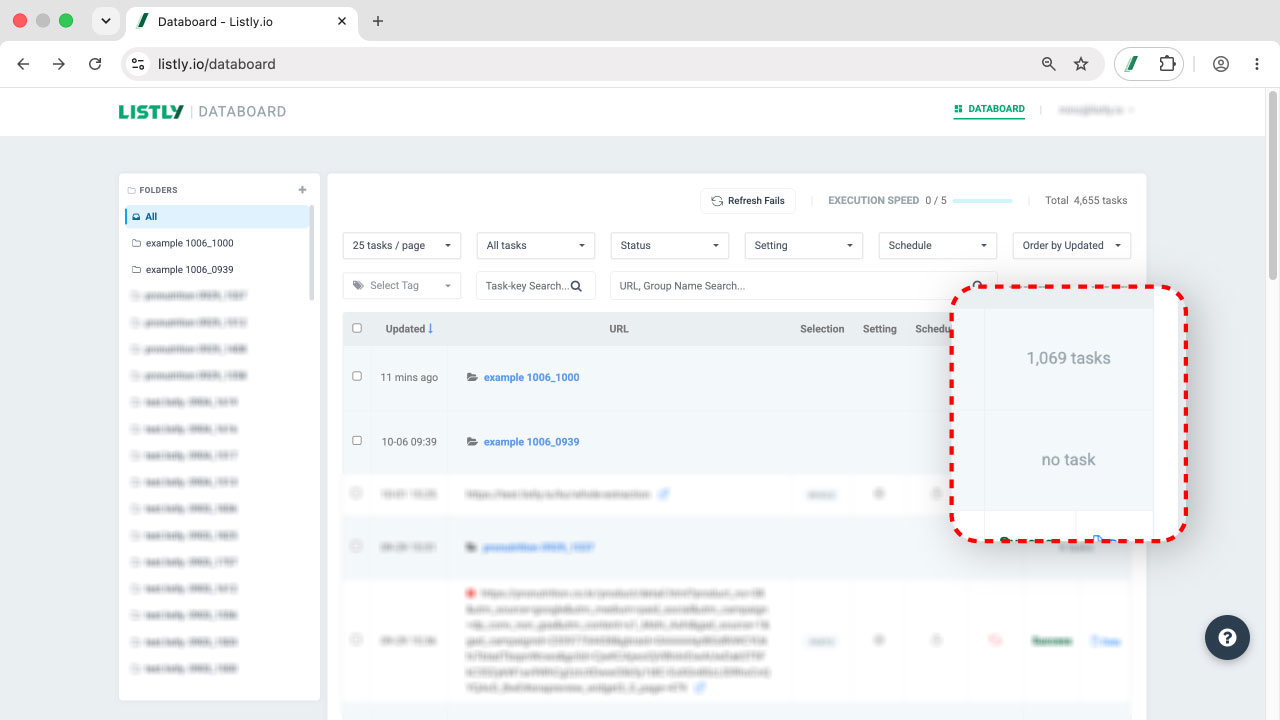
## 擷取完成後,在資料板(Databoard)中確認建立的資料夾。
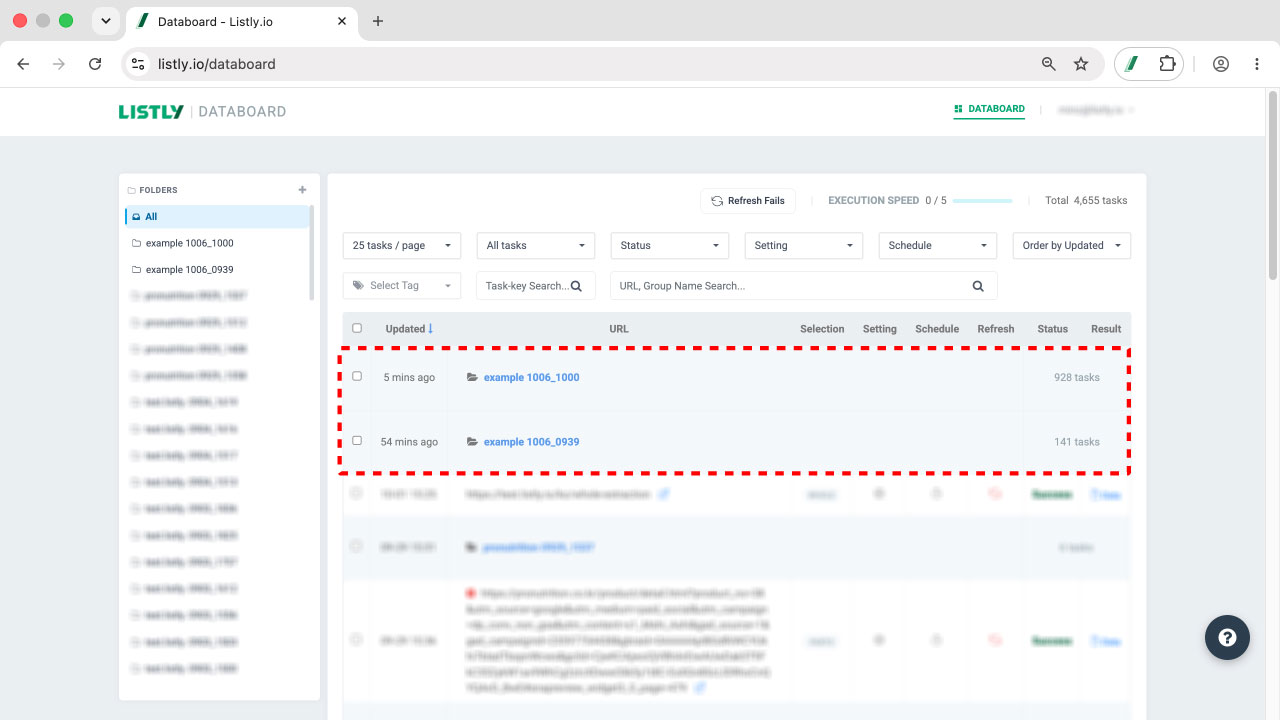
新的擷取完成後,請在資料板(Databoard)中確認各次擷取結果所儲存的資料夾。
在此範例中,可以看到第一次擷取收集了 **141 頁**,第二次擷取收集了 **928 頁**。
{% endstep %}
{% step %}
## 將任務合併到同一個資料夾。
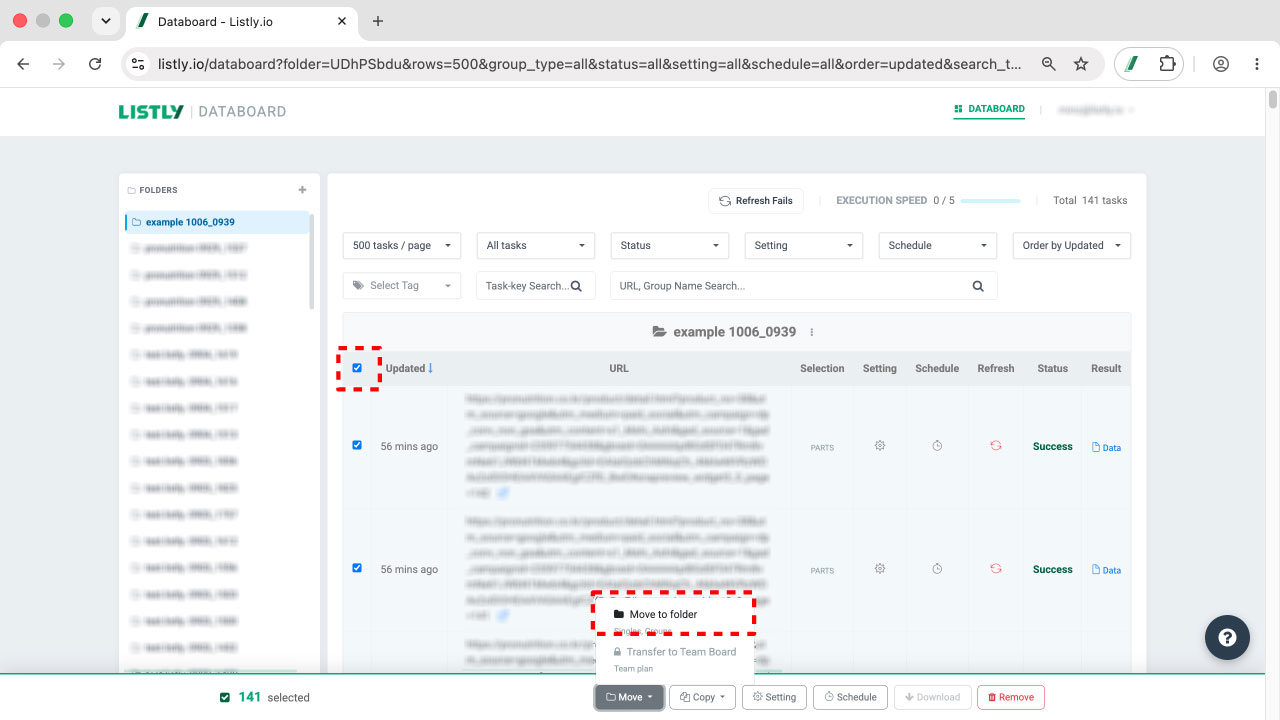
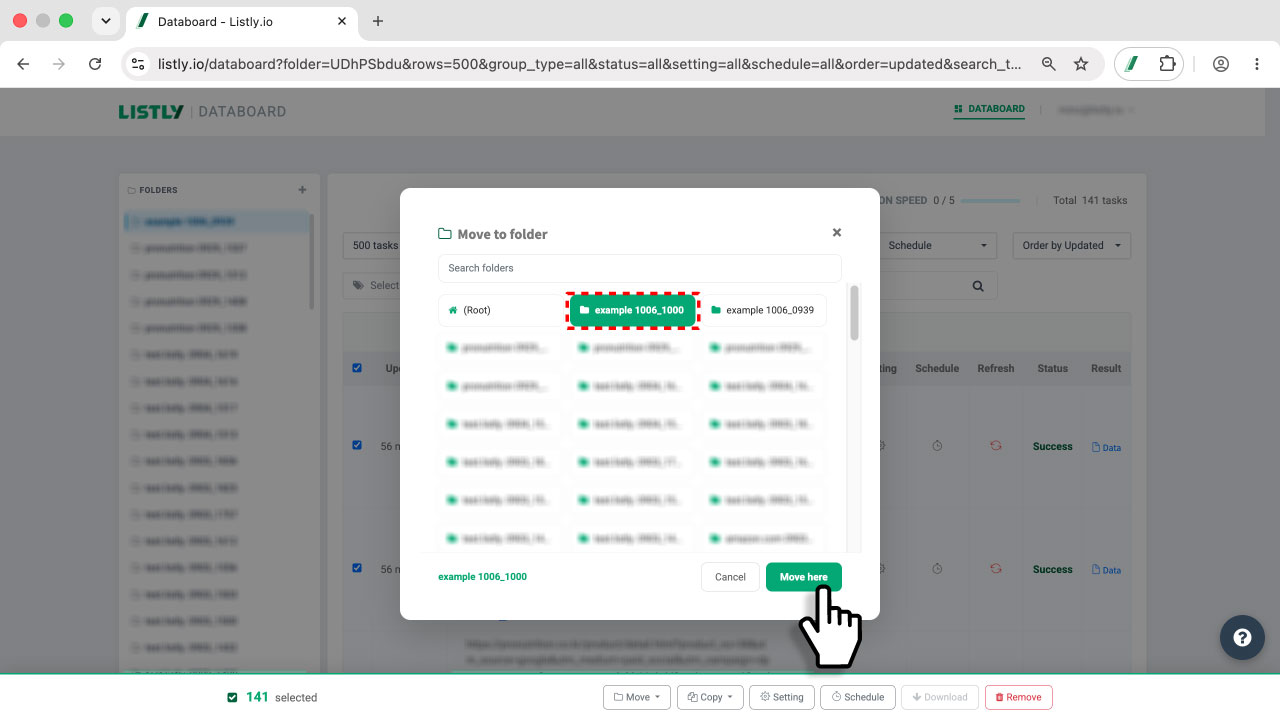
選擇兩個資料夾中的其中一個,然後**全選**該資料夾中的任務。\
在下方出現的選單中點擊 **「移動(Move)」** → **「移至資料夾(Move to folder)」**,再選擇要合併任務的目標資料夾。
透過此步驟,即可將分兩次擷取的結果整理到同一個資料夾中。
{% endstep %}
{% step %}
## 下載資料夾中的資料。
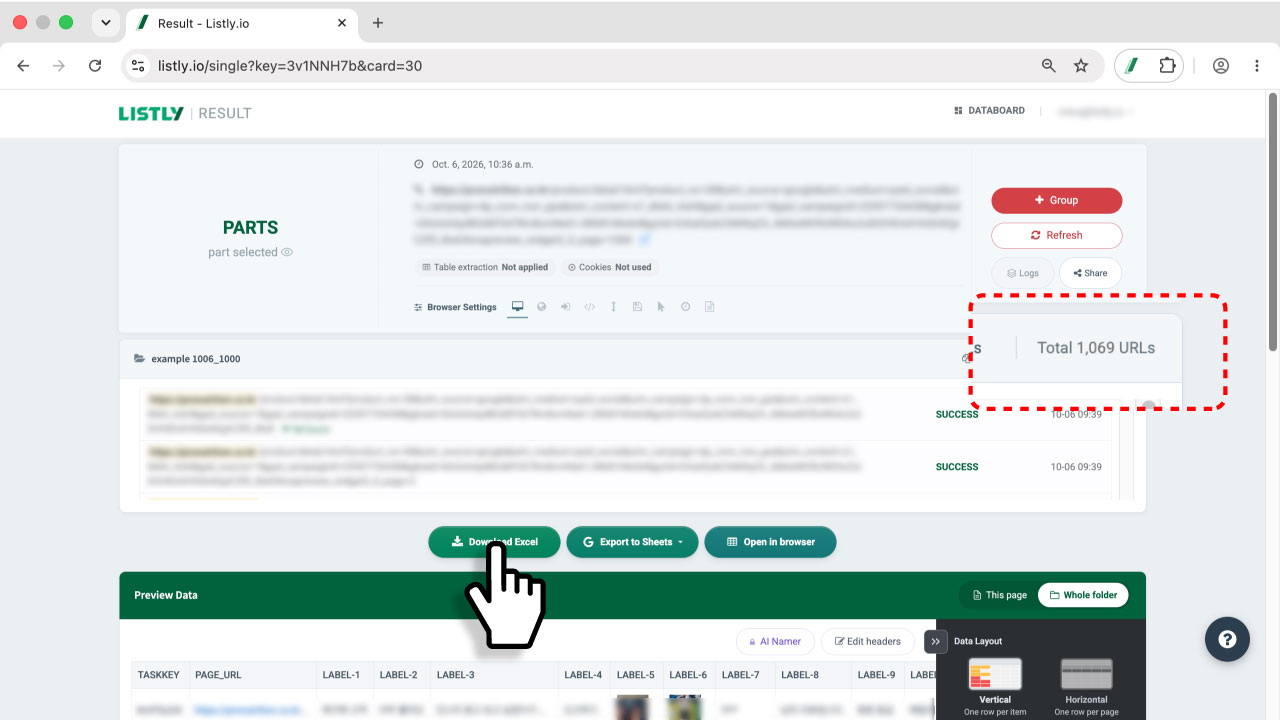
將所有任務合併到同一個資料夾後,請進入該資料夾下載擷取結果。
**同一個資料夾中的多個任務,可以匯出為一個 Excel 檔案或 Google Sheets。**
{% endstep %}
{% endstepper %}
---
# Agent Instructions
This documentation is published with GitBook. GitBook is the documentation platform designed so that both humans and AI agents can read, navigate, and reason over technical content effectively. Learn more at gitbook.com.
## Querying This Documentation
If you need additional information that is not directly available in this page, you can query the documentation by asking a question.
Perform an HTTP GET request on the following URL with the `ask` and `goal` query parameters:
```
GET https://help.listly.io/docs/zh-hant/support/faq-zh-hant/7.-yi-wang-ye-xie-qu-shi-bai-xun-xi-de-jie-jue-fang-an/fan-ye-xie-qu-zai-zhong-tu-ting-zhi-le.md?ask=&goal=
```
`ask` is the immediate question: it should be specific, self-contained, and written in natural language.
`goal` is what the user is ultimately trying to achieve, the reason they need the answer. Sharing it helps GitBook give you a better, more relevant answer. A goal is most helpful when it describes the outcome the user wants rather than restating the question. For example, with `ask=how do I create an API token`, a goal like `automate deployments from our CI pipeline` lets GitBook tailor the answer to that use case.
The response will contain a direct answer to the question and relevant excerpts and sources from the documentation.
Use this mechanism when the answer is not explicitly present in the current page, you need clarification or additional context, or you want to retrieve related documentation sections.