> For the complete documentation index, see [llms.txt](https://help.listly.io/llms.txt). Markdown versions of documentation pages are available by appending `.md` to page URLs; this page is available as [Markdown](https://help.listly.io/docs/zh-hant/support/faq-zh-hant/8.-listly-tu-pian-xia-zai-qi/listly-tu-pian-xia-zai-qi-you-shen-mo-bu-tong-zhi-chu.md).
# Listly 圖片下載器有什麼不同之處?
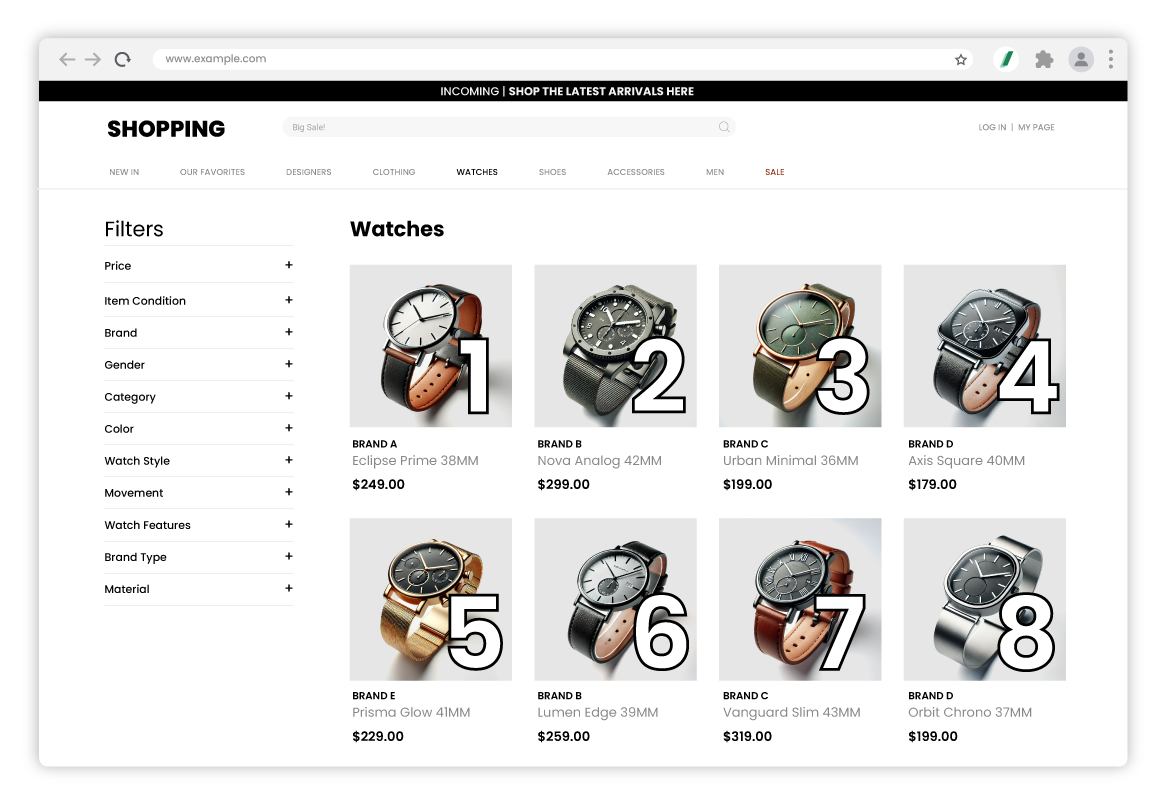
Listly 圖片下載器使用透過 Listly 輕鬆提取的圖片網址,依照圖片在網站上出現的順序下載圖片,或使用所需的檔案名稱批次下載圖片。例如,假設產品圖片在網站上按照上圖所示的順序顯示。為了方便理解,我們在每張圖片上加上了序號。
{% columns %}
{% column %}
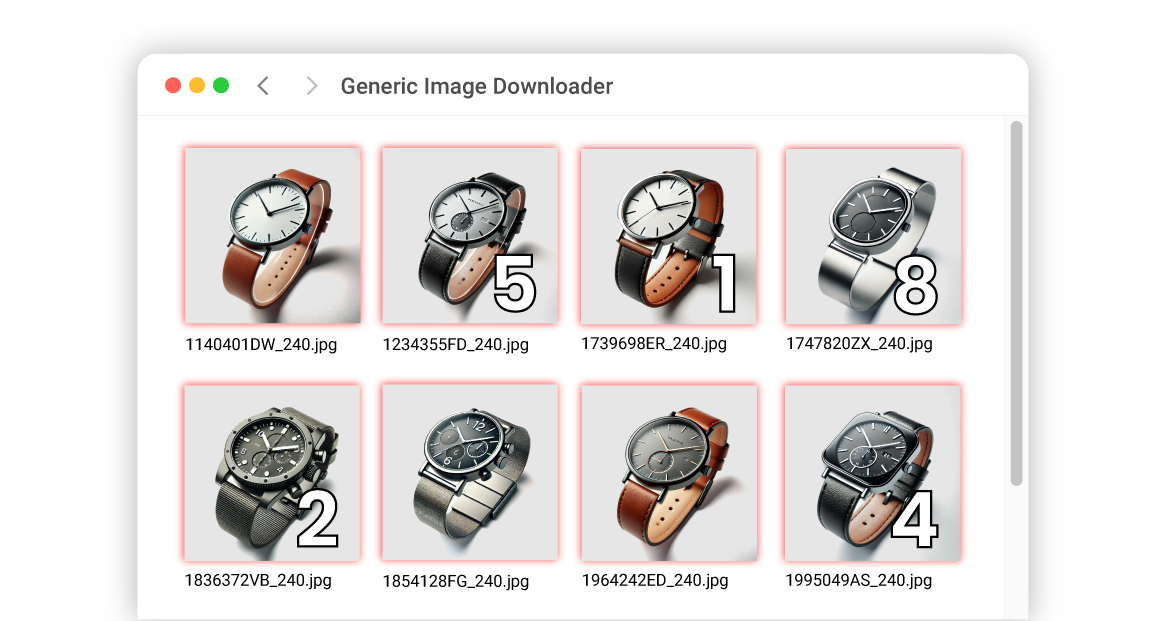
**其他圖片下載器**
大多數圖片下載器會直接使用網站指定的檔案名稱。這些檔案名稱通常由難以理解的數字或字母組合構成,按名稱排序時圖片順序會變得混亂。
{% endcolumn %}
{% column %}
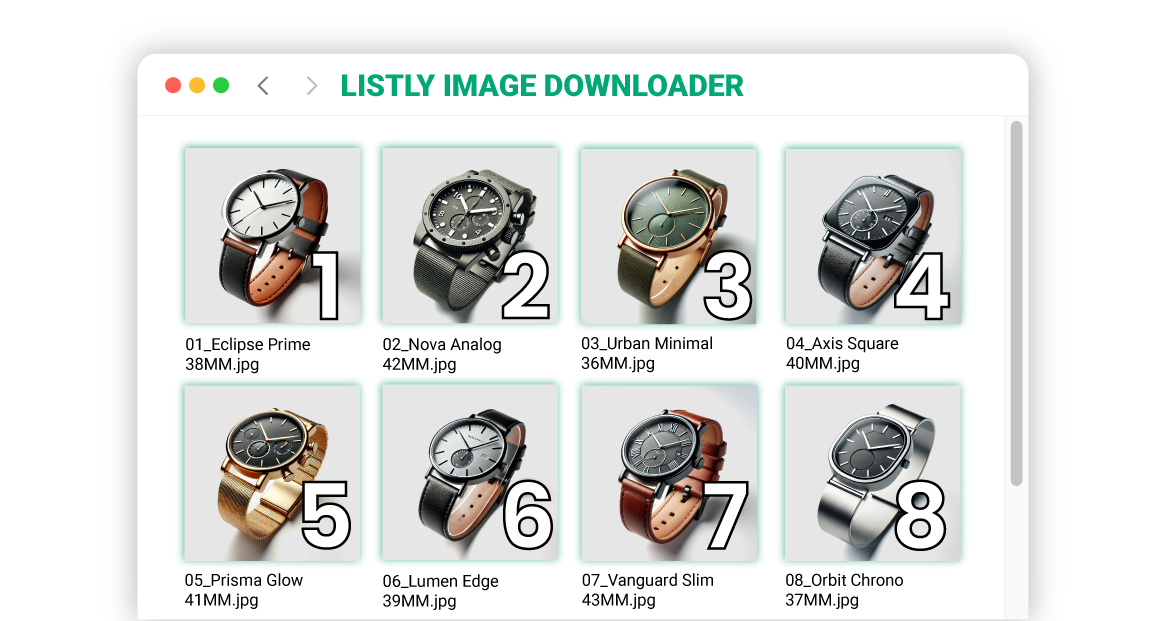
**Listly 圖片下載器**
Listly 圖片下載器可以根據 Excel 檔案設定檔案名稱,或根據輸入網址的順序指定編號。這讓與資料對應變得容易,並且可以使用整理好的檔案名稱進行乾淨下載。為了使用者的方便,它也提供圖片下載器中常見的選項:使用網站的原始檔案名稱或僅指定編號。
{% endcolumn %}
{% endcolumns %}
---
# Agent Instructions
This documentation is published with GitBook. GitBook is the documentation platform designed so that both humans and AI agents can read, navigate, and reason over technical content effectively. Learn more at gitbook.com.
## Querying This Documentation
If you need additional information that is not directly available in this page, you can query the documentation by asking a question.
Perform an HTTP GET request on the following URL with the `ask` and `goal` query parameters:
```
GET https://help.listly.io/docs/zh-hant/support/faq-zh-hant/8.-listly-tu-pian-xia-zai-qi/listly-tu-pian-xia-zai-qi-you-shen-mo-bu-tong-zhi-chu.md?ask=&goal=
```
`ask` is the immediate question: it should be specific, self-contained, and written in natural language.
`goal` is what the user is ultimately trying to achieve, the reason they need the answer. Sharing it helps GitBook give you a better, more relevant answer. A goal is most helpful when it describes the outcome the user wants rather than restating the question. For example, with `ask=how do I create an API token`, a goal like `automate deployments from our CI pipeline` lets GitBook tailor the answer to that use case.
The response will contain a direct answer to the question and relevant excerpts and sources from the documentation.
Use this mechanism when the answer is not explicitly present in the current page, you need clarification or additional context, or you want to retrieve related documentation sections.