# 企業版 - 產生批次群組並下載
## 大量群組生成及下載是什麼?
在群組提取功能中,**每個群組最多只能註冊 500 個 URL**。\
這是為了優化系統穩定性和處理速度的限制,如果一個群組包含太多 URL,處理時間可能會過長,或者部分請求可能因瓶頸而失敗。
但是,如果需要一次註冊數千到數萬個 URL,每 500 個分開建立多個群組的過程可能會有些麻煩。
為了簡化這個過程,企業方案提供了**大量群組生成功能**。\
無論輸入多少 URL,系統都會自動以 500 個為單位分割並一次建立多個群組,提取完成後也可以一次下載多個群組任務。
{% hint style="info" %}
每個群組最多註冊 500 個 URL 的限制是為了系統穩定性與處理速度。
{% endhint %}
{% stepper %}
{% step %}
### 註冊大量群組
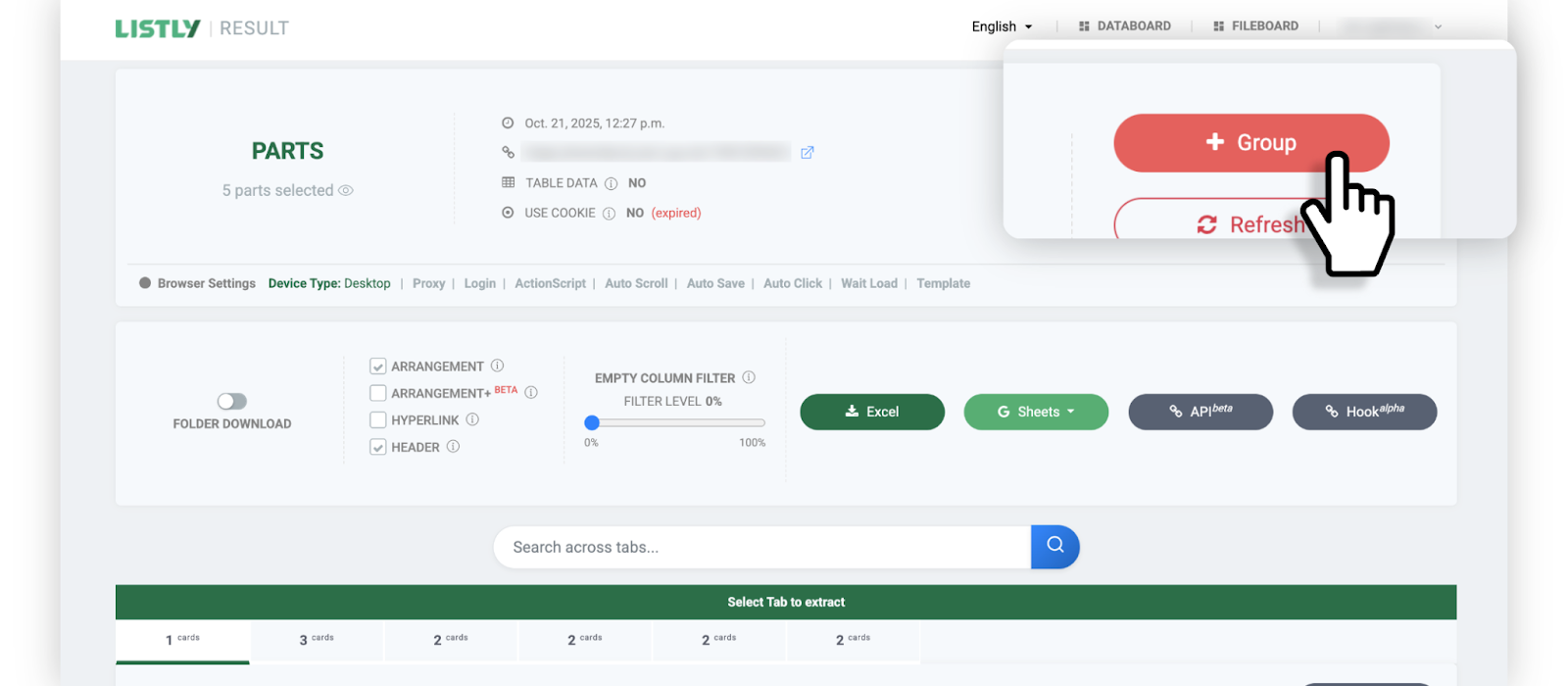
* 與建立 [群組提取](https://help.listly.io/docs/ko/getting-started/result-page-features/group-extraction) 任務的過程相同。首先提取作為群組來源的頁面,然後點擊結果頁面頂部的 **\[+群組]** 按鈕。
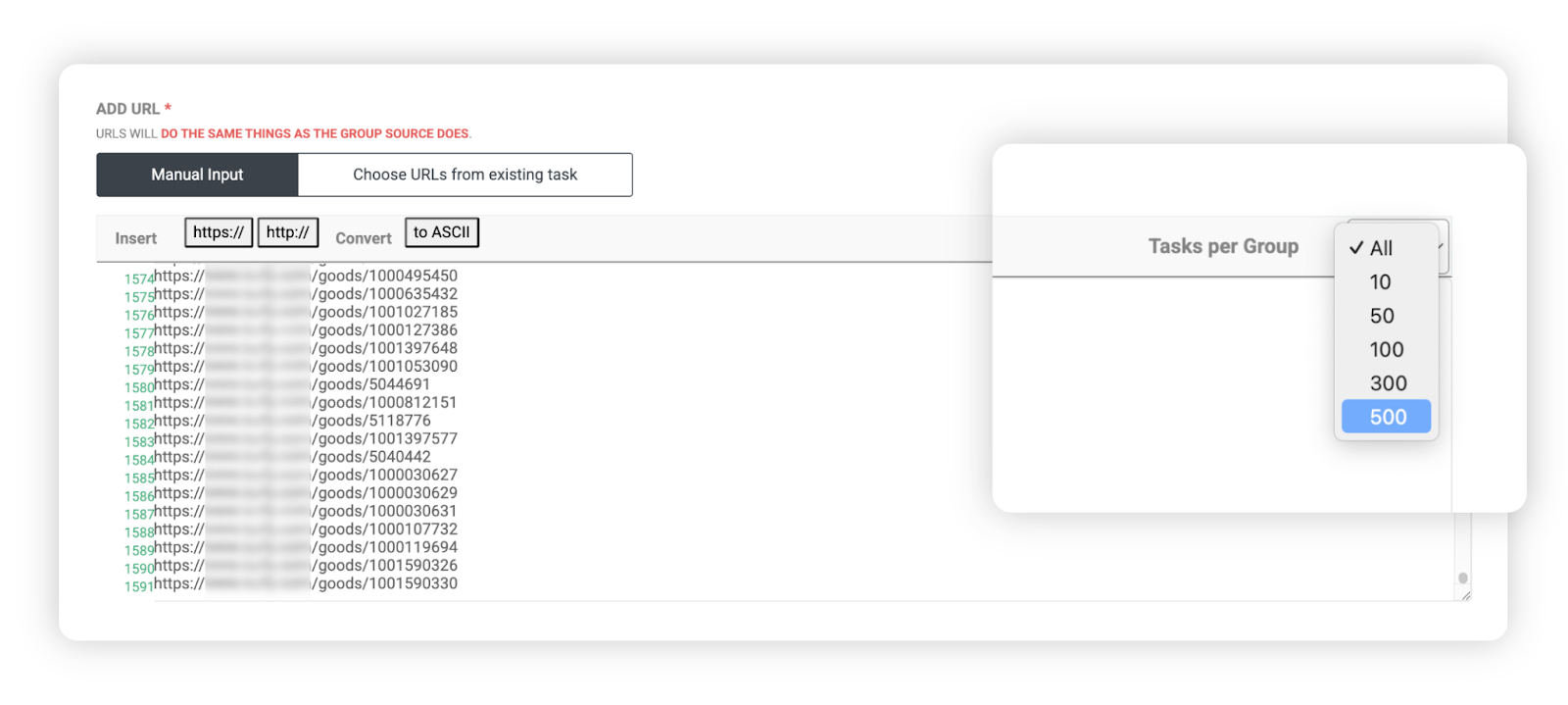
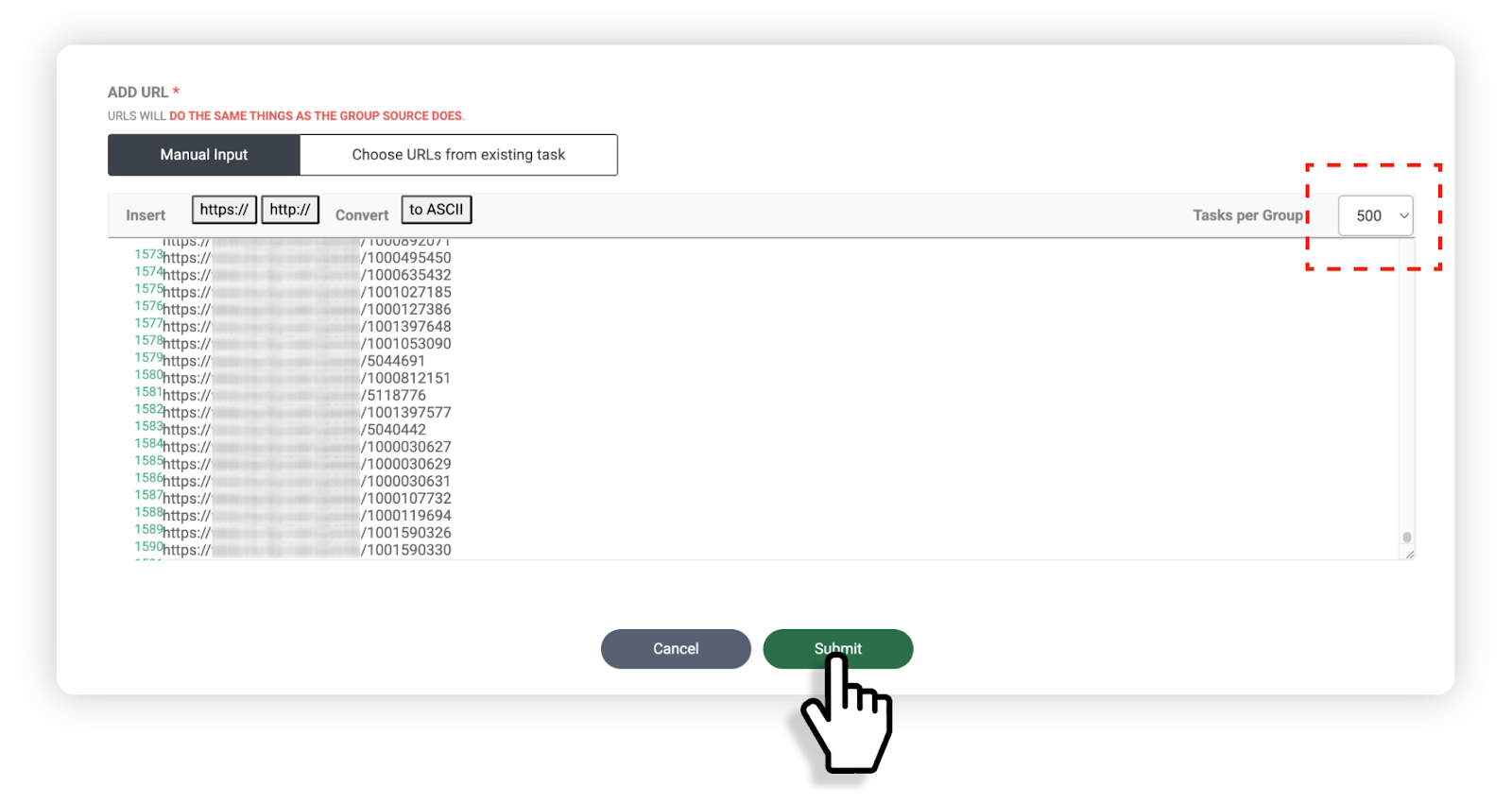
* 將要提取的 URL 列表貼上到群組 URL 輸入框中,然後在輸入框右上角的 Task per Group 選項中選擇每個群組要包含的 URL 數量。
範例:
* 總共輸入 **1,592 個 URL**
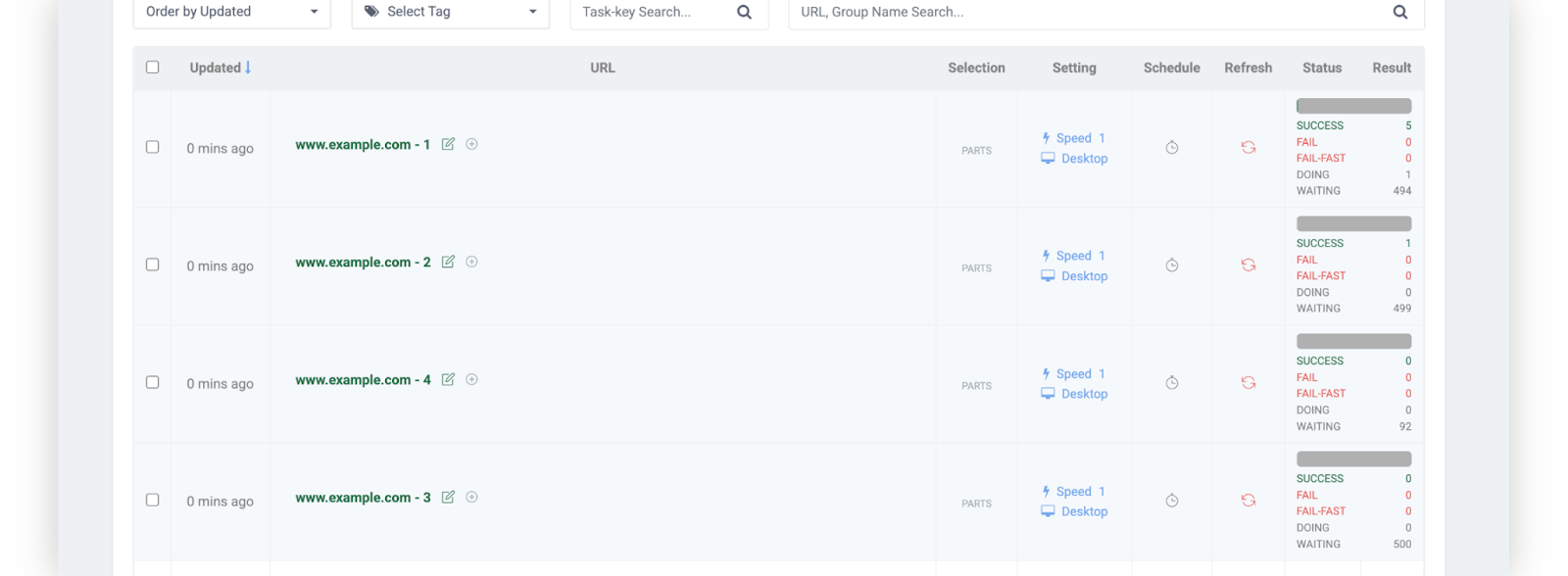
* 設定為 **500 個單位** 時 -> 自動生成 4 個群組任務
* 設定為 **100 個單位** 時 -> 自動生成 16 個群組任務
* 完成設定後點擊底部的 **\[完成]** 按鈕。
* 可以確認輸入的 URL 根據所選基準自動分割並註冊為多個群組任務。
{% endstep %}
{% step %}
### 下載大量群組
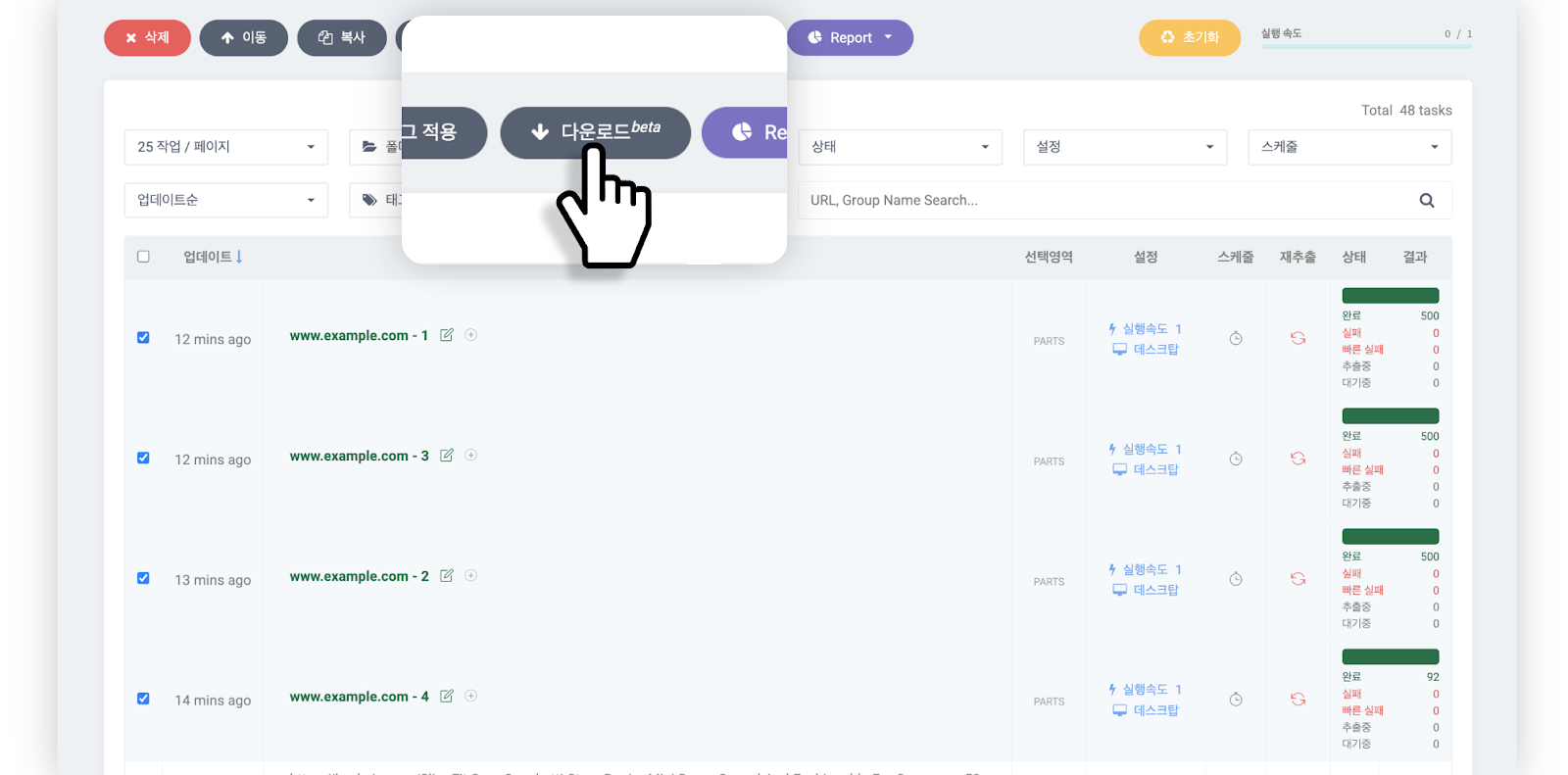
* 選擇已完成提取的群組任務後,點擊資料面板頂部的 **\[下載beta]** 按鈕。
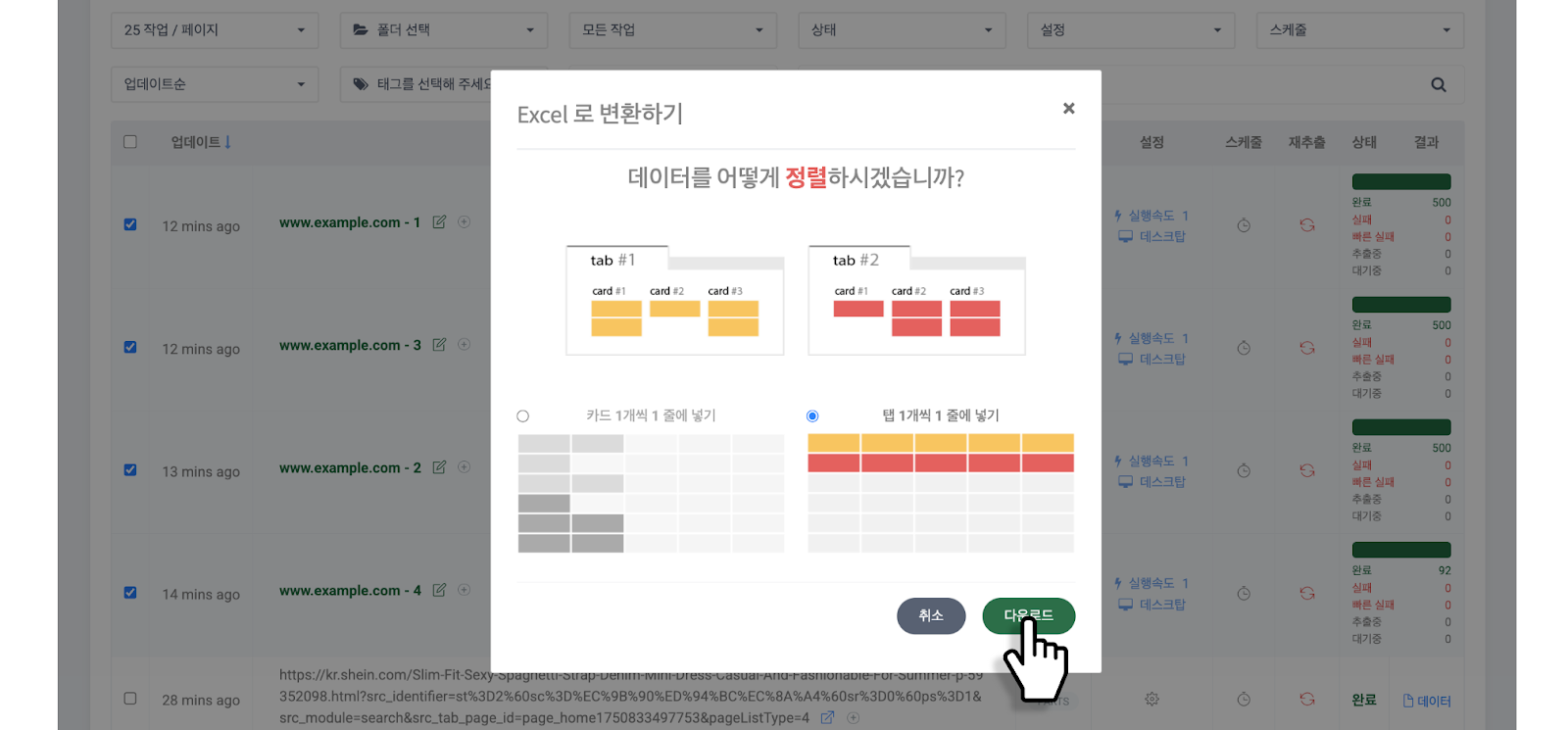
* 選擇[**資料排列方式**](https://help.listly.io/docs/ko/getting-started/result-page-features/card-or-tab-per-row)後點擊 **\[下載]** 按鈕。
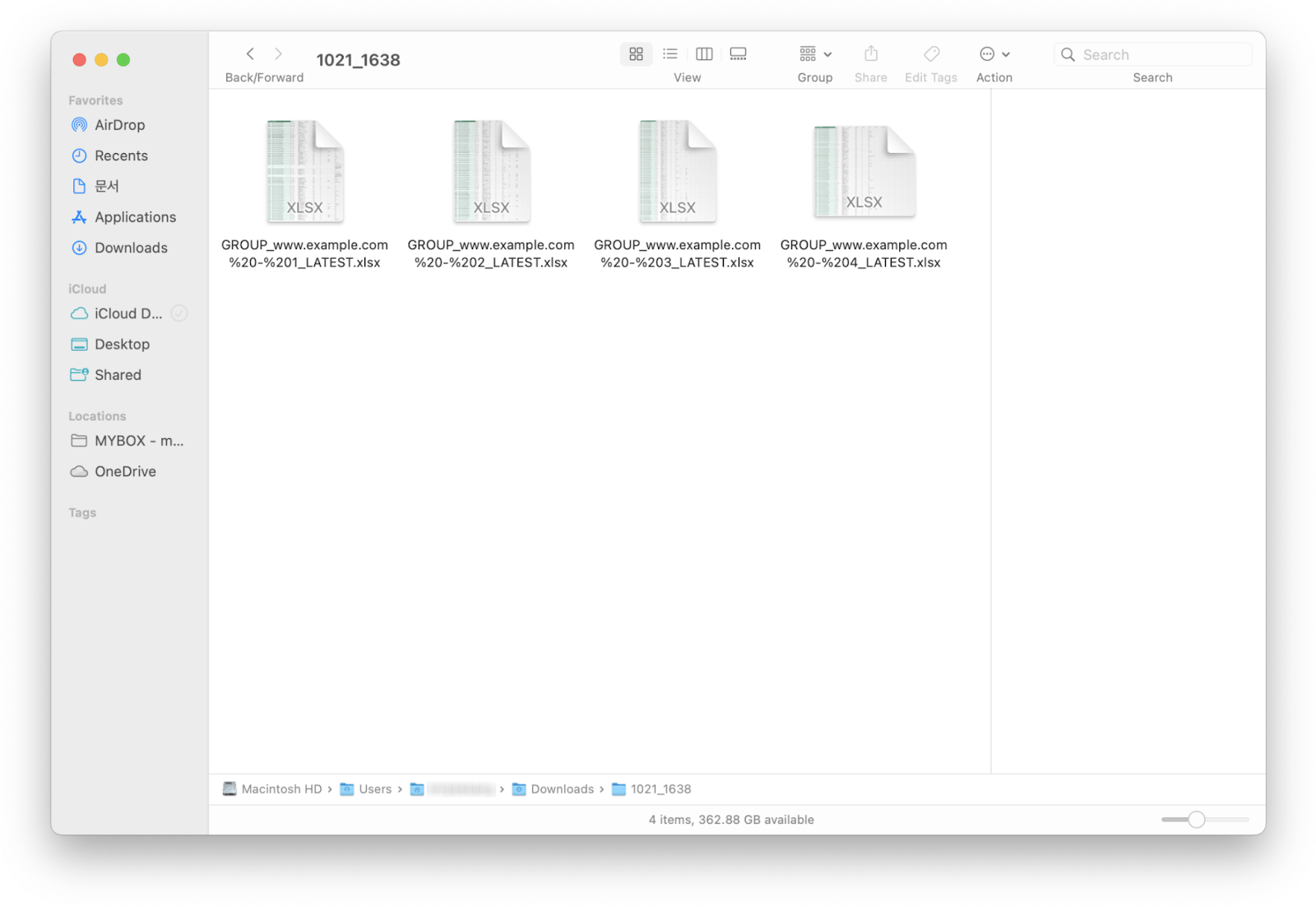
* 選擇的群組任務將作為一個壓縮檔下載。
{% endstep %}
{% endstepper %}
---
# Agent Instructions: Querying This Documentation
If you need additional information that is not directly available in this page, you can query the documentation dynamically by asking a question.
Perform an HTTP GET request on the current page URL with the `ask` query parameter:
```
GET https://help.listly.io/docs/zh-hant/~/revisions/SU0WP3fgrGYvb4lYVar5/getting-started/enterprise-solutions/generate-bulk-group-and-download-zh-hant.md?ask=
```
The question should be specific, self-contained, and written in natural language.
The response will contain a direct answer to the question and relevant excerpts and sources from the documentation.
Use this mechanism when the answer is not explicitly present in the current page, you need clarification or additional context, or you want to retrieve related documentation sections.