> For the complete documentation index, see [llms.txt](https://help.listly.io/llms.txt). Markdown versions of documentation pages are available by appending `.md` to page URLs; this page is available as [Markdown](https://help.listly.io/getting-started/databoard-features/settings-execution-speed.md).
# Settings - Execution Speed
## What is Extraction Speed Adjustment?
Popular websites with global traffic often run systems to block abusive traffic. If your data collection speed with Listly is too fast, the website might flag it as abusive behavior and block your access. In the worst case, your IP address could be permanently banned. To prevent this, **Listly lets you control your collection speed**.
{% hint style="success" %}
**The faster your collection speed, the higher the chance of IP blocking.**
If you run into this issue, Listly Enterprise can help. With `Premium Proxy Purchase` + `Auto Retry` features, you'll use a fresh, high-quality IP address for each request, and if collection fails, the system automatically retries with a different IP.
For more details, reach out to [the Listly team](https://www.listly.io/contact).
{% endhint %}
***
## How to use it
{% stepper %}
{% step %}
### Slowing down collection speed
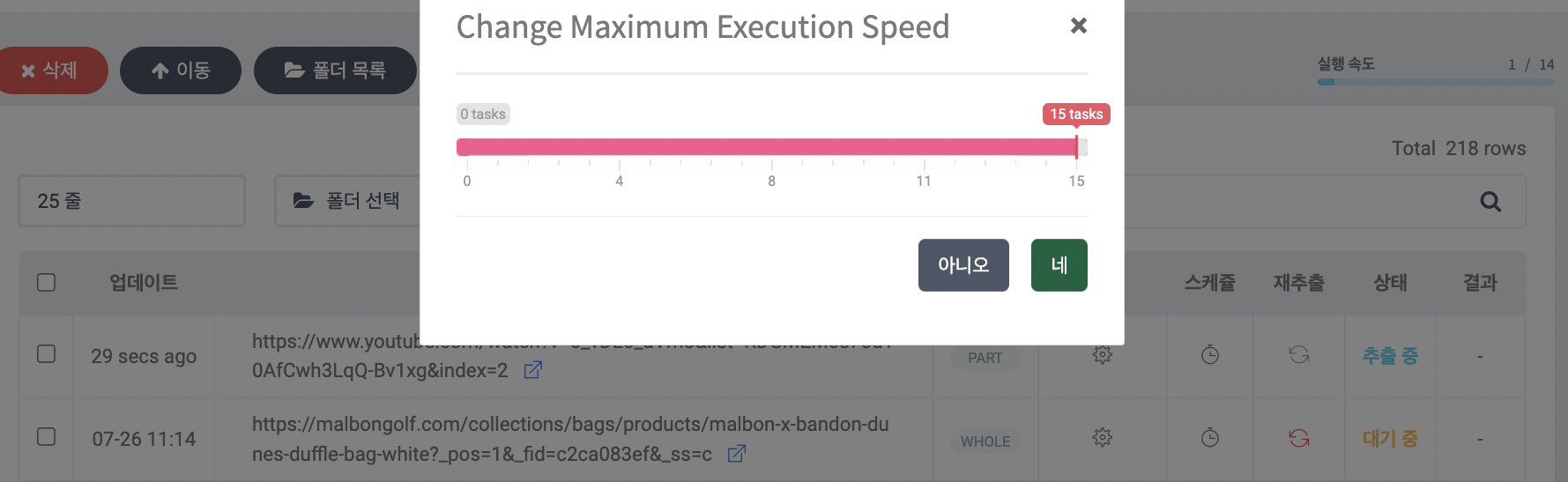
Data collection speed refers to how many URLs are collected simultaneously. So **speed 15** means collecting up to 15 web pages at once. From the target site's perspective, this can look like a traffic attack. Many sites will ask you to verify you're human or permanently block your IP if you visit too many pages in a short time. This leads to extraction failure.
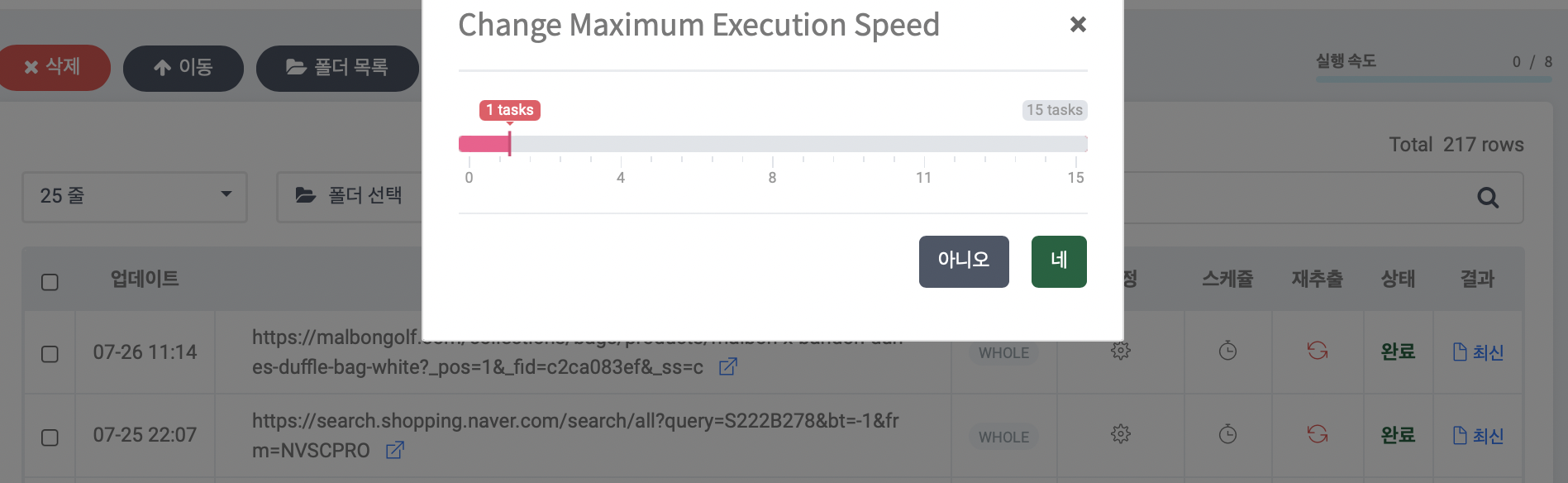
To prevent and address this, Listly lets you manually adjust extraction speed. We recommend the minimum values of 1 or 2, which mimics the speed of actual human browsing. **The slower your collection speed, the lower the chance of extraction failure.**
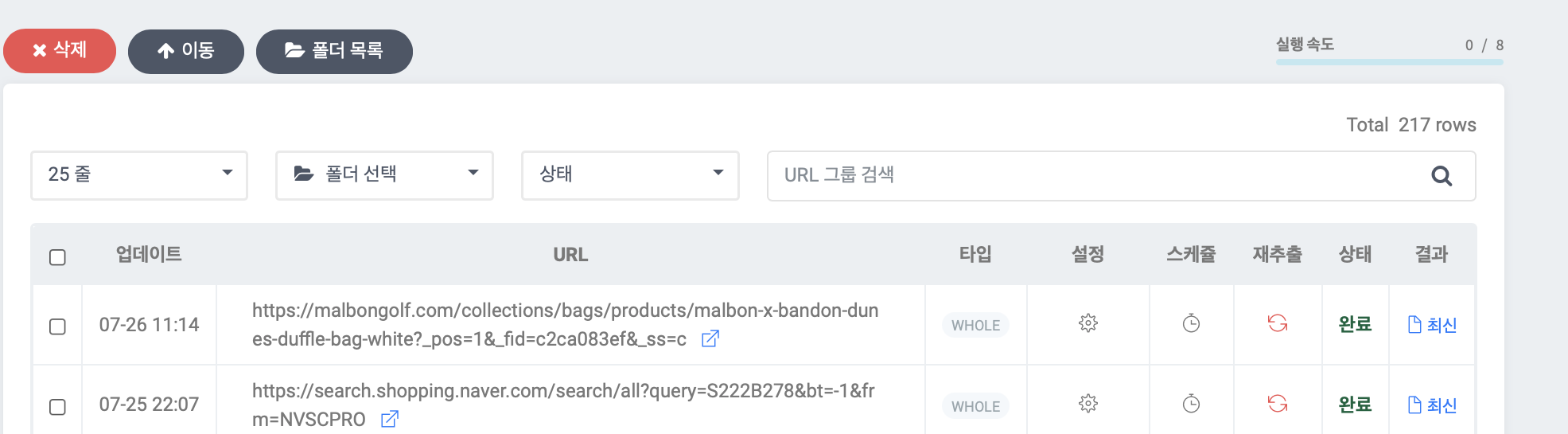
Head to your Listly Databoard and check the **Extraction Speed** bar in the top right corner, as shown in the screenshot below.
Adjust to your desired speed and click the **\[Yes]** button.
Selecting speed 1 means the slowest collection, while selecting 15 means the fastest. It's the difference between collecting 1 URL at a time versus 15 URLs at a time.
{% endstep %}
{% step %}
### Speeding up collection
If you want to **complete data collection quickly**, we recommend increasing extraction speed while using `high-quality proxies` to reduce blocking risk. Proxies are available as a separate purchase.
{% endstep %}
{% endstepper %}
---
# Agent Instructions
This documentation is published with GitBook. GitBook is the documentation platform designed so that both humans and AI agents can read, navigate, and reason over technical content effectively. Learn more at gitbook.com.
## Querying This Documentation
If you need additional information that is not directly available in this page, you can query the documentation dynamically by asking a question.
Perform an HTTP GET request on the current page URL with the `ask` query parameter, and the optional `goal` query parameter:
```
GET https://help.listly.io/getting-started/databoard-features/settings-execution-speed.md?ask=&goal=
```
`ask` is the immediate question: it should be specific, self-contained, and written in natural language.
`goal` is optional and describes the broader end goal you are ultimately trying to accomplish on behalf of the user. GitBook uses it to tailor the answer towards what is most useful for that goal.
The response will contain a direct answer to the question and relevant excerpts and sources from the documentation.
Use this mechanism when the answer is not explicitly present in the current page, you need clarification or additional context, or you want to retrieve related documentation sections.