> For the complete documentation index, see [llms.txt](https://help.listly.io/llms.txt). Markdown versions of documentation pages are available by appending `.md` to page URLs; this page is available as [Markdown](https://help.listly.io/getting-started/enterprise-solutions/fail-fast.md).
# Enterprise - Fail Fast
## What is the Fail-Fast Strategy?
In large-scale data collection, collection tasks can stall for extended periods or wait inefficiently due to network delays, blocking, abnormal responses, and more.
Listly Enterprise applies the **'Fail-Fast Strategy'** to data collection features to minimize these issues.
The 'Fail-Fast' feature lets you configure the system to stop all remaining tasks in a group and move to the next task when a certain percentage or number of failures is detected during group extraction.
{% hint style="info" %}
The Fail-Fast feature is configurable when creating a [group extraction](/getting-started/result-page-features/group-extraction.md) task.
{% endhint %}
{% stepper %}
{% step %}
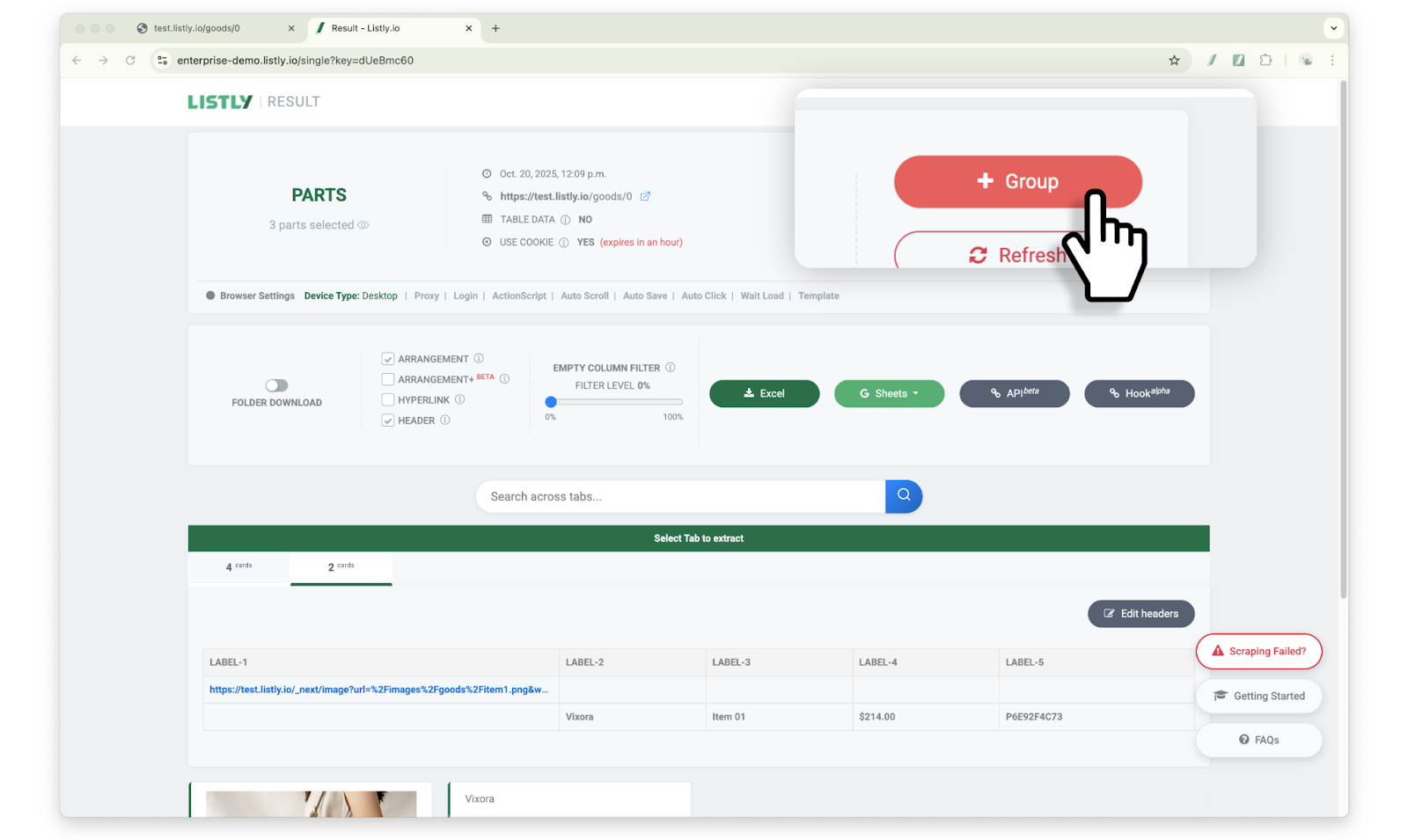
#### After extracting the source page, click the \[+Group] button
**This feature can be configured during the process of creating a** [**group extraction**](/getting-started/result-page-features/group-extraction.md) **task.** After extracting the source page, click the **\[+Group]** button at the top of the results page.
{% endstep %}
{% step %}
#### After entering URLs in the new group, configure the Fail-Fast option
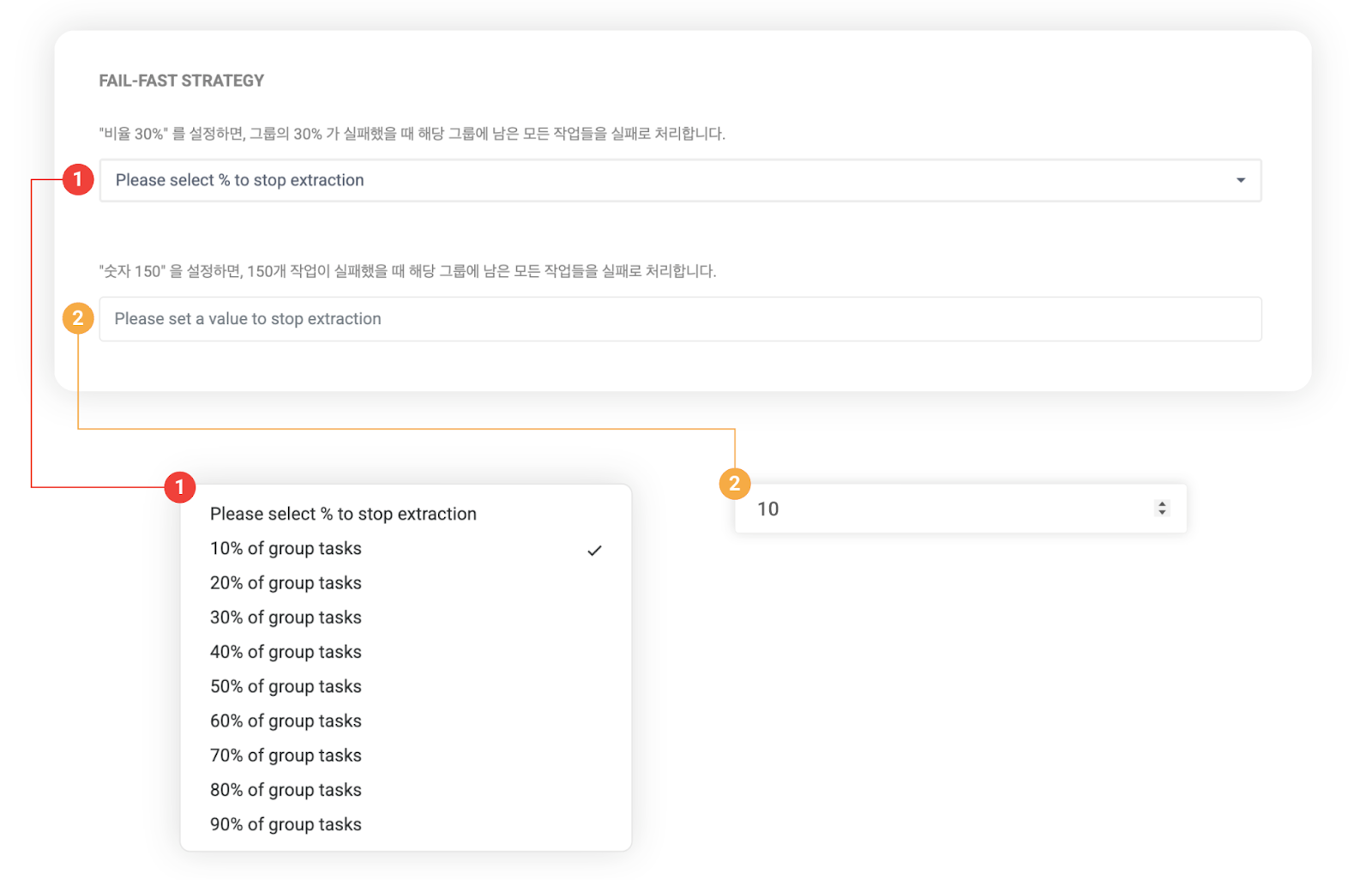
**After entering URLs in the new group, configure the Fail-Fast option**.
➊ Percentage setting: When tasks fail at the selected percentage, remaining tasks are marked as failed.
➋ Count setting: When tasks fail at the entered count, remaining tasks are marked as failed.
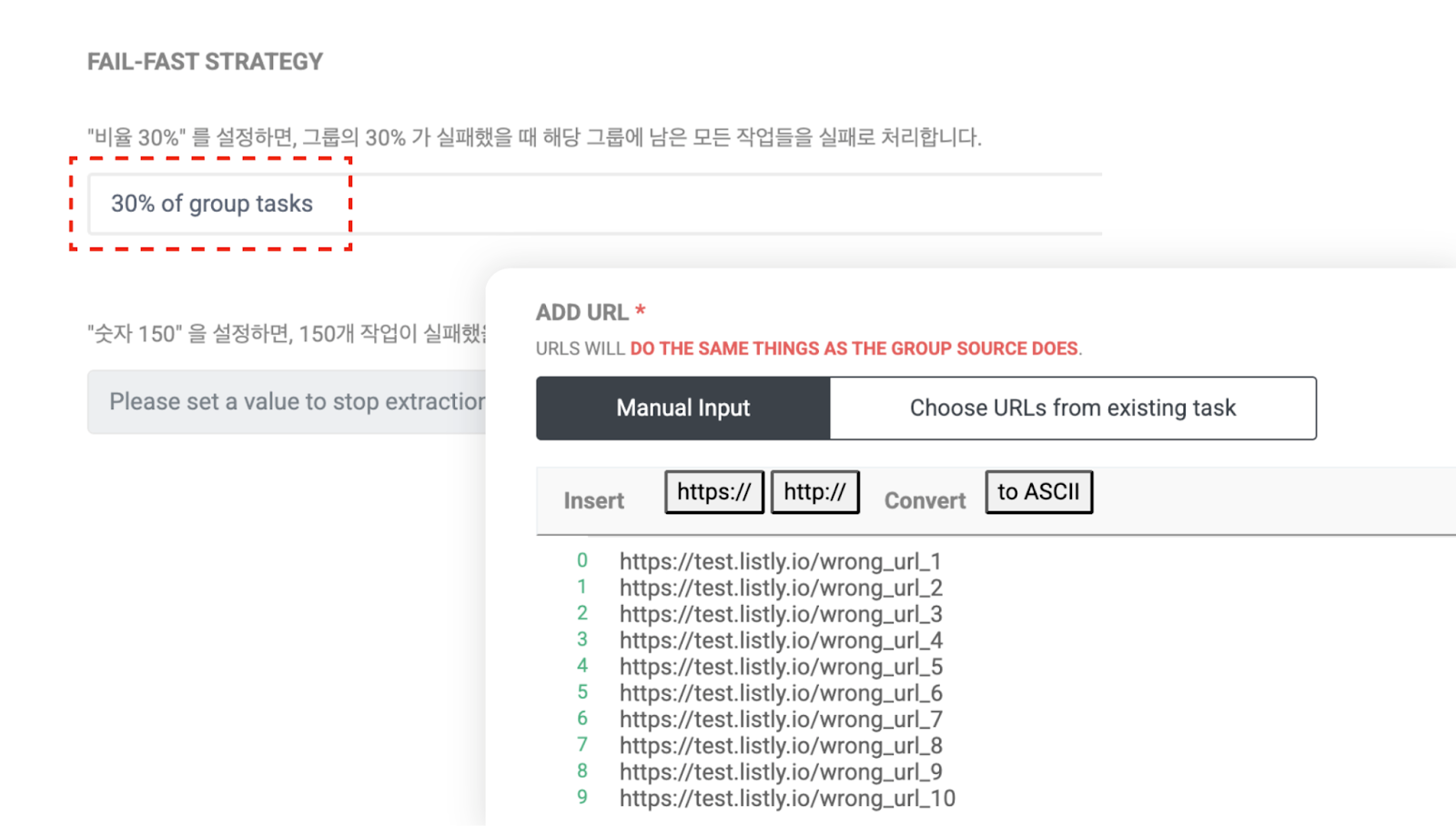
For testing, we set the percentage to 30% and entered 10 URLs to create the group. To simulate a failure scenario, we intentionally entered incorrect URLs.
{% endstep %}
{% step %}
#### Check task progress
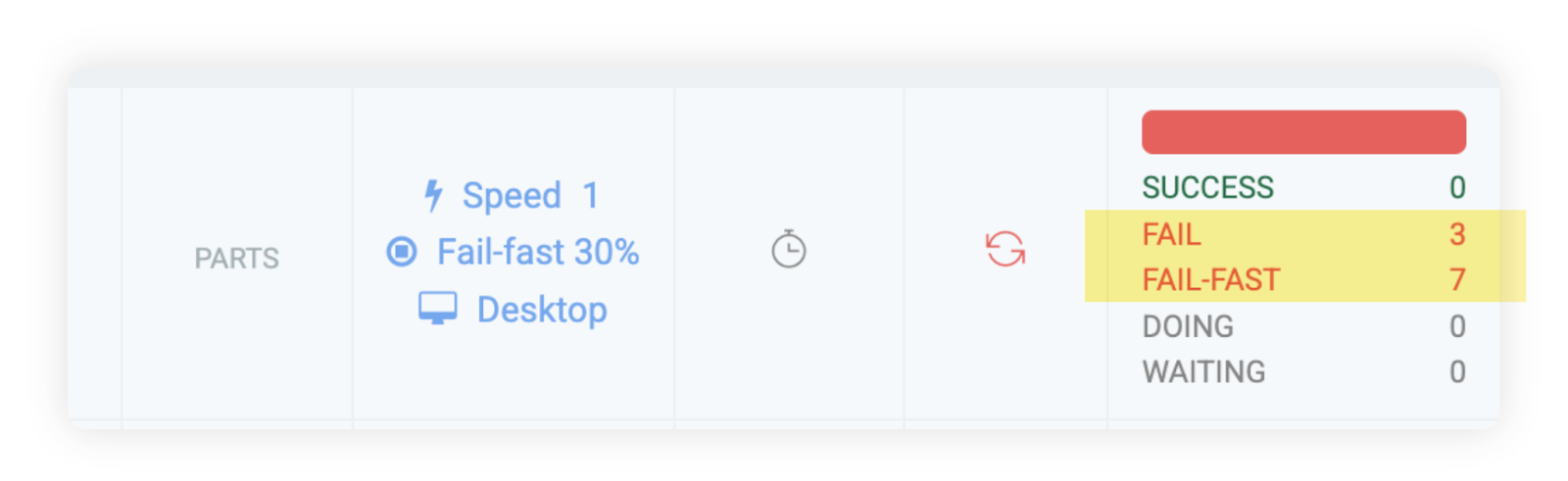
Below is the example result screen. When extraction failed for 30% (3 out of 10 URLs), you can see that the remaining 7 tasks were automatically Fail-Fast processed.
By utilizing the Fail-Fast feature like this, you can reduce unnecessary wait times in certain situations and **significantly shorten overall process time**.
{% endstep %}
{% endstepper %}
---
# Agent Instructions
This documentation is published with GitBook. GitBook is the documentation platform designed so that both humans and AI agents can read, navigate, and reason over technical content effectively. Learn more at gitbook.com.
## Querying This Documentation
If you need additional information that is not directly available in this page, you can query the documentation dynamically by asking a question.
Perform an HTTP GET request on the current page URL with the `ask` query parameter, and the optional `goal` query parameter:
```
GET https://help.listly.io/getting-started/enterprise-solutions/fail-fast.md?ask=&goal=
```
`ask` is the immediate question: it should be specific, self-contained, and written in natural language.
`goal` is optional and describes the broader end goal you are ultimately trying to accomplish on behalf of the user. GitBook uses it to tailor the answer towards what is most useful for that goal.
The response will contain a direct answer to the question and relevant excerpts and sources from the documentation.
Use this mechanism when the answer is not explicitly present in the current page, you need clarification or additional context, or you want to retrieve related documentation sections.