> For the complete documentation index, see [llms.txt](https://help.listly.io/llms.txt). Markdown versions of documentation pages are available by appending `.md` to page URLs; this page is available as [Markdown](https://help.listly.io/getting-started/enterprise-solutions/generate-bulk-group-and-download.md).
# Enterprise - Generate Bulk Group & Download
## What is Bulk Group Generation and Download?
In group extraction, **you can register up to 500 URLs per group**.\
This is a limit designed to optimize system stability and processing speed—including too many URLs in one group can lead to excessively long processing times or some requests failing due to bottlenecks.
However, when you need to register thousands or tens of thousands of URLs at once, manually creating multiple groups of 500 can be quite tedious.
To simplify this, Enterprise plans offer **bulk group generation**.\
Regardless of how many URLs you input, the system automatically splits them into 500-URL chunks and creates multiple groups at once. After extraction completes, you can also download multiple group tasks at once.
***
## How to Use
### Register bulk groups
{% stepper %}
{% step %}
### Step 1
Follow the same process as creating a [group extraction](https://help.listly.io/docs/ko/getting-started/result-page-features/group-extraction) task. First extract the page that will be your group source, then click the **\[+Group]** button at the top of the results page.
{% endstep %}
{% step %}
### Step 2
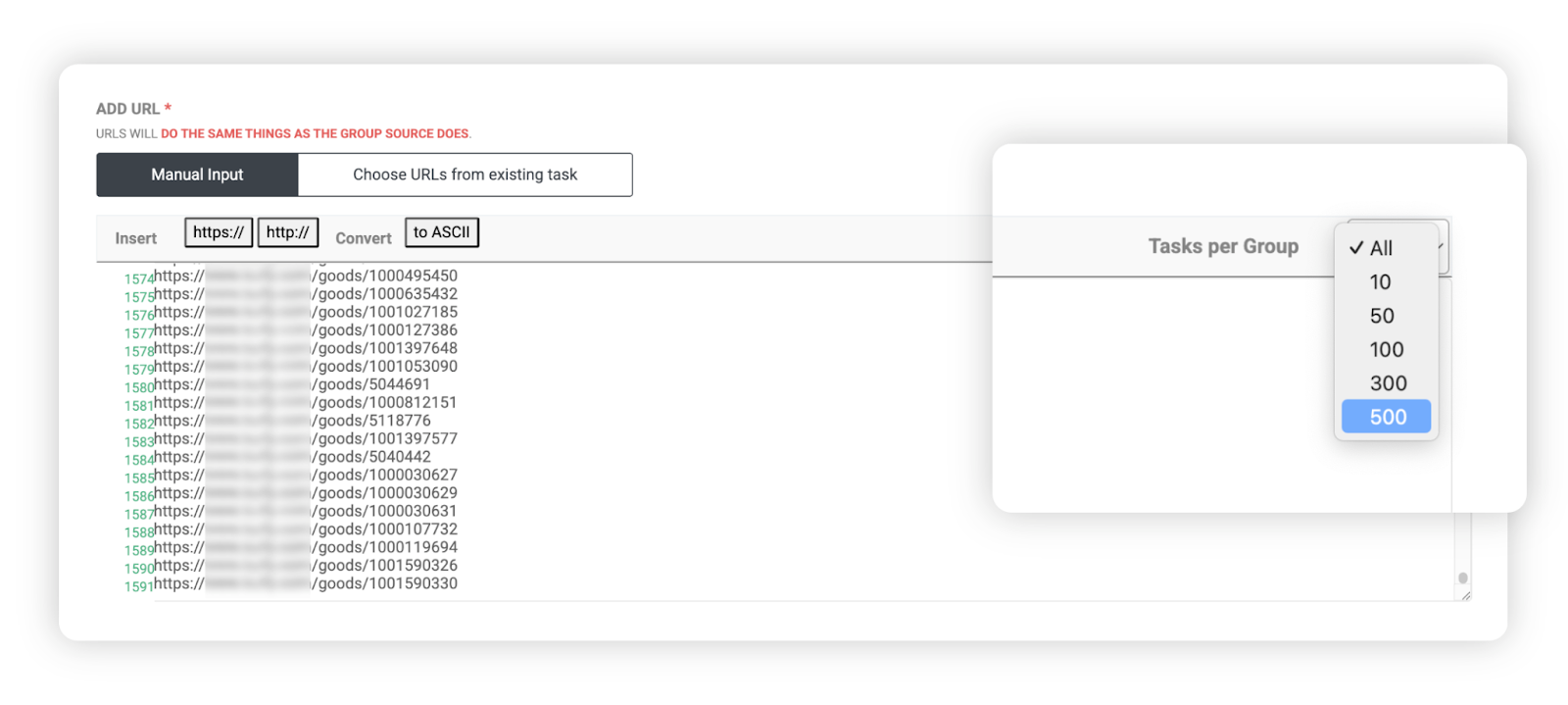
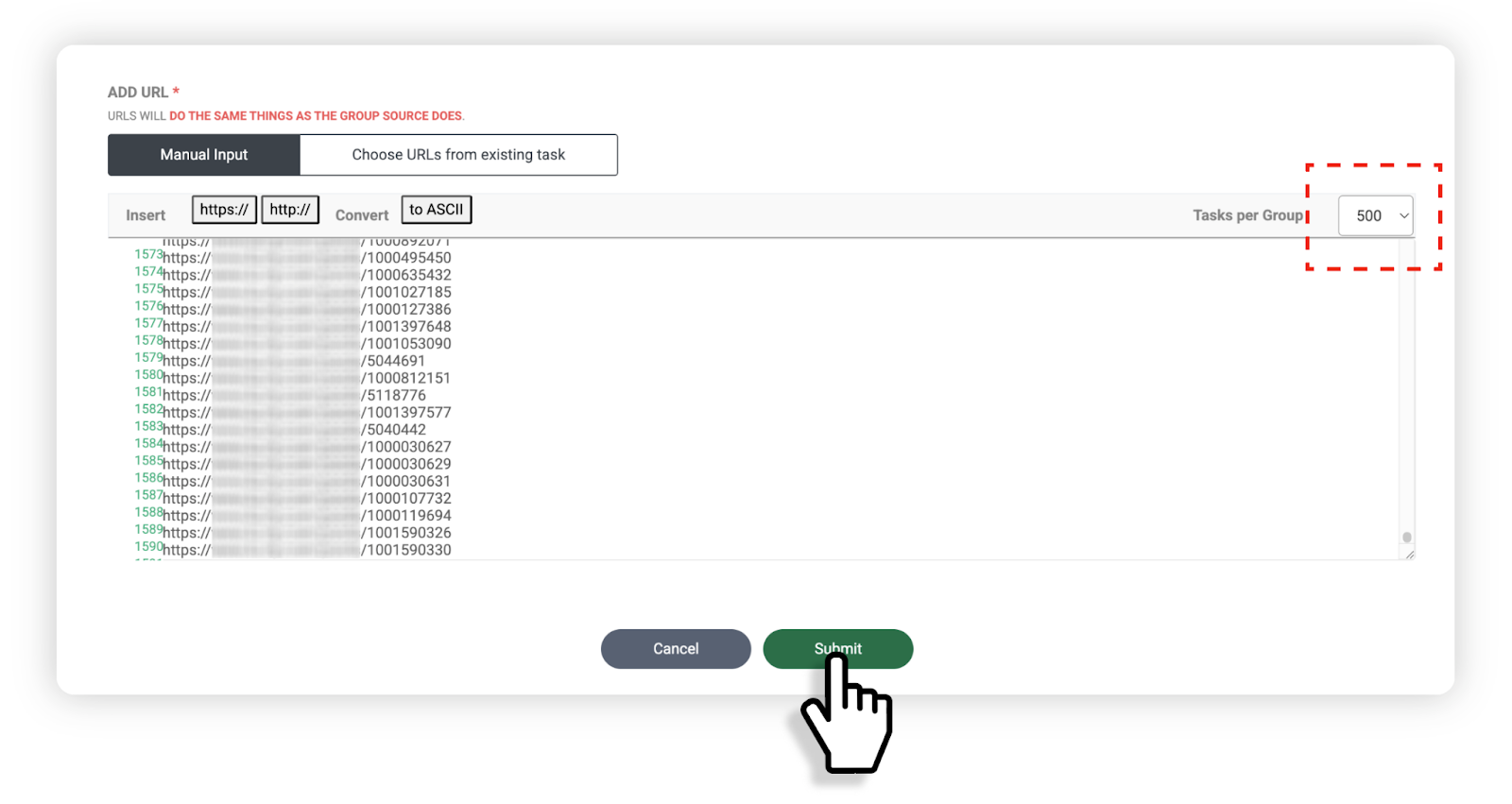
Paste your list of URLs to extract in the group URL input field, then select how many URLs to include per group in the Task per Group option at the top right of the input area.
Example:
* Total **1,592 URLs** entered
* Set to **500 per group** → 4 group tasks automatically created
* Set to **100 per group** → 16 group tasks automatically created
{% endstep %}
{% step %}
### Step 3
After completing your settings, click the **\[Done]** button at the bottom.
{% endstep %}
{% step %}
### Step 4
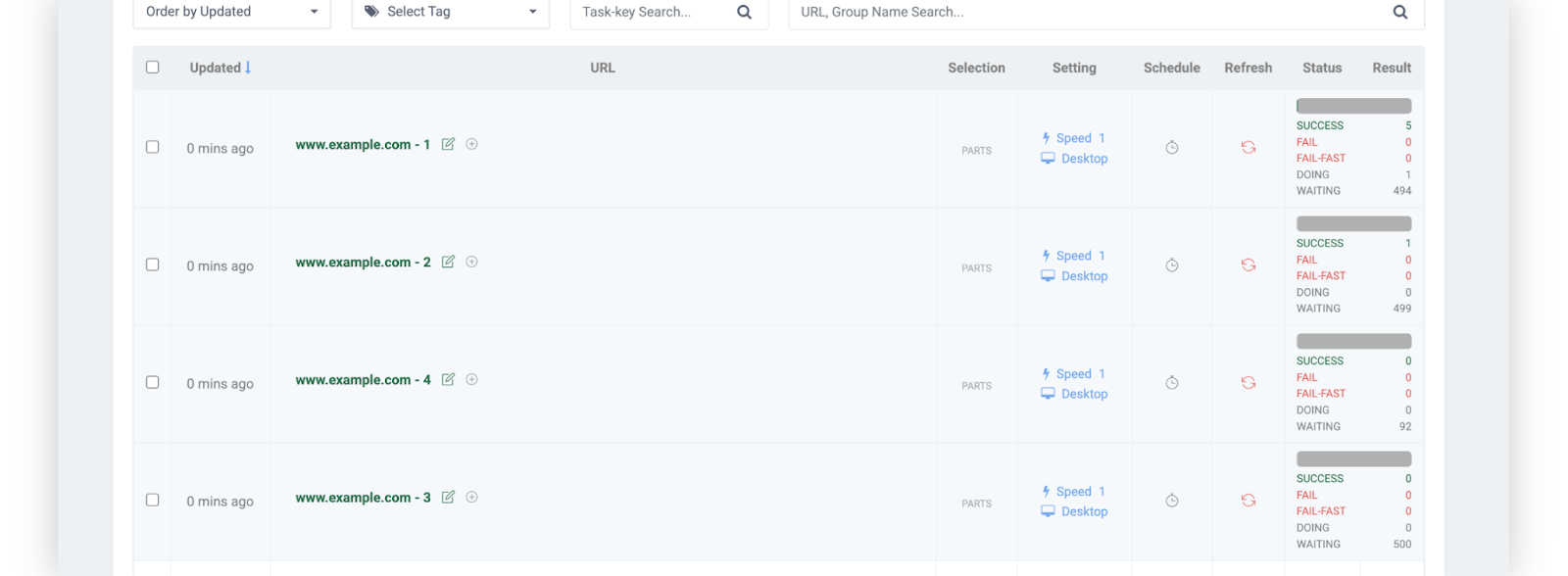
You can see that the URLs you entered were automatically split according to your chosen criteria and registered as multiple group tasks.
{% endstep %}
{% endstepper %}
### Download bulk groups
{% stepper %}
{% step %}
### Step 1
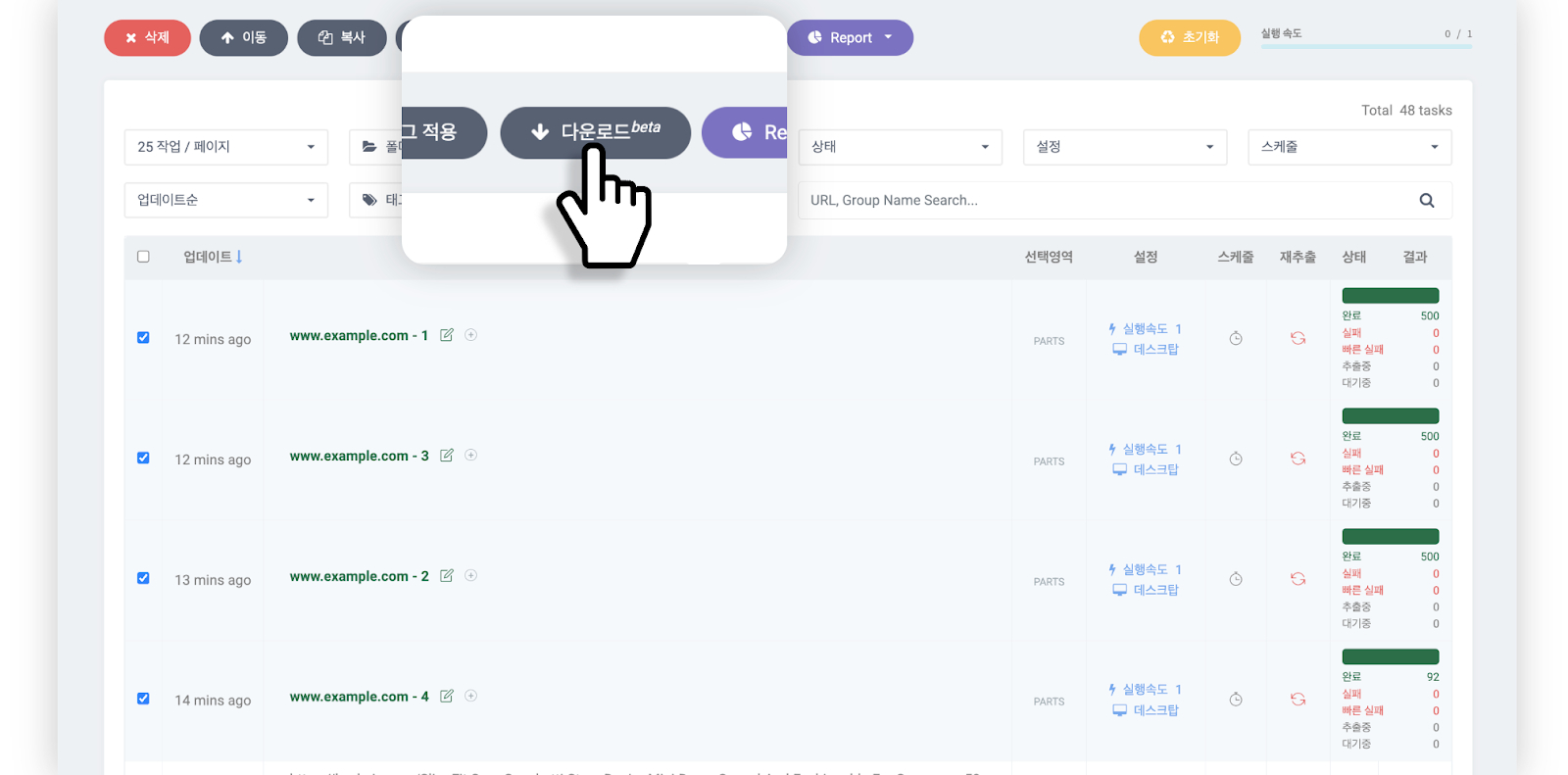
Select the completed group tasks and click the **\[Download beta]** button at the top of the Databoard.
{% endstep %}
{% step %}
### Step 2
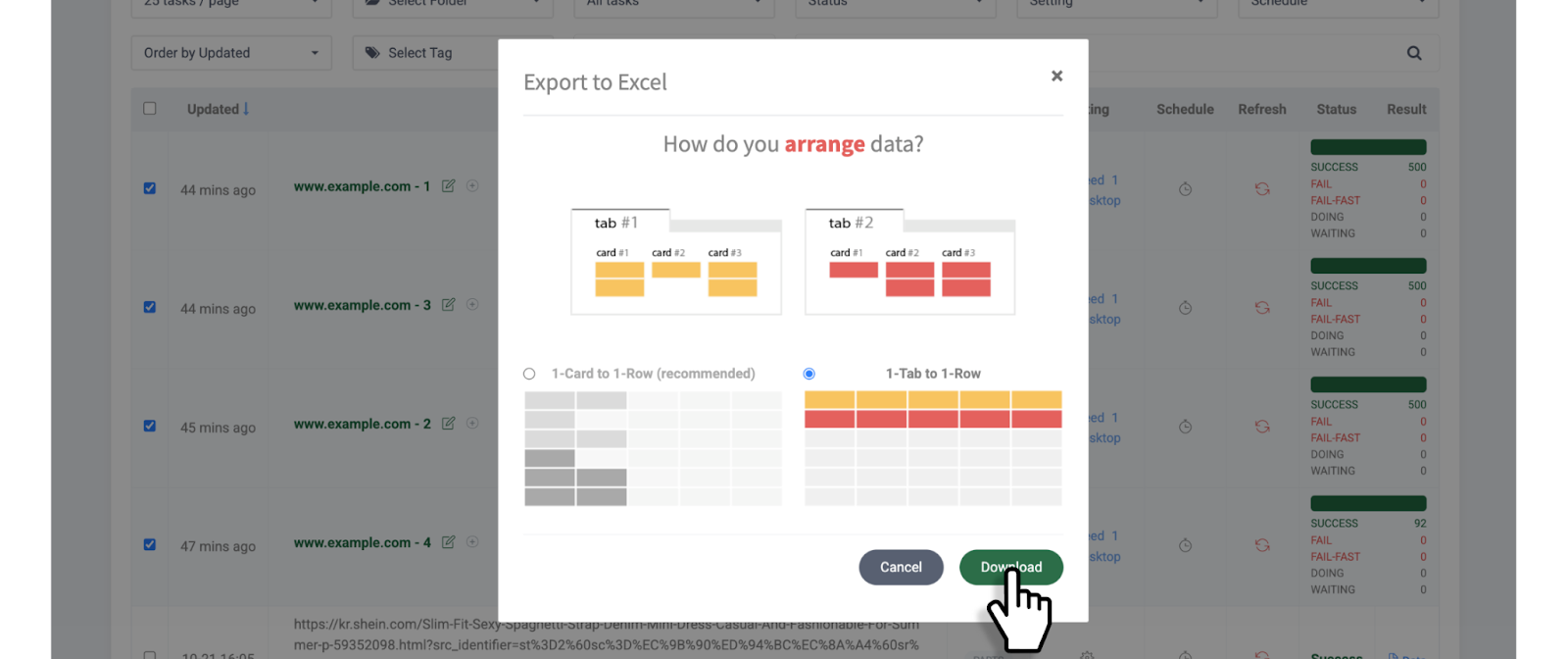
Select your [**data arrangement method**](/getting-started/result-page-features/data-arrangement.md) and click the **\[Download]** button.
{% endstep %}
{% step %}
### Step 3
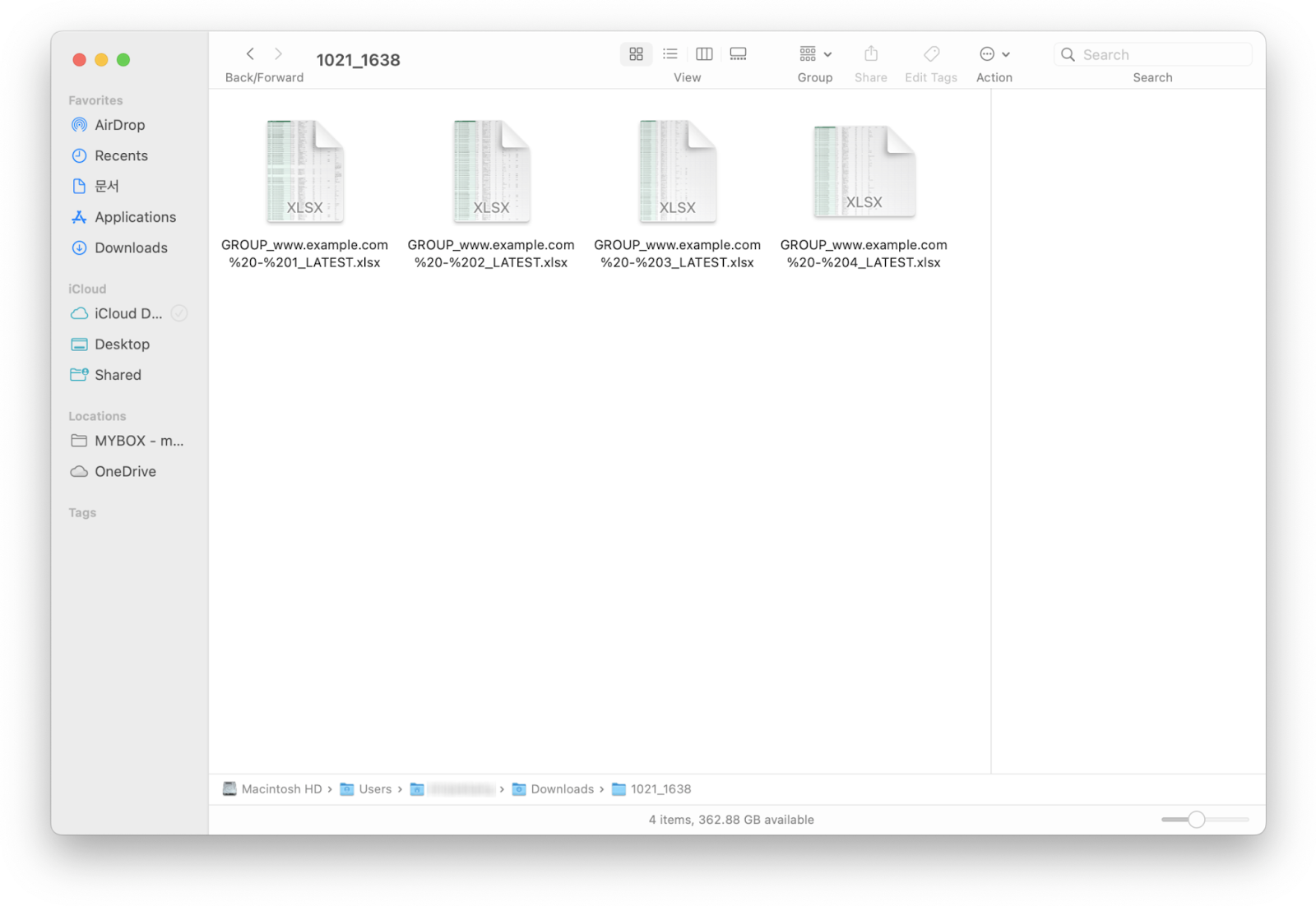
Your selected group tasks will download as a single compressed file.
{% endstep %}
{% endstepper %}
---
# Agent Instructions
This documentation is published with GitBook. GitBook is the documentation platform designed so that both humans and AI agents can read, navigate, and reason over technical content effectively. Learn more at gitbook.com.
## Querying This Documentation
If you need additional information that is not directly available in this page, you can query the documentation dynamically by asking a question.
Perform an HTTP GET request on the current page URL with the `ask` query parameter, and the optional `goal` query parameter:
```
GET https://help.listly.io/getting-started/enterprise-solutions/generate-bulk-group-and-download.md?ask=&goal=
```
`ask` is the immediate question: it should be specific, self-contained, and written in natural language.
`goal` is optional and describes the broader end goal you are ultimately trying to accomplish on behalf of the user. GitBook uses it to tailor the answer towards what is most useful for that goal.
The response will contain a direct answer to the question and relevant excerpts and sources from the documentation.
Use this mechanism when the answer is not explicitly present in the current page, you need clarification or additional context, or you want to retrieve related documentation sections.