> For the complete documentation index, see [llms.txt](https://help.listly.io/llms.txt). Markdown versions of documentation pages are available by appending `.md` to page URLs; this page is available as [Markdown](https://help.listly.io/getting-started/result-page-features/group-extraction.md).
# Group Extraction
## What is Group Extraction?
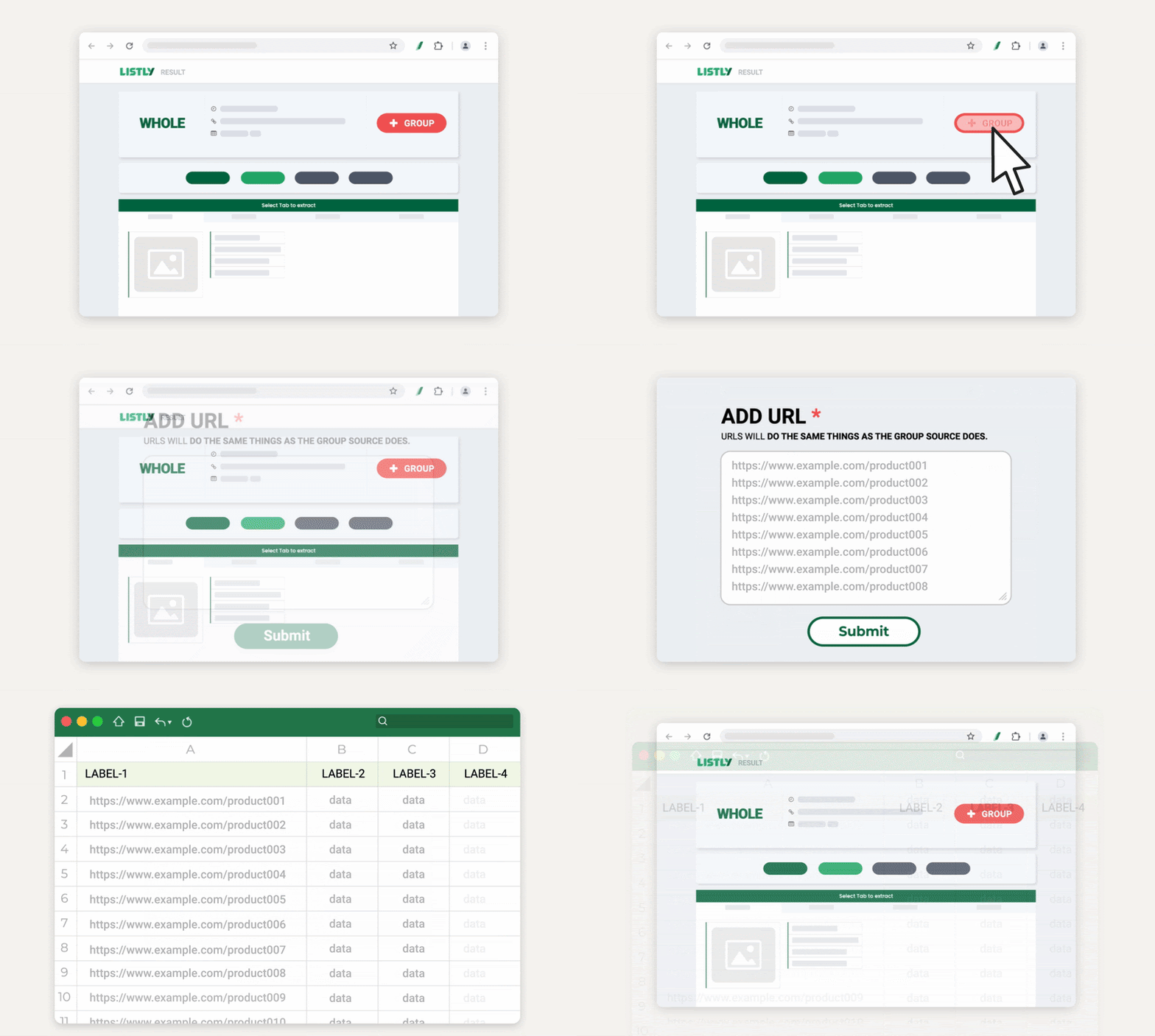
Group extraction is a **feature that lets you collect multiple pages at once**.
{% columns %}
{% column width="83.33333333333334%" %}
{% endcolumn %}
{% column width="16.666666666666657%" %}
{% endcolumn %}
{% endcolumns %}
After extracting one representative page first, click the **\[+Group]** button in the result window and add URLs of related pages—Listly will automatically extract the rest.
***
## Preparing URLs before Group Extraction
Group extraction requires entering multiple page URLs at once, so it's good to prepare URLs of pages to extract in advance.
Depending on your situation, refer to these guides to prepare the necessary URLs first:
* [Group Extraction - Generate 1,2,3…Sequential Page URLs](/getting-started/result-page-features/group-extraction-sequential-urls.md)
* [Group Extraction - Extract Detail Page URLs](/getting-started/result-page-features/group-extraction-detail-page-urls.md)
***
## Important Notes
{% columns %}
{% column width="83.33333333333334%" %}
{% endcolumn %}
{% column width="16.666666666666657%" %}
{% endcolumn %}
{% endcolumns %}
**The first page extracted in group extraction serves as a 'template'.**\
Group extraction works by fetching data from the same locations on other pages as the positions selected on this first page.
Therefore, **extraction may fail if the page structure differs between the first extracted page and subsequently entered URLs.**\
Before proceeding with group extraction, make sure page structures are identical.
***
## How to Use
{% stepper %}
{% step %}
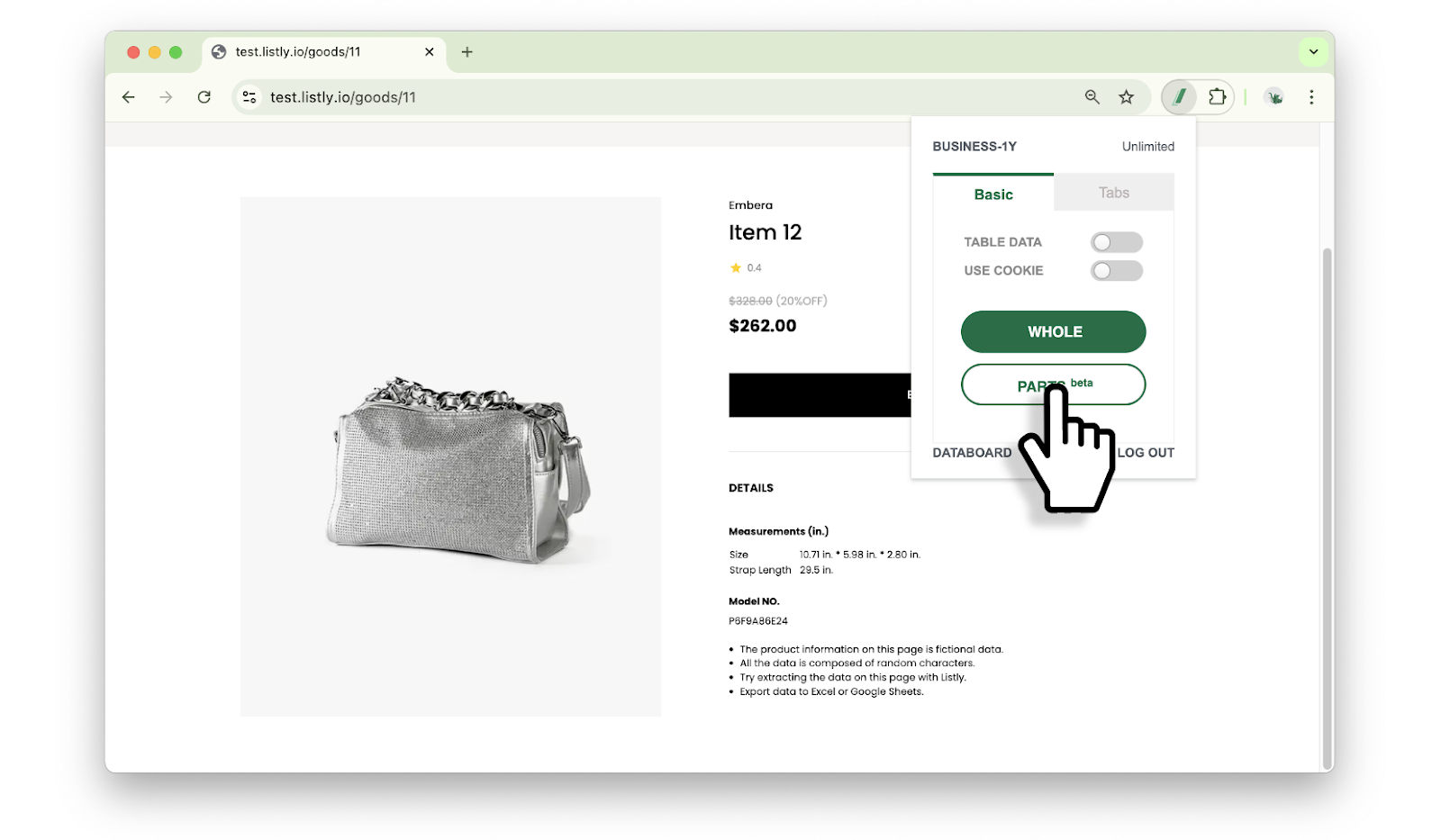
#### Extract the group extraction source page
First extract the source page that will serve as the group extraction reference. It doesn't have to be the first URL in your list—just select **a page with representative structure among pages you'll group extract**. Both Whole / Parts extraction methods work, but [**Parts Extraction**](/getting-started/extension-features/extract-part.md) is recommended as **it lets you specify data locations more precisely**.
{% endstep %}
{% step %}
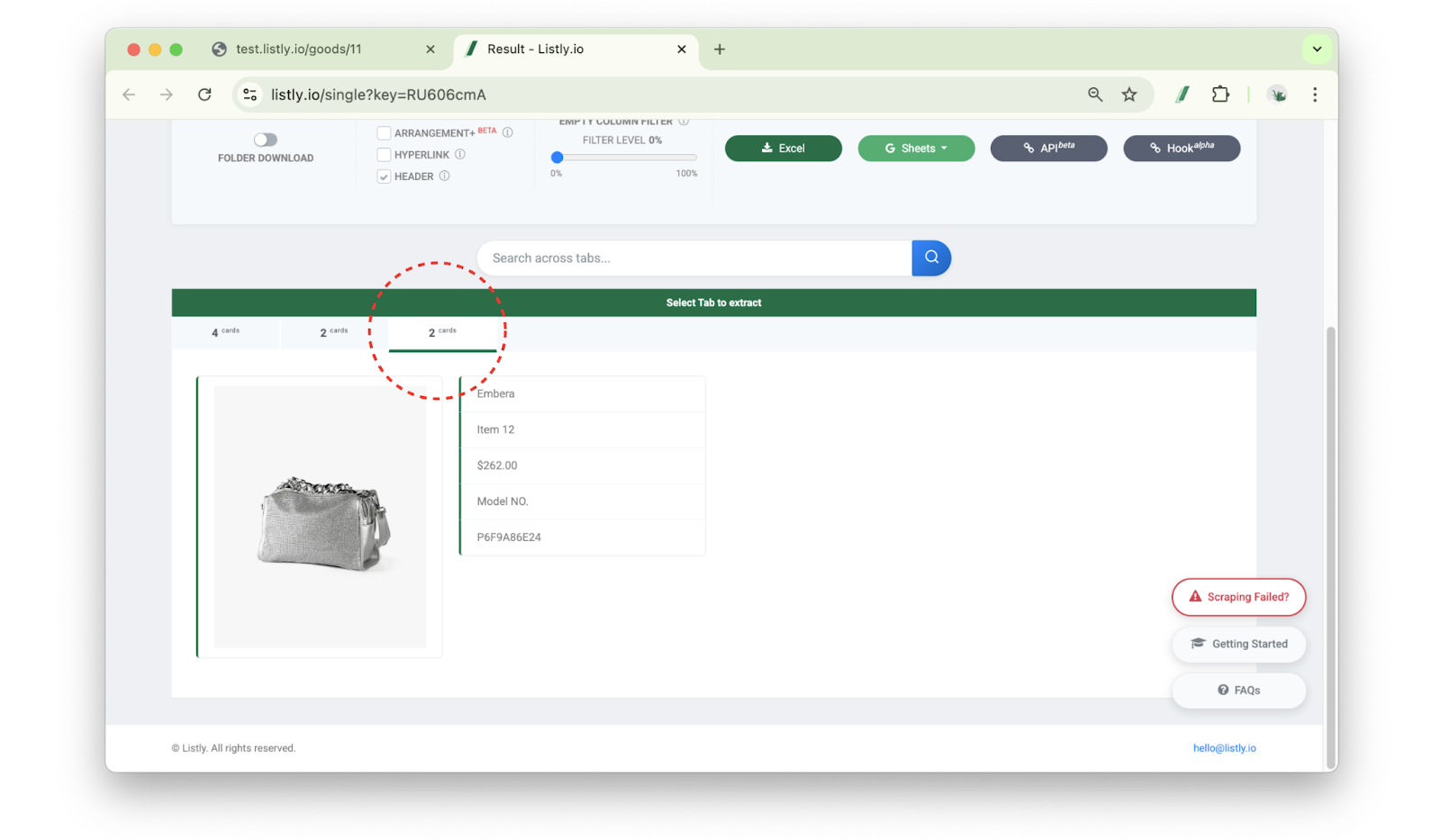
#### Select the extraction tab
**Select a tab containing the information you want** in the result window. Choose a tab that includes all information in the selected area.
{% endstep %}
{% step %}
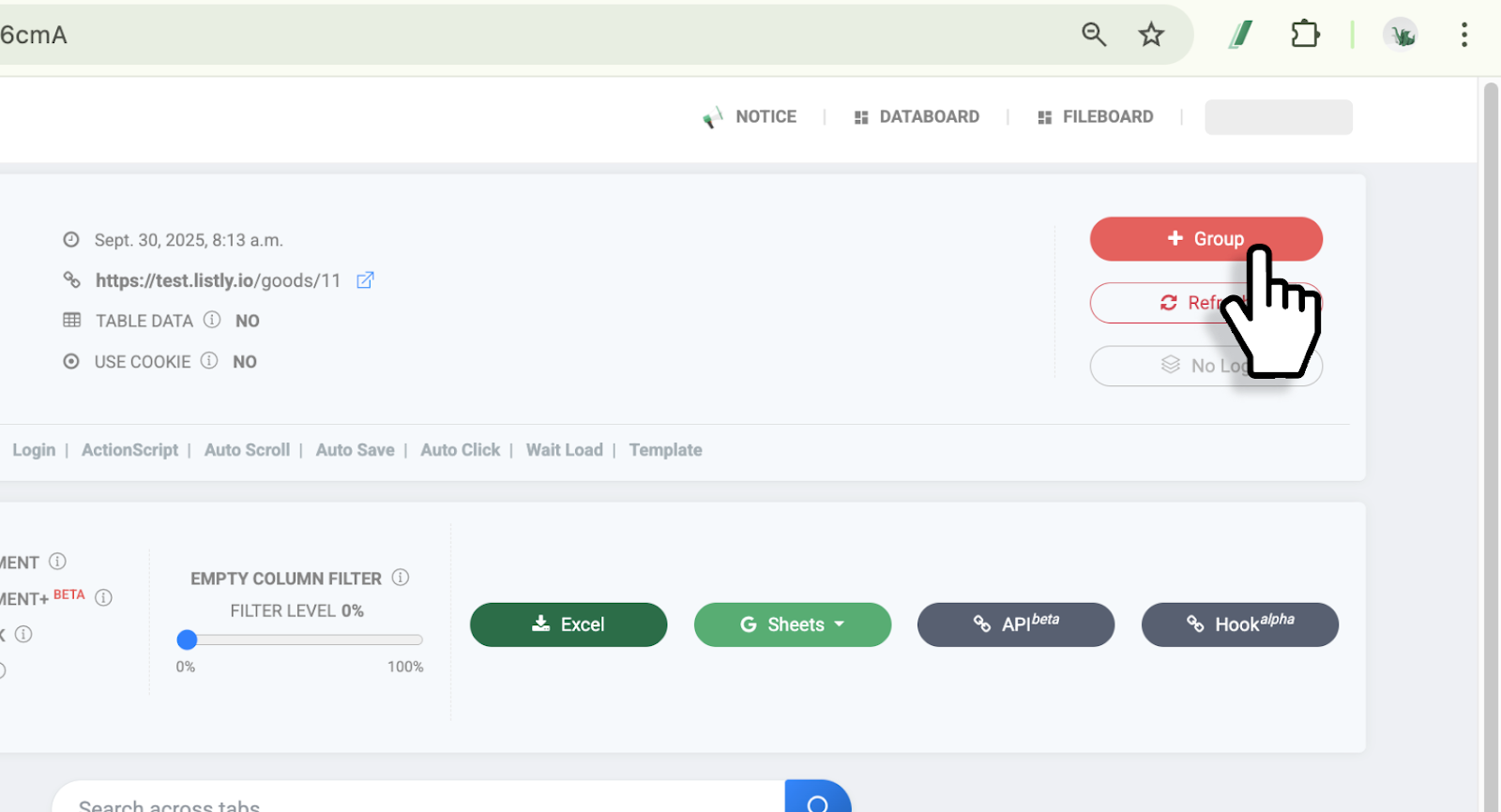
#### Click the \[+Group] button
Click the **\[+Group]** button.
{% endstep %}
{% step %}
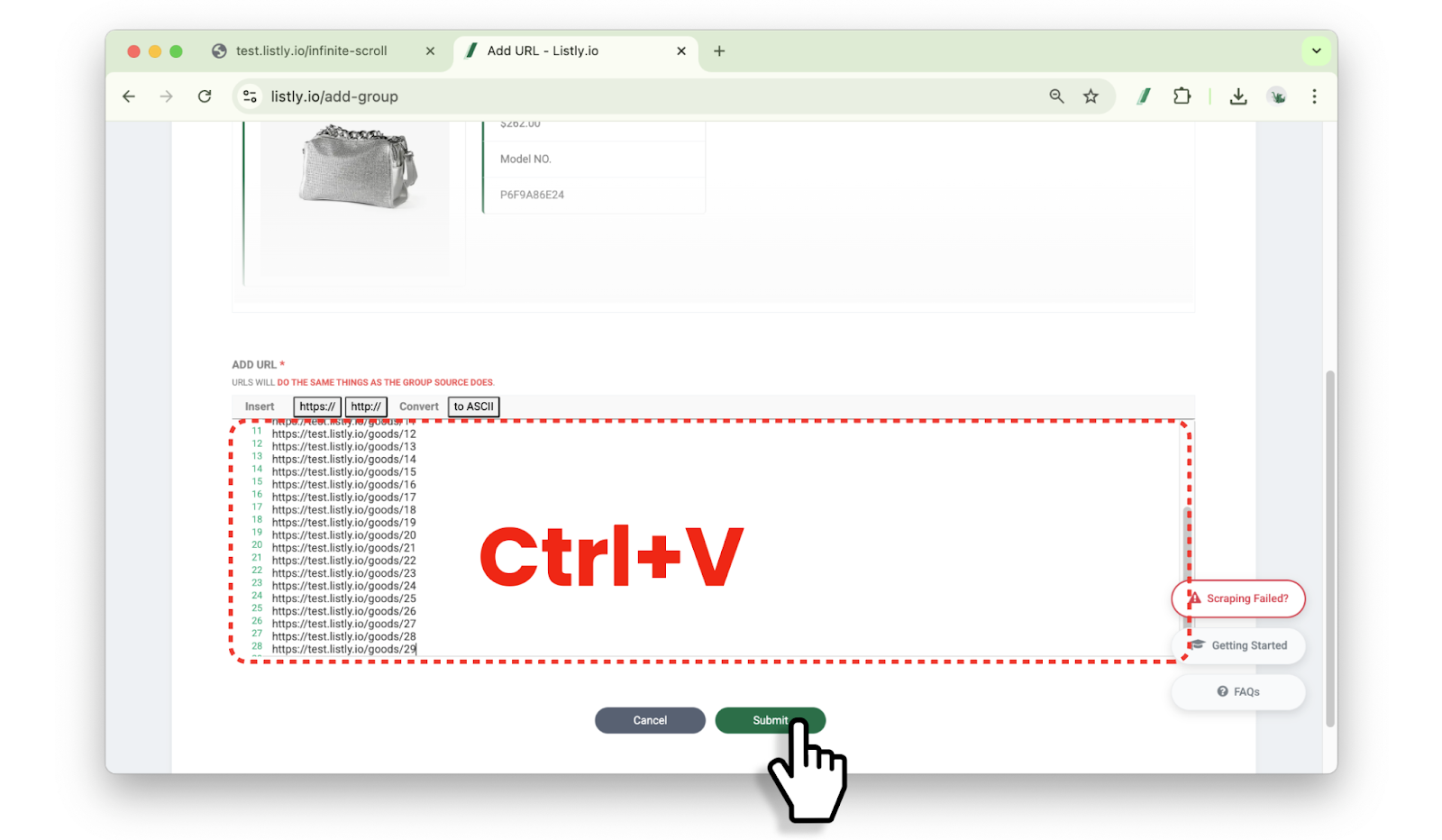
#### Paste URLs needed for group extraction
Paste the **prepared URLs** at the bottom of the group settings window and click the **\[Done]** button.
{% hint style="warning" %}
You must **also include the URL of the source page where you did the initial extraction**.
{% endhint %}
{% endstep %}
{% step %}
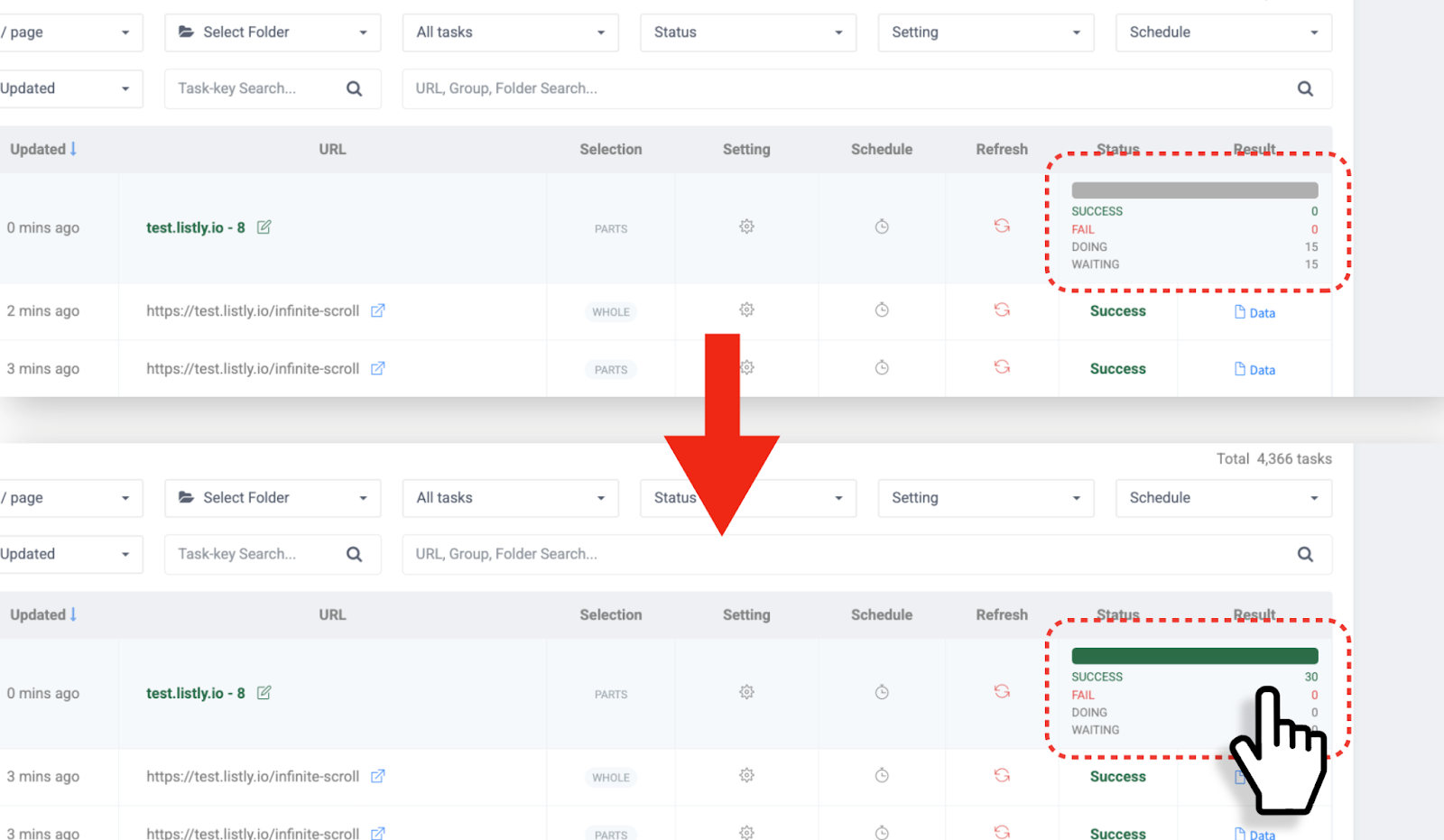
#### Check group extraction progress
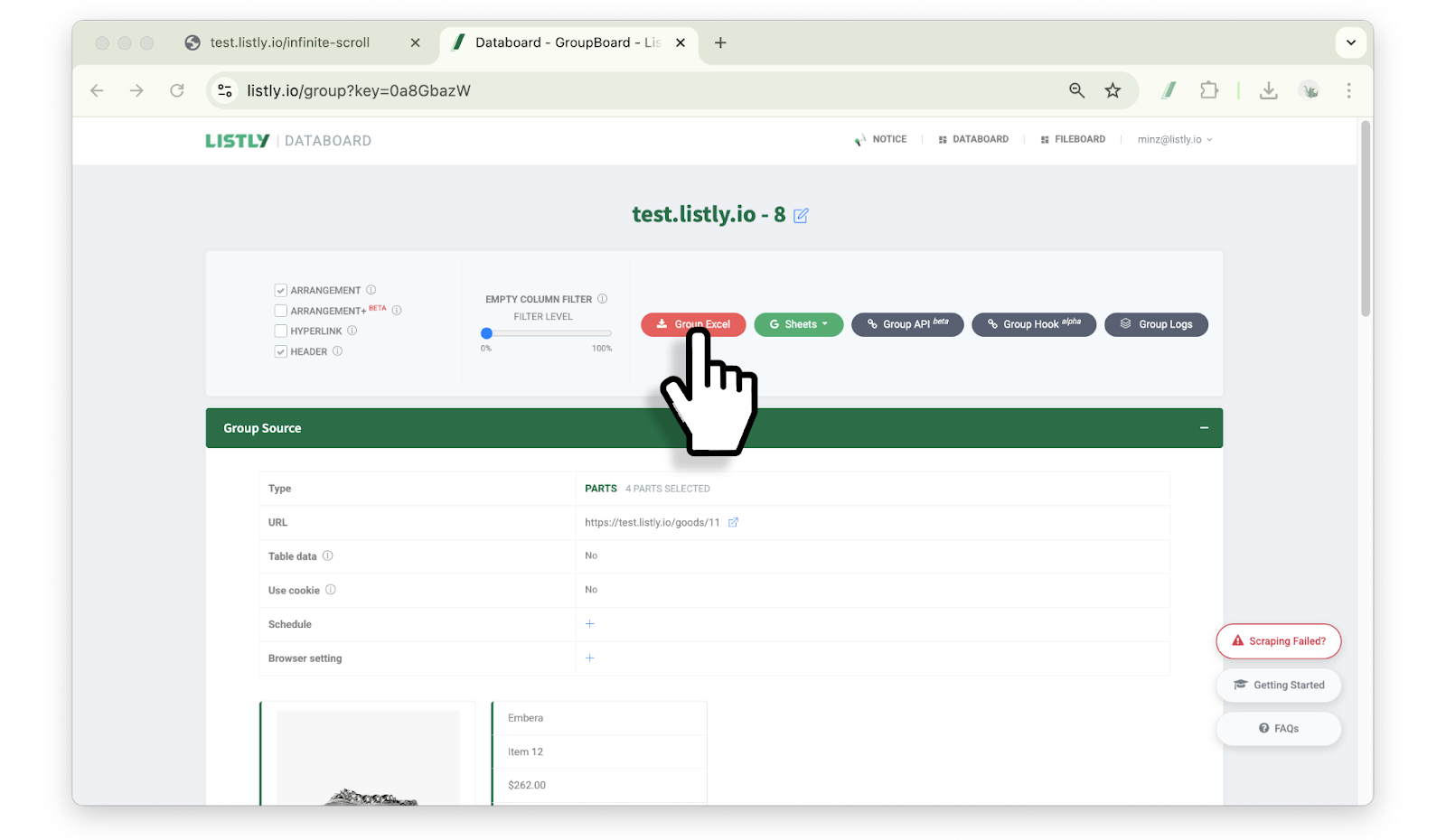
During group extraction, refresh Databoard to check progress. When extraction completes, click the result field to go to the group result window.
{% endstep %}
{% step %}
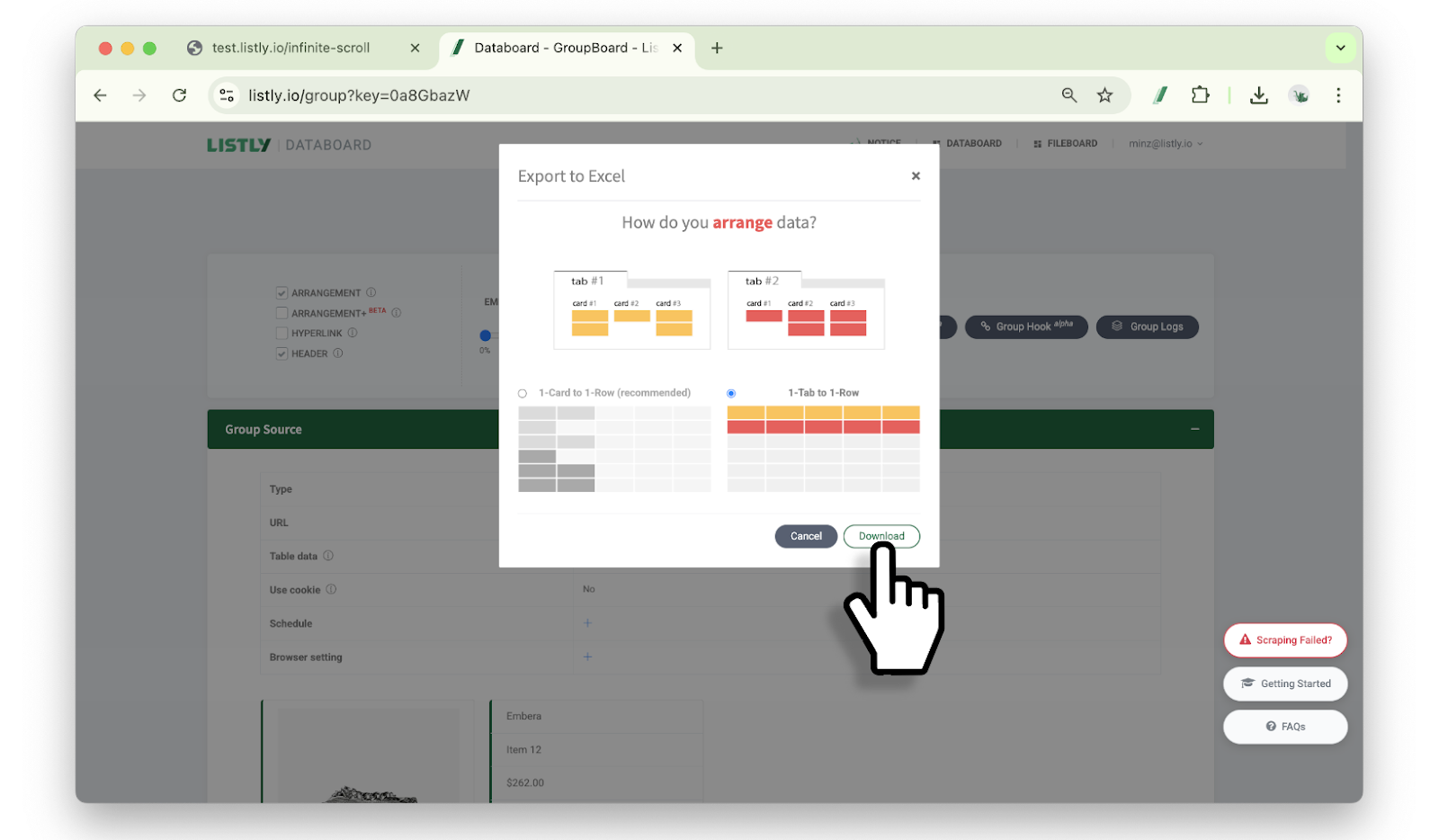
#### Select data arrangement method
Click Excel or Google Sheets button, select data arrangement method, then click download button.
{% hint style="info" %}
Reference: [1 card per row / 1 tab per row](/getting-started/result-page-features/data-arrangement.md)
{% endhint %}
{% endstep %}
{% step %}
#### Group extraction complete
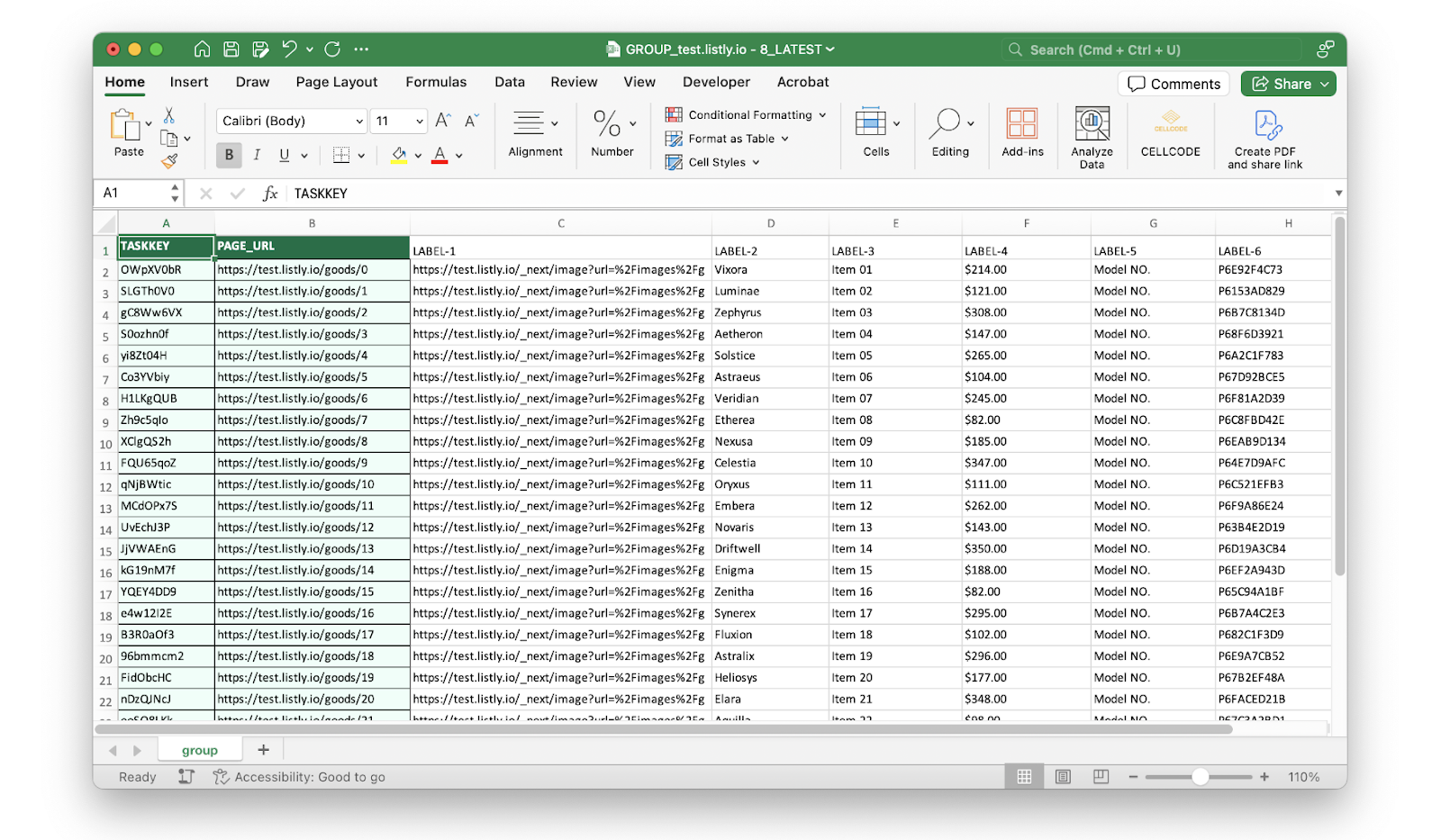
Open the downloaded file to check your extracted data. Group extraction is complete!
{% endstep %}
{% endstepper %}
---
# Agent Instructions
This documentation is published with GitBook. GitBook is the documentation platform designed so that both humans and AI agents can read, navigate, and reason over technical content effectively. Learn more at gitbook.com.
## Querying This Documentation
If you need additional information that is not directly available in this page, you can query the documentation dynamically by asking a question.
Perform an HTTP GET request on the current page URL with the `ask` query parameter, and the optional `goal` query parameter:
```
GET https://help.listly.io/getting-started/result-page-features/group-extraction.md?ask=&goal=
```
`ask` is the immediate question: it should be specific, self-contained, and written in natural language.
`goal` is optional and describes the broader end goal you are ultimately trying to accomplish on behalf of the user. GitBook uses it to tailor the answer towards what is most useful for that goal.
The response will contain a direct answer to the question and relevant excerpts and sources from the documentation.
Use this mechanism when the answer is not explicitly present in the current page, you need clarification or additional context, or you want to retrieve related documentation sections.