> For the complete documentation index, see [llms.txt](https://help.listly.io/llms.txt). Markdown versions of documentation pages are available by appending `.md` to page URLs; this page is available as [Markdown](https://help.listly.io/~/revisions/qSlWzjkSGWSbwiQWG3BZ/support/solutions-by-extraction-error-message/group-extraction-normal-screen.md).
# \[Group Extraction] A normal screen with no issues
This **Group Extraction** help guide addresses cases where the task failed, but the screenshot shows a normal screen.
Before the guide, please first check the checklist when creating a group extraction task.
{% hint style="success" %}
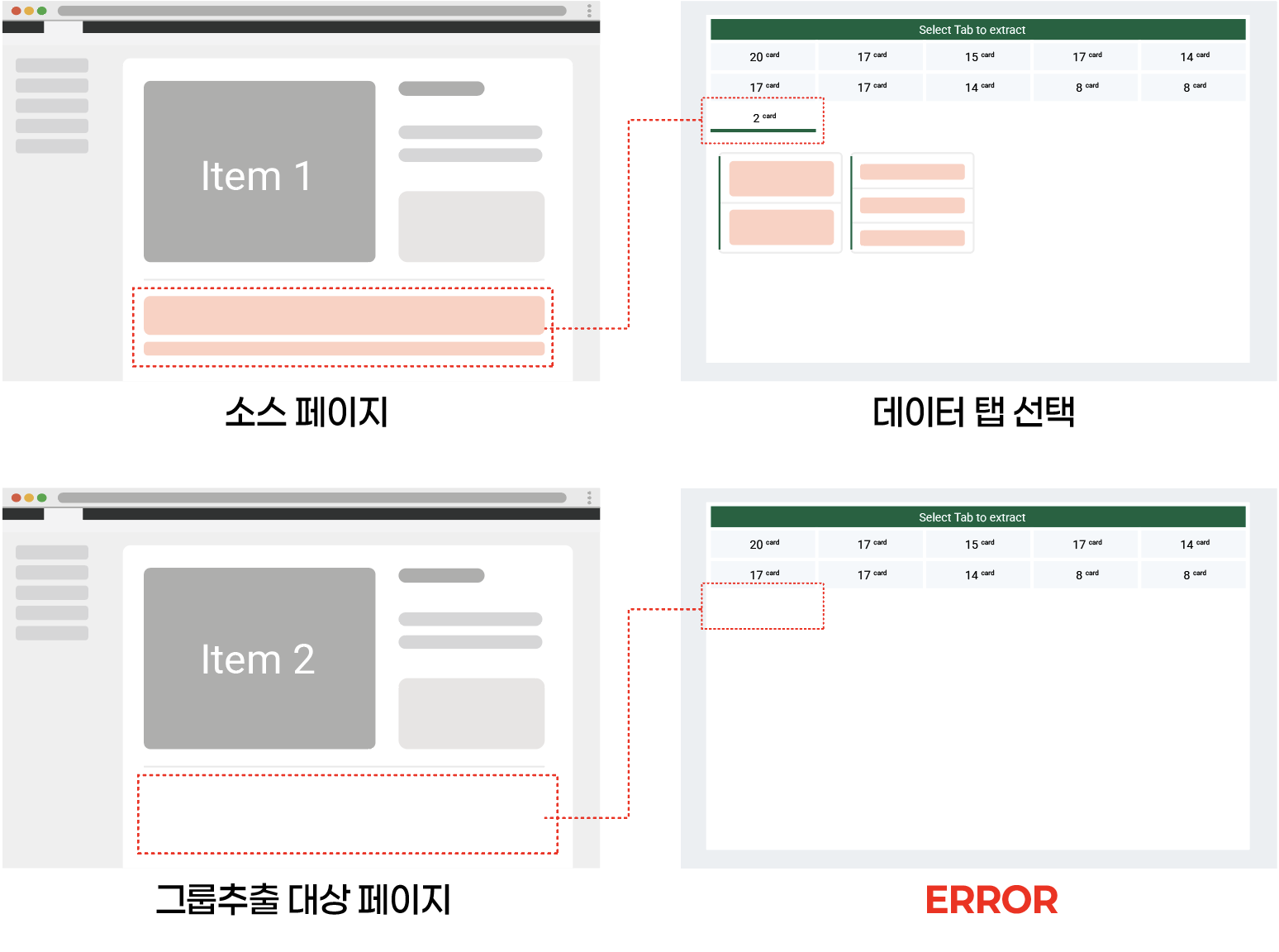
**Checklist before group extraction**

*\*Images are examples for better understanding.*
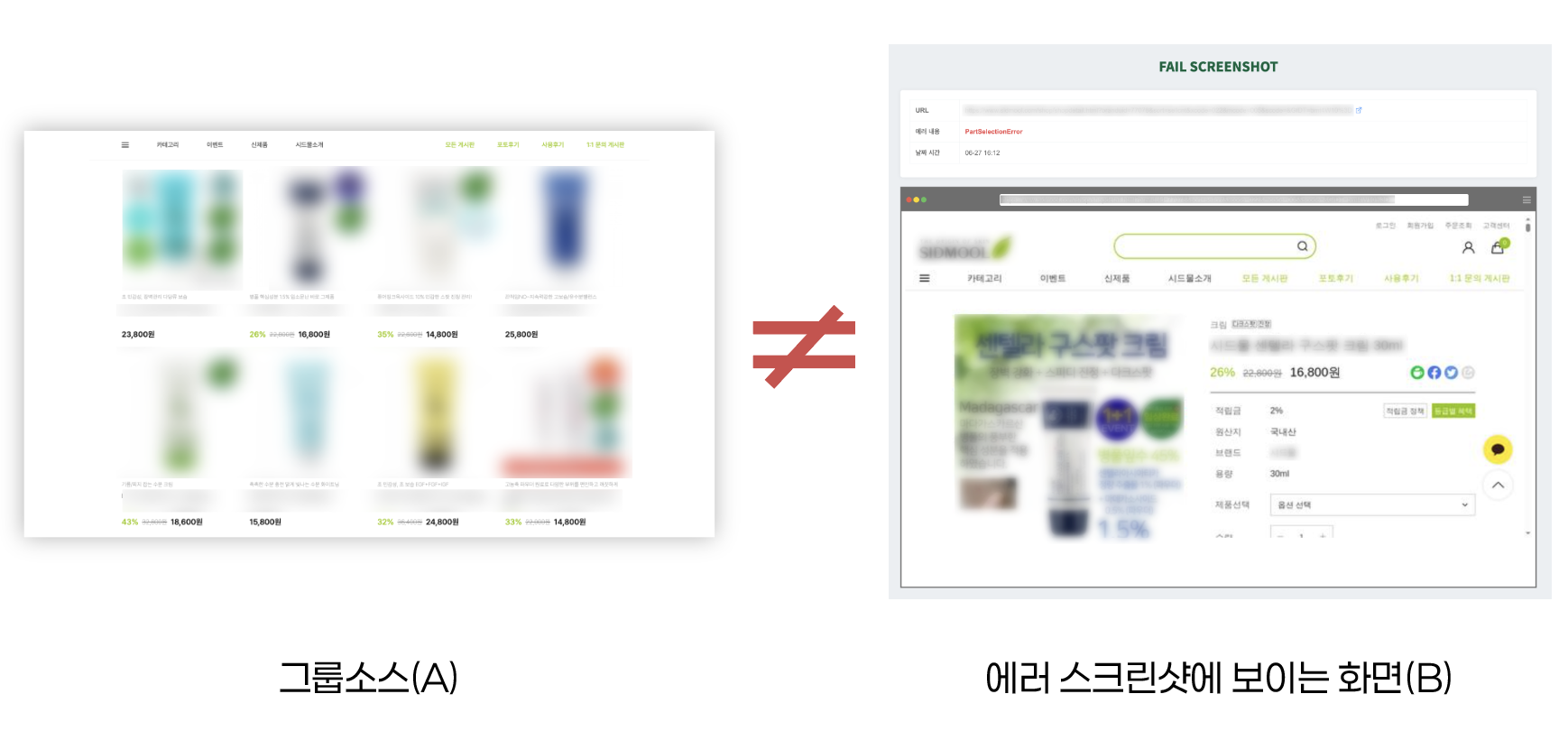
The group extraction feature **operates based on the structure of the page (source page) where you first selected the data**.
Therefore, the URLs you enter afterward **must have the same structure (tab composition, layout, etc.)**to work without errors.
If you failed group extraction, first **check whether the page structure of the initially extracted page matches the URL you entered for group extraction.**
{% endhint %}
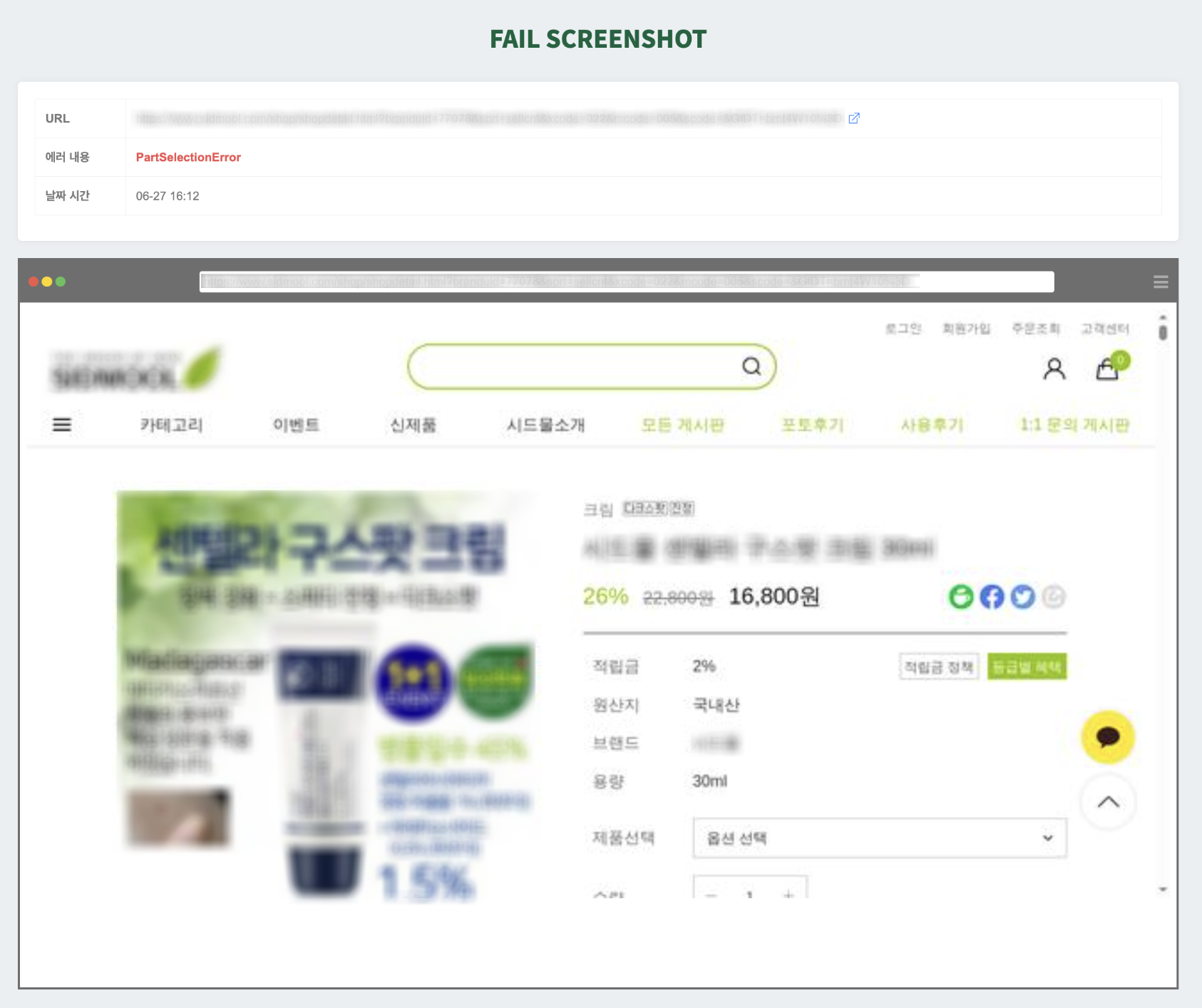
If, as above, the normal screen of the page to be extracted is displayed in the failure screenshot, please check the following.
### Case 1. The structure is different from the initially extracted page
Cause and solution
If the screen shown in the error screenshot has **a different structure from the page where you first extracted the data**(e.g., tab configuration, data location, etc.), then the system **could not relocate the initially configured data area** and an error occurred.
In this case, the error code **PartSelectionError**is very likely to be shown.
As**Checklist before group extraction**guides, **this is a typical case that occurs because the data composition can differ for each URL.**
#### **✅ Solution**
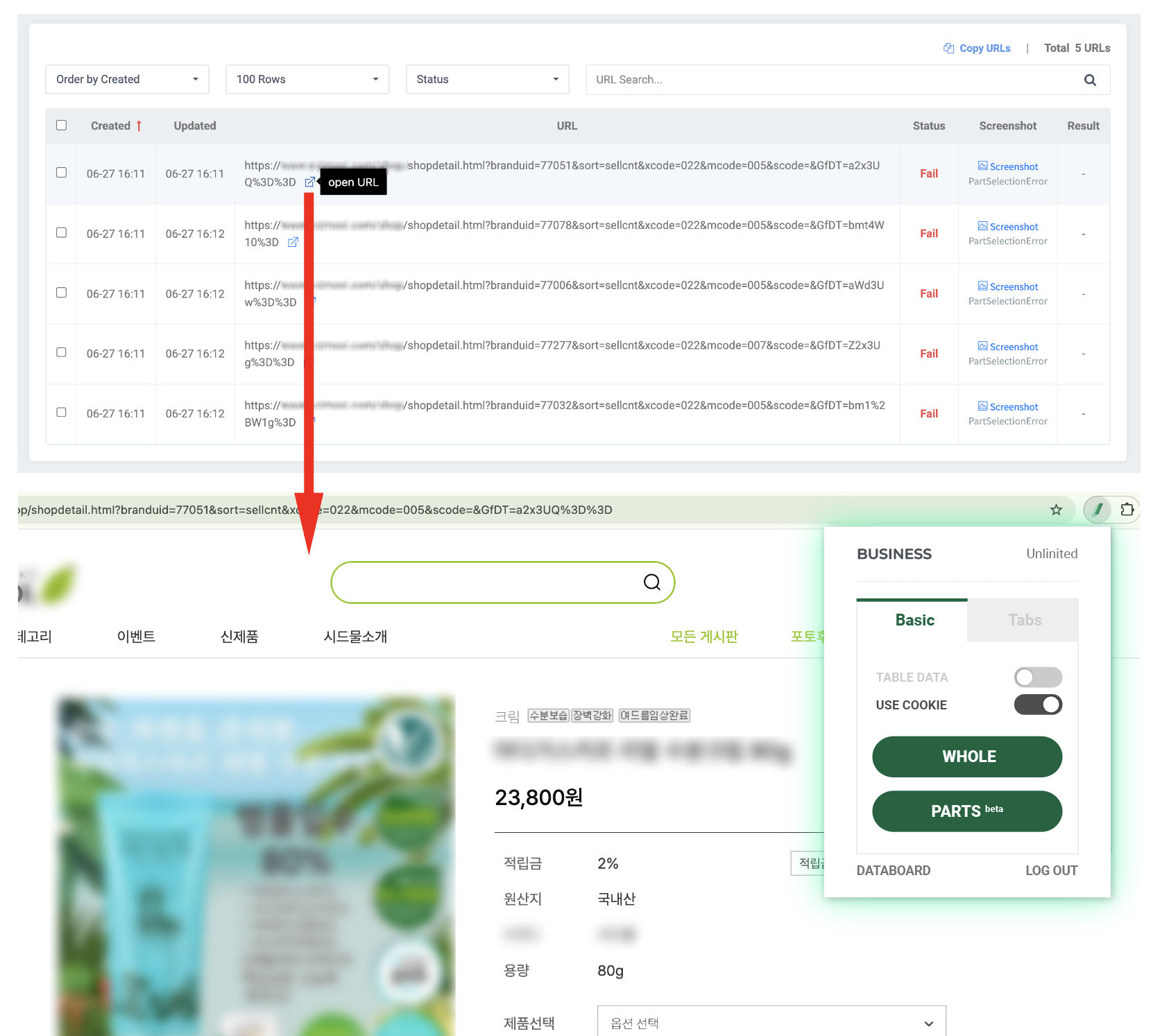
* **Choose and visit one of the URLs used for group extraction,** then perform a new extraction.
* Once the extraction is successfully completed, please create a new group based on this extraction.
* When creating a new group, in the existing group task, **\[Copy URLs]** if you click the button, you can **copy all URLs at once**from the failed group, making it easy to reconfigure.
***
### Case 2. The structure is the same from the initially extracted page
Cause and solution
If the target page in the error screenshot **is loaded normally**and the overall structure (layout, etc.) appears the same as the initially extracted page but an error still occurred, this is because **the tab where you first selected the data does not exist on the target page for group extraction.**
In this case, the error code is usually **NoMatchingTab**displayed.
#### 🧩 Why does this problem occur?
1. **When the page used as the group source does not represent the structure of the remaining URLs** (→ e.g., in a shopping mall where page 1 has many special contents like banners, ads, and recommended products, but from page 2 onward only a general product list appears, you used the entirety of page 1 as the source)
2. **When you selected an overly detailed ‘sub-tab’ during data selection** (→ e.g., you selected an area like the ‘Best Reviews’ section that does not exist on other product pages without reviews)
### **✅ Solution**
* **For this error, creating a new group extraction task is the fastest solution.** First, choose and visit one of the URLs used for group extraction, then extract the page that will become the new group source.
* **At this time, it is important to select and extract a layout that represents the other URLs to be group-extracted.** Especially for product list pages, where detailed elements like ads or MD products are mixed, **choosing the common structure from page 2 onward instead of page 1**is more stable.
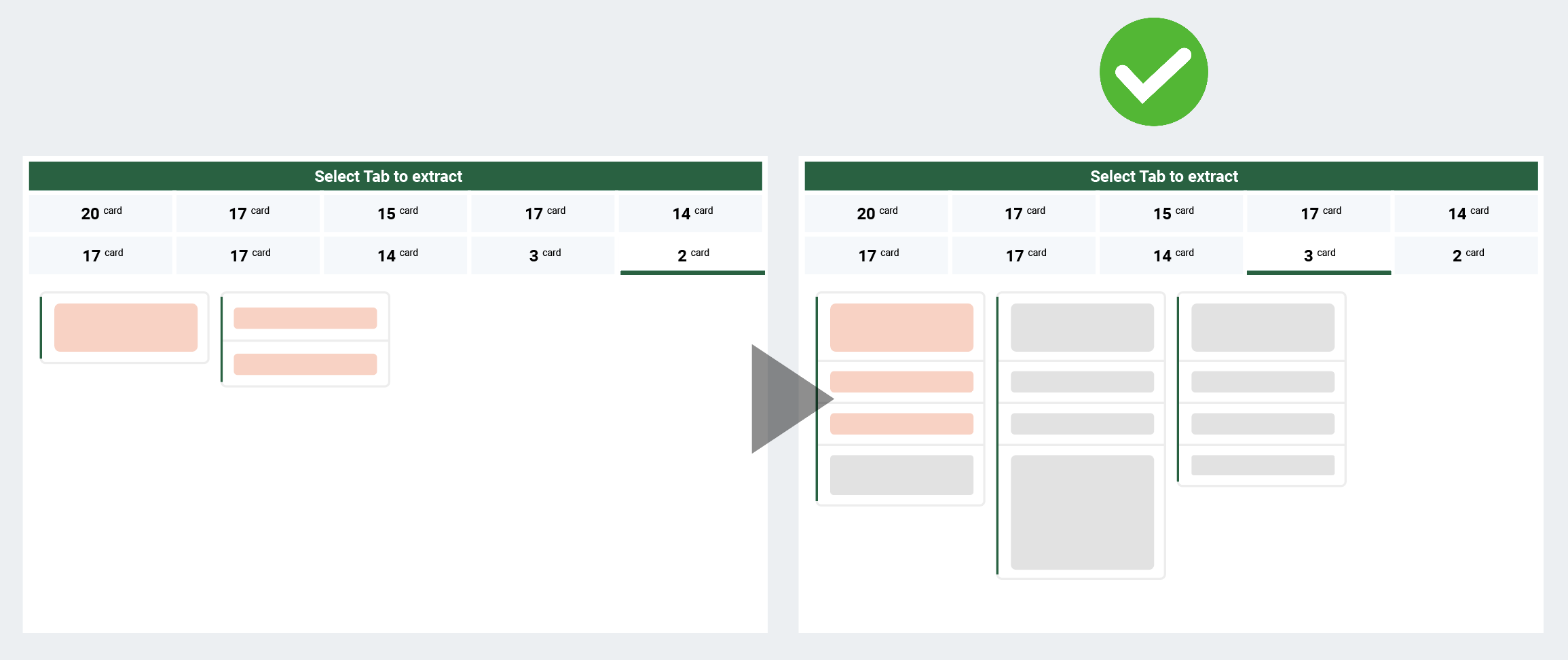
*The image is an example assuming a case of group extraction for consecutive ‘list-type pages’.
* **During the process of selecting the data tab after extraction, choose a data tab covering a slightly wider area than the one used in the failed group extraction task,***(a tab that is more likely to exist in common),***which can also help.**
*Images are examples to aid understanding.
* If you select a **specific tab**that exists on the source page but not on other pages, an error may occur because a matching detailed area cannot be found on the target page for group extraction.
*The image is an example assuming a case of group extraction for similar-structured ‘detail pages’.
* *Note: By using the search bar in the results window, you can easily check which tab contains the desired data.*
* *Note: When creating a group, from the existing group task, **\[Copy URLs]** if you click the button, you can **copy all URLs at once**from the failed group, making it easy to reconfigure.*
{% hint style="success" %}
**If it is still difficult to resolve the issue even after trying the instructed methods, please contact us at** [**hello@listly.io**](mailto:hello@listly.io)**. We will help after accurately diagnosing the cause.**
{% endhint %}
---
# Agent Instructions
This documentation is published with GitBook. GitBook is the documentation platform designed so that both humans and AI agents can read, navigate, and reason over technical content effectively. Learn more at gitbook.com.
## Querying This Documentation
If you need additional information that is not directly available in this page, you can query the documentation by asking a question.
Perform an HTTP GET request on the following URL with the `ask` and `goal` query parameters:
```
GET https://help.listly.io/~/revisions/qSlWzjkSGWSbwiQWG3BZ/support/solutions-by-extraction-error-message/group-extraction-normal-screen.md?ask=&goal=
```
`ask` is the immediate question: it should be specific, self-contained, and written in natural language.
`goal` is what the user is ultimately trying to achieve, the reason they need the answer. Sharing it helps GitBook give you a better, more relevant answer. A goal is most helpful when it describes the outcome the user wants rather than restating the question. For example, with `ask=how do I create an API token`, a goal like `automate deployments from our CI pipeline` lets GitBook tailor the answer to that use case.
The response will contain a direct answer to the question and relevant excerpts and sources from the documentation.
Use this mechanism when the answer is not explicitly present in the current page, you need clarification or additional context, or you want to retrieve related documentation sections.