In large-scale data collection, collection tasks can stall for extended periods or wait inefficiently due to network delays, blocking, abnormal responses, and more.
Listly Enterprise applies the 'Fail-Fast Strategy' to data collection features to minimize these issues.
The 'Fail-Fast' feature lets you configure the system to stop all remaining tasks in a group and move to the next task when a certain percentage or number of failures is detected during group extraction.
The Fail-Fast feature is configurable when creating a group extraction task.
1
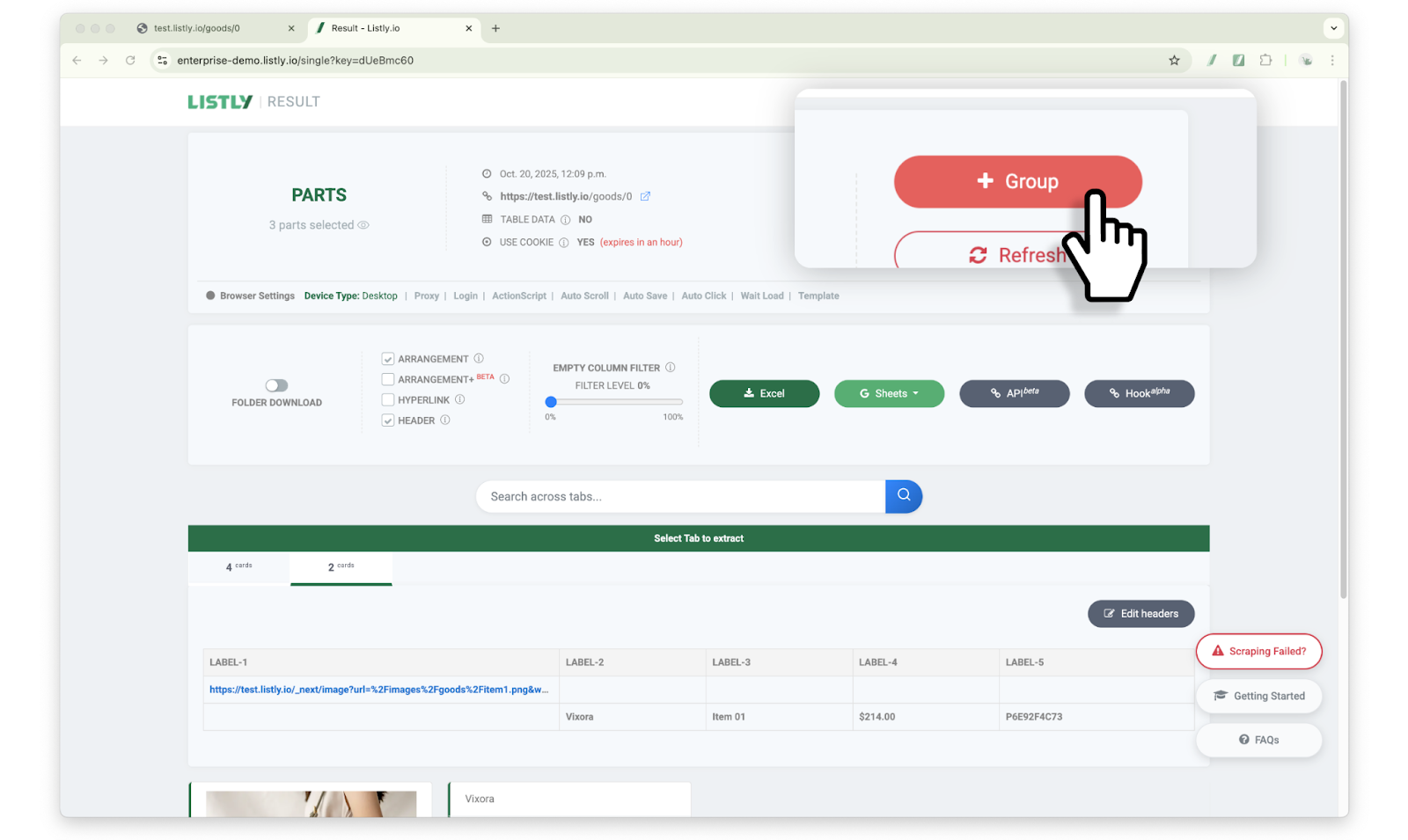
After extracting the source page, click the [+Group] button
This feature can be configured during the process of creating a group extraction task. After extracting the source page, click the [+Group] button at the top of the results page.
2
After entering URLs in the new group, configure the Fail-Fast option
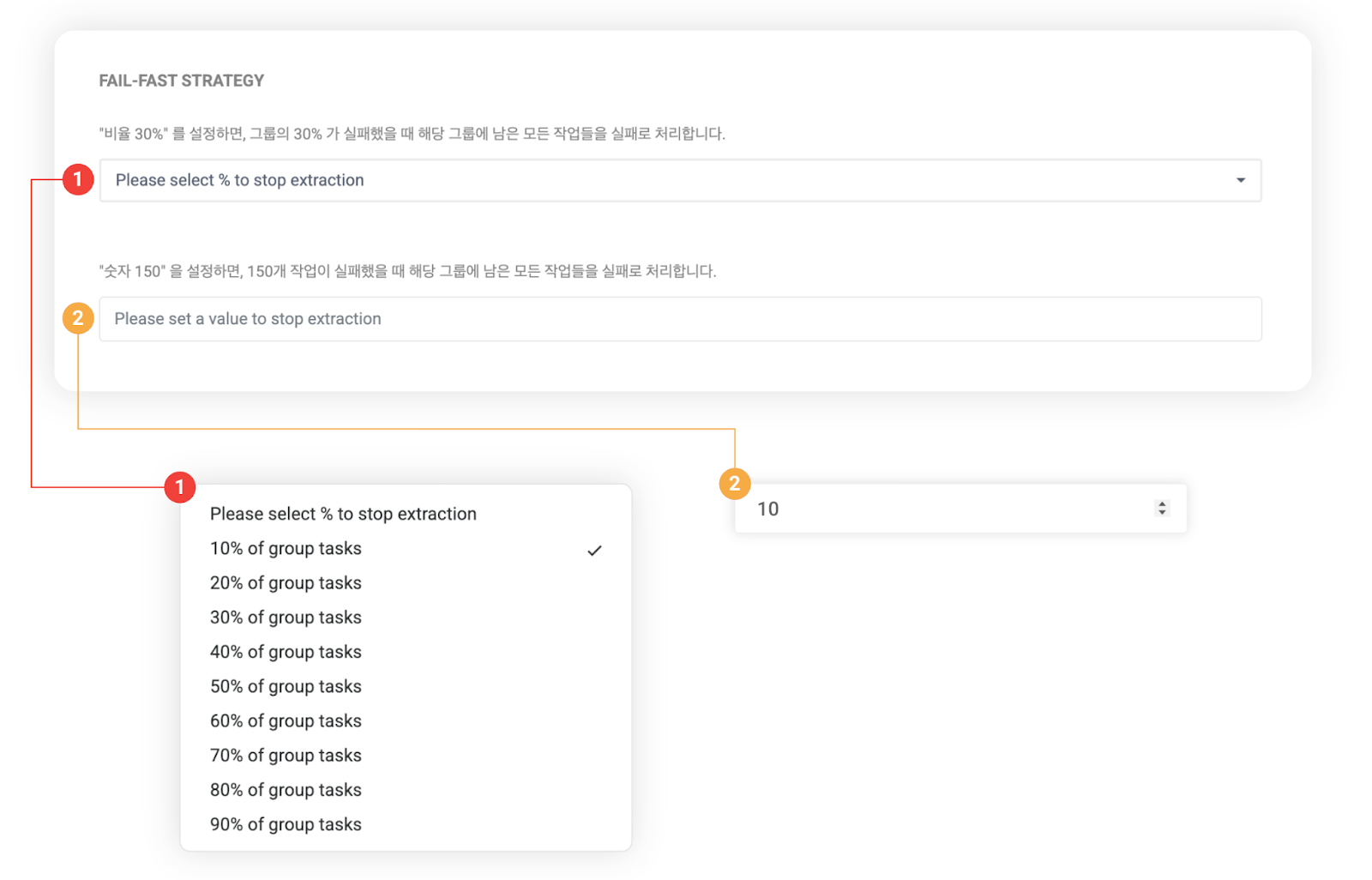
After entering URLs in the new group, configure the Fail-Fast option.
➊ Percentage setting: When tasks fail at the selected percentage, remaining tasks are marked as failed.
➋ Count setting: When tasks fail at the entered count, remaining tasks are marked as failed.
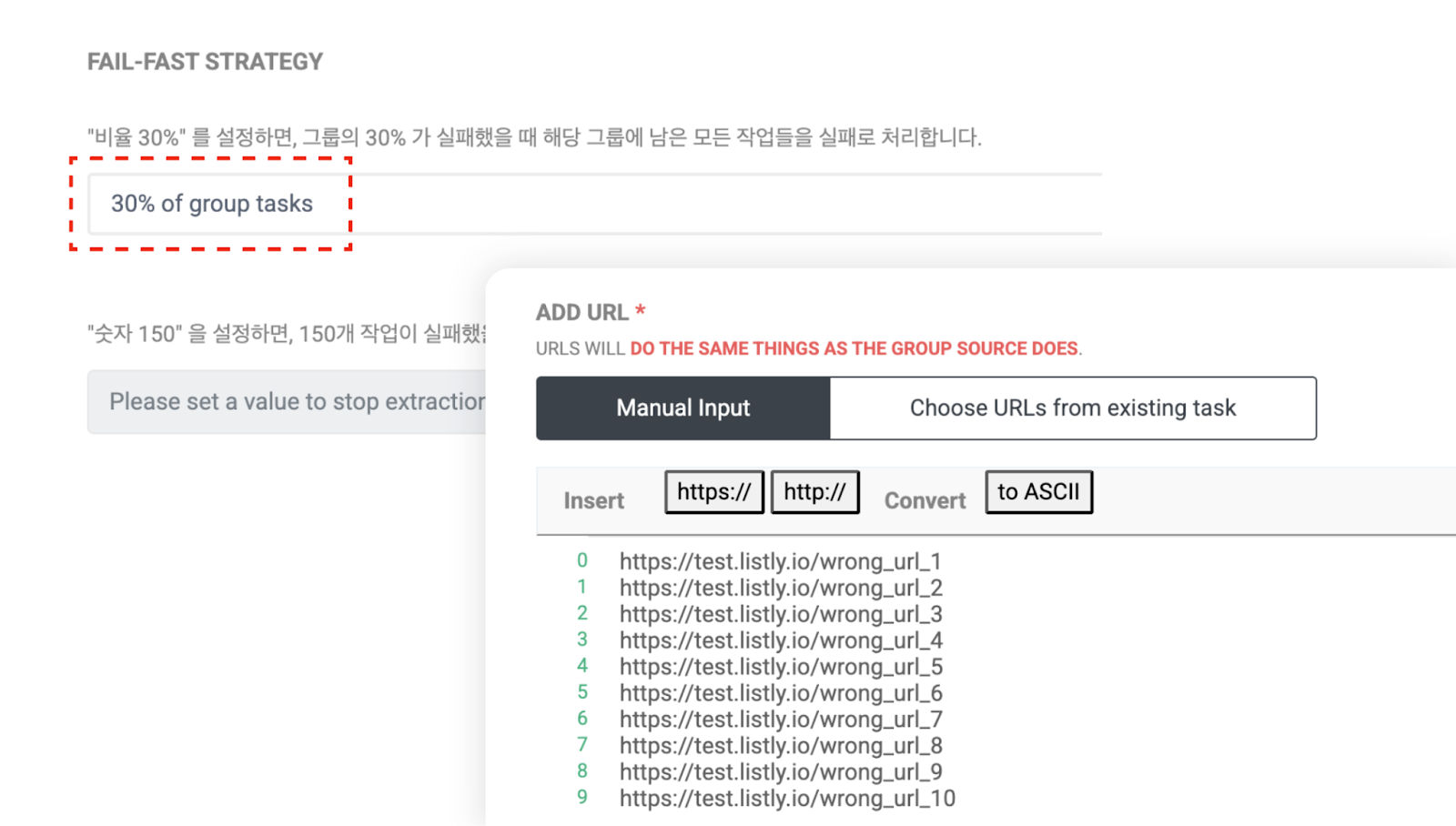
For testing, we set the percentage to 30% and entered 10 URLs to create the group. To simulate a failure scenario, we intentionally entered incorrect URLs.
3
Check task progress
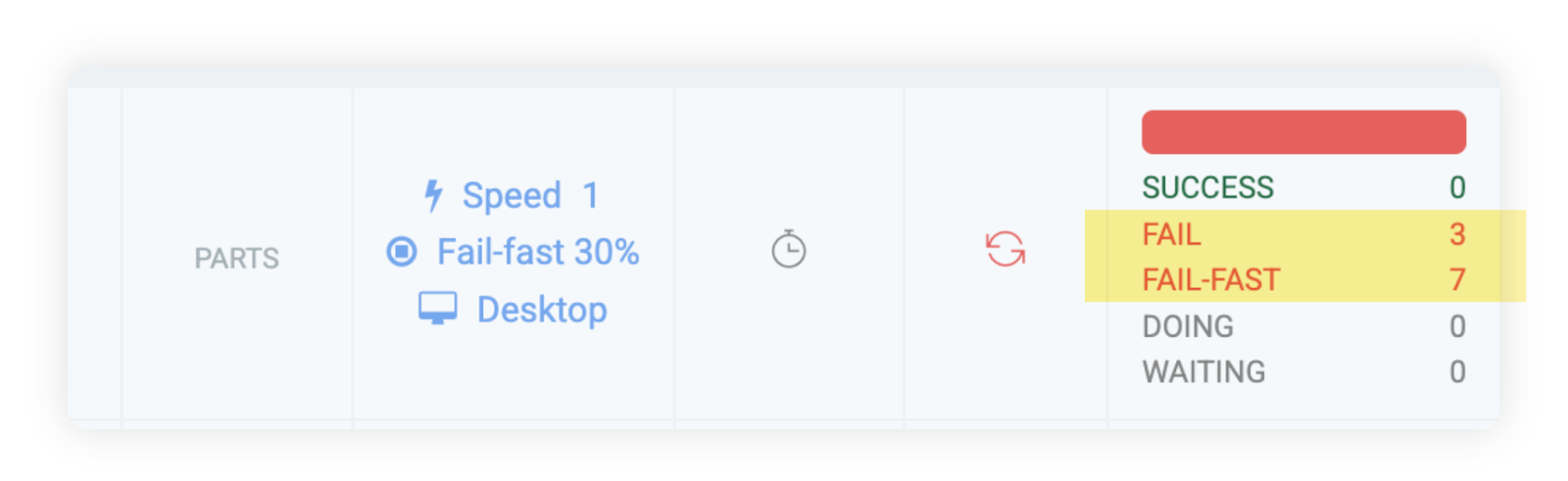
Below is the example result screen. When extraction failed for 30% (3 out of 10 URLs), you can see that the remaining 7 tasks were automatically Fail-Fast processed.
By utilizing the Fail-Fast feature like this, you can reduce unnecessary wait times in certain situations and significantly shorten overall process time.