# An access blocked message is shown (CAPTCHA, bot detection, permission check, inaccessible, etc.)
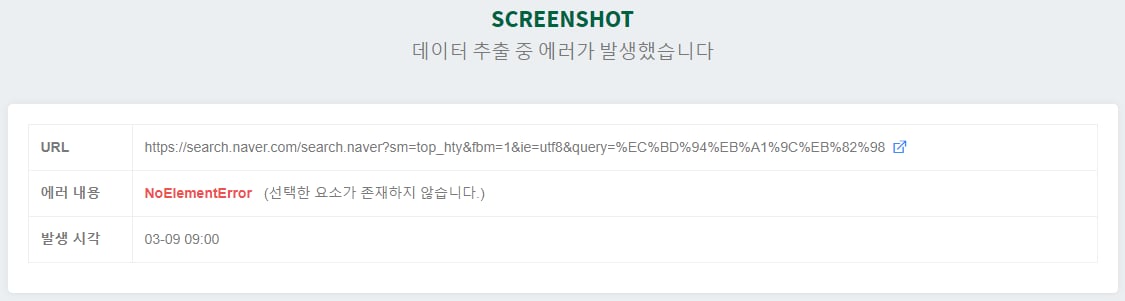
If data extraction fails, a screenshot is automatically generated to analyze the cause of the failure.To see what kinds of errors occur overall, we organized the failure messages.
**ConnectionError**
Appears when a page fails to load. This can occur if the server you visited is down or too slow. It may also be that the LISTLY server's IP address is blocked and the target site returns an error.
**Solution**
If the server is down, you have to wait until it is restored. If it seems the LISTLY server IP address is blocked, you can hide and bypass the IP address using proxy settings.
**PartSelectionError**
Occurs only when extracting with LISTLY PART. There are mainly two causes.
1. The web page design changed and the Part area originally selected at the first extraction disappeared.
2. The IP address of the LISTLY server visiting the web page is blocked, causing a different page to appear.
**Solution**
For case 1, re-extract using LISTLY Whole or Part on the newly designed web page. For case 2, hide and bypass the IP address using proxy settings.
**NoListlyContent**
Appears when the extracted data does not contain list-form content. It usually means there is one item or nothing extracted. When an entire web page is composed only of an iFrame, you may encounter this message if you extract with LISTLY Whole.
**Solution**
Extract from a page with sufficient data. For pages composed of iFrames, press the iFrame button and extract from the iFrame source page to resolve this.
**JavascriptException**
Appears when there is an error in the action script, because action scripts are written as JavaScript code.
**Solution**
LISTLY Team can help modify the action script. [Reach out to us](https://www.listly.io/contact) about ActionScripts.
**SoftTimeLimitExceeded**, **TimeoutException**
LISTLY extraction jobs are limited to run for a maximum of 10 minutes. If the 10-minute limit is exceeded, these messages appear. Reasons why a job may take a long time include the following.
1. There is too much data on a single page (e.g., more than 10,000 items).
2. The automatic scroll count is set too high (e.g., 300 auto-scrolls).
3. The automatic click count is set too high (e.g., 300 auto-clicks).
**Solution**
When setting auto-scroll or auto-click, if a warning message like the one below appears, the chance of failure is high, so set it to a value that does not trigger the warning message.
{% hint style="warning" %}
Other error messages are not general/common errors. For more details, [contact LISTLY](https://www.listly.io/contact). We will review carefully and get back to you.
{% endhint %}
---
# Agent Instructions: Querying This Documentation
If you need additional information that is not directly available in this page, you can query the documentation dynamically by asking a question.
Perform an HTTP GET request on the current page URL with the `ask` query parameter:
```
GET https://help.listly.io/support/solutions-by-extraction-error-message/captcha.md?ask=
```
The question should be specific, self-contained, and written in natural language.
The response will contain a direct answer to the question and relevant excerpts and sources from the documentation.
Use this mechanism when the answer is not explicitly present in the current page, you need clarification or additional context, or you want to retrieve related documentation sections.