
Data Arrangeent (1-Card-to-1-Row vs 1-Tab-to-1-Row)
What is the Data Arrangement Option?
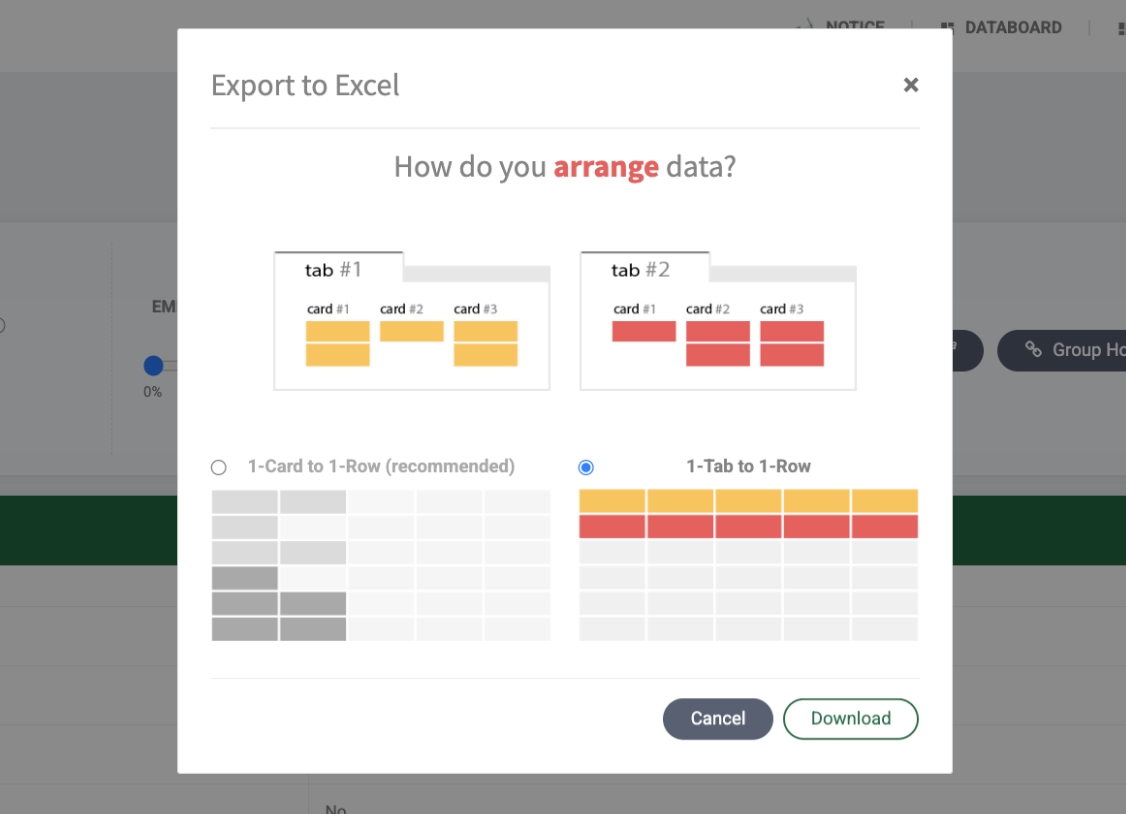
The data arrangement option is a feature you can set when extracting multiple pages at once (group extraction, tabs extraction, etc.) and exporting them to a single file. Depending on how you'll use the data, you can choose whether to arrange individual page results by card or by tab.
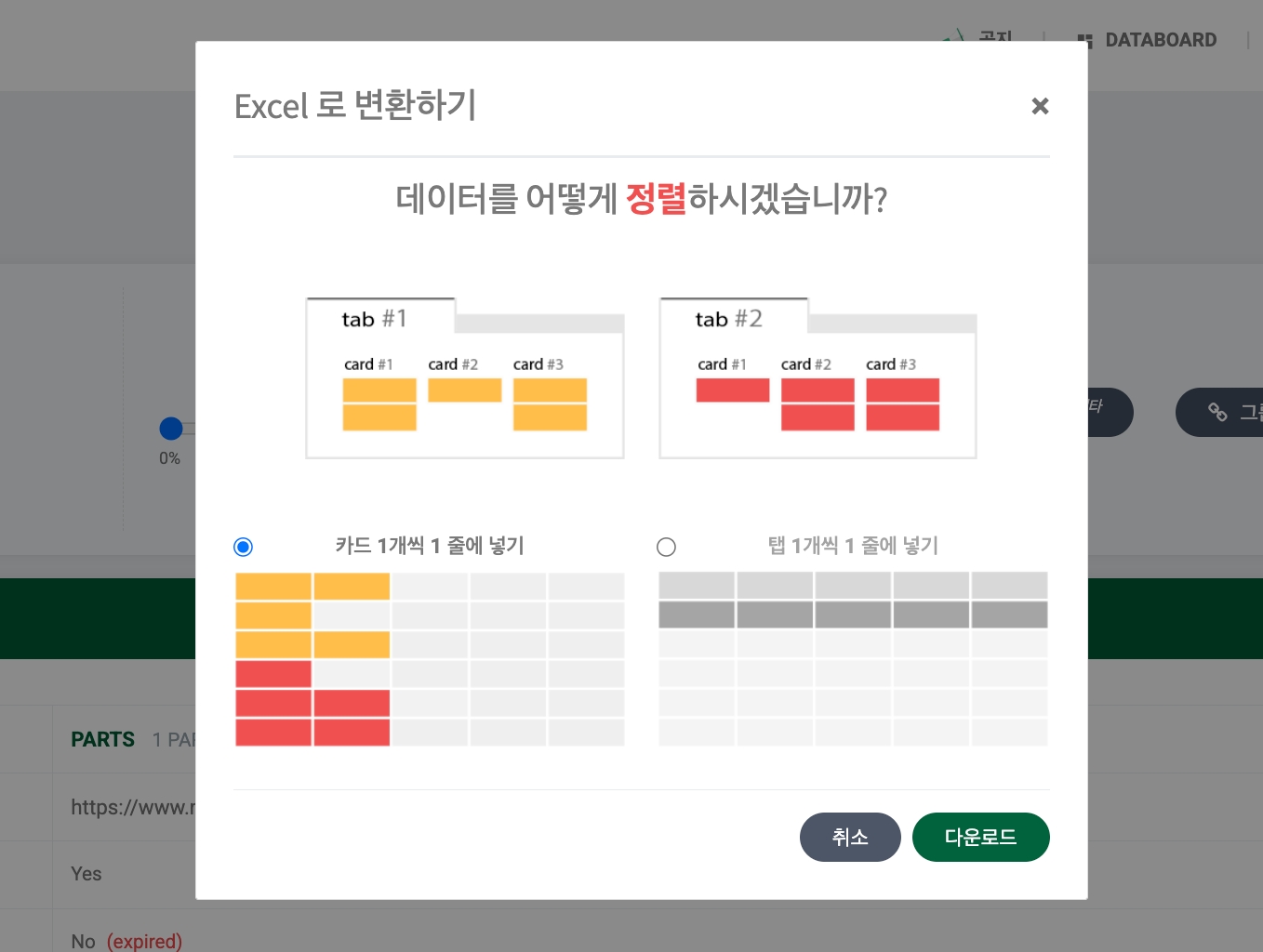
Understanding Cards vs Tabs
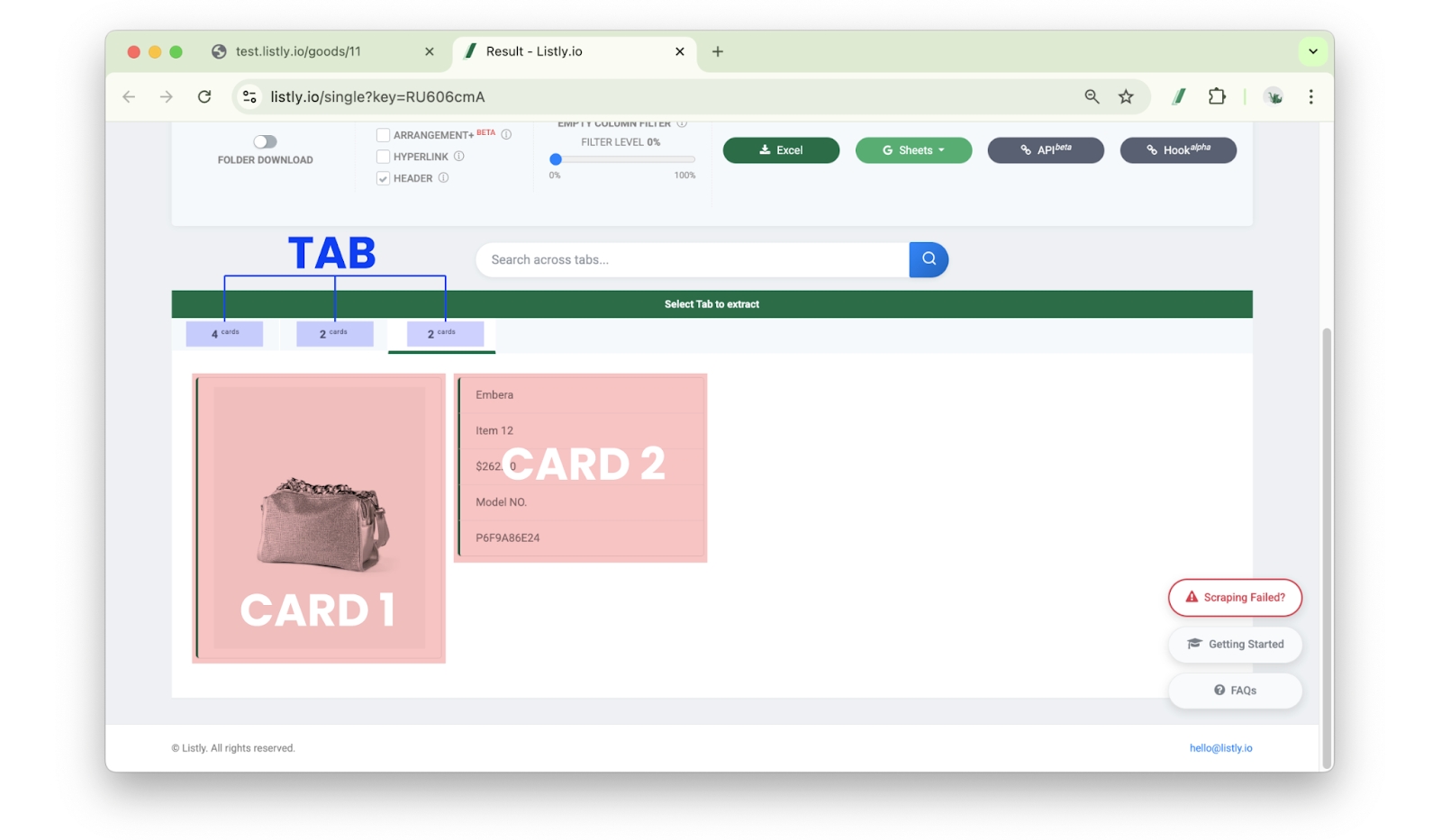
Card: A data unit area discovered by Listly. One card is saved as one Excel row. For a single task, if you download the above result as is, 30 cards means 30 rows in Excel.
Tab: The upper section containing multiple cards.
These concepts apply to each task and are used as data arrangement standards when results from multiple URLs are combined, like group extraction or tabs extraction.
Examples
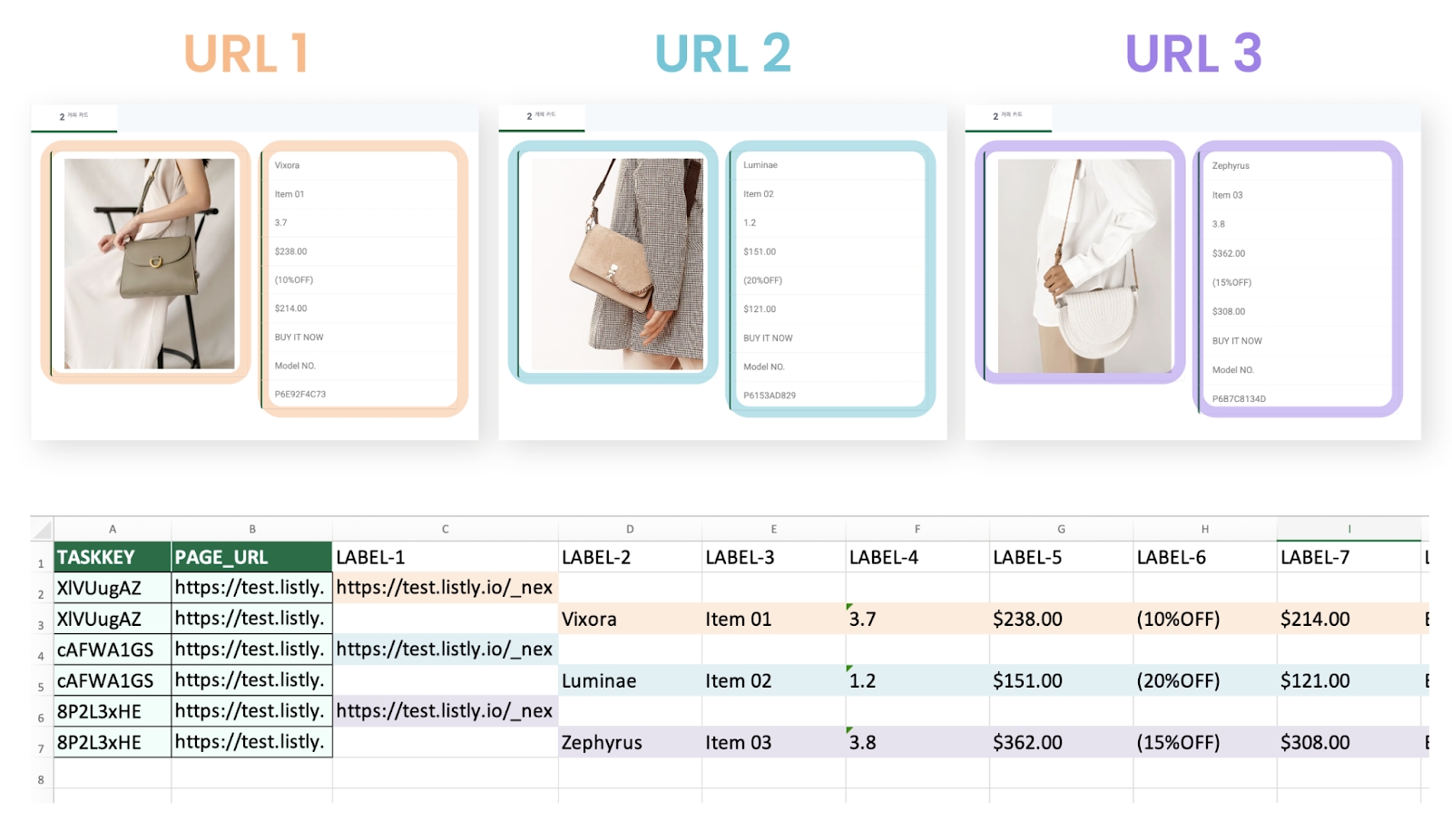
Tab per row
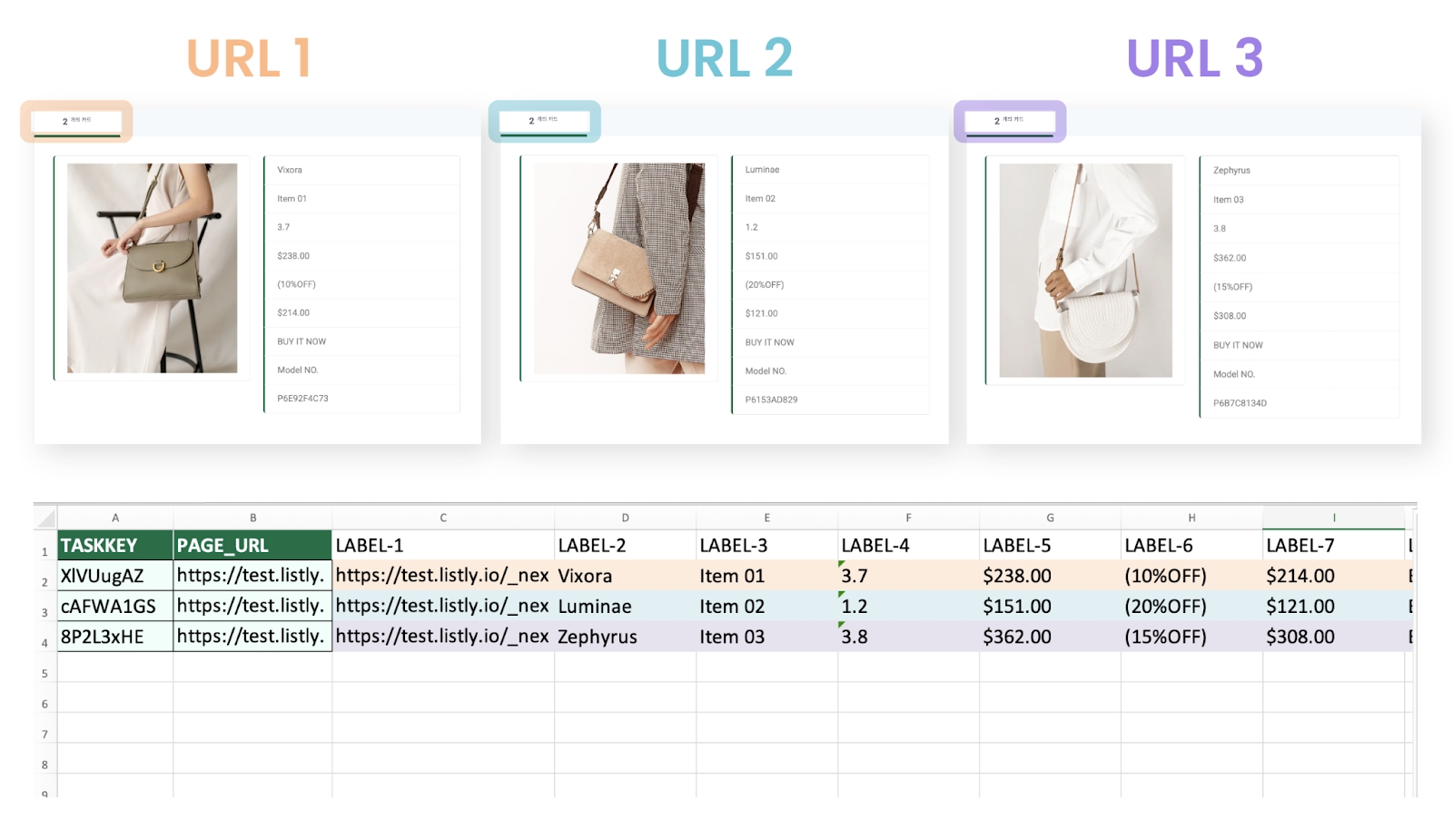
All cards within each URL's data tab are placed in one row. Therefore, extracting 3 URLs with this option creates only 3 rows total in the final Excel file, matching the number of URLs.
In other words, each page is recorded as one Excel row, making it suitable for cases like shopping mall 'detail pages' where there's only one item's info within one tab.
Last updated
Was this helpful?