> For the complete documentation index, see [llms.txt](https://help.listly.io/llms.txt). Markdown versions of documentation pages are available by appending `.md` to page URLs; this page is available as [Markdown](https://help.listly.io/getting-started/result-page-features/group-extraction-sequential-urls.md).
# Group Extraction - Generate 1,2,3…Sequential Page URLs
{% hint style="success" %} **Wait!** **Learn about an easier way to generate sequential page URLs**
If you're trying to group extract pages numbered sequentially, using the [Pagination Template feature](/getting-started/databoard-features/settings-pagination-templates.md) makes it simpler—you can skip the step of getting 1,2,3...page addresses. Pagination templates automatically click 'next page' buttons to extract sequential pages.
{% endhint %}
***
## How to Use
{% stepper %}
{% step %}
#### Check the URL pattern
As you click through page numbers on the web page you want to extract, watch how the URL changes. In most cases, only the number after page= changes. (Page 1 may have the parameter omitted.)
[https://www.example.com/categories/420186/?sort=latest](https://www.example.com/categories/420186/?sort=latest)
[https://www.example.com/categories/420186?page=2\\\&sort=latest](https://www.example.com/categories/420186?page=2\\\&sort=latest)
[https://www.example.com/categories/420186?page=3\\\&sort=latest](https://www.example.com/categories/420186?page=3\\\&sort=latest)
Using this principle, you can easily create pagination addresses for all pages with a single URL.
{% endstep %}
{% step %}
#### Use an automatic URL generation tool
**A. Use conversational AI service ****recommended**
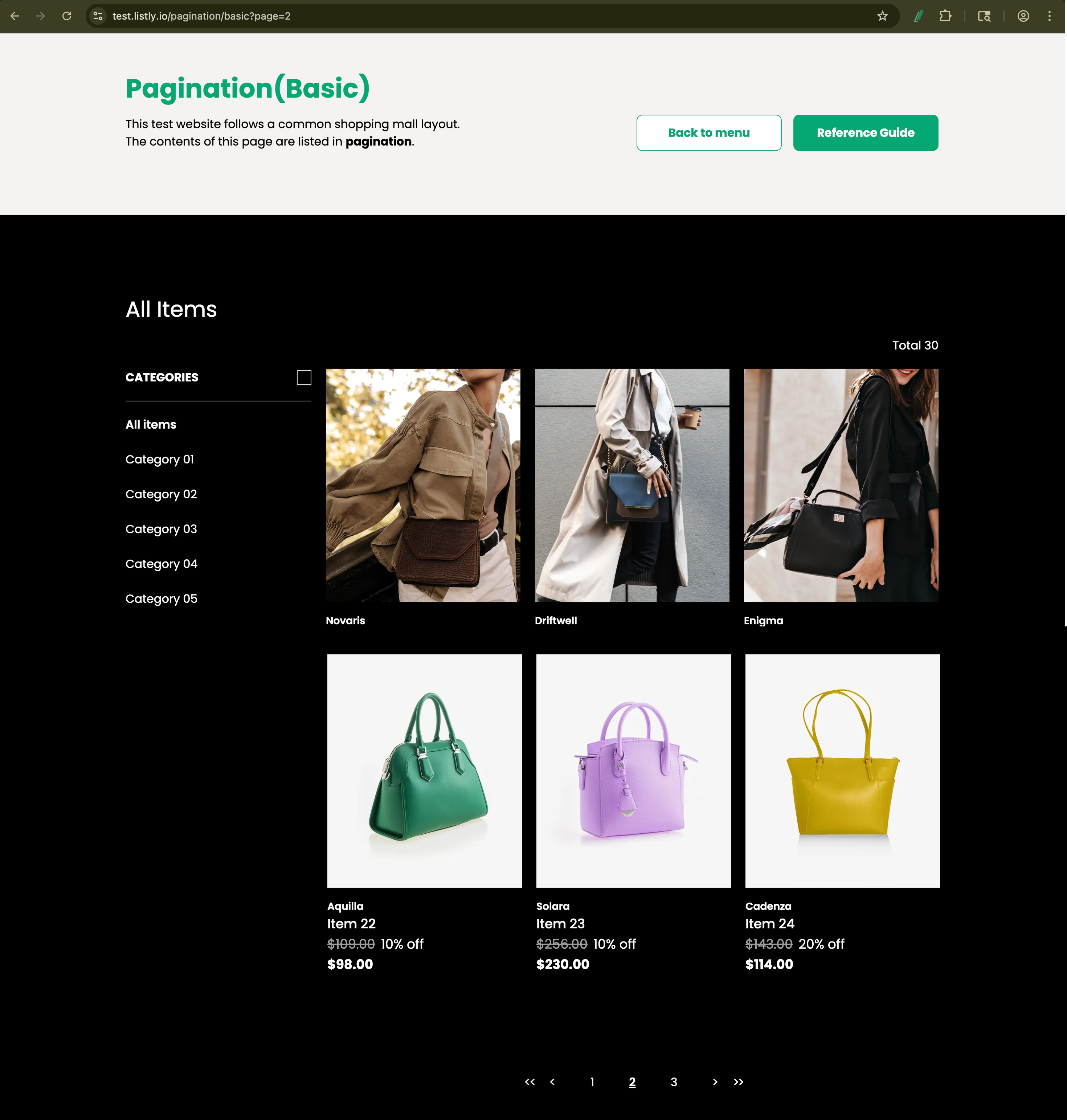
You can easily generate sequential page addresses using LLM-based conversational AI services like ChatGPT. After checking the page URL pattern like the example page below, try saying "Create URL addresses with Page number from 1 to 30".
{% hint style="info" %}
**Listly test page link:** [**https://test.listly.io/pagination/basic?page=2**](https://test.listly.io/pagination/basic?page=1)
{% endhint %}
**B. Use URL builder**
Search "sequential url generator" or "url builder" in Google or other search engines to find various free web tools. This guide uses **Online Sequential Number, URL & Text Generator** as an example.\
(If you understand URL structure, you can easily create them with Excel formulas too.)
{% hint style="info" %}
Service link: [Online Sequential Number, URL & Text Generator](https://reznortech.rf.gd/online-sequential-number-text-url-link-generator.php?utm_source=chatgpt.com\&i=1)
{% endhint %}
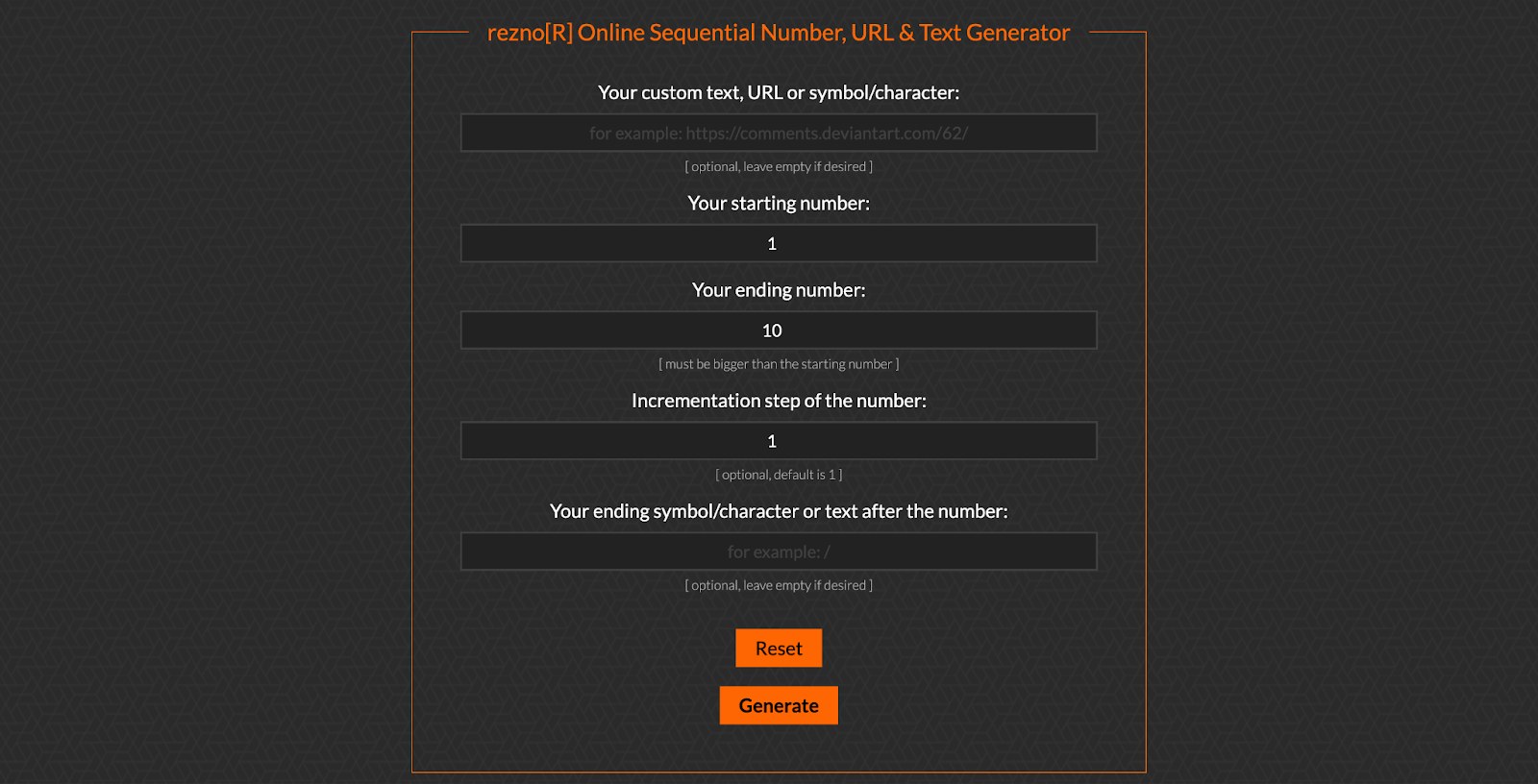
When you go to the service link, this screen appears:
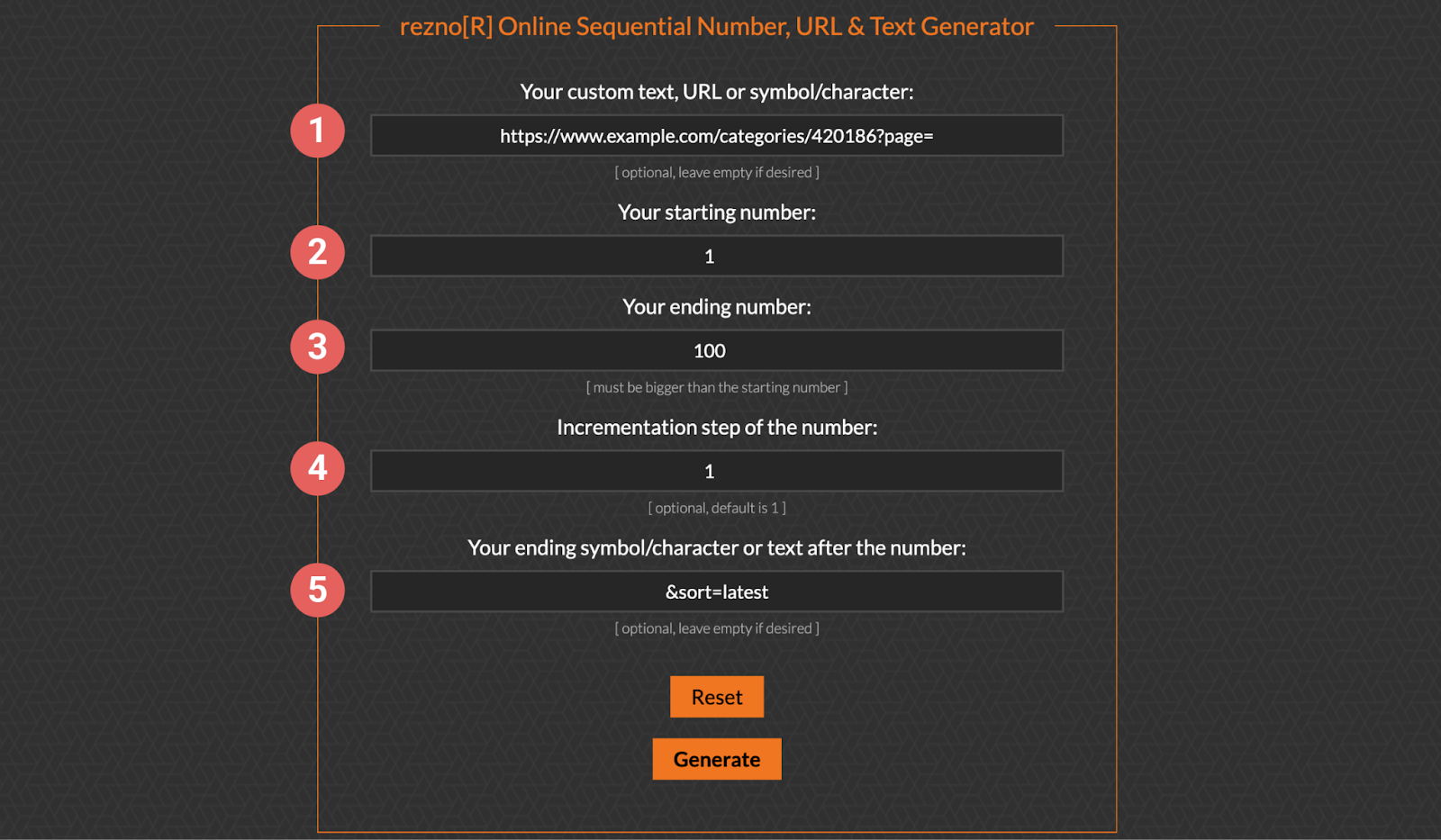
Set options like the example below to generate sequential page URLs:
Example URL: [https://www.example.com/categories/420186?page=2\\\&sort=latest](https://www.example.com/categories/420186?page=2\\\&sort=latest)
Enter the options as follows and click the Generate button:
* Enter the unchanging part before the page number.
* Enter the starting page number. (Page 1 often has parameters omitted, but entering page=1 still works fine.)
* Enter the ending page number.
* Enter the increment step. Usually it's 1,2,3... sequential, so enter 1.
* Enter the unchanging part after the page number. Leave blank if there isn't one.
{% endstep %}
{% step %}
#### Use the results
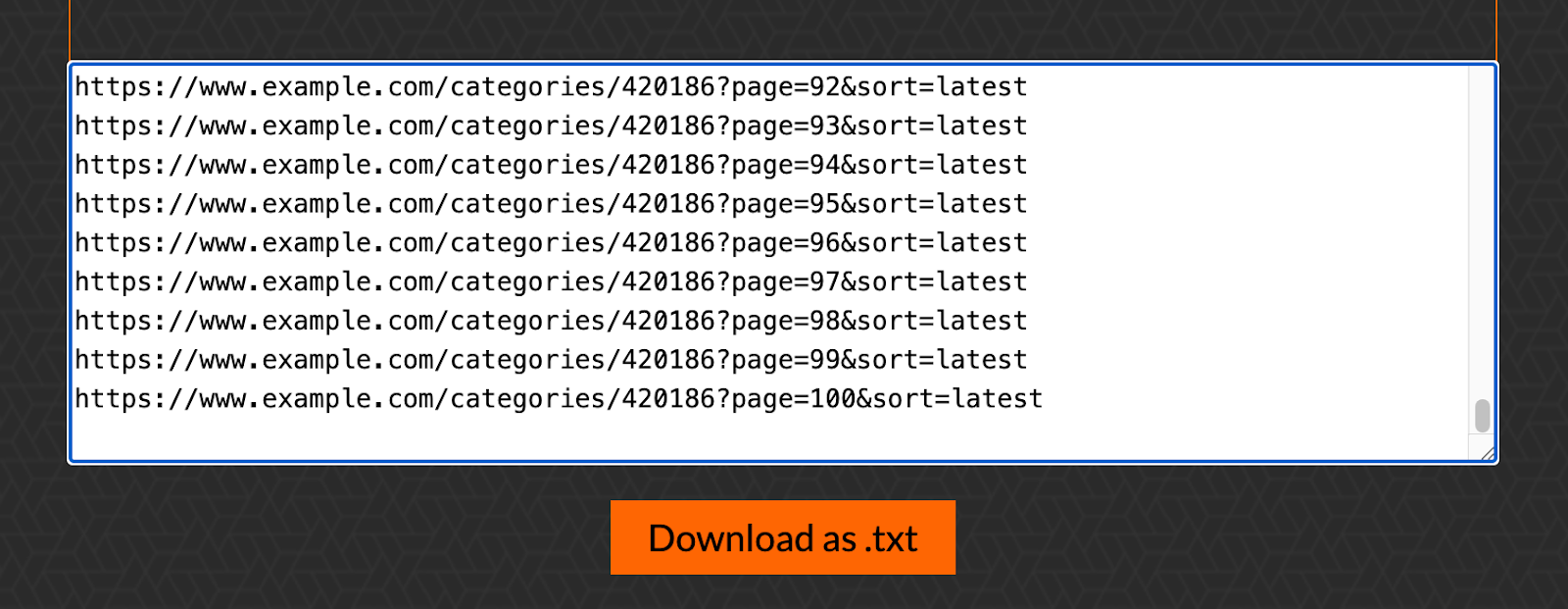
Once URLs are generated sequentially based on your input range, copy the generated addresses and paste them into **Group Extraction** to extract multiple pages at once.
{% endstep %}
{% endstepper %}
---
# Agent Instructions
This documentation is published with GitBook. GitBook is the documentation platform designed so that both humans and AI agents can read, navigate, and reason over technical content effectively. Learn more at gitbook.com.
## Querying This Documentation
If you need additional information that is not directly available in this page, you can query the documentation dynamically by asking a question.
Perform an HTTP GET request on the current page URL with the `ask` query parameter, and the optional `goal` query parameter:
```
GET https://help.listly.io/getting-started/result-page-features/group-extraction-sequential-urls.md?ask=&goal=
```
`ask` is the immediate question: it should be specific, self-contained, and written in natural language.
`goal` is optional and describes the broader end goal you are ultimately trying to accomplish on behalf of the user. GitBook uses it to tailor the answer towards what is most useful for that goal.
The response will contain a direct answer to the question and relevant excerpts and sources from the documentation.
Use this mechanism when the answer is not explicitly present in the current page, you need clarification or additional context, or you want to retrieve related documentation sections.


 {% endhint %}
**B. Use URL builder**
Search "sequential url generator" or "url builder" in Google or other search engines to find various free web tools. This guide uses **Online Sequential Number, URL & Text Generator** as an example.\
(If you understand URL structure, you can easily create them with Excel formulas too.)
{% hint style="info" %}
Service link: [Online Sequential Number, URL & Text Generator](https://reznortech.rf.gd/online-sequential-number-text-url-link-generator.php?utm_source=chatgpt.com\&i=1)
{% endhint %}
When you go to the service link, this screen appears:
{% endhint %}
**B. Use URL builder**
Search "sequential url generator" or "url builder" in Google or other search engines to find various free web tools. This guide uses **Online Sequential Number, URL & Text Generator** as an example.\
(If you understand URL structure, you can easily create them with Excel formulas too.)
{% hint style="info" %}
Service link: [Online Sequential Number, URL & Text Generator](https://reznortech.rf.gd/online-sequential-number-text-url-link-generator.php?utm_source=chatgpt.com\&i=1)
{% endhint %}
When you go to the service link, this screen appears: